

Related guides:
- your guide to soc 2 audits
- the ultimate iso 27001 guide
- us data privacy compliance checklist
- the best DAST solutions
- open-source DAST tools
Key takeaways
- Why Free Network Security Tools Are Worthy: The word “free” often comes with skepticism.
- What is network security software: Network security software is a category of tools that monitor, detect, and block threats moving across a network, covering traffic analysis, vulnerability scanning, intrusion detection, firewalls.
- Top 12 Free Network Security Tools That Outperform: Now let’s get into the heart of the matter, the tools themselves.
Every click, every email, and every online transaction exposes networks to potential risks. Cybercrime costs are projected to reach $10.5 trillion annually by 2025 , according to Cybersecurity Ventures, making digital defense a top priority for businesses and individuals alike.
Yet, when people think about securing their systems, their first instinct is often to invest in costly, branded security software. While such tools do serve their purpose, many overlook the power and reliability of free network security solutions.
Free tools have come a long way. Once dismissed as “basic” or “unfinished,” many of today’s free network security tools are open-source, backed by strong developer communities, and rival even the most expensive enterprise-level products. In fact, several Fortune 500 companies and government agencies rely on these free solutions for mission-critical operations. Why? Because what matters most isn’t the price tag; it’s the performance.
This article explores 12 free network security tools that consistently outperform costly alternatives. Whether you’re a small business owner, IT professional, or just a privacy-conscious individual, these tools could drastically enhance your defense without draining your budget.
Why Free Network Security Tools Are Worthy
The word “free” often comes with skepticism. People assume that if something doesn’t cost money, it must be limited or less reliable. But in the world of cybersecurity, free doesn’t mean inferior, it often means community-driven innovation. Many of the most powerful tools are open-source projects, continuously updated by experts, researchers, and passionate developers.
Here’s why free network security tools are worth serious consideration:
Cost-Effectiveness
For startups, small IT teams, or individuals, every dollar counts. Free tools provide enterprise-level functionality without recurring subscription fees.
This doesn’t just save money, it allows budgets to be redirected toward other security priorities, such as employee training or infrastructure upgrades.
Open-Source Transparency
Unlike closed-source commercial software, open-source tools allow users to inspect the code. This transparency builds trust and ensures there are no hidden backdoors or vulnerabilities intentionally left by vendors.
In fact, some of the most famous vulnerabilities in commercial software were uncovered because open-source alternatives allowed for deeper scrutiny.
Community Support and Rapid Updates
With thousands of contributors worldwide, free security tools often evolve faster than proprietary software. Bugs are fixed swiftly, and new features are integrated based on real-world user feedback.
Take Wireshark, for example; it thrives on a global community of network professionals who ensure it remains cutting-edge.
Performance Over Branding
Many paid software solutions rely on heavy marketing campaigns to gain trust, while free tools quietly build reputations through performance.
Experts often note that tools like Snort and Nmap outperform several commercial intrusion detection and scanning systems in independent tests.
As Bruce Schneier, a renowned cybersecurity expert, famously said: “Security is a process, not a product.”
And free tools, when applied correctly, often fit into security processes more seamlessly than bloated, expensive software packages.
What is network security software?
Network security software is a category of tools that monitor, detect, and block threats moving across a network, covering traffic analysis, vulnerability scanning, intrusion detection, firewalls, and endpoint protection. The strongest network security stacks combine several specialised tools rather than relying on a single product.
- Detection and monitoring: packet analysers (Wireshark) and SIEM platforms (Wazuh, Security Onion) surface suspicious activity in real time.
- Scanning and testing: vulnerability scanners (OpenVAS) and penetration-testing tools (Metasploit, Nmap) find weaknesses before attackers do.
- Prevention: firewalls (pfSense) and intrusion prevention systems (Snort) stop malicious traffic at the perimeter.
Many of the best network security tools are free and open-source, which is why the list below focuses on solutions that rival, and often outperform, costly enterprise software.
Top 12 Free Network Security Tools That Outperform Expensive Software
Now let’s get into the heart of the matter, the tools themselves. Each of the following free solutions has been vetted by cybersecurity professionals, widely adopted across industries, and proven effective in real-world scenarios. These tools were chosen based on:
- Effectiveness: How well they perform their intended task
- Scalability: Ability to handle both small and large environments
- Ease of Use: Accessibility for both beginners and experts
- Community Support: Strength of updates and troubleshooting resources
1. Wireshark: The Gold Standard in Packet Analysis
When it comes to network monitoring and packet analysis, Wireshark is unmatched. It’s an open-source tool that allows users to capture and analyze network traffic in real time. It is like a microscope for your network that lets you see exactly what’s flowing in and out, packet by packet.

Key Features:
- Deep inspection of hundreds of protocols
- Live capture and offline analysis
- Powerful filtering capabilities for targeted monitoring
- Compatibility across Windows, macOS, and Linux
Enterprises use Wireshark to troubleshoot network bottlenecks, identify unauthorized activity, and optimize performance. In fact, many cybersecurity training courses, from entry-level certifications to advanced penetration testing, require proficiency in Wireshark.
Compared to expensive network analyzers, Wireshark’s advantage lies in its versatility and accessibility. Commercial tools often cost thousands of dollars annually, yet Wireshark offers the same core functionality completely free. Cisco-certified trainers regularly recommend Wireshark as a must-have in every network engineer’s toolkit.
2. Nmap: The Network Mapper
If Wireshark is the microscope, Nmap is the radar system. Known as the “Swiss Army knife of network discovery,” Nmap is a powerful open-source tool used to scan networks, discover devices, and identify open ports and running services.
Key Features:
- Network inventory and asset discovery
- Detection of open ports and vulnerabilities
- OS detection and version scanning
- Integration with scripting engines for advanced testing
IT teams worldwide rely on Nmap for vulnerability assessments and security audits. It’s not just for ethical hackers; system administrators use Nmap daily to maintain visibility over sprawling corporate networks.
Commercial scanners often come with bulky dashboards and expensive licenses, but Nmap provides the same accuracy with lightweight, customizable options. In fact, some security researchers argue that Nmap identifies potential entry points more effectively than many paid tools.
As its creator Gordon Lyon (Fyodor) once said: “Nmap’s greatest strength lies in its flexibility and the creativity of its users.” That flexibility is exactly why Nmap remains an industry staple.
3. Snort: Intrusion Detection and Prevention
Snort isn’t just a free intrusion detection system (IDS); it’s one of the most widely deployed IDS/IPS solutions in the world. Developed by Cisco and available as open-source, Snort analyzes network traffic against a set of rules to detect malicious activity in real time.
Key Features:
- Powerful signature-based detection engine
- Ability to block suspicious traffic when configured as IPS
- A vast library of community-contributed rules
- Proven track record in enterprise and government networks
Snort is so trusted that it has been deployed in high-security environments, from military networks to global financial institutions. Unlike commercial IDS products, which can cost tens of thousands per year, Snort offers equal or superior detection capabilities without the licensing burden.
For example, the U.S. Department of Energy integrated Snort into parts of its network defense strategy, leveraging its real-time traffic analysis to identify early-stage intrusion attempts. This speaks volumes about its reliability in critical infrastructure.
4. OpenVAS: Vulnerability Assessment Made Free
Vulnerability scanning is a cornerstone of any security program, and OpenVAS (Open Vulnerability Assessment System) provides exactly that without the hefty price tag of commercial scanners like Nessus or Qualys.
Key Features:
- Scanning for over 50,000 known vulnerabilities
- Regular updates by the Greenbone Community
- Comprehensive reporting for remediation strategies
- Scalability from small networks to enterprise-level systems
OpenVAS is widely regarded as one of the most reliable free vulnerability assessment tools. Security professionals use it to identify weak points in networks, unpatched software, and misconfigurations. The tool is updated continuously, ensuring it stays current with emerging threats.
When compared to premium scanners, OpenVAS holds its ground, often surpassing them in depth and accuracy. Many organizations use it as their first line of defense, supplementing or even replacing commercial scanners.
5. Metasploit Community Edition: Penetration Testing Powerhouse
While detection and scanning are vital, proactive defense requires testing your system against real-world attack scenarios. That’s where Metasploit Community Edition comes in. It’s one of the most widely used penetration testing frameworks in the world, trusted by ethical hackers and security teams alike.
Key Features:
- Massive database of known exploits and payloads
- Ability to simulate real-world attacks on your systems
- Integration with vulnerability scanners like OpenVAS
- Educational resource for training future cybersecurity professionals
Metasploit allows security teams to think like attackers. Instead of waiting for a hacker to exploit a weakness, they can simulate the attack themselves and fix vulnerabilities before they’re used against them.
Commercial penetration testing software can be prohibitively expensive, but Metasploit provides the same essential functionality, making it an indispensable free tool in any security professional’s arsenal.
6. KeePass: Secure Password Management
Passwords are often the weakest link in network security. A weak or reused password can give attackers the keys to an entire system. That’s where KeePass comes in. It’s a free, open-source password manager that securely stores and organizes credentials in an encrypted database.
Key Features:
- Strong AES-256 encryption for password storage
- Portable versions that run without installation
- Auto-type functionality for seamless login
- Plugin support for extended functionality
KeePass ensures that users don’t have to rely on sticky notes or spreadsheets to manage credentials, a practice still surprisingly common in workplaces. Instead, it allows both individuals and IT teams to centralize sensitive login information safely.
Compared to premium password managers, KeePass has one big advantage: complete offline storage. Unlike cloud-based managers, which may introduce additional risks, KeePass keeps everything under the user’s control. For security professionals, this level of autonomy is priceless.
While competitors like LastPass or Dashlane require annual subscriptions, KeePass delivers robust, enterprise-level password management completely free, making it one of the most practical free network security tools on the market.
7. ClamAV: Open-Source Antivirus for Networks
Antivirus software often comes with hefty subscription fees, but ClamAV**** offers a free and open-source alternative that’s trusted worldwide. Initially designed for Unix systems, ClamAV has evolved into a versatile malware detection engine used in mail servers, web servers, and endpoint protection.

Key Features:
- Cross-platform compatibility (Linux, Windows, macOS)
- Regularly updated virus definitions
- Ability to scan files, emails, and archives
- Integration into mail gateways for spam and malware filtering
ClamAV stands out in environments where large-scale scanning is essential, such as corporate mail servers. Instead of paying thousands for enterprise antivirus subscriptions, organizations deploy ClamAV for efficient and scalable protection.
Commercial antivirus solutions often rely on heavy branding, but ClamAV is respected for its simplicity, transparency, and reliability. While it may not have the flashy dashboards of premium antivirus products, its raw detection capabilities are more than enough for most environments.
8. pfSense: Free Firewall and Router Solution
A strong firewall is one of the most critical defenses in network security. While enterprise-grade firewalls can cost tens of thousands of dollars, pfSense delivers a powerful, open-source alternative that rivals paid competitors like Cisco ASA and Fortinet.
Key Features:
- Stateful packet inspection firewall
- VPN support (IPsec, OpenVPN, WireGuard)
- Advanced traffic shaping and load balancing
- Web-based interface for easy configuration
Organizations use pfSense not only as a firewall but also as a router, VPN endpoint, and even as part of their intrusion prevention setup. Its modular design allows customization based on needs, making it perfect for both small businesses and large enterprises.
Unlike most paid firewall solutions, pfSense doesn’t lock features behind licensing tiers. Everything is included, and the open-source model ensures continuous improvement. This makes it one of the most powerful free network security tools available.
9. Security Onion: Comprehensive Monitoring and Threat Hunting
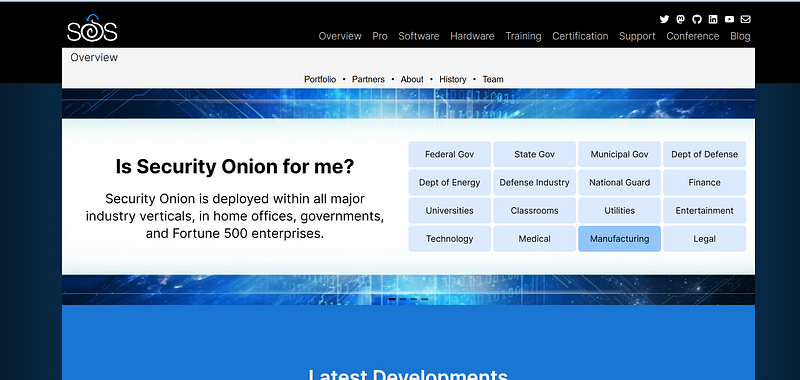
For organizations seeking an all-in-one monitoring solution, Security Onion is a game-changer. It’s a free, open-source Linux distribution designed specifically for intrusion detection, network security monitoring, and log management.
Key Features:
- Preloaded with tools like Snort, Suricata, and Zeek
- Full packet capture and analysis
- Centralized logging and alerting
- Scalable deployment for enterprise environments
Security Onion provides what many expensive SIEM (Security Information and Event Management) systems charge tens of thousands for, real-time monitoring, deep packet inspection, and centralized analysis.
While commercial SIEMs may have sleeker interfaces, Security Onion’s depth and flexibility give administrators the ability to tailor monitoring to their unique needs. Its community-driven development ensures continuous updates and improvements, keeping pace with new threats.
10. Kali Linux: The Ethical Hacker’s Toolkit
When it comes to penetration testing and ethical hacking, Kali Linux is second to none. This free Debian-based Linux distribution is preloaded with hundreds of security tools, making it a one-stop shop for professionals and learners alike.
Key Features:
- Over 600 pre-installed security tools
- Tools for penetration testing, digital forensics, and reverse engineering
- Regular updates and community support
- Runs on desktops, servers, and even Raspberry Pi devices
Kali is used by cybersecurity professionals to test defenses, conduct red team operations, and train new security specialists. It provides a legal way to simulate attacks on your own systems and fix vulnerabilities before malicious actors exploit them.
Commercial penetration testing suites can cost tens of thousands, but Kali Linux delivers the same tools free of charge. This makes it a must-have for anyone serious about security.
11. Wazuh: Open-Source SIEM and Threat Detection
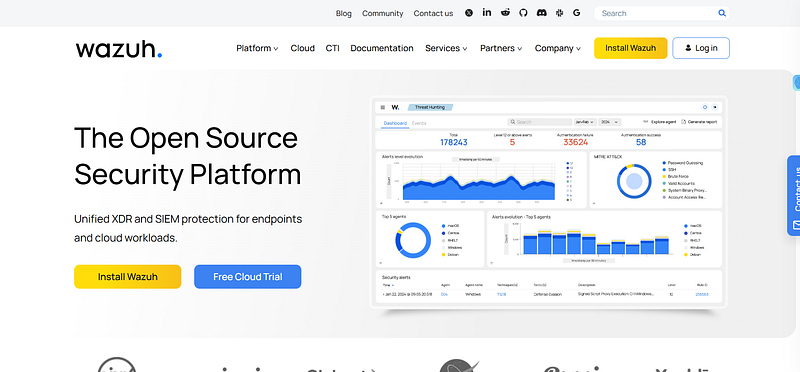
While traditional SIEM (Security Information and Event Management) solutions often come with staggering price tags, Wazuh delivers enterprise-grade monitoring and threat detection at zero cost. Originally forked from OSSEC, Wazuh has grown into a full-fledged, open-source SIEM platform trusted by businesses worldwide.
Key Features:
- Collects and normalizes logs from endpoints, servers, and cloud services.
- Detects anomalies and potential intrusions in real time.
- Tracks changes to sensitive files, helping detect tampering.
- Helps organizations meet security standards like PCI DSS, HIPAA, and GDPR.
- Supports AWS, Azure, and Google Cloud environments.
Unlike expensive SIEM solutions such as Splunk or IBM QRadar, Wazuh provides a flexible and scalable framework that adapts to both small IT teams and large enterprises. It integrates seamlessly with Elastic Stack (ELK), giving security analysts a powerful visualization and search interface for threat hunting.
What makes Wazuh particularly valuable is its balance of depth and accessibility. Beginners can start with simple log monitoring, while advanced users can build complex detection rules and automated responses. With an active open-source community constantly enhancing its features, Wazuh is evolving faster than many proprietary alternatives.
12. Zeek (formerly Bro): Advanced Network Monitoring
Zeek (previously known as Bro) is an advanced, open-source network analysis framework. Unlike packet sniffers that only log raw traffic, Zeek interprets traffic behavior, providing insights into network activity at a higher level.
Key Features:
- Real-time analysis of network traffic
- Scripting language for custom detection policies
- Strong focus on behavioral detection
- Integrates with Security Onion for enhanced monitoring
Zeek is used in large-scale environments, from universities to government agencies. It doesn’t just detect attacks, it helps analysts understand the behaviors leading up to them. This makes it invaluable for proactive defense.
Compared to costly network analytics platforms, Zeek offers unmatched flexibility and depth for free. Its scripting capabilities allow organizations to tailor detection rules to their unique environments, ensuring maximum efficiency.
How to Implement Free Network Security Tools Effectively
Knowing about powerful free network security tools is only half the battle; the real value comes from implementing them correctly. Even the best security solutions can fail if they’re misconfigured or not maintained. To get the most out of these tools, organizations and individuals need a strategic approach.
Define Your Security Goals
Before deploying tools, it’s essential to understand what you’re trying to achieve. Are you protecting customer data? Preventing insider threats? Securing remote workers?
Each tool excels in different areas. For instance, pfSense is ideal for controlling network traffic, while OpenVAS is best for vulnerability scanning. Aligning tools with your goals ensures efficiency and avoids wasted effort.
Start Small and Scale
One of the biggest advantages of free tools is their scalability. A small business can start with basic deployments, like KeePass for password management and Nmap for device discovery, and gradually layer in more advanced systems like Security Onion. The key is to avoid “tool sprawl,” where too many tools overlap without coordination.
Train Your Team
Even the most advanced tool is useless without knowledgeable users. Organizations should invest in training IT staff to use tools like Wireshark and Snort effectively. Many of these tools have extensive documentation, online tutorials, and active forums where beginners can learn from experts.
Keep Everything Updated
Free doesn’t mean unsupported. In fact, open-source communities are often quicker to release patches and updates than commercial vendors.
Regularly updating vulnerability scanners, intrusion detection systems, and antivirus engines ensures that defenses stay effective against evolving threats.
Integrate with Existing Systems
Free tools can often be combined to create layered defenses. For example, pairing Snort with pfSense creates a powerful firewall plus intrusion prevention solution. Similarly, OpenVAS vulnerability scans can be cross-checked with Metasploit to simulate real-world exploits, ensuring remediation is effective.
By following these principles, free network security solutions don’t just “replace” expensive software; they often outperform it because they’re tailored, transparent, and flexible.
Conclusion
Cybersecurity isn’t about how much you spend; it’s about how effectively you defend. Free network security tools like Wireshark, Nmap, Snort, and pfSense prove that price doesn’t dictate performance. These tools are trusted worldwide, used by businesses, governments, and researchers alike, often outperforming expensive alternatives.
For small businesses, free tools mean the difference between being vulnerable and being secure. For enterprises, they provide flexibility, transparency, and innovation that commercial products can’t always match. And for individuals, they offer peace of mind without a monthly subscription fee.
The reality is simple: in the battle against cybercrime, free network security tools are not just viable alternatives; they’re often the superior choice.
Ready to Streamline Compliance?
Building a secure foundation for your startup is crucial, but navigating the complexities of achieving compliance can be a hassle, especially for a small team.
SecureSlate offers a simpler solution:
- Affordable: Expensive compliance software shouldn’t be the barrier. Our affordable plans start at just $284/month.
- Focus on Your Business, Not Paperwork: Automate tedious tasks and free up your team to focus on innovation and growth.
- Gain Confidence and Credibility: Our platform guides you through the process, ensuring you meet all essential requirements, and giving you peace of mind.
FAQ
What are the best free network security tools?
The best free network security tools cover four jobs: monitoring, scanning, prevention, and analysis. For most teams, a starter stack of Wireshark, Nmap, OpenVAS, pfSense, and Wazuh covers the essentials at no license cost.
- Wireshark and Zeek for deep packet and traffic analysis.
- OpenVAS for vulnerability scanning and Metasploit for penetration testing.
- pfSense for firewall/router and Snort for intrusion detection and prevention.
- Paid category leaders like Palo Alto Networks, Fortinet, and CrowdStrike dominate enterprise budgets, but these free tools match them for many teams.
What are enterprise network security tools?
Enterprise network security tools are solutions built to protect large, distributed networks with centralised monitoring, role-based access, and support for high traffic volumes. Several free, open-source tools scale to enterprise use when properly deployed.
- Security Onion and Wazuh provide enterprise-grade SIEM, log management, and threat hunting.
- Zeek is used by universities and government agencies for large-scale network monitoring.
- For regulated enterprises, pair these tools with a compliance platform to map controls to SOC 2 and ISO 27001 requirements.
What are network security audit tools?
Network security audit tools assess a network for misconfigurations, unpatched vulnerabilities, and policy gaps, then produce evidence of your security posture. They are the foundation of any network security audit.
- OpenVAS scans for known vulnerabilities across hosts and services.
- Nmap maps open ports, running services, and exposed devices.
- Wazuh continuously checks configurations against benchmarks like CIS and flags drift.
What are network security management tools?
Network security management tools centralise the configuration, monitoring, and enforcement of security controls across a network from a single console. They reduce "tool sprawl" by coordinating detection, prevention, and response.
- pfSense manages firewall rules, VPNs, and traffic routing in one interface.
- Security Onion unifies alerts, logs, and dashboards from multiple sensors.
- Wazuh manages endpoint agents, compliance checks, and incident alerts centrally.
Are free network security tools safe for business use?
Yes, most leading free tools are open-source, actively maintained, and trusted by Fortune 500 companies and government agencies. Their transparency often means faster patching than closed commercial products.
- Open-source code is reviewed by large developer communities, reducing hidden risk.
- They are safest when kept updated, correctly configured, and paired with documented security policies.
- Free tools handle the technical controls; a compliance program turns those controls into audit-ready evidence.
Disclaimer (legal note)
SecureSlate is not a law firm, and this article does not constitute or contain legal advice or create an attorney-client relationship. When determining your obligations and compliance with respect to relevant laws and regulations, you should consult a licensed attorney.
Need compliance without the complexity?
SecureSlate automates ISO 27001, SOC 2, GDPR, HIPAA, and more. Built for growing teams. See it in action.
Find compliance gaps in 30 seconds
