
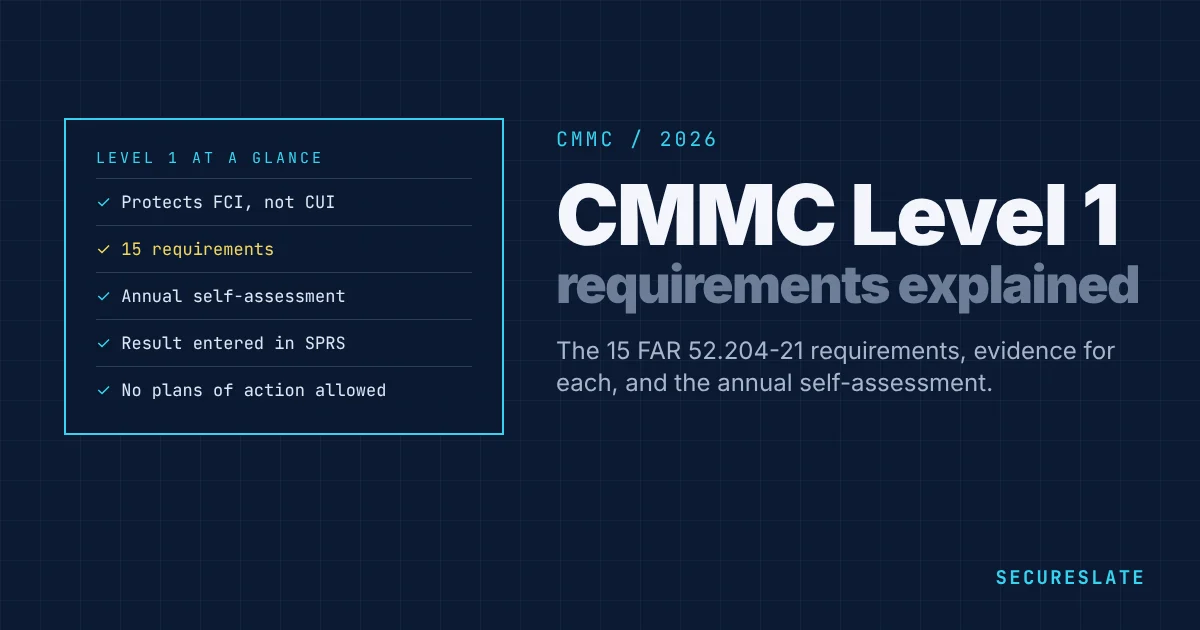
CMMC Level 1 is the entry tier for organizations that handle Federal Contract Information (FCI) but not Controlled Unclassified Information (CUI) within the assessed scope.
This guide covers:
- Who must meet Level 1
- The 15 safeguarding practices and what they require in practice
- The annual self-assessment and SPRS certification process
Related guides:
Key takeaways
- Level 1 aligns with FAR 52.204-21 basic safeguarding: 15 practices, not the full 800-171 set.
- Assessment is an annual self-assessment entered in SPRS: no C3PAO for Level 1.
- Scope discipline matters: if CUI is present, Level 2 typically applies instead.
- Annual affirmation by a senior official is required to maintain status.
Who needs CMMC Level 1?
Level 1 applies when contract data is FCI only: information provided by or generated for the government under contract, not intended for public release, but not categorized as CUI.
If your environment processes CUI, you generally need Level 2 (NIST SP 800-171), even if you previously treated data as “just sensitive.”
The 15 requirements in plain language
CMMC Level 1 uses the 15 basic safeguarding requirements in FAR 52.204-21. Here is what each one means for a small business, and the evidence that shows it is in place. Each requirement needs a documented approach and evidence that it operates.
| # | Requirement | What it means in practice | Example evidence |
|---|---|---|---|
| 1 | Limit access to authorized users | Only named, approved people and devices can use systems with FCI | User list, account approval records |
| 2 | Limit access to permitted transactions and functions | People can only do what their role needs | Role definitions, admin access list |
| 3 | Verify and control connections to external systems | Know and approve which outside systems connect, such as personal devices or third-party apps | Approved apps list, device policy |
| 4 | Control information posted publicly | Check that FCI never appears on public websites or social media | Publishing approval process |
| 5 | Identify users and devices | Each user has a unique account, no shared logins | User directory export |
| 6 | Authenticate users and devices | Passwords or stronger before access | Password and MFA settings |
| 7 | Sanitize or destroy media with FCI | Wipe or destroy drives and paper before disposal or reuse | Disposal certificates or wipe logs |
| 8 | Limit physical access | Lock offices, server rooms and equipment | Door access list, lock procedures |
| 9 | Escort and monitor visitors, keep physical access logs, manage keys and badges | Visitors are signed in and accompanied | Visitor log, badge inventory |
| 10 | Monitor and protect the network boundary | A firewall controls traffic in and out | Firewall configuration |
| 11 | Separate public-facing systems | Public servers sit on a separate network segment from internal systems | Network diagram |
| 12 | Identify, report and fix flaws on time | Patch operating systems and software promptly | Patch reports, update settings |
| 13 | Protect against malicious code | Anti-malware on all endpoints | Endpoint protection console report |
| 14 | Update malicious code protection | Signatures and engines update automatically | Update settings, status report |
| 15 | Run periodic and real-time scans | Scheduled full scans plus on-access scanning of files | Scan schedule and results |
Keeping the scope small
The fewer systems and people that touch FCI, the easier Level 1 is. Practical ways to shrink scope:
- Keep contract information in one cloud workspace rather than across many tools
- Limit FCI access to the staff working on government contracts
- Use company-managed devices for that work, with endpoint protection and automatic updates
- Avoid storing FCI on personal email, personal storage or removable media
Certification process
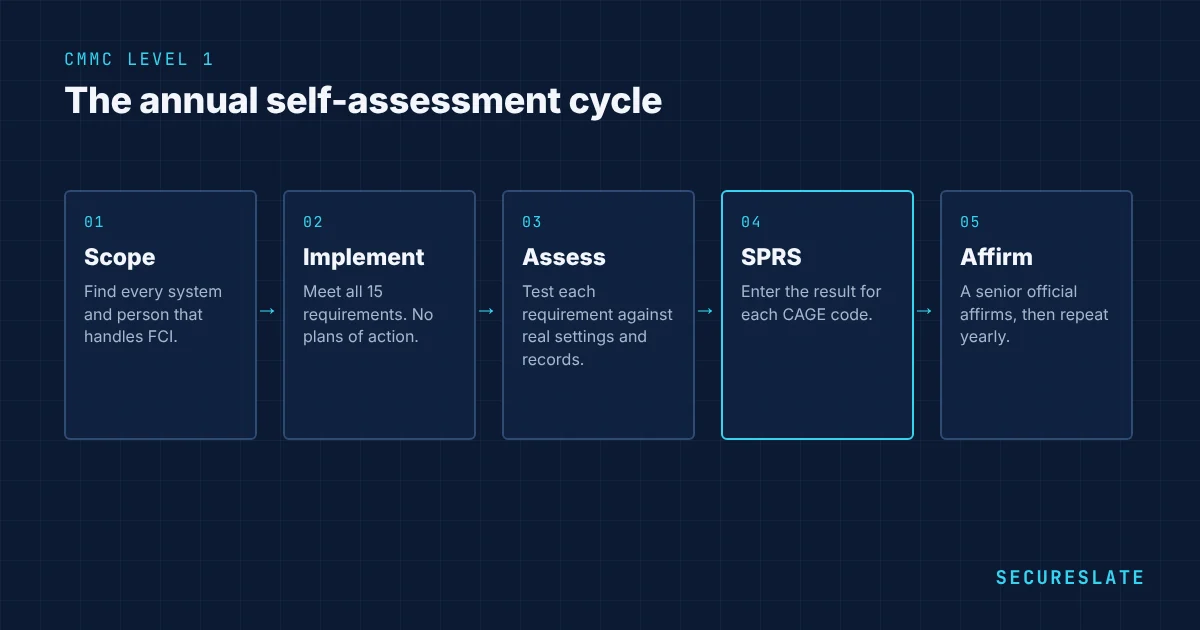
- Define scope for systems that store, process, or transmit FCI.
- Implement the 15 practices (or document N/A with justification).
- Collect evidence for self-assessment.
- Complete annual self-assessment and record in SPRS.
- Submit annual affirmation of continued compliance.
Level 1 is designed to be achievable for small businesses when scope stays narrow and boundaries are clear.
Running the self-assessment
- Pick an internal assessor. Someone who understands your systems but did not set up every control, so the review is honest.
- Use the official assessment guide. The DoD CMMC Level 1 assessment guide explains the objectives for each requirement and what evidence satisfies them.
- Test, do not just ask. For each requirement, look at the actual setting, record or log. For example, open the endpoint protection console rather than relying on someone saying it is installed.
- Score each requirement as met or not met. Level 1 is all or nothing, so fix anything not met before you affirm.
- Record the result in SPRS. Enter the self-assessment for each CAGE code covered.
- Affirm. A senior official affirms that the company meets the requirements. False affirmations can carry legal consequences under federal law, so the affirming official should understand what they sign.
- Calendar next year. Set the date for the next annual self-assessment and affirmation.
Common Level 1 gaps
- Shared logins, for example one account used by several people on a workstation or in a cloud tool
- No record of how old laptops and drives were wiped before disposal
- Visitors not logged or escorted in small offices
- Personal devices used for contract work with no controls
- Patching left to individual users instead of being enforced
- Anti-malware installed but not checked for updates or scans
Each of these is usually quick to fix once found, which is why an honest self-assessment early in the process saves time.
Level 1 versus Level 2 at a glance
| Level 1 | Level 2 | |
|---|---|---|
| Data in scope | Federal Contract Information (FCI) | Controlled Unclassified Information (CUI) |
| Requirements | 15, from FAR 52.204-21 | 110, from NIST SP 800-171 |
| Assessment | Annual self-assessment | Self-assessment or C3PAO certification, depending on the contract |
| Plans of action allowed | No | Limited, with closeout within 180 days |
| Typical effort | Weeks to a few months | Six to twelve months or more |
Simplify Level 1 with SecureSlate
SecureSlate tracks practice status, owners, and evidence, so annual self-assessments are repeatable.
FAQ
Do we need an SSP for Level 1?
Documentation expectations are lighter than Level 2, but you still need organized policies and evidence assessors (or contracting officers) can follow.
Can we jump straight to Level 2?
If CUI is in scope, yes, and many organizations implement 800-171 once to avoid re-work.
How long does CMMC Level 1 take?
Most small businesses can complete Level 1 in one to three months, depending on how many requirements are already in place and how many systems are in scope.
Is CMMC Level 1 required every year?
Yes. The self-assessment and the affirmation by a senior company official must be completed and entered in SPRS annually.
Can Level 1 use a plan of action (POA&M)?
No. All 15 requirements must be fully met at the time of the self-assessment. Plans of action are not allowed at Level 1.
Disclaimer (legal note)
Level determination depends on contract data types and scope. Confirm with your contracting officer and legal counsel.
Need compliance without the complexity?
SecureSlate automates ISO 27001, SOC 2, GDPR, HIPAA, and more. Built for growing teams. See it in action.
Find compliance gaps in 30 seconds
