
Audit Management
Plan, track, and complete every audit in one workspace
SecureSlate gives your auditor a read-only workspace scoped to the audit window, tracks every piece of evidence from not ready through to approved, and keeps the questions attached to the evidence itself. Run the audit with a firm from our partner network or bring your own, and spend less time on each one.
Why audit management matters
The audit is rarely the hard part. Assembling the proof is what takes the months.
The evidence lives in fifteen places
Screenshots in a drive, exports in an inbox, a policy somebody approved in a chat thread. The audit does not really start until one person has gathered all of it and named it something an auditor will accept.
The back and forth eats the calendar
A request arrives by email, gets answered three days later, and produces a follow-up question that starts the cycle again. Most of an audit is not work being done, it is people waiting on each other.
Auditor access is not a small decision
Handing over a login to your compliance platform hands over everything inside it, for as long as the account exists. What they can see, and for how long, should be a decision you make rather than a side effect of the setup.
From readiness to report, in one workspace
A workspace scoped to the audit, an evidence tracker that shows how ready you genuinely are, and a partner network when you still need an auditor.
Every Audit in One View
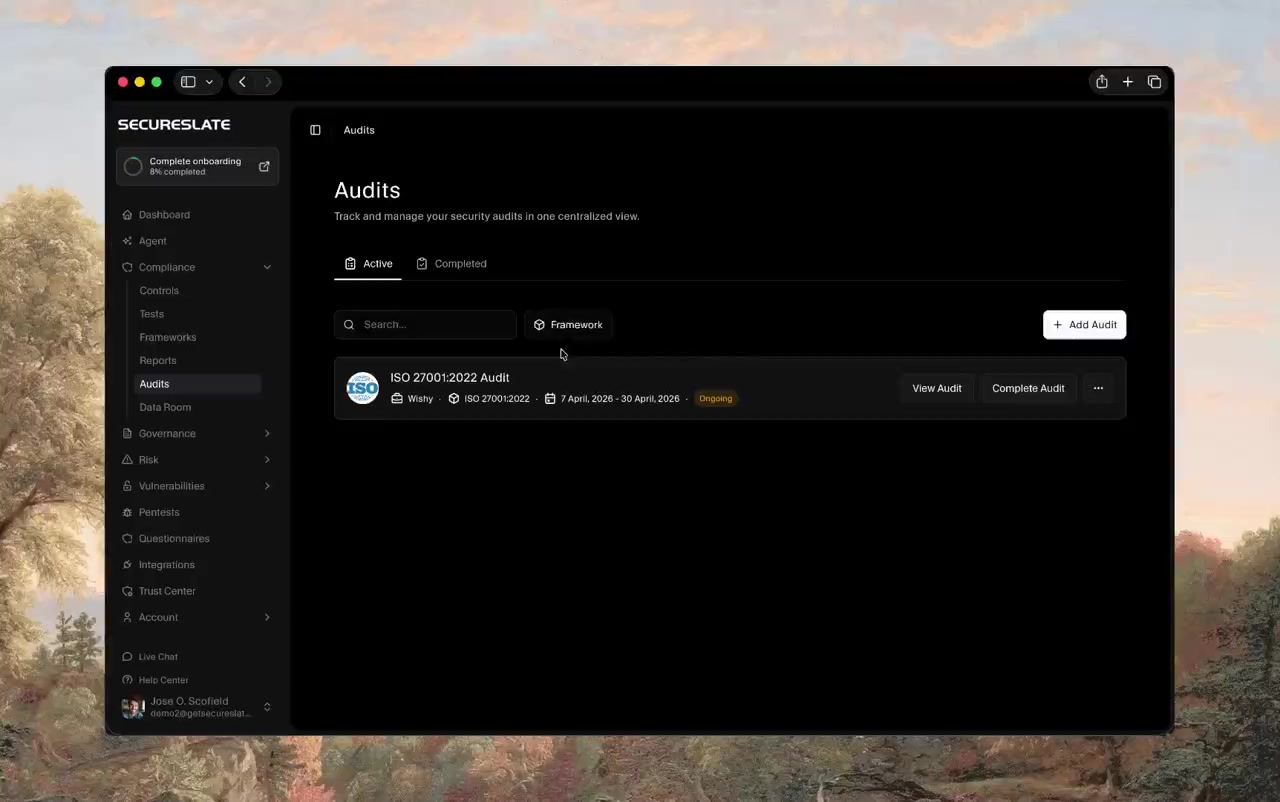
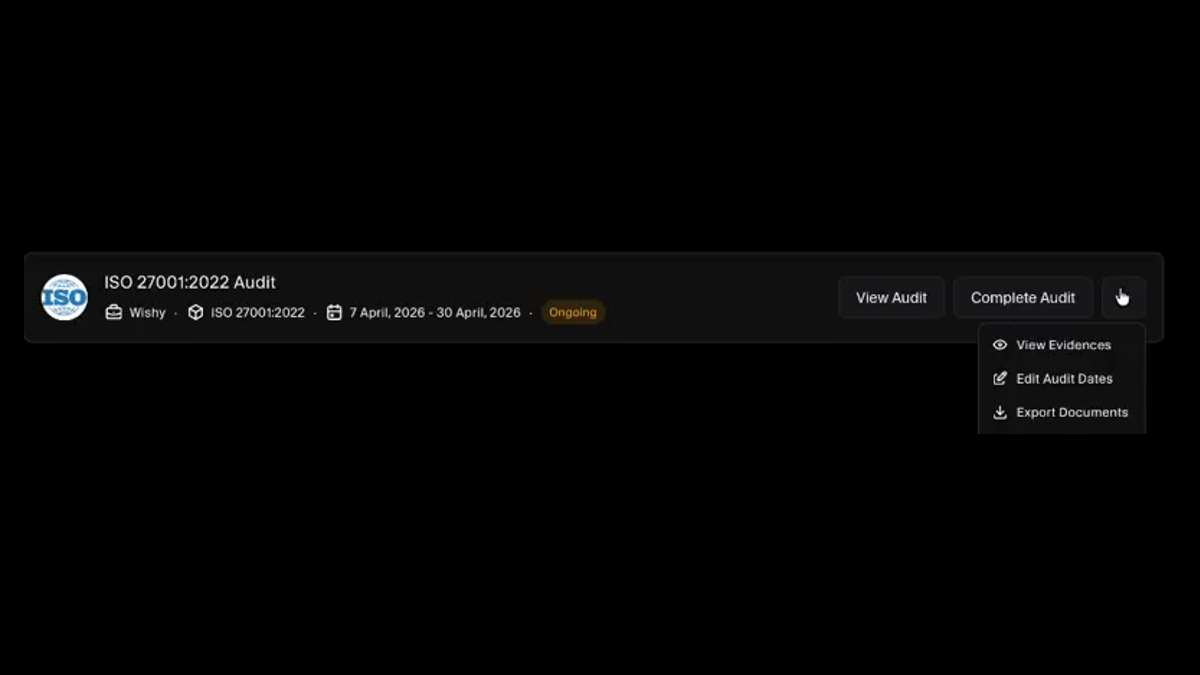
Active and completed audits sit in one list, each showing the audit firm, the framework, the audit window, and whether it is ongoing. Search it, filter by framework, and open any past audit to pull the report again. A second framework or a second year is another row rather than another spreadsheet.
Use the Power of Our Trusted Partner Network
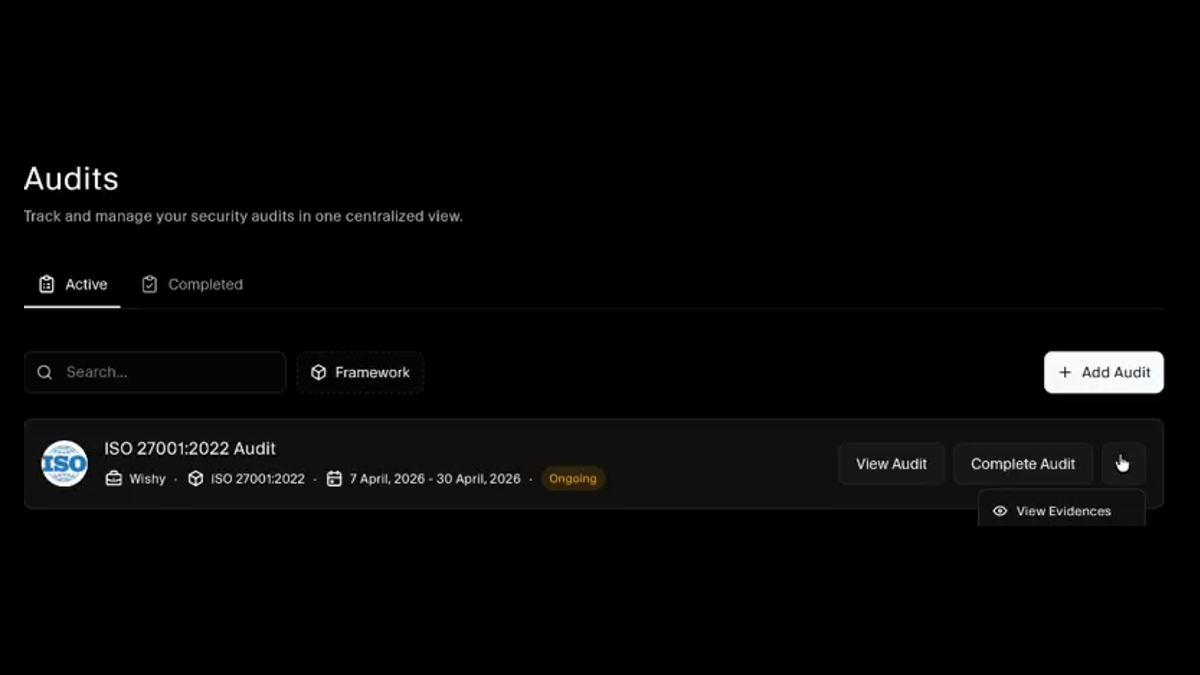
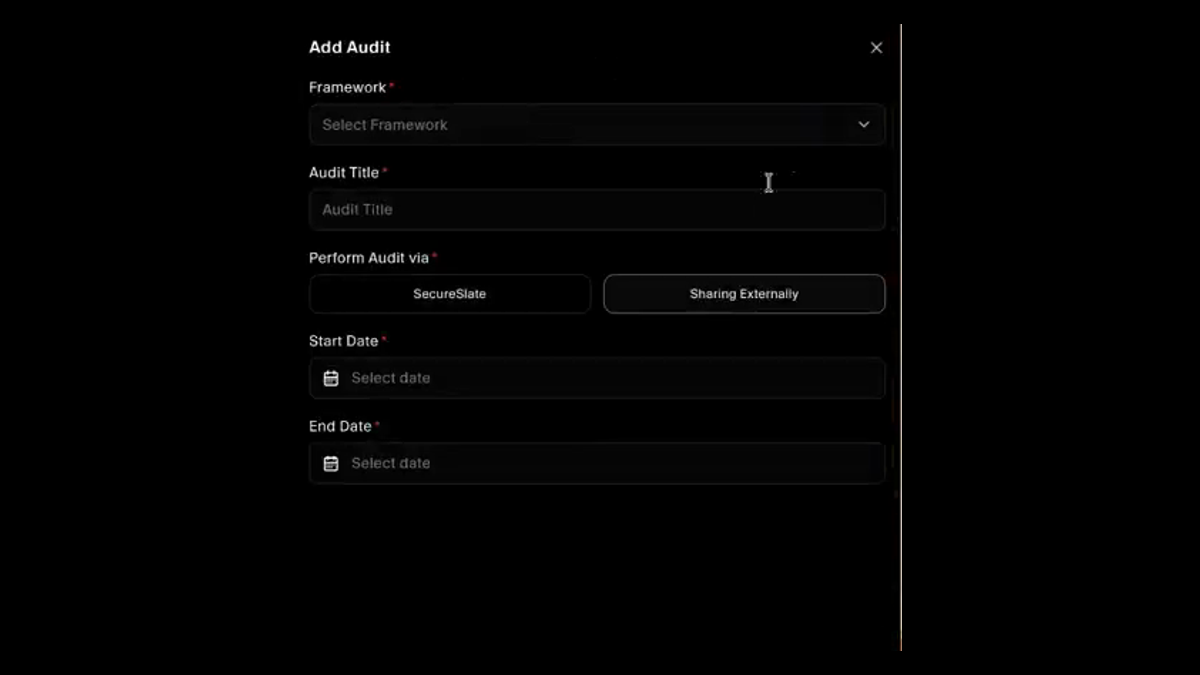
Collaborate with industry-leading partners to enhance your compliance journey, access specialised expertise, and streamline your audit processes for greater efficiency. Choose how the audit runs when you create it: through SecureSlate with a firm from our network, or shared externally with the auditor you already use. The evidence and the workspace are identical either way, so the choice of who signs your report stays yours.
A Workspace Scoped to the Audit
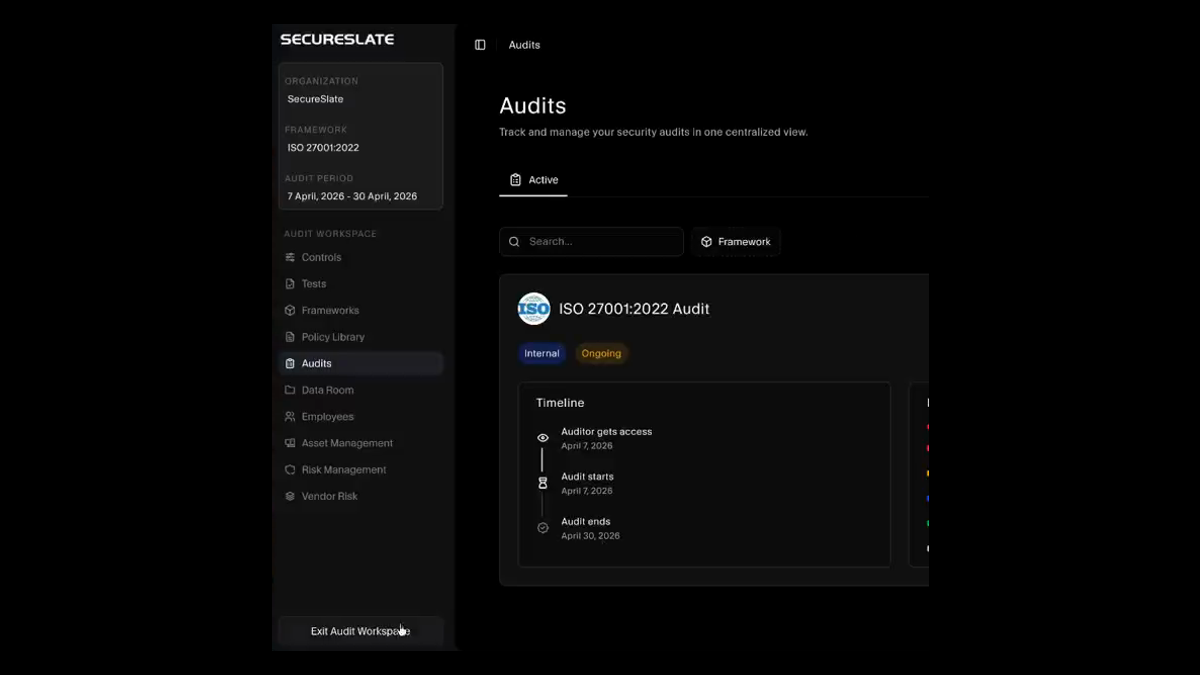
An audit opens its own workspace with the organisation, the framework, and the audit period pinned at the top, and navigation limited to what the audit actually touches: controls, tests, frameworks, policies, the data room, employees, assets, and risk. Leave it and you are back in your normal view, so the audit is a mode rather than a mess.
Early Access, Then the Window
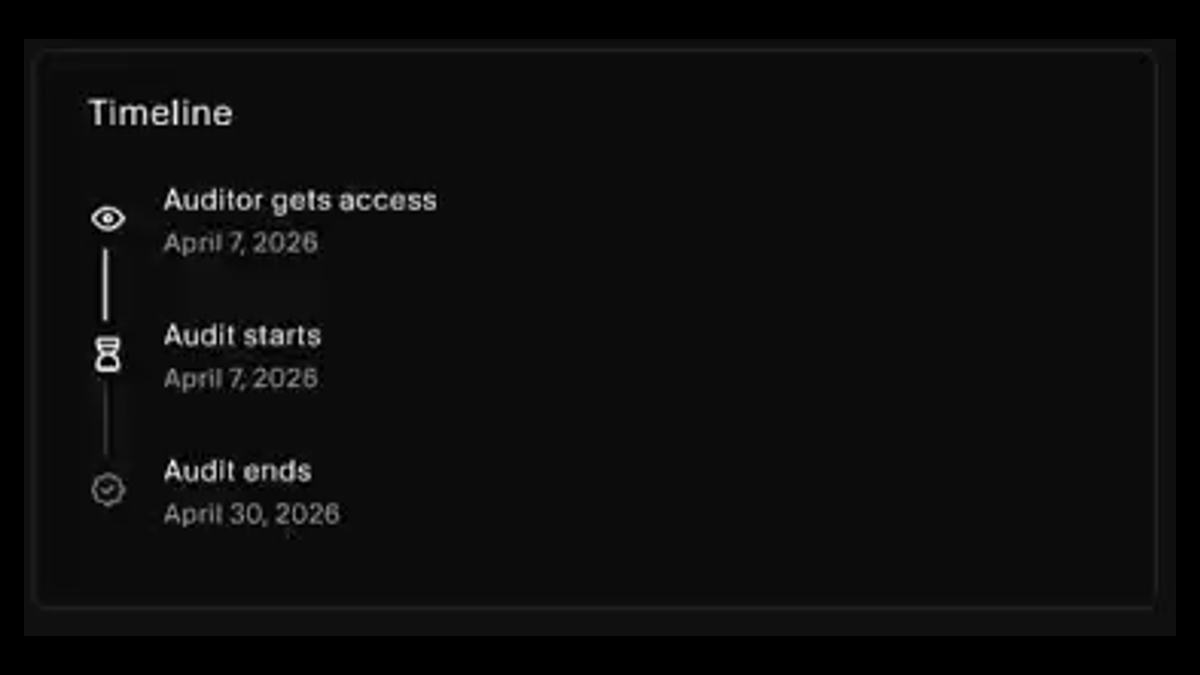
The timeline separates the date your auditor gets access from the dates the audit runs between. Give them early access for a readiness review and gaps surface while there is still time to close them, rather than becoming findings. Access is read-only and bounded by the window you set.
Know How Ready You Actually Are
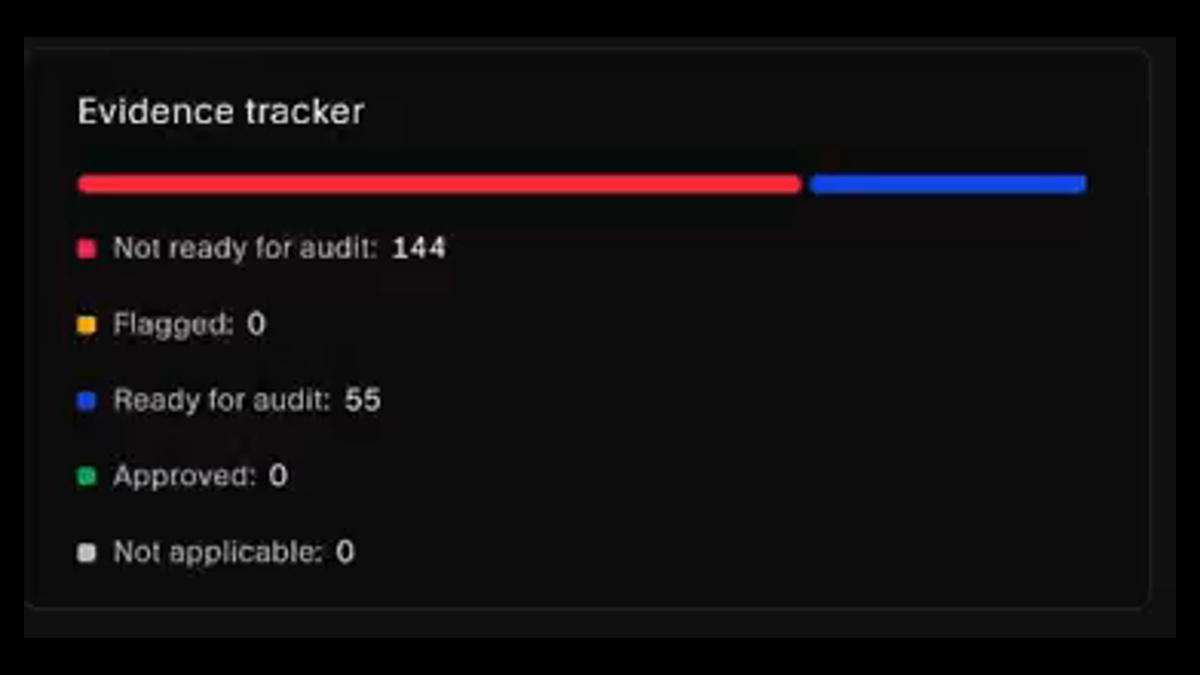
The evidence tracker counts every item across not ready for audit, flagged, ready for audit, approved, and not applicable, with a bar showing the split. Readiness stops being a feeling somebody has in a standup and becomes a number you can watch move, before the auditor is the one telling you.
Preview as the Auditor, Then Export
Open the audit as your auditor sees it before they do, so nothing lands as a surprise. Comments sit on the evidence item they are about rather than in an email thread, and when the audit closes you export the documents and complete it. The record stays for the next cycle.
Resources
Read up before fieldwork starts.
Practical guides to audit preparation and choosing an auditor, from the readiness checklist to what the report actually costs.
FAQs
Audit questions answered.
It removes the assembly work. Evidence is already collected against your controls, so an audit becomes a matter of giving the right person scoped access to it, tracking what they have accepted, and answering questions in place. The framework still decides what is tested. The software decides how much of your quarter that costs.
Yes. When you create an audit you choose whether to perform it via SecureSlate, using a firm from our partner network, or to share externally with the auditor you already work with. Neither path changes the evidence or the workspace, so the decision is purely about who you want signing the report.
A set of audit firms we work with so you are not starting your search from a blank page. Collaborating with industry-leading partners gives you access to specialised expertise and a more efficient audit process. If you would rather verify a firm yourself first, our auditor check directory covers hundreds of them.
Controls, tests, documents, and policies relevant to the audit, read only, and only inside the audit window you set. They can request evidence that is not already there. They cannot change anything, and they do not get sensitive employee information or the ability to alter users. Preview the audit as they see it before granting access.
Because a gap found before the window opens is a task, and the same gap found during fieldwork is a finding. Setting an early access date lets your auditor run a readiness review while you still have room to fix things, which is one of the more reliable ways to shorten the audit itself.
The evidence tracker gives you counts across not ready for audit, flagged, ready for audit, approved, and not applicable. A framework with most of its evidence still sitting in not ready is a framework you should not be scheduling fieldwork for, and the number says so before anyone has to.
Onto the evidence item they are about. Comments live with the thing being discussed, and the people who need to know are notified, so the context travels with the question instead of living in one person's inbox. That is where most of the waiting in a traditional audit comes from.
Yes. An audit can be marked internal and run through the same workspace, timeline, and evidence tracker. ISO 27001 expects internal audits ahead of certification, and running them the same way as the external one means the preparation carries straight over rather than being repeated.
Export the documents, mark the audit complete, and it moves to the completed tab with its evidence, dates, and firm intact. Next year's audit starts from that record rather than from memory, which is what makes a second cycle meaningfully cheaper than the first.
The audit is created against a framework you already run in SecureSlate, including SOC 2, ISO 27001, ISO 42001, HIPAA, GDPR, PCI DSS, and the rest. The workspace, timeline, evidence tracker, and auditor access behave the same way whichever one you are being assessed against.
Spend less time on your next audit
Set the window, give your auditor scoped read-only access, and watch the evidence tracker move from not ready to approved.
