
Dark Web Monitoring
Find out which of your credentials are already out there
A breach is an incident where a site's data was illegally accessed and then released publicly. SecureSlate checks your team's email addresses against billions of known breach records, shows exactly what was exposed in each one, and tracks every breach through to resolved.
Why breach exposure matters
The password was not leaked by you. It is still your problem.
People reuse passwords
A password taken from a forum breach years ago is tried against your login the same week it is dumped. The breach happened somewhere else, but the account it opens is yours.
Exposure surfaces long after the event
Breaches are often discovered, verified, and published years after the data was taken. An address can sit in a dump for a long time before anybody tells you it is there.
You cannot act on what you cannot see
Nobody tells a company which of its people were caught in someone else's breach. Without checking, the first sign is usually a successful login you did not make.
Know what is already exposed
Every breach touching your team's addresses, what it gave away, and whether you have dealt with it.
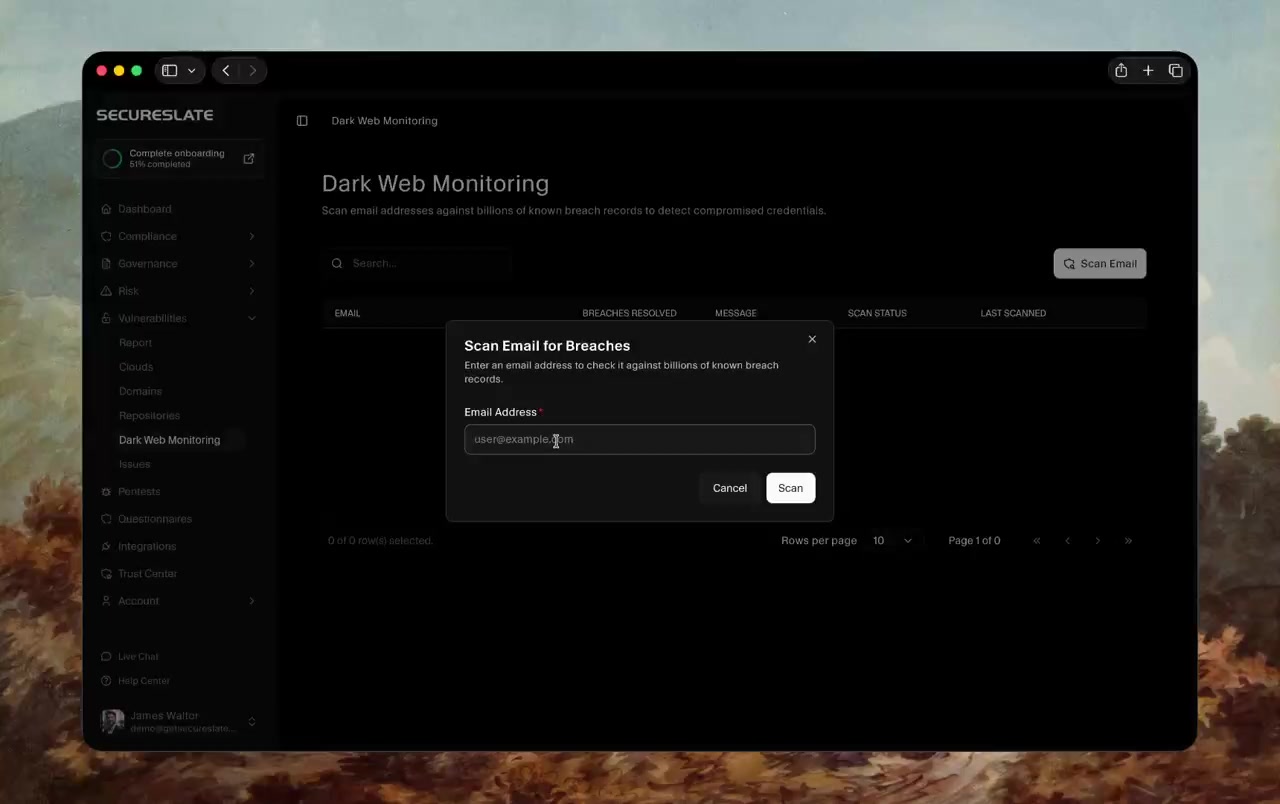
Scan Any Address Against Known Breaches
Scan an email address against billions of known breach records, or sync your users and cover the whole team at once. Each address shows whether breaches were found, how far through them you are, and when it was last checked.
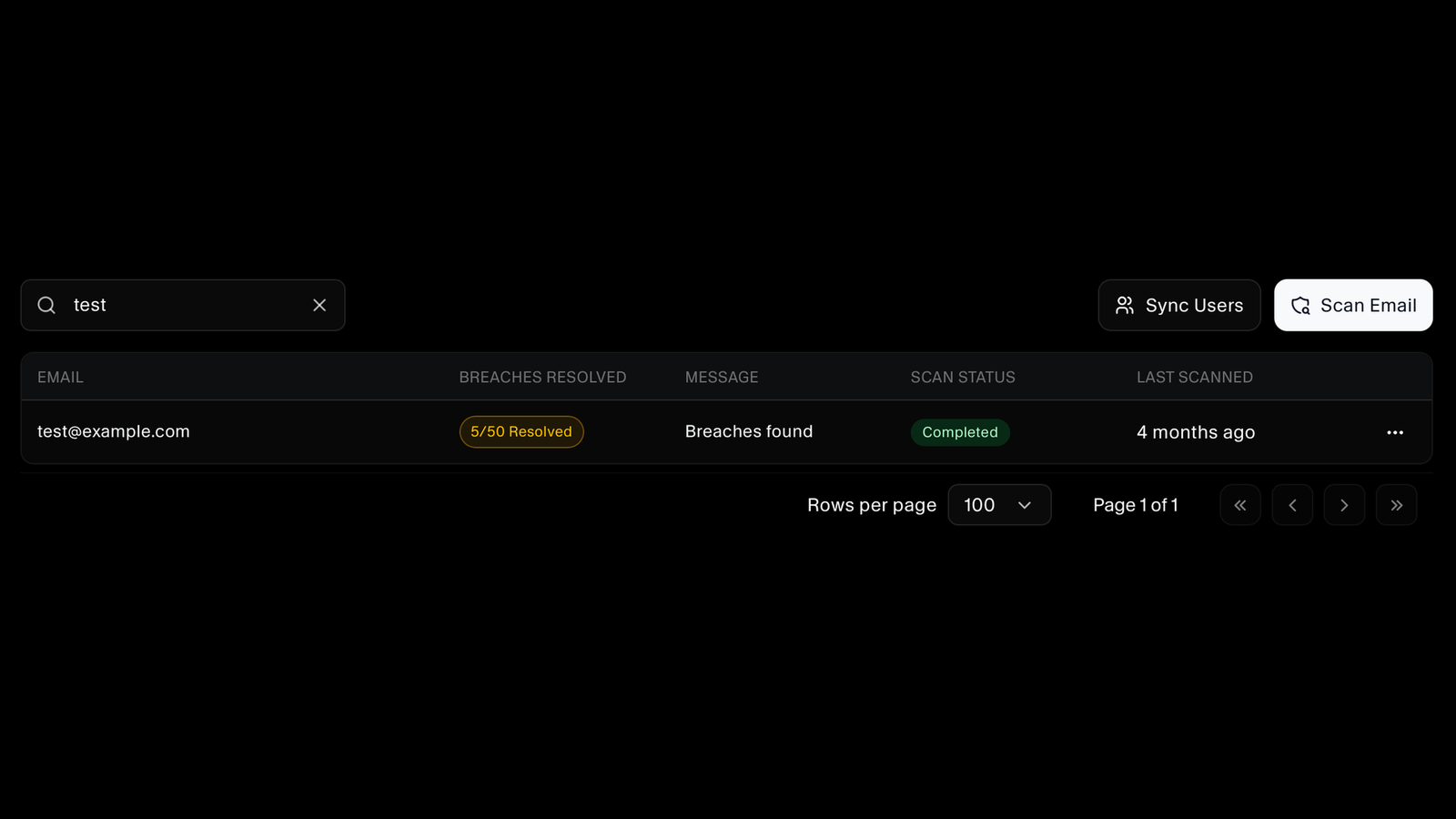
Track What You Have Actually Dealt With
Finding fifty breaches against an address is not the same as handling them. Every breach is marked resolved or unresolved, with the split shown for each address, so you can see real progress rather than a count that never moves.
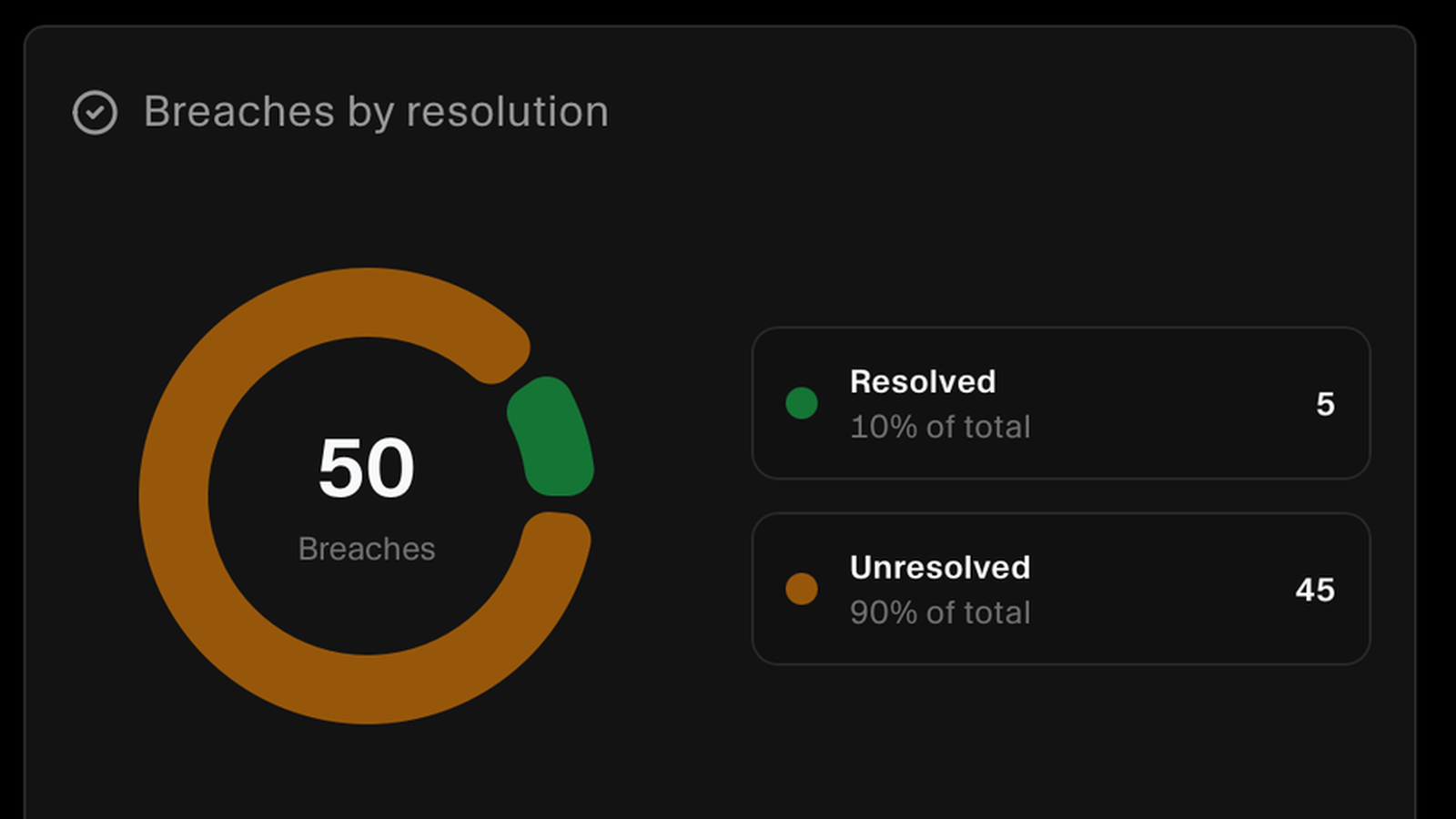
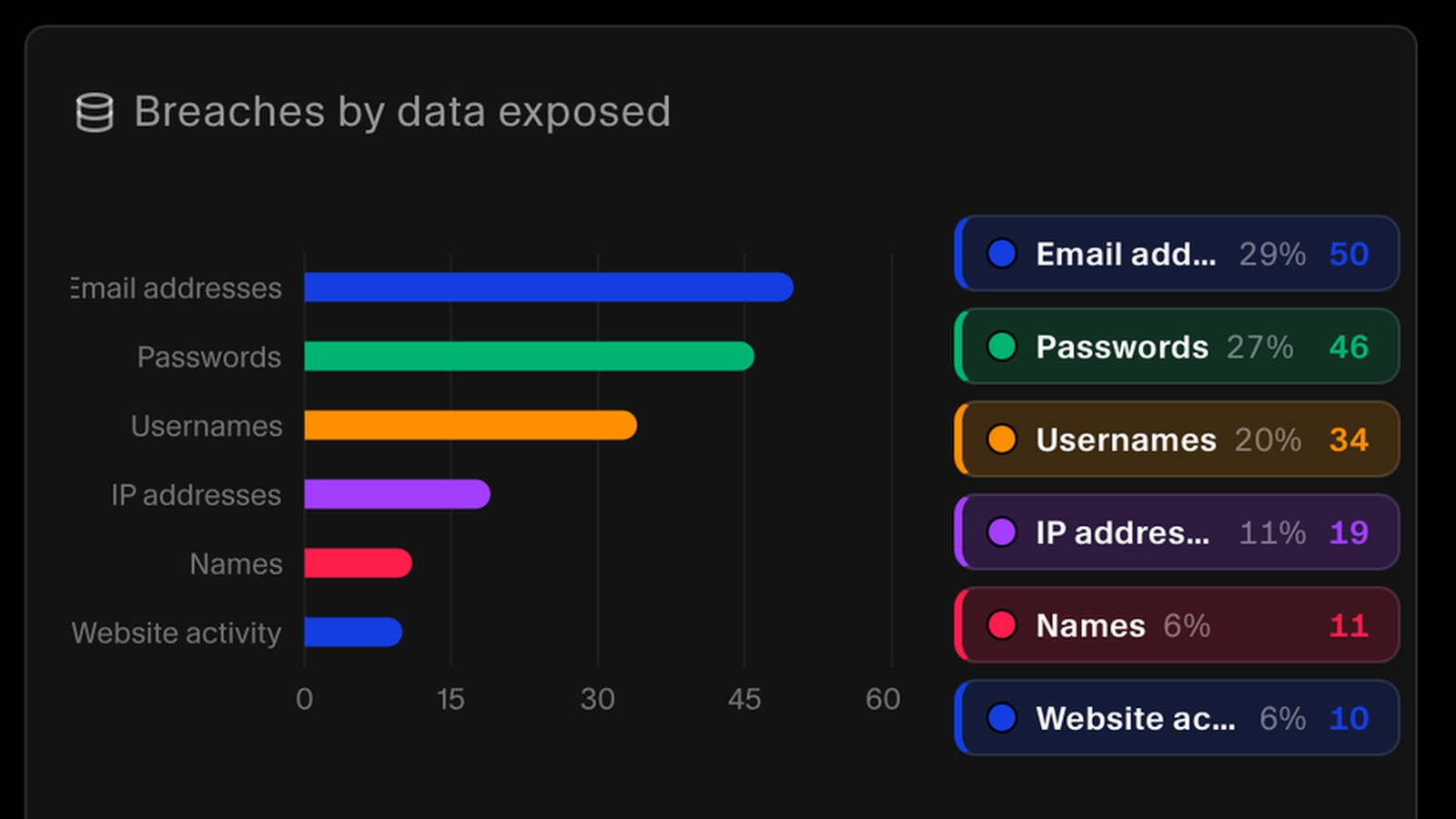
Know Exactly What Was Exposed
Breaches are broken down by the kind of data they gave away, such as email addresses, passwords, usernames, IP addresses, names, and website activity, with a count for each. A dump containing passwords calls for a rotation. One containing only an email address does not.
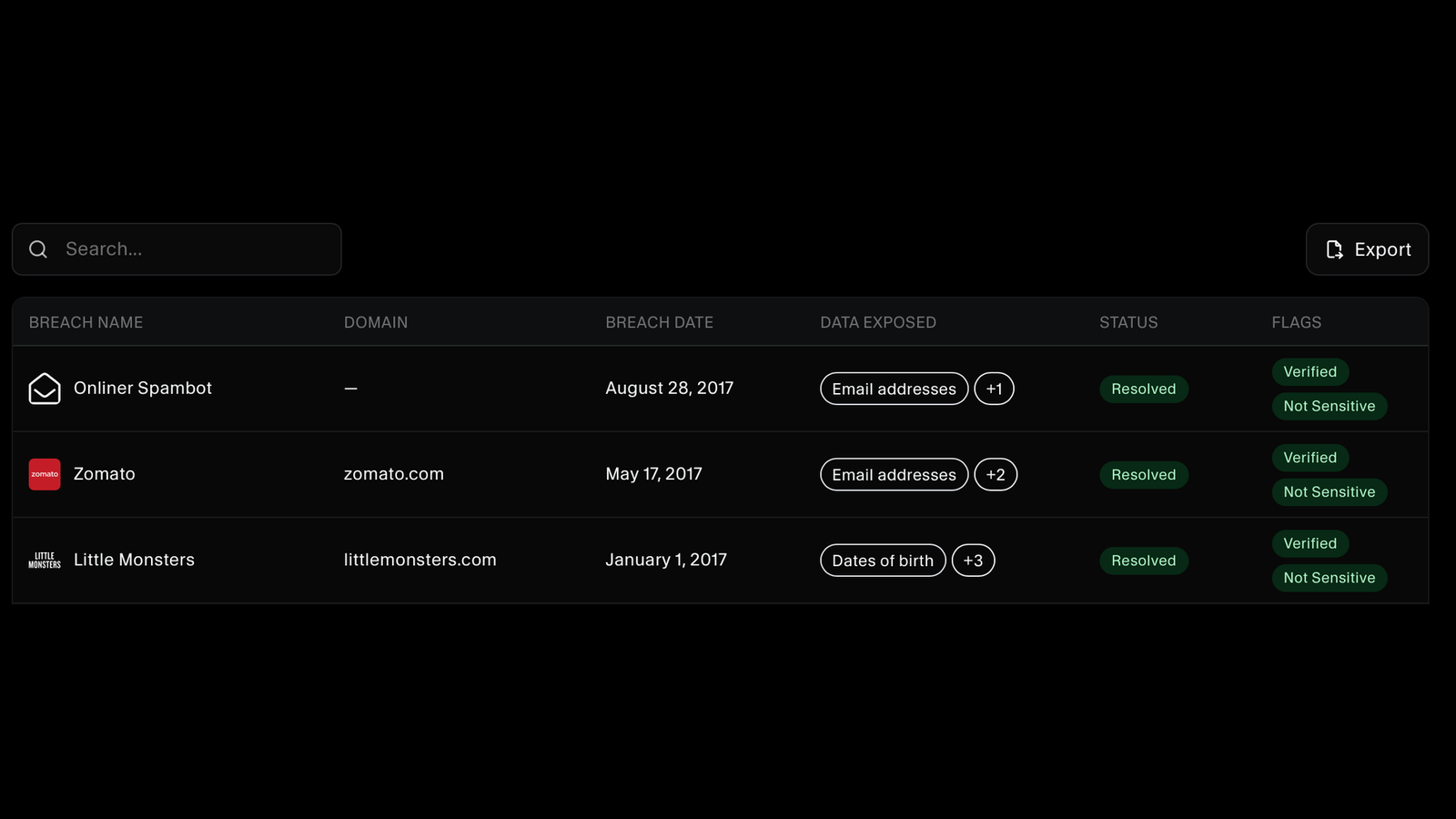
Every Breach, Dated and Flagged
See each breach by name and source domain, when it happened, what it exposed, and whether you have resolved it. Breaches are flagged as verified or unverified and as sensitive or not, so you know how much weight to put on each one. Search the list, or export it when somebody needs the record.
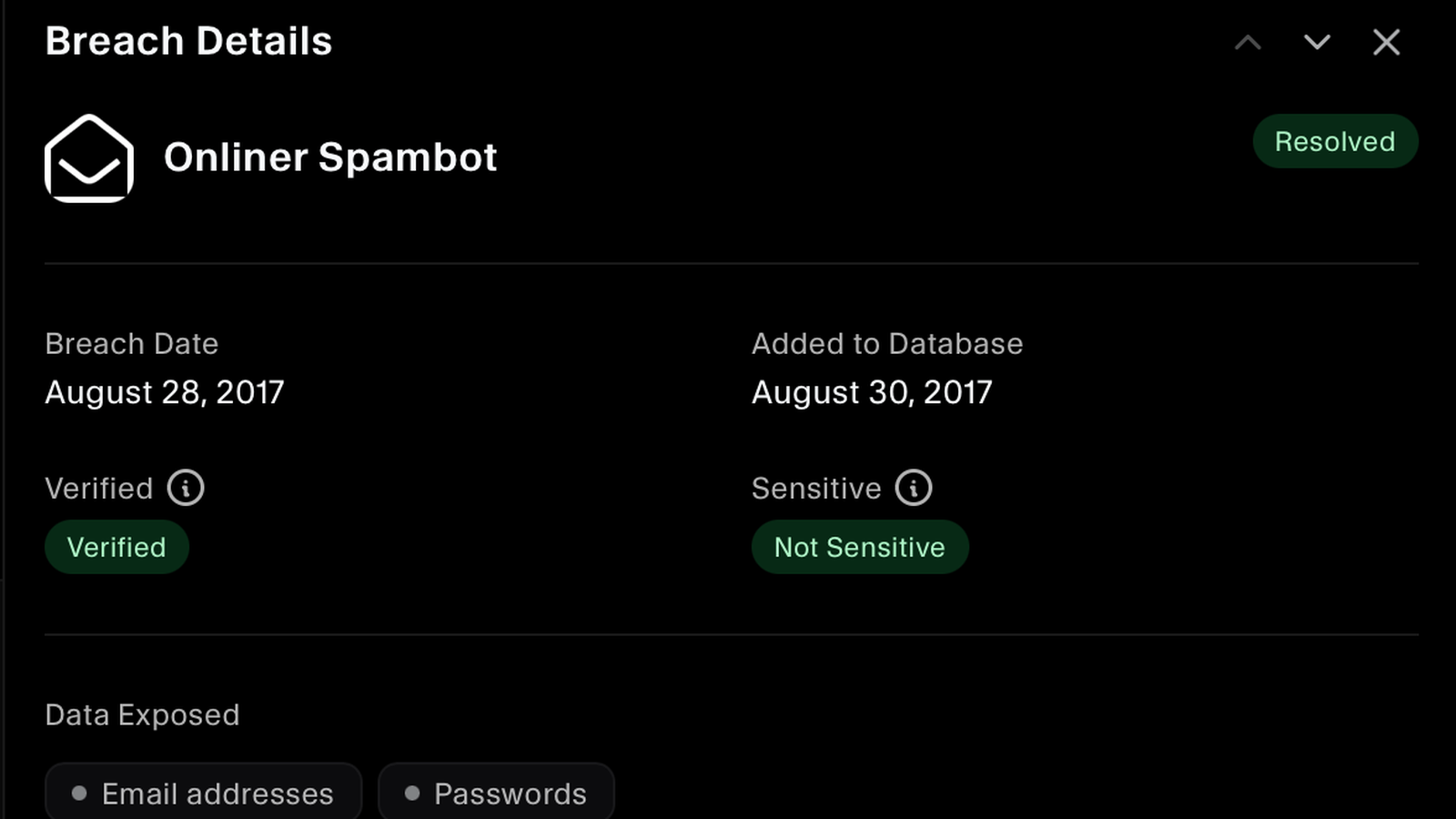
Verified or Not, Sensitive or Not
Open a breach and you get the date it happened, the date it was added to the breach database, whether it has been verified as genuine, whether it is classed as sensitive, and the full list of data types it exposed. Unverified entries are labelled rather than presented as fact.
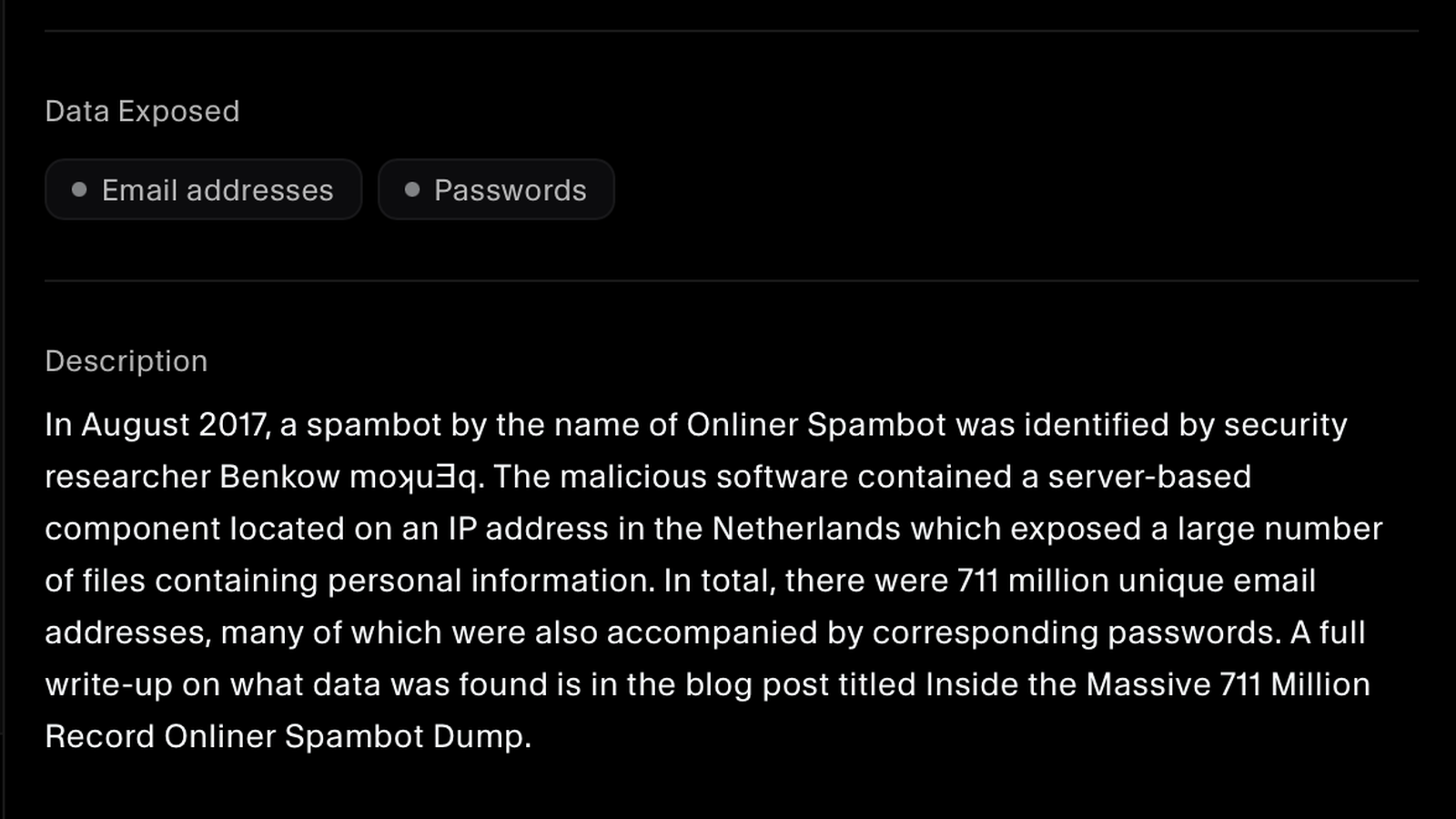
The Full Story Behind Each Breach
Each breach carries a written account of what happened, who found it, and how many records were involved. Your team can judge what an exposure actually means and decide what to do about it, such as rotating a password, instead of reacting to a name and a date.
FAQs
Dark web monitoring questions answered.
A breach is an incident where a site's data has been illegally accessed by attackers and then released publicly. SecureSlate checks your addresses against a database of these incidents, so you can review what personal information was compromised and take appropriate action, such as changing passwords.
It checks each email address against billions of records from known, published breaches. The data comes from incidents that have already been made public, which is why an address can appear in a breach from years ago that you are only hearing about now.
Yes. Sync your users and every address is covered, rather than checking people one at a time. Each address is listed with whether breaches were found, how many are resolved, and when it was last scanned.
Verified means the breach has been confirmed as genuine. Unverified means the data is attributed to a source that has not been confirmed, so it could be legitimate or it could be fabricated. Both are shown, labelled clearly, so your team can weigh them differently instead of treating every entry as established fact.
Some breaches are classed as sensitive because merely appearing in them could harm someone, regardless of what data was taken. The flag lets you handle those with more care than a routine forum dump when you decide who to tell and how.
Start with what was exposed. If passwords were in the dump, rotate that credential and anywhere the same password was reused, and check that multi-factor authentication is on. If only an email address was exposed, the practical risk is phishing rather than account takeover. Mark the breach resolved once you have acted so it stops competing for attention.
Yes. Search across an address's breaches and export them, which is what you want when you are briefing a manager, documenting an incident response, or answering a customer question about credential exposure.
Both expect you to manage access and to respond when credentials may be compromised. A record of which addresses were checked, which breaches touched them, what was exposed, and which have been resolved answers that with evidence rather than an assurance.
See what is already out there
Scan your team's email addresses against known breach records and find out what has been exposed.
