
Outdated & End-of-Life Software
Find the software nobody is maintaining anymore
SecureSlate scans the manifest and config files in your GitHub repositories for frameworks and runtimes that are no longer maintained, ranks what it finds by severity, and tells you which supported version to move to.
Why end-of-life software matters
Unmaintained software does not get safer with time.
The vulnerability window never closes
When a component reaches end of life, any flaw found afterwards stays open forever. There is no patch to apply, so the only fix is a migration you have not planned.
Exposed runtimes are the real danger
An unsupported web server or language runtime handling live traffic is a standing invitation. Attackers scan for known versions precisely because they know no fix is coming.
It is pinned in a file nobody revisits
A version pinned in a .nvmrc, a Gemfile, or a Dockerfile keeps working long after support ends. Nothing breaks, so nothing prompts anyone to look, and the pin quietly ages past its support date.
Know what is ageing out
Published end-of-life dates, the file that pins each version, and the release to upgrade to.
Scan Every Repository for Unmaintained Software
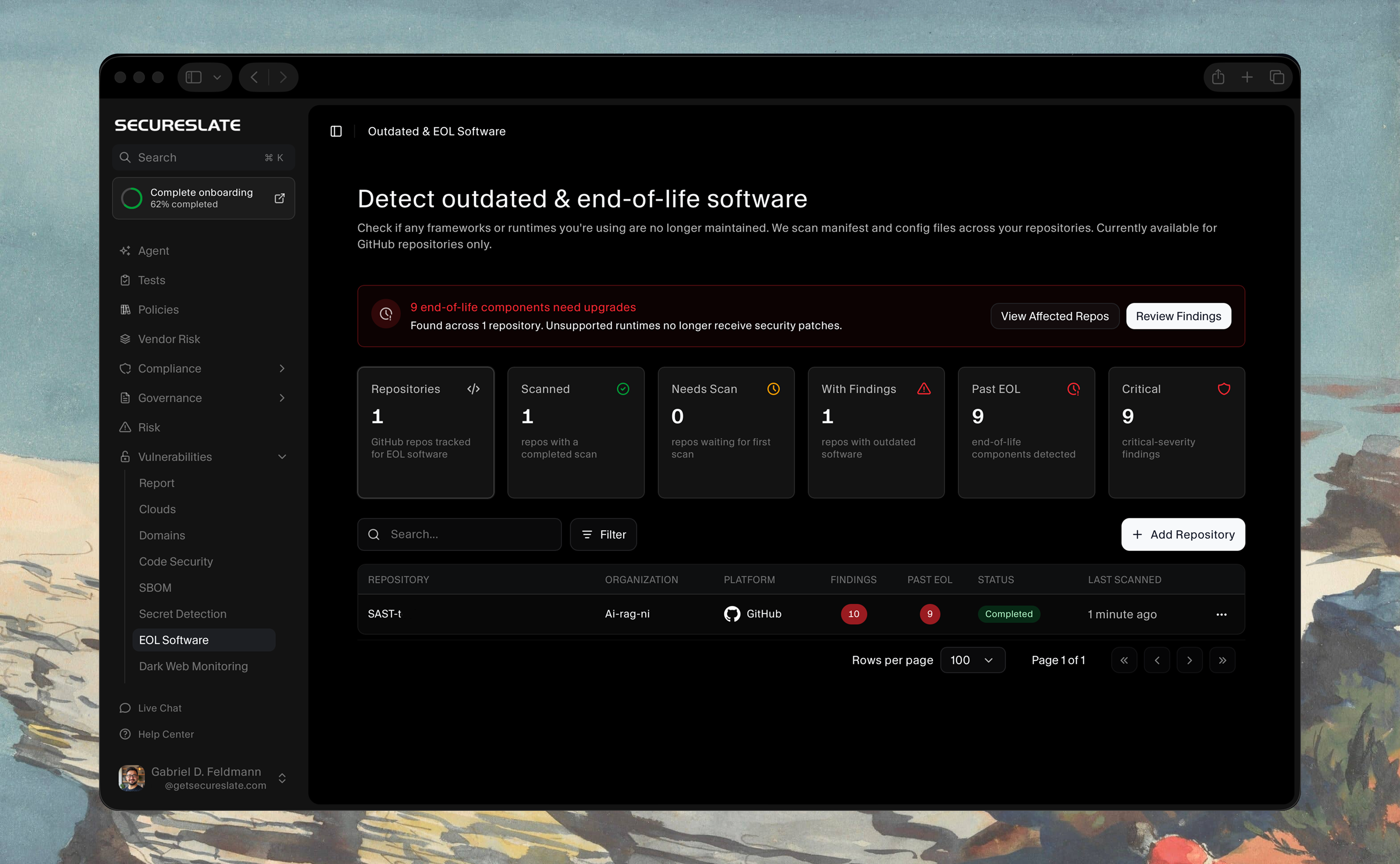
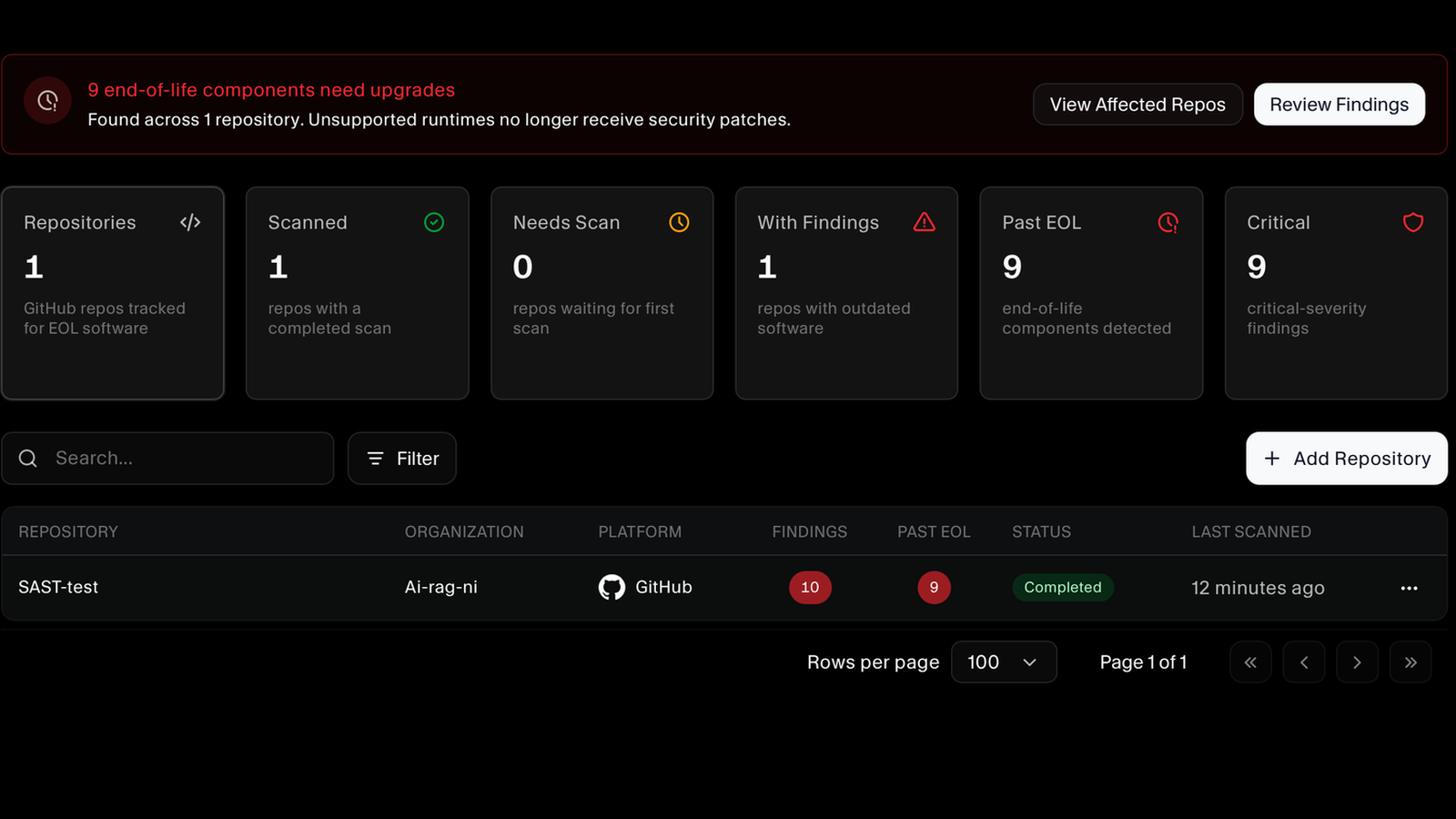
Add a GitHub repository and SecureSlate checks its manifest and config files against published end-of-life dates. One dashboard tracks how many repositories are scanned, how many carry outdated software, how many components are already past end of life, and how many findings are critical. End-of-life detection is currently available for GitHub.
Know How Urgent Each Finding Is
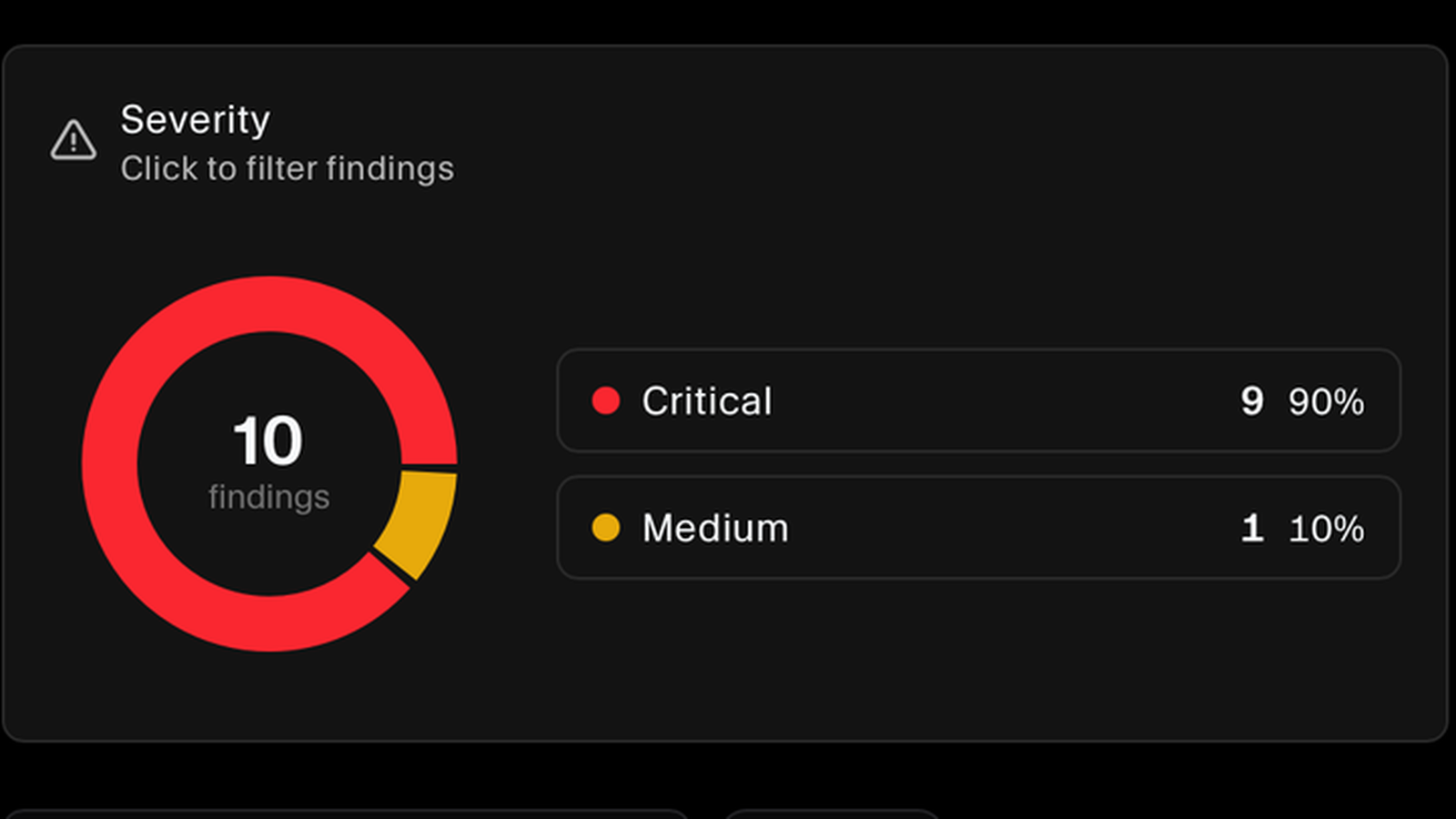
Findings are ranked by severity across the whole scan, so what needs attention first is obvious rather than buried in a flat list. Click any severity to filter the findings down to it.
See Which Frameworks and Runtimes Are Affected
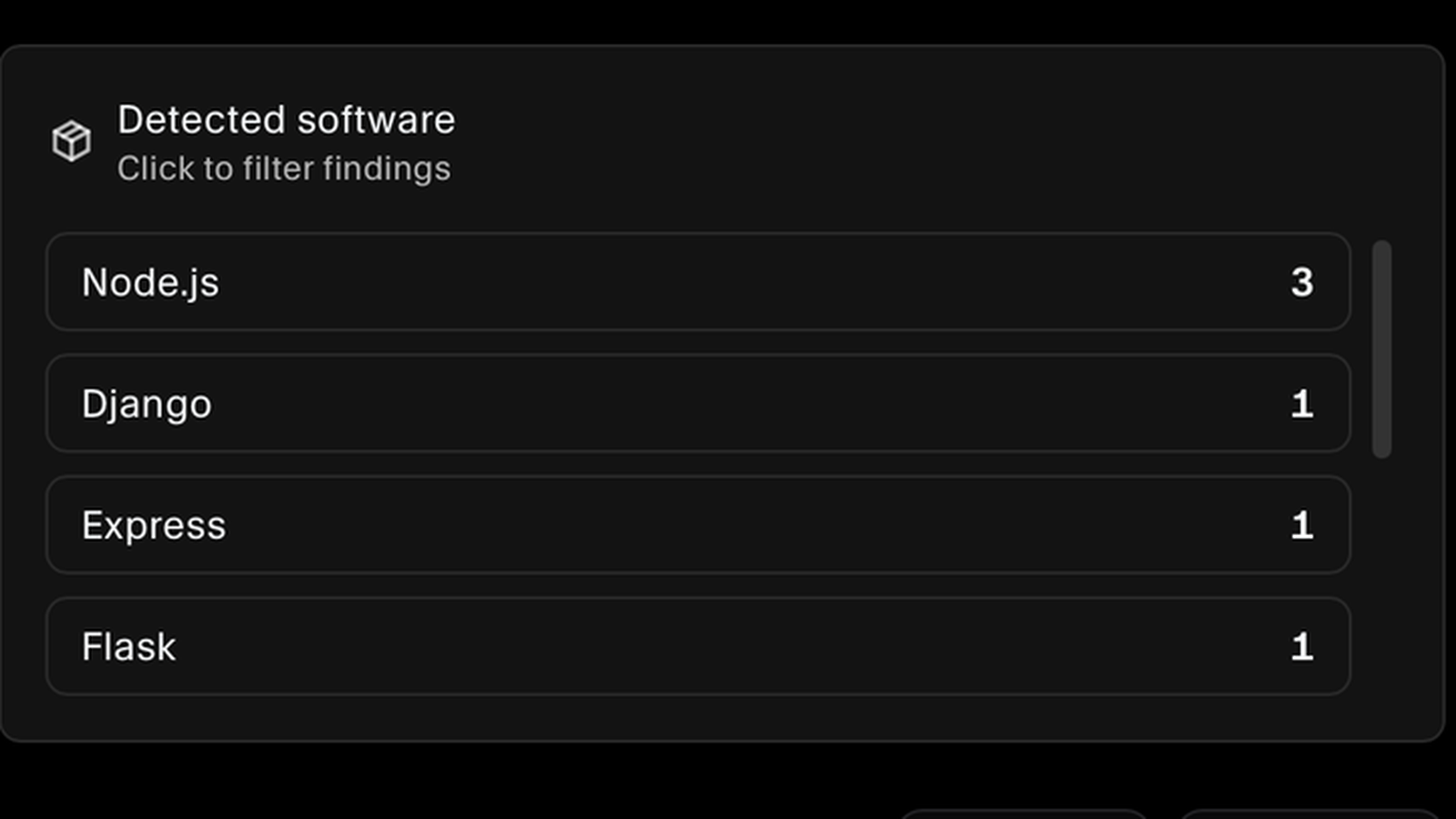
Findings are grouped by the software they belong to, such as Node.js, Django, Express, and Flask, with a count for each. That tells you straight away whether you are looking at one runtime pinned in several places or a spread of separate upgrades, and you can filter the list down to any one of them.
Every Component, With the Date Support Ended
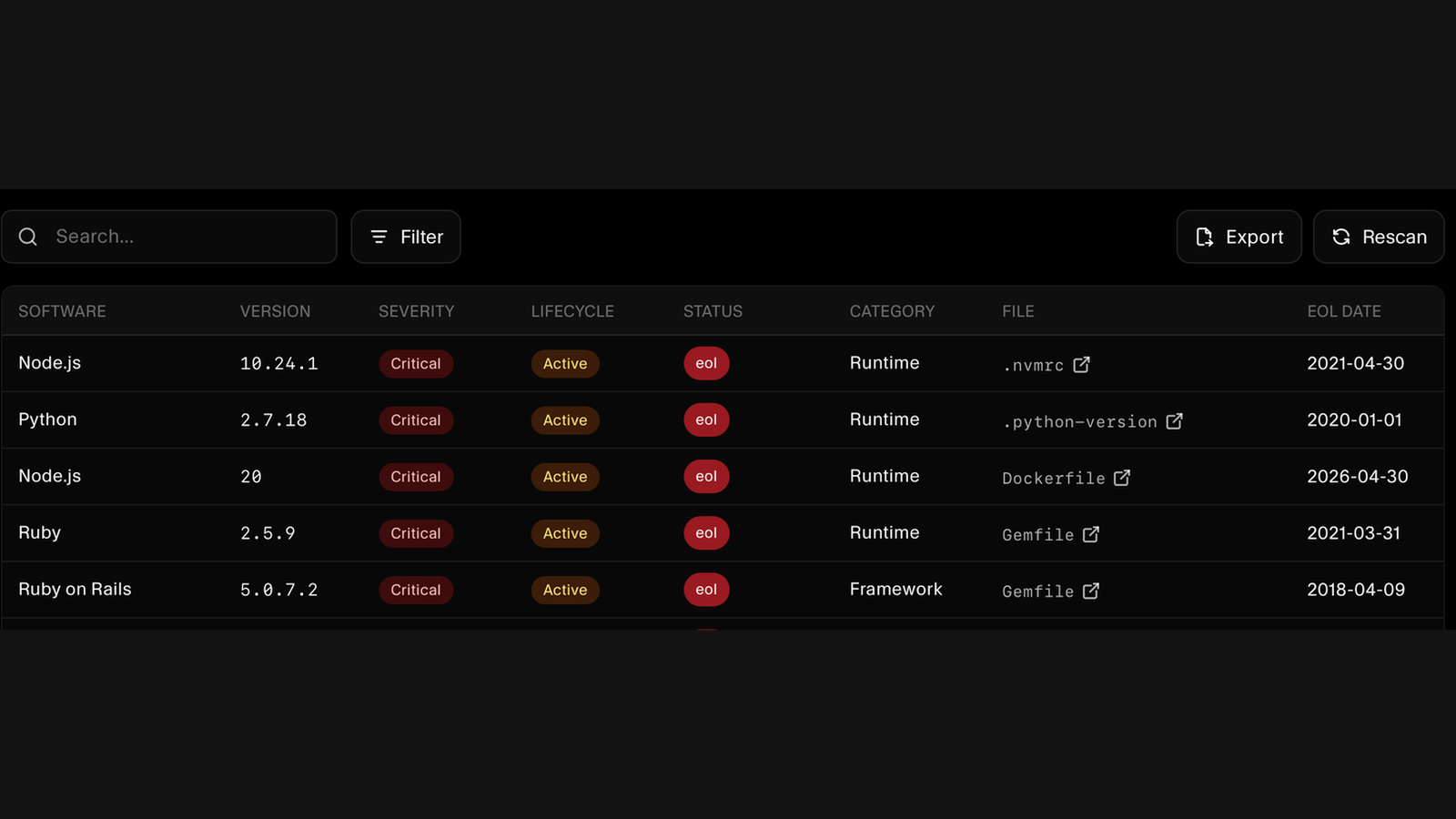
The findings list gives you the software, the exact version in use, its category, whether it is a runtime or a framework, the file that declares it, and the date its support ended. Search and filter across the list, export it, or rescan the repository when you have shipped the upgrades.
Pinpointed to the File That Pins the Version
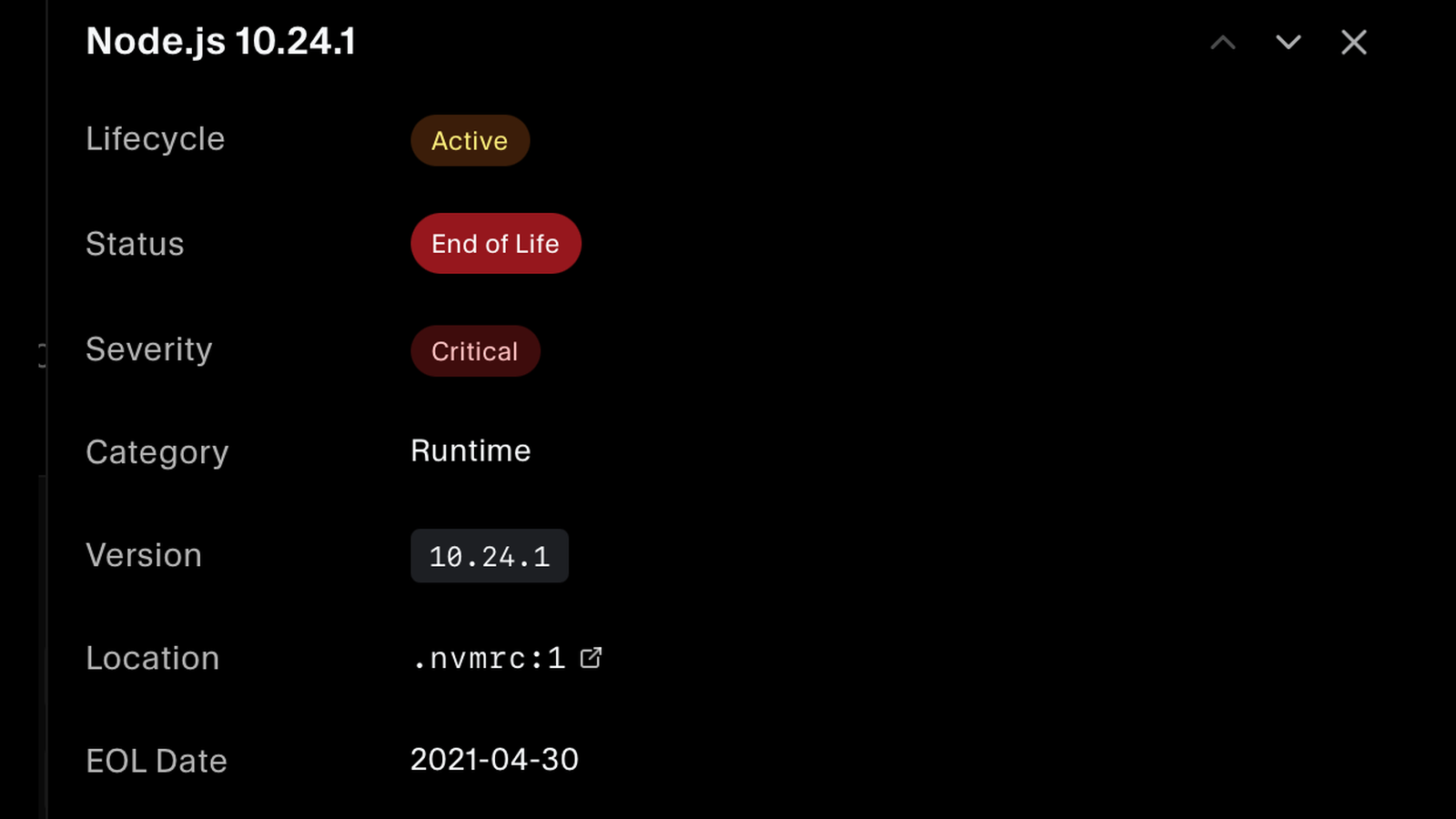
Open a finding and you get its lifecycle, status, severity, category, the exact version, and the end-of-life date, along with the file and line that pins it, whether that is a .nvmrc, a .python-version, a Gemfile, or a Dockerfile. There is no guessing about which file your team needs to change.
Told Exactly What to Upgrade To
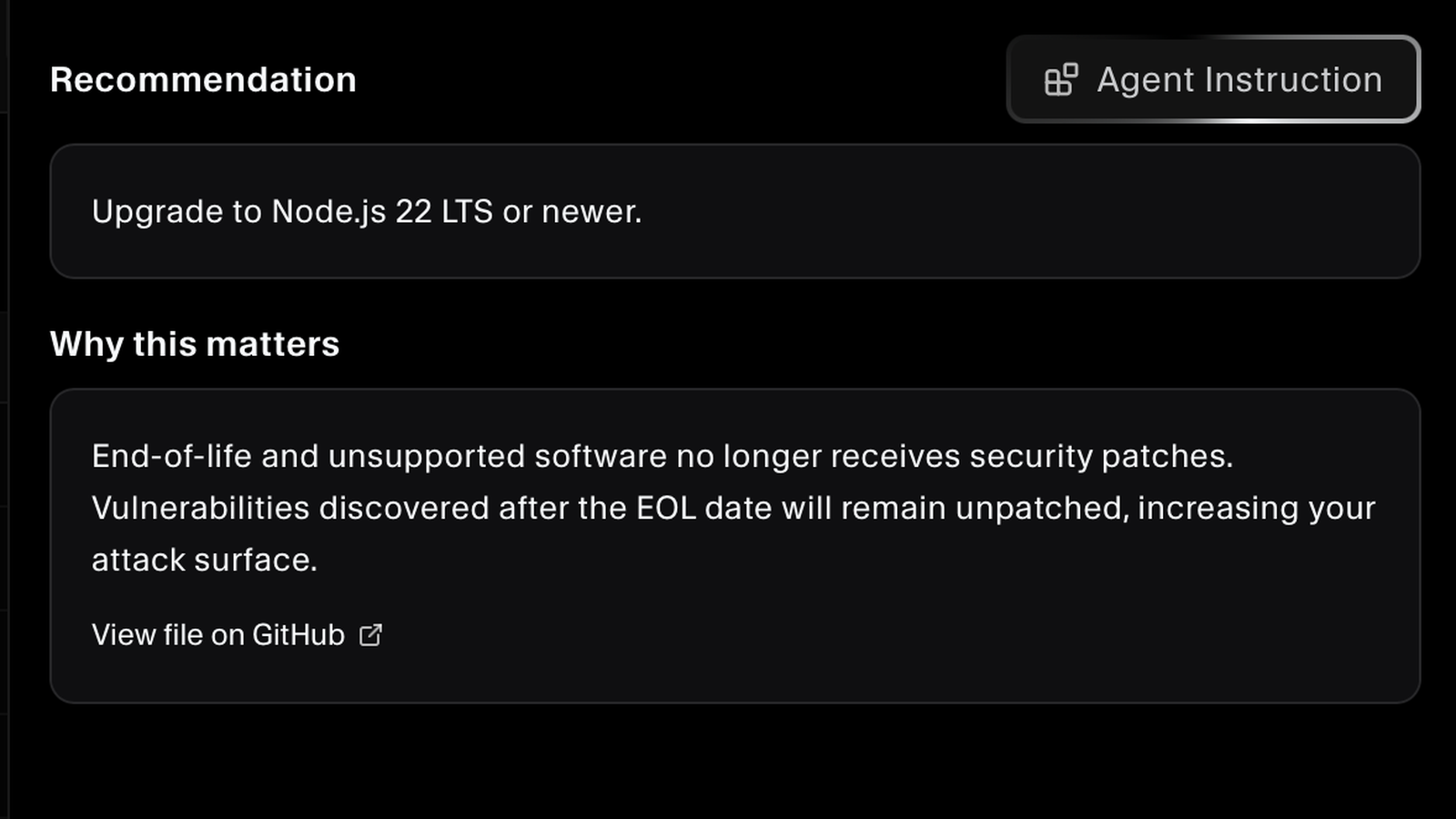
Each finding names the release to move to, such as upgrading an end-of-life Node.js to the current LTS, and explains why it matters: once a component is past its date, vulnerabilities found afterwards stay unpatched. One click generates a ready-made instruction for the AI coding agent your developers already use, and the file itself is one link away on GitHub.
FAQs
End-of-life questions answered.
It means the maintainers have stopped shipping fixes, including security fixes. Any vulnerability discovered after that date stays open permanently. Unlike an unpatched CVE, which you can resolve by upgrading, an end-of-life component has no patch coming at all, so the only remedy is to move off it.
Vulnerability scanning tells you about flaws that have already been found and disclosed. End-of-life tracking tells you which components will never be fixed again, which is a forward-looking risk. A package can show zero known vulnerabilities today and still be one of the most dangerous things in your stack because nobody is looking after it.
SecureSlate reads the manifest and config files in a repository, the places where a version actually gets pinned, such as .nvmrc, .python-version, Gemfile, and Dockerfile. End-of-life detection currently supports GitHub repositories, and each scan reports how many files it covered.
Language runtimes and frameworks whose versions are declared in your repository, such as older Node.js, Python, Ruby, Ruby on Rails, Django, Express, and Flask releases. Each finding is categorised so you can tell a runtime apart from a framework when you plan the work.
Yes. Each finding carries a recommendation naming the release to move to, such as the current long-term-support version of a runtime, so your team can judge whether this is a routine bump or a migration that needs planning. The decision stays yours, since the right target depends on what else you run.
Every finding is ranked by severity, and the dashboard counts how many components are already past their end-of-life date separately from the total. You can filter by severity or by the affected software, so the runtime that lost support years ago surfaces ahead of something that has only just aged out.
Scans are triggered by you, not on a schedule. Connect GitHub, add the repository you want covered, and run the scan; rerun it with Rescan whenever you need a fresh picture, which is what you want right after shipping a batch of upgrades. The repository list shows when each one was last scanned.
You can, and many teams start there. It tends to drift, because support dates move, new components arrive with every dependency change, and the person maintaining the sheet eventually moves on. Scanning the repository against published end-of-life dates removes the assumption that somebody remembered to update it.
Both expect you to run supported software and to manage the lifecycle of your systems. Auditors commonly ask how you know your components are still maintained. A current scan showing what is past end of life, and what has since been upgraded, answers that with a record rather than an assurance.
Find what is running out of support
See which frameworks and runtimes in your repositories are no longer maintained, and what to upgrade them to.
