
Device Agent
Monitor every employee laptop for security compliance
The SecureSlate Device Agent is a lightweight app for macOS and Windows. It checks each employee's device for disk encryption, screen lock, password policy, antivirus, and firewall, then reports the results to SecureSlate as compliance evidence. Once someone signs in, it runs in the background and needs nothing more from them.
Why device checks matter
Your audit scope includes every laptop your team works on.
Every laptop is a system in scope
SOC 2, ISO 27001, HIPAA, and Cyber Essentials all ask how company data is protected on the devices people use. Auditors sample those devices and expect proof that encryption, screen lock, and malware protection are actually on, not a policy saying they should be.
Screenshots go stale the day they are taken
A screenshot proves a setting was on at one moment. Someone turns off the firewall to debug a network issue, a new laptop arrives unencrypted, and the evidence folder still says everything is fine.
Encryption decides what a lost laptop costs
Whether a missing device is an inconvenience or a reportable incident often comes down to one setting: whether the drive was encrypted. You want to know that before the laptop goes missing, not after.
Five checks, every device, no screenshots
Install once per laptop, sign in, and each device reports its own security posture into the same place as the rest of your compliance evidence.
Installs Like Any Other App
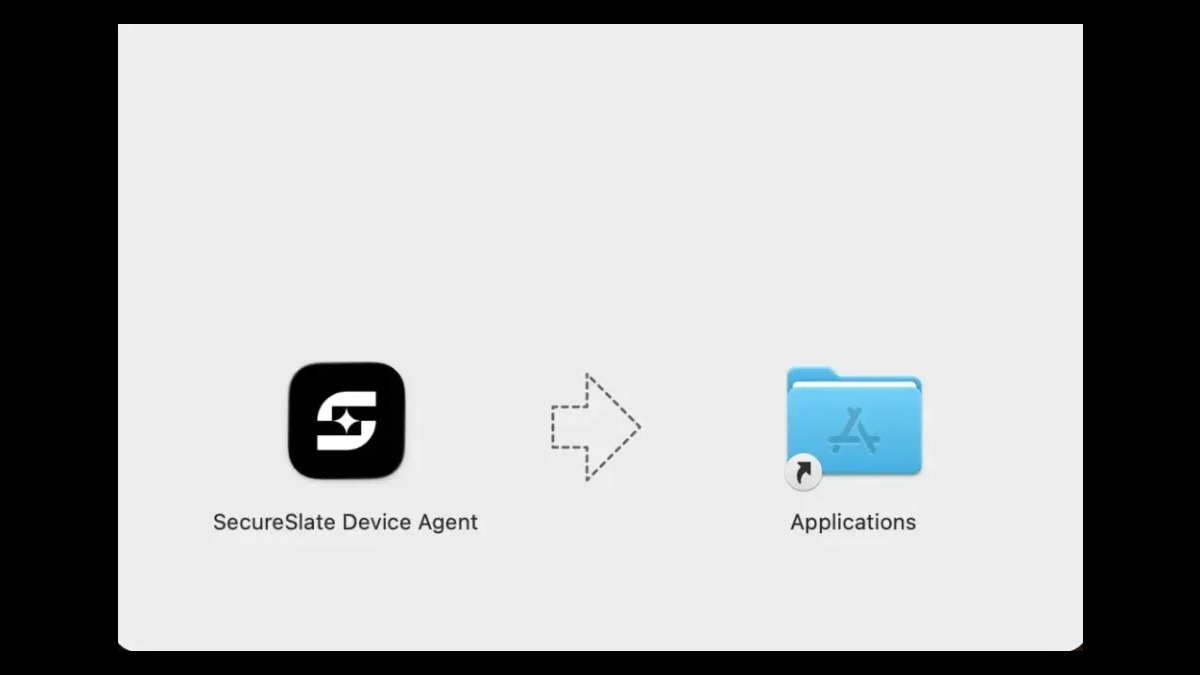
Employees download the Agent from the Device Setup step of their onboarding, or from a link you send. On macOS it is a drag into Applications, on Windows a standard setup wizard. Signing in opens the browser to confirm who they are, and from then on the checks run by themselves. Apple silicon, Intel, Windows 10, and Windows 11 are supported, including Windows Home.
Five Security Checks on Every Device
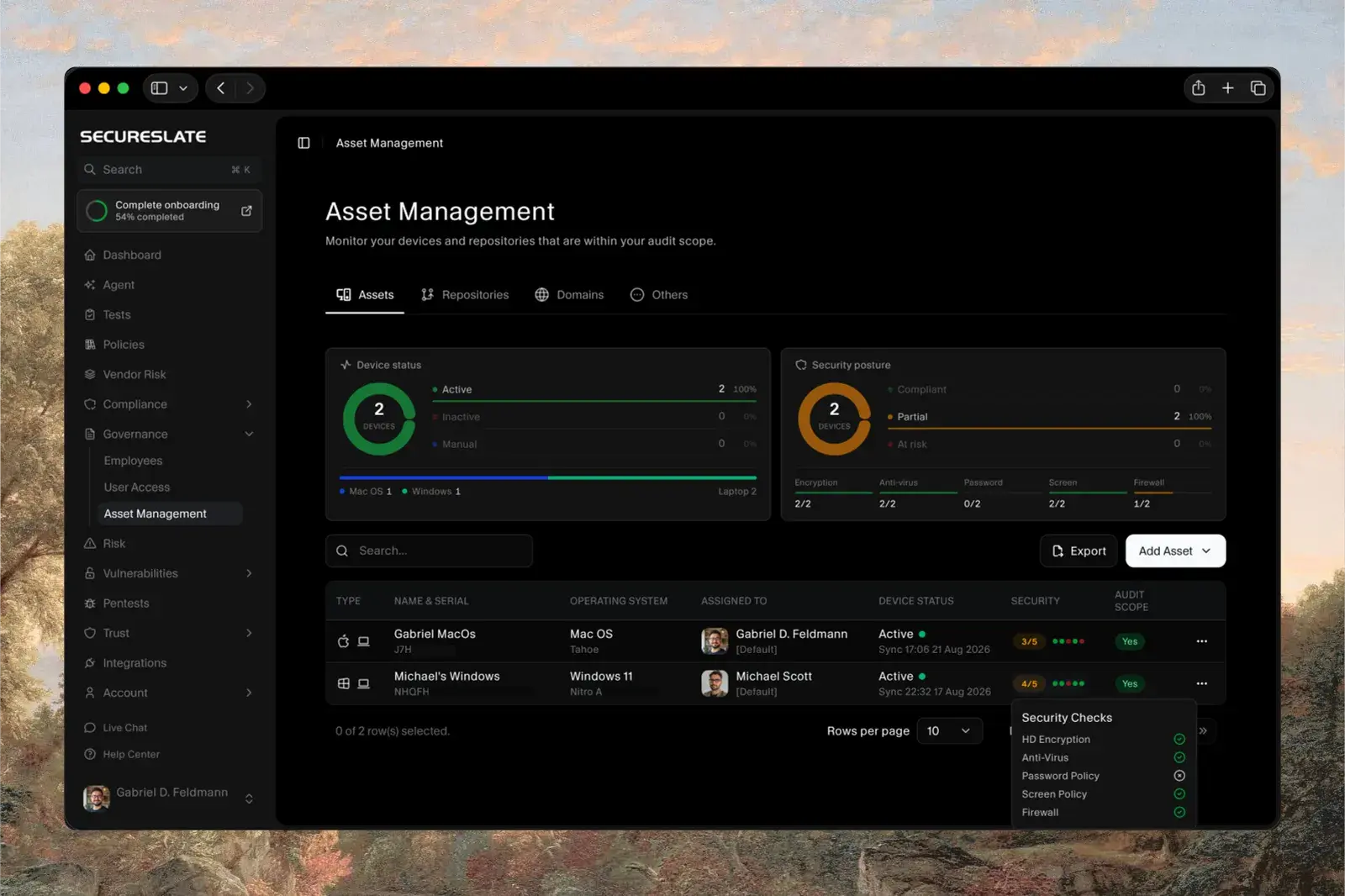
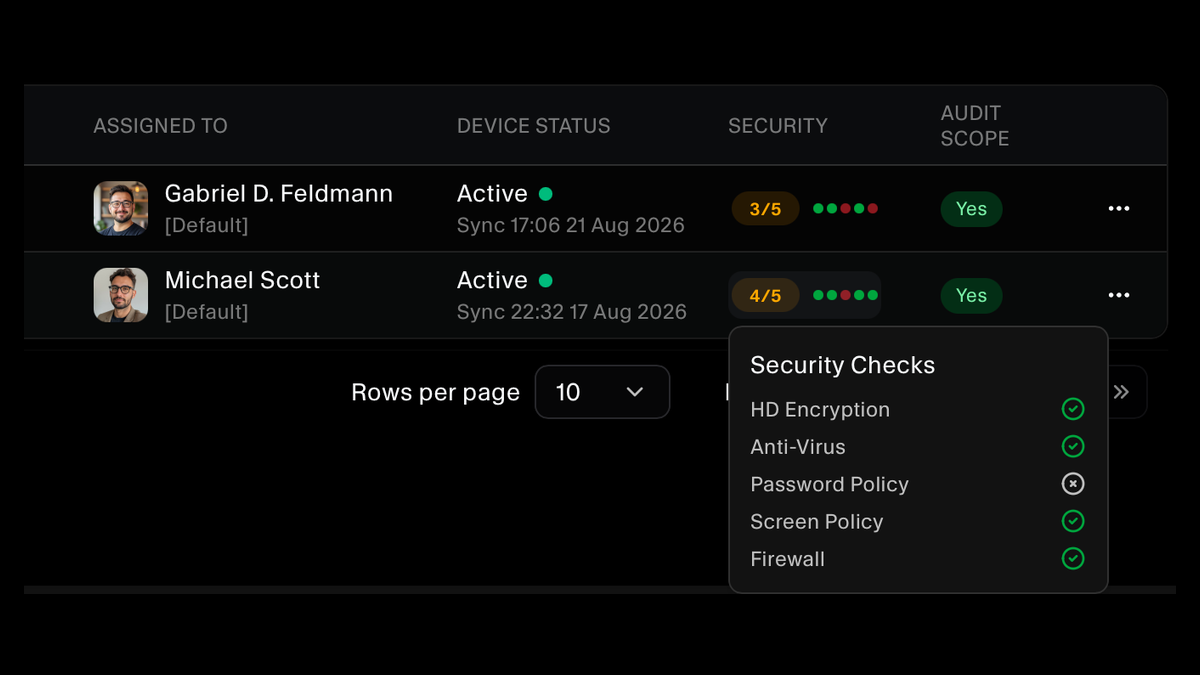
Disk encryption (FileVault, BitLocker, or Windows Device Encryption), a screen lock within 15 minutes that needs a password to unlock, a password policy of at least 8 characters, antivirus or endpoint protection, and the firewall. Each device shows a score out of five beside the person it is assigned to, with the pass or fail behind every check one step away.
Security Posture Across the Whole Fleet
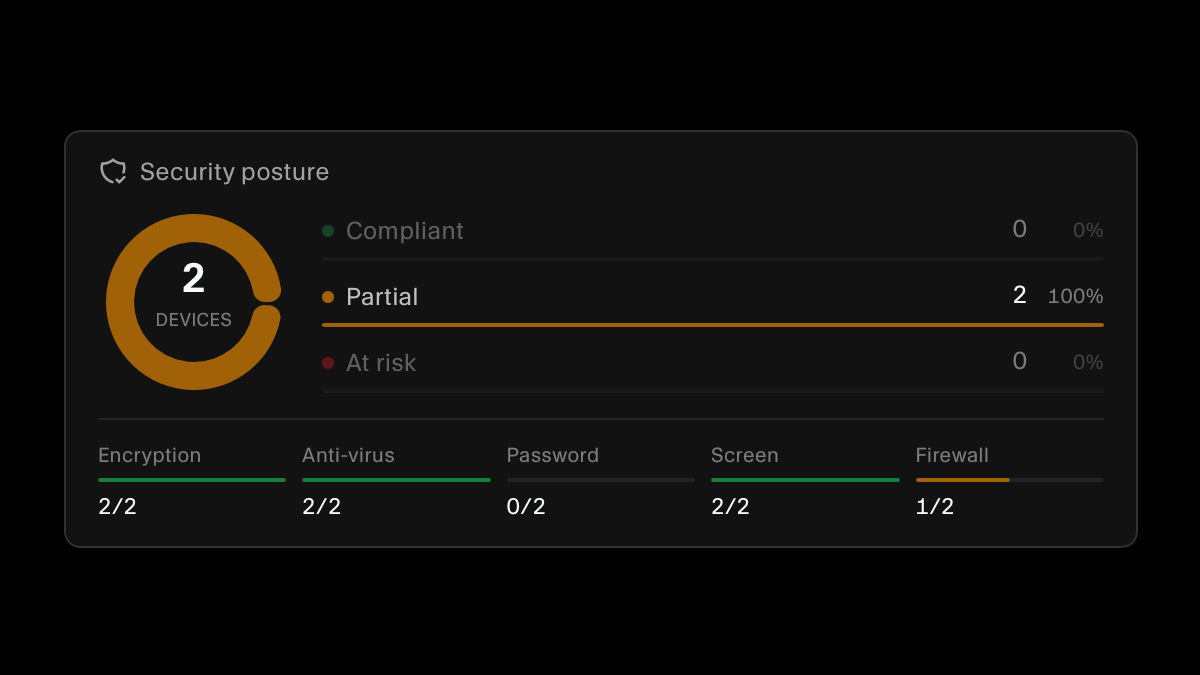
Devices are grouped as compliant, partial, or at risk, with a count for each check across the fleet. When one column lags, such as password policy passing on none of your devices, you know which setting to chase and how many people it affects without opening each device.
Know Which Devices Are Reporting
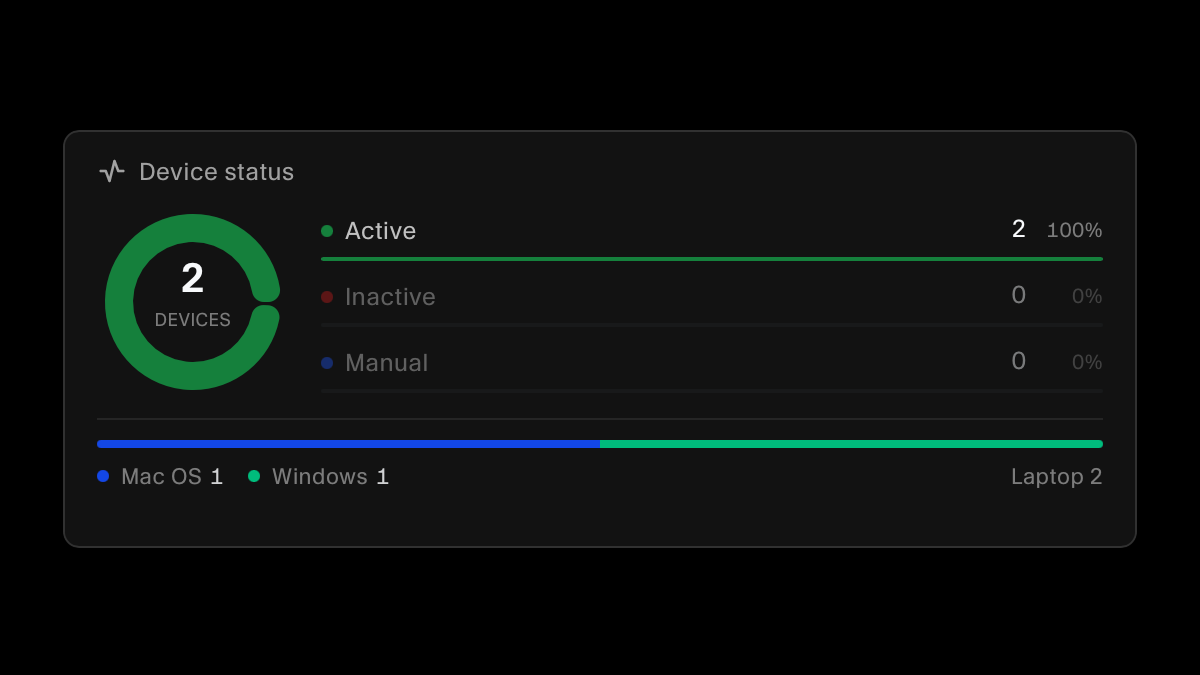
Device status counts active, inactive, and manual devices, with the split between macOS and Windows underneath. Every device in the list carries the time it last synced, so a laptop that has stopped reporting is easy to spot.
Manual Evidence Where the Agent Cannot Run
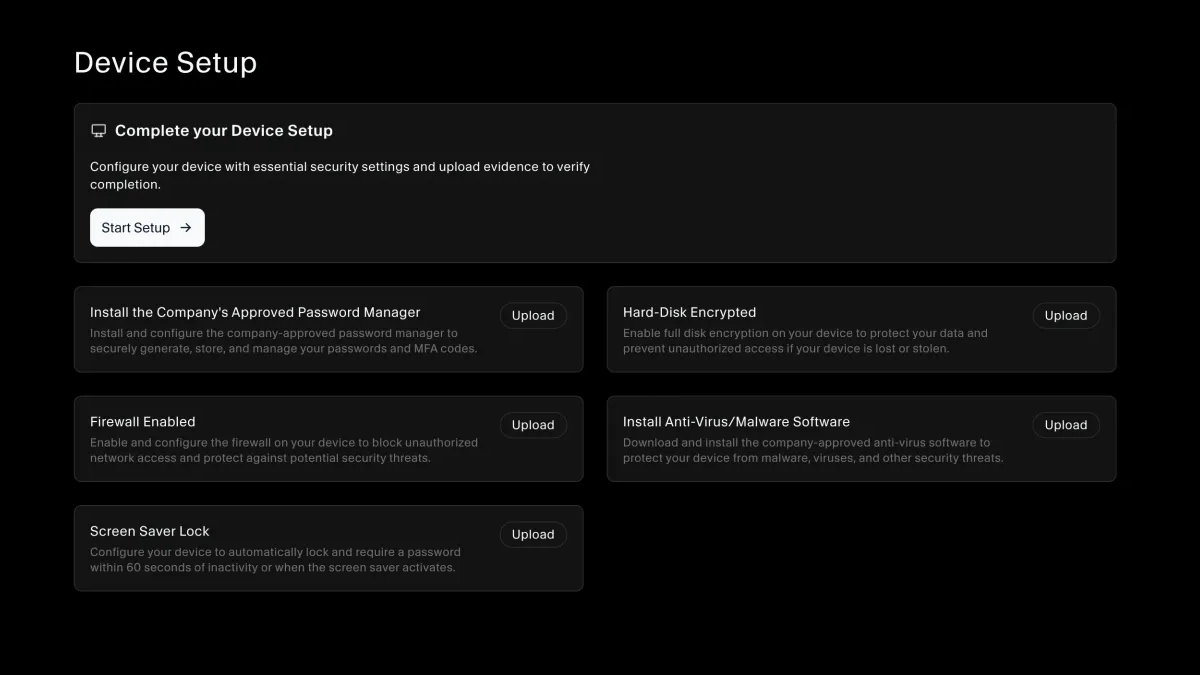
Not every device can run the Agent, Linux machines among them for now. You choose agent-based checks or manual evidence from the onboarding checklist, and with manual evidence employees upload proof for each requirement from the same Device Setup page. Either way, the device sits in the same asset inventory.
Resources
Read up on endpoint compliance.
Practical guides to the device controls auditors ask about, and how to keep the evidence for them current.
Endpoint security checks explainedFixing common device check failuresHard drive encryption complianceClear desk and clear screen policyPassword policy on managed devicesAntivirus requirements for SOC 2 and ISO 27001How firewalls workISO 27001 endpoint controlsSOC 2 Type II endpoint evidenceEndpoint baseline for startups
FAQs
Device Agent questions answered.
Five things, the same on macOS and Windows: disk encryption, a screen lock within 15 minutes of inactivity that requires a password, a minimum password length of 8 characters, antivirus or endpoint protection, and the firewall. On macOS the password check also confirms automatic login is disabled.
No. The Agent only reads whether controls are in place. It cannot enforce policy, install or remove software, or lock or wipe a device. If you already use an MDM, the two work side by side: the MDM enforces settings, and the Agent reports on the resulting state as evidence.
No. It never changes a setting. When a check fails, it points the employee to the place in their own system settings where they can fix it, which is usually a change they can make themselves.
Pass or fail for the five checks, plus basic device identity so results match the right asset: device name, operating system and version, hardware model, and serial number. It does not collect personal files, browsing history, keystrokes, screen contents, clipboard data, application usage, or data from other accounts on a shared device.
macOS on Apple silicon and Intel, and Windows 10 and 11 (64-bit), including Windows Home. Linux is not supported yet. Linux devices can be covered with manual evidence uploads in the meantime.
Automatically, for as long as the employee is signed in. They can also run a check at any time from the Agent menu. If they sign out, checks stop until they sign back in.
Not for most checks. The exception is disk encryption on Windows, which Windows only reports to administrators. Without those rights the Agent records that encryption could not be verified rather than assuming the device is fine.
Yes. The encryption check covers both BitLocker and Device Encryption, the simplified version available on most modern Windows Home devices. It passes when the system drive is encrypted and actively protected.
No. Each check is brief and the Agent uses very little of the computer's resources in between. It sits in the menu bar on macOS or the system tray on Windows.
Your organization's SecureSlate administrators, the same as other compliance evidence in your workspace. Results are sent over an encrypted connection and stored securely.
See where your team's laptops stand
Install the Agent on a few devices and find out which checks pass, which fail, and what to fix before an auditor asks.
