
Secrets Detection
Find the credentials leaking in your codebase
SecureSlate scans your GitHub repositories for exposed API keys, hardcoded passwords, tokens, and database credentials. Every finding comes ranked by severity, with the exact file and line, and instructions your developers can act on today.
Why secrets detection matters
One credential is enough to reach production.
One key opens the whole estate
A leaked AWS key or database URL hands over infrastructure, customer records, and production systems from a single line of committed code.
How supply chain worms travel
Recent self-replicating npm attacks spread on stolen developer and CI/CD credentials, not on any flaw in the software itself.
Scraped before anyone notices
Public repositories are crawled continuously, so a committed secret is usually abused within minutes. Rotation speed decides the blast radius.
See what leaked
Severity-ranked findings with the exact file, line, and fix.
Know What Leaked, and What to Fix First
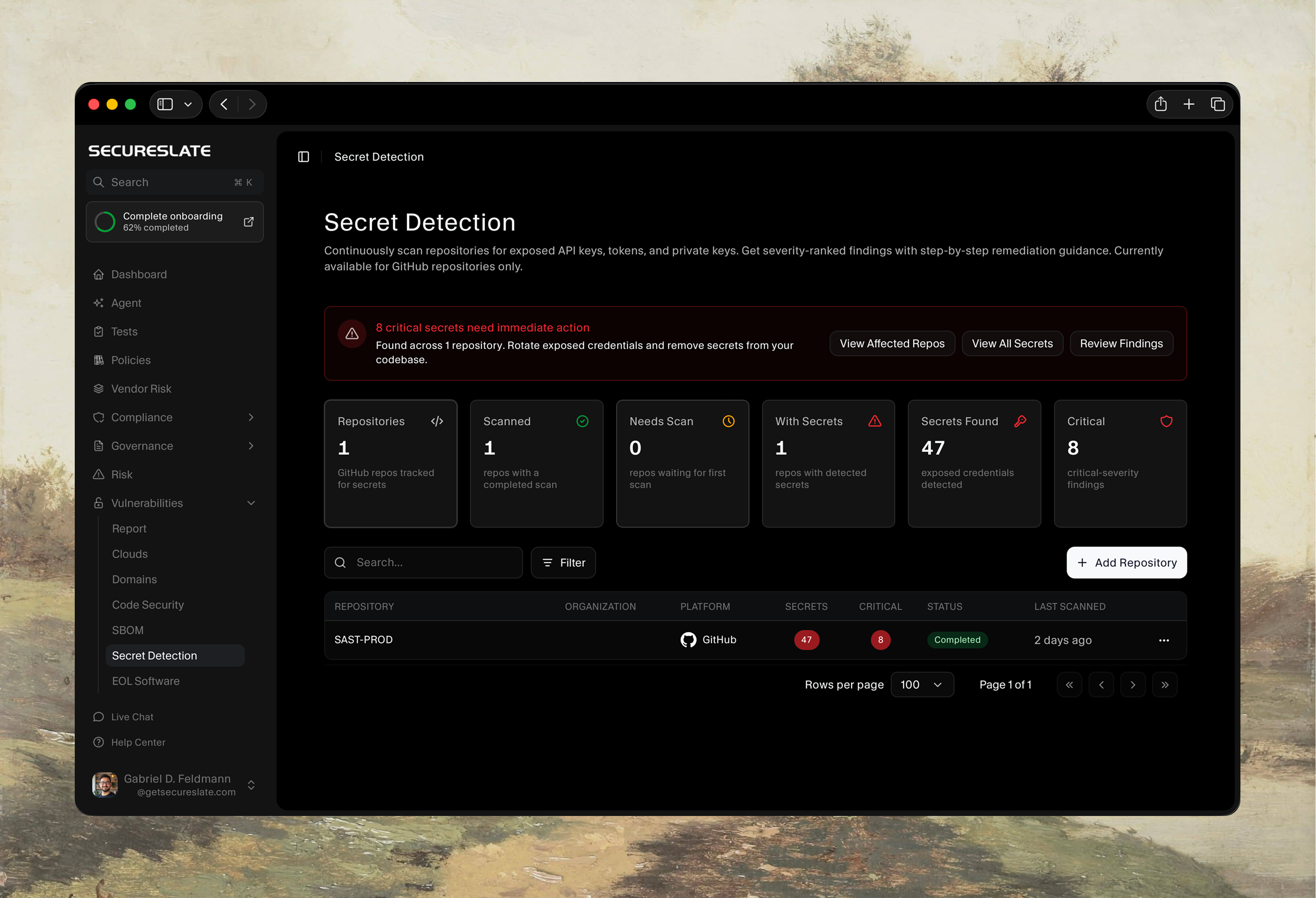
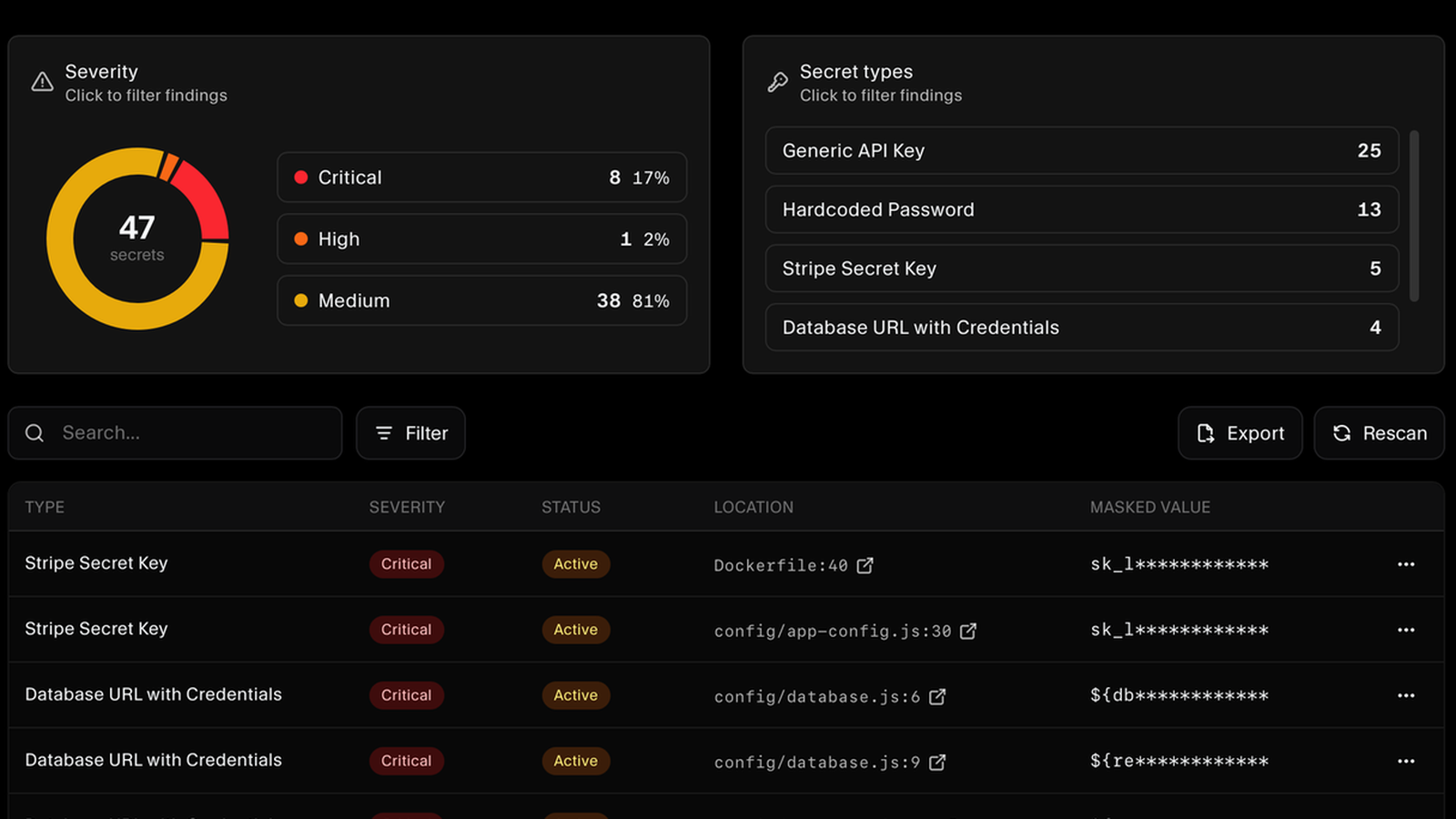
Connect GitHub, add the repository you want covered, and run the scan. Findings come back ranked critical, high, or medium, and grouped by credential type.
Pinpointed to the File and Line
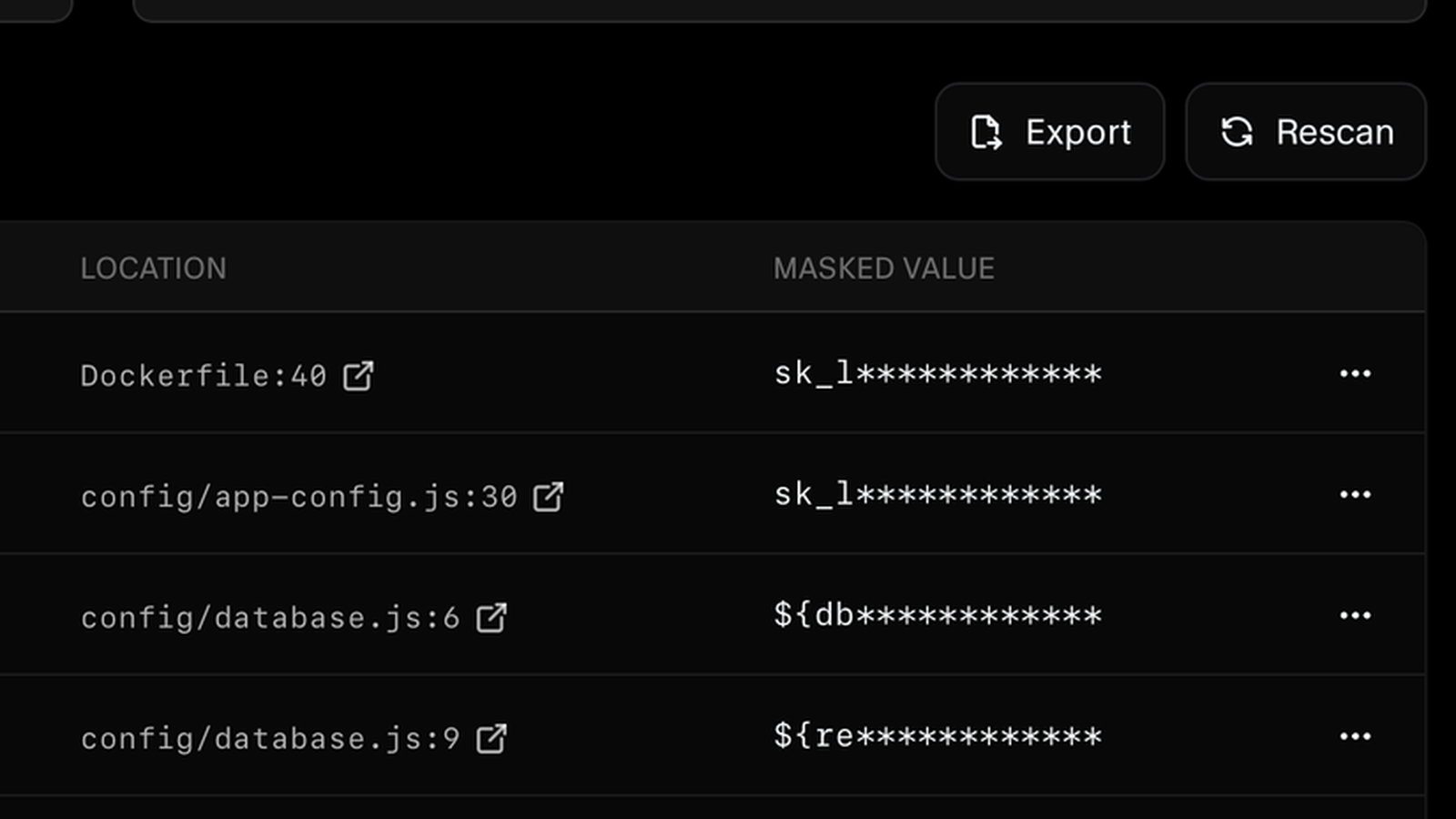
Every finding names the file and line, links straight to it on GitHub, and keeps the value masked.
Fix Guidance Your Developers Can Act On
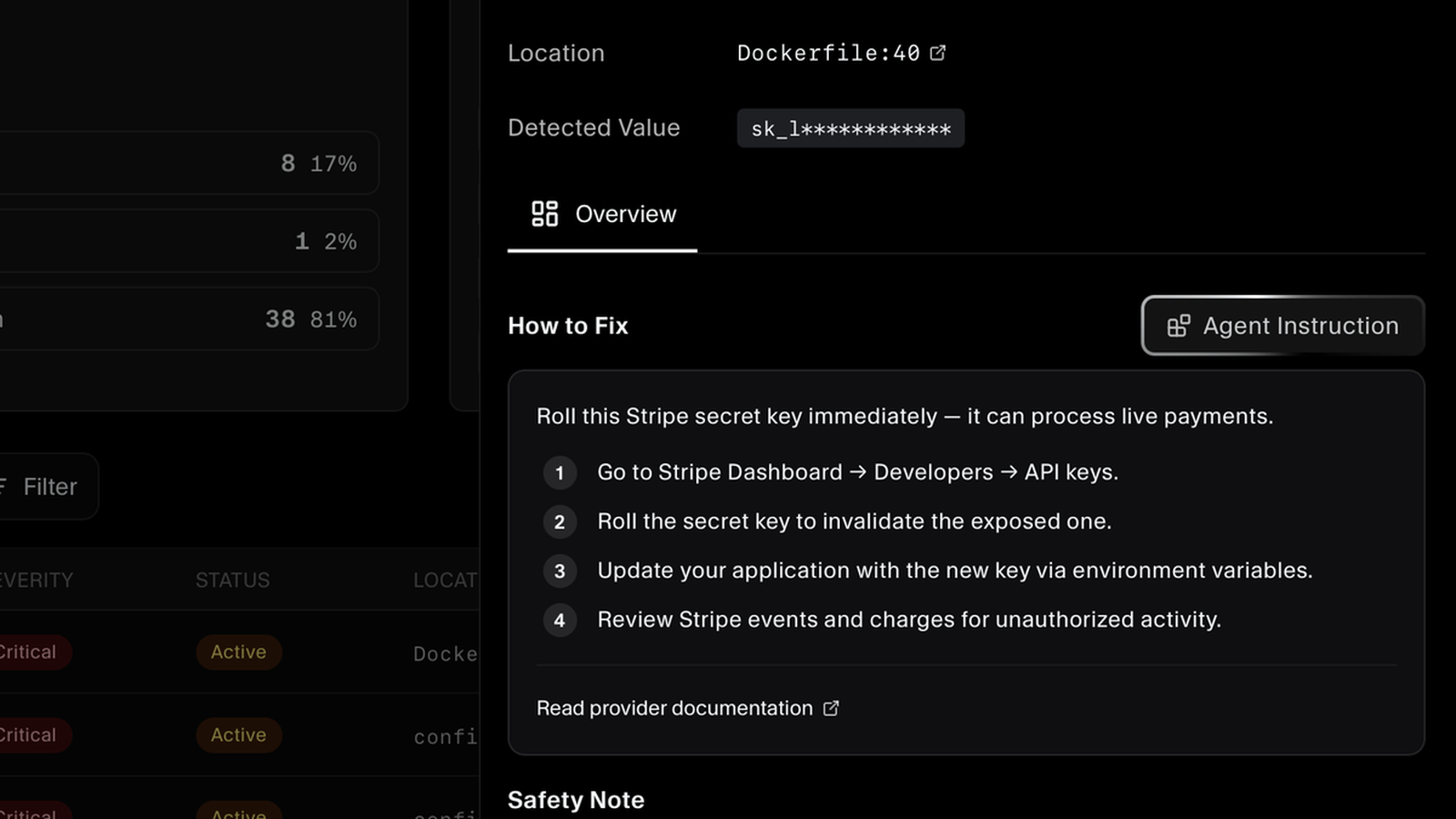
Provider-specific remediation steps, plus a one-click instruction for the AI coding agent your developers already use. Rescan on demand to confirm the fix.
FAQs
Secrets detection questions answered.
Secrets detection is the practice of scanning code and configuration for exposed credentials such as API keys, passwords, tokens, and private keys. It matters because a single leaked credential can be enough to reach production. Once a secret lands in a repository, automated bots routinely find and abuse it within minutes, which can lead to unauthorized access, data exposure, and cloud resource misuse.
Secrets detection currently supports GitHub repositories. Connect a repository from the Secret Detection page and SecureSlate scans it for exposed credentials, then reports how many secrets it found, how many are critical, and when the scan last ran.
SecureSlate detects credentials with recognizable provider formats, including provider API keys such as Stripe secret keys, generic API keys, hardcoded passwords, and database connection URLs with embedded credentials. Each finding records the rule that matched it, so you can see exactly why something was flagged.
Text-based files across the repository, not just application source code. That includes Dockerfiles, configuration files such as app config and database config, and other places credentials commonly end up by accident. Each scan reports how many files it covered.
Scans are triggered by you, not on a schedule. Connect GitHub, add the repository you want covered, and run the scan; rerun it with Rescan whenever you want fresh results, such as right after a cleanup or before a customer security review.
Every finding is ranked critical, high, or medium, and the scan view shows the full severity breakdown along with a count by secret type. You can click a severity or a type to filter the findings list, so the credentials with the widest blast radius surface first.
The finding shows the credential type, its severity, the exact file and line, and a masked version of the detected value, with a link to view it on GitHub. It also includes step-by-step remediation guidance for that specific provider, covering where to roll the credential, how to move it into an environment variable, and what activity to review. SecureSlate does not rotate or revoke credentials on your behalf.
Any finding can produce a ready-made instruction for the AI coding agent your developers already use. Copy it across and your agent starts with the full context of what leaked, where it is, and how the fix should be handled, which shortens the trip from alert to committed change.
Mark it as a false positive directly on the finding. It is set aside so it stops competing with real leaks for your team's attention, and the decision stays recorded against the finding.
No. Detected values are masked wherever they appear, and the full secret is never stored or displayed. After you rotate a credential, we recommend auditing your git history to confirm the secret is not still present in an earlier commit.
Find your leaked secrets
Connect your GitHub repositories and get a severity-ranked list of exposed credentials.
