
Trust Center
Share your security posture in one public trust center
Publish your certifications, controls, policies, documents, and subprocessors on one branded page at your own domain. Buyers self-serve whatever you make public and request the rest, so your team approves access instead of retyping the same answers.
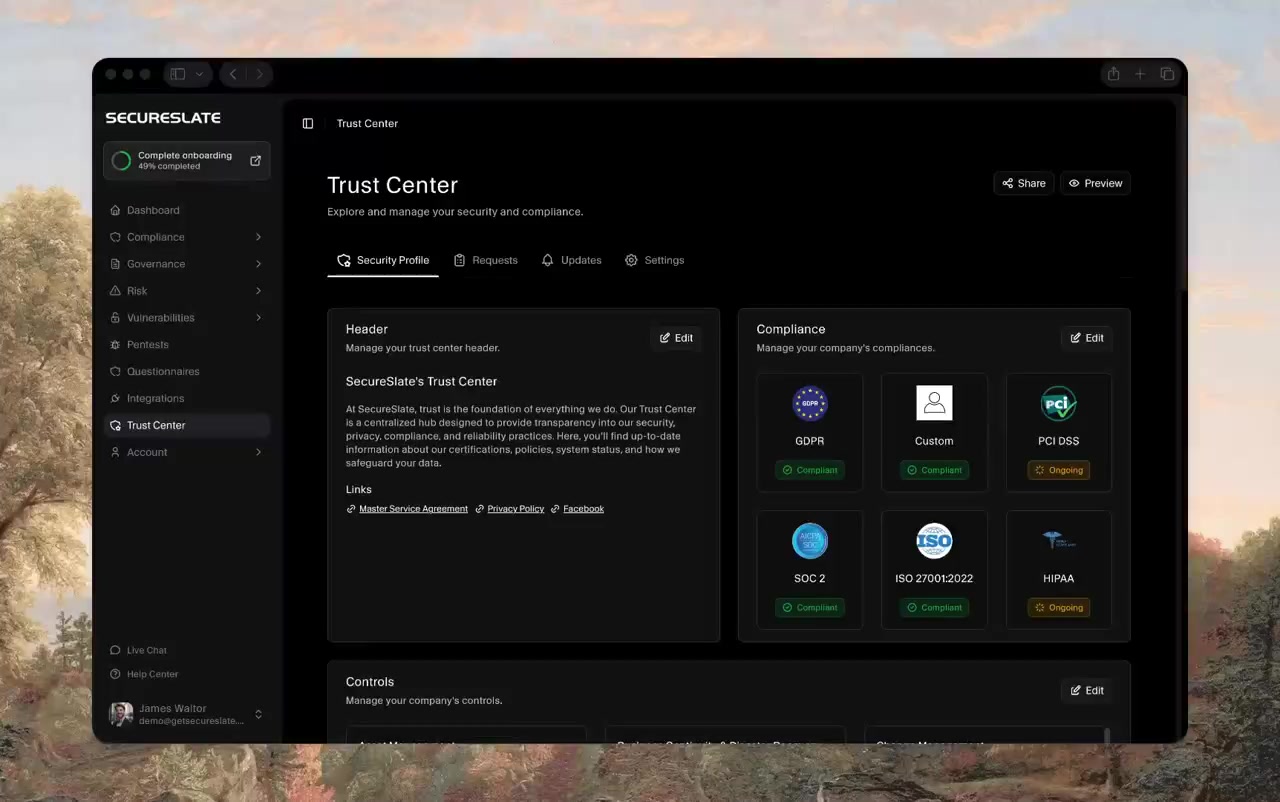
Why a trust center matters
Every enterprise deal now includes a security review you did not schedule.
The review lands when the deal is closing
Legal is done and procurement is ready, and then a questionnaire arrives with a two-week turnaround. The work is not difficult, it is just slow, and it sits between your buyer and their signature.
The same answers, retyped forever
Your report, your policies, your subprocessor list. Every buyer asks for the same artefacts in a slightly different format, and somebody rebuilds the answer from scratch each time it happens.
A report sent by email is a report you no longer control
Once the PDF is an attachment it lives on somebody's laptop. You cannot say who opened it, whether anyone signed an NDA first, or how many copies are now in circulation.
Publish once, and let buyers serve themselves
Certifications, controls, policies, documents, and subprocessors on one branded page, with public and restricted access decided item by item.
One Page for Your Whole Security Posture
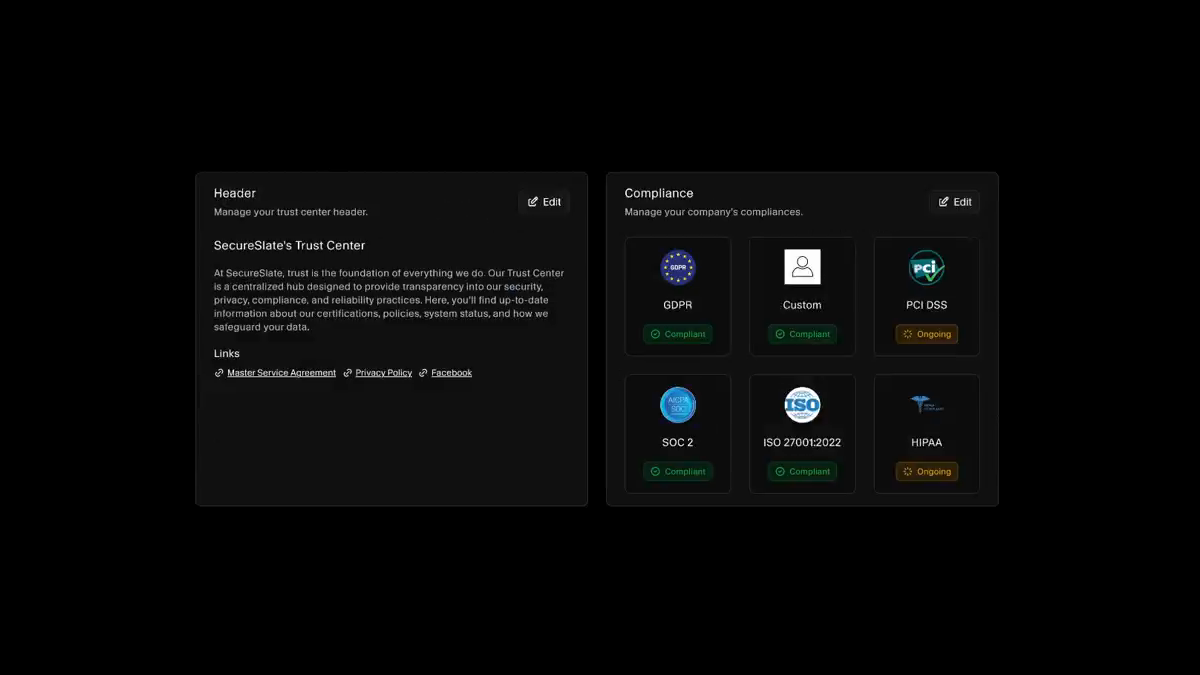
Your trust center opens with a header you write and the frameworks you hold, each carrying its own status, so a buyer takes in SOC 2, ISO 27001, GDPR, HIPAA, PCI DSS, or a custom framework at a glance. Compliant and ongoing are both shown, which is more credible than a wall of green. Legal links such as your master service agreement and privacy policy sit alongside them.
The Controls Behind the Badge
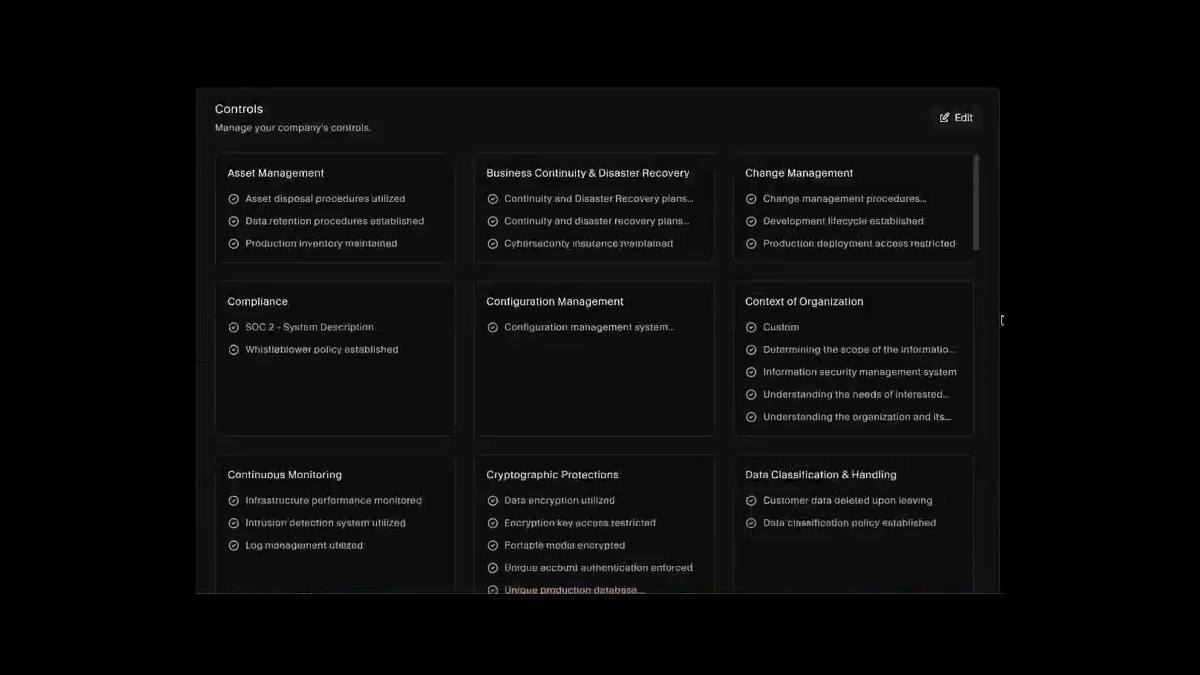
A badge says you passed an audit. The controls say what you actually do. Publish the controls you choose, grouped by category from asset management and business continuity through to cryptographic protections and data classification, drawn from the same compliance program your team already runs rather than a separate document somebody keeps by hand.
Public or Restricted, Decided Item by Item
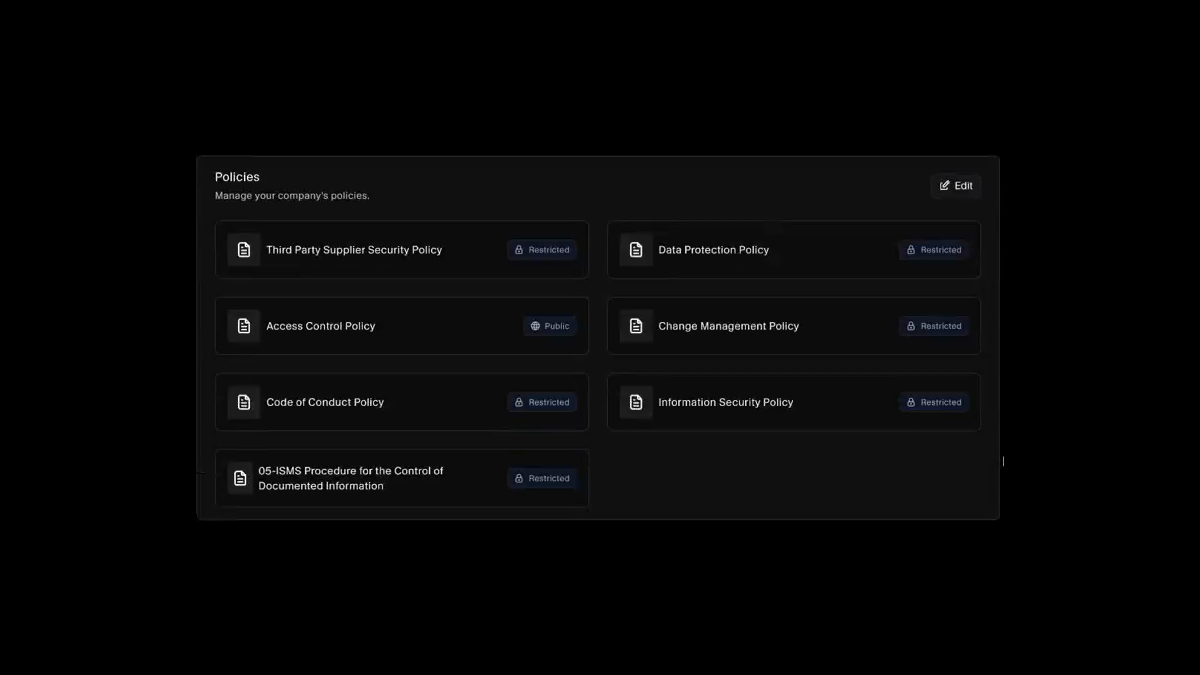
Every policy and document carries its own visibility. Publish your access control policy openly, keep your pen test report and SOC 2 audit report behind a request, and change your mind about any single item without rebuilding the page. Buyers read what is open and ask for the rest, which is where your approval comes in.
Documents and Subprocessors in the Open
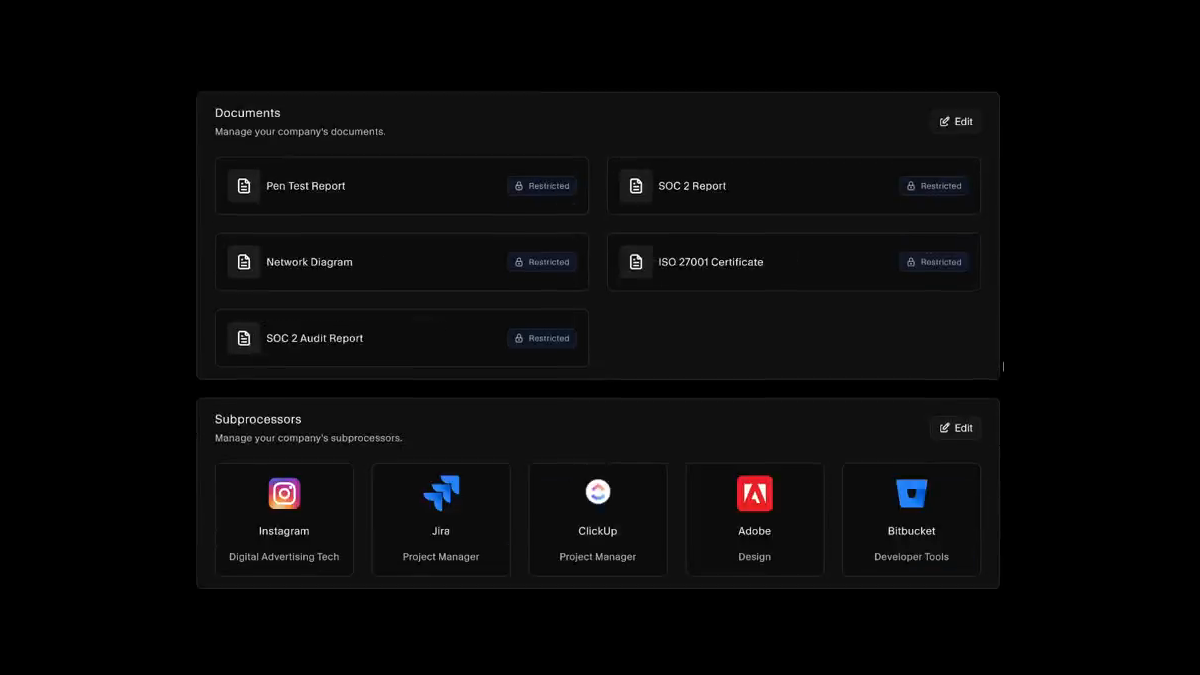
Share your pen test report, SOC 2 report, network diagram, and ISO 27001 certificate at the access level each one deserves. The subprocessor list is built from the vendors you already track, so the disclosure your buyers expect and your GDPR obligations require stays current instead of ageing quietly in a spreadsheet.
Tell Customers Before They Ask
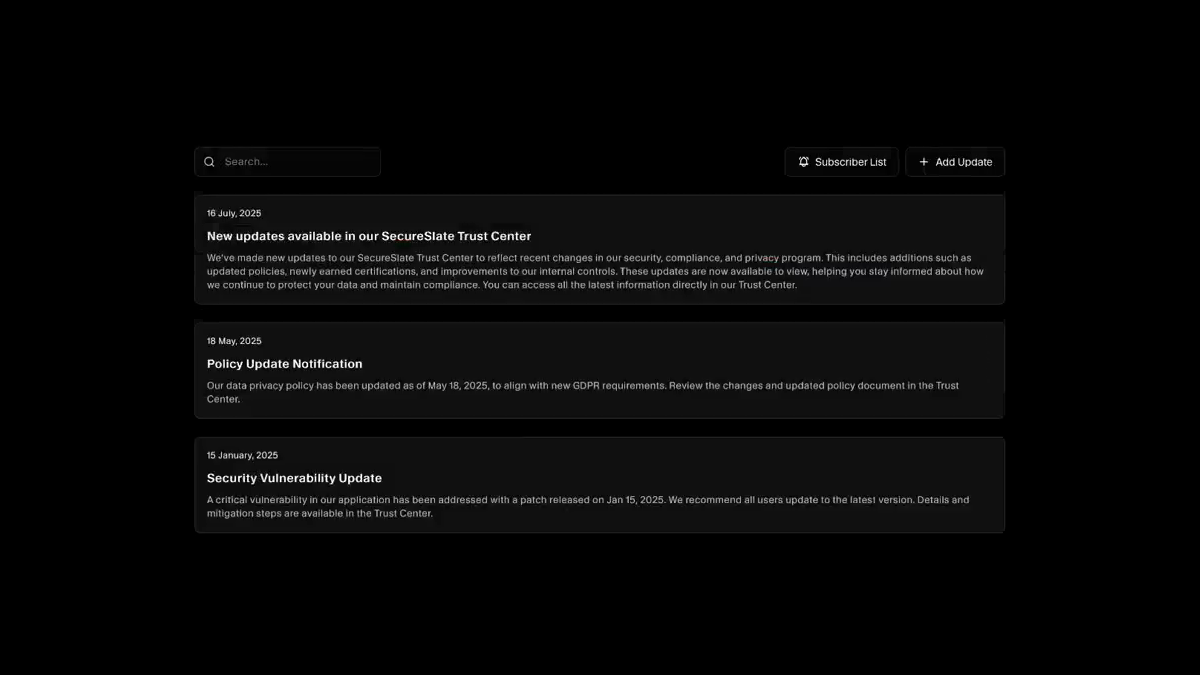
Publish a dated update when a certification lands, a policy changes, or a vulnerability is patched, and keep a subscriber list so the people who care hear about it. It is the difference between a customer learning about your renewal from you and learning about it from their own questionnaire six months later.
At Your Domain, Not Ours
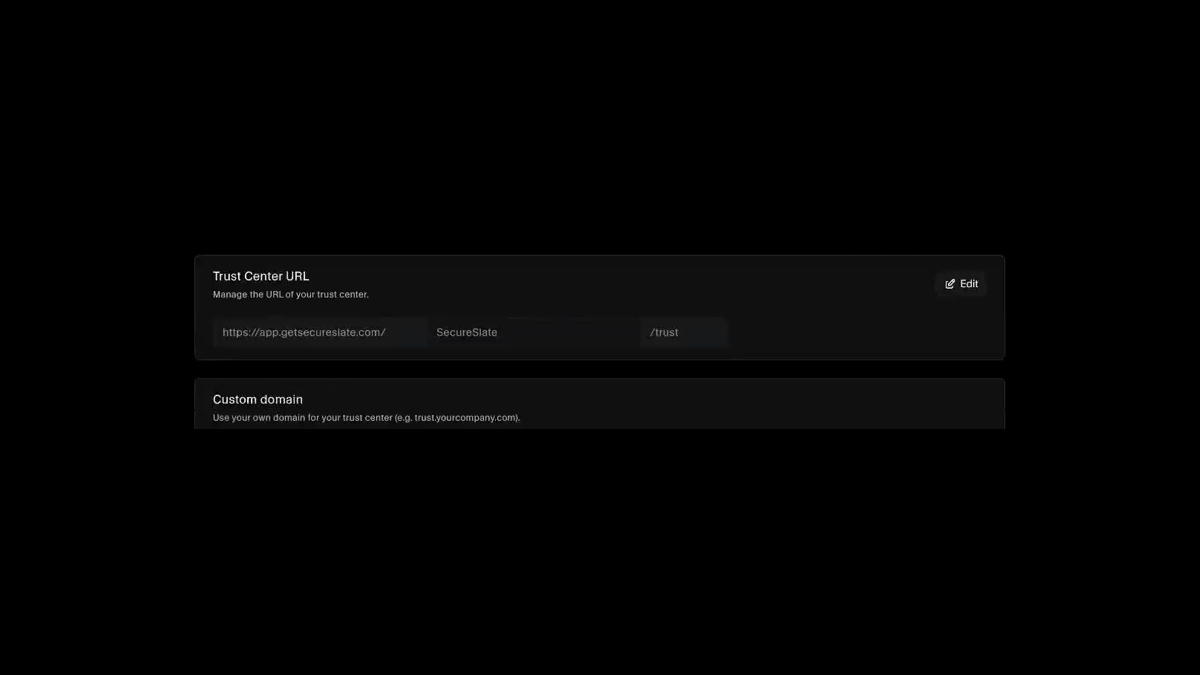
Choose the hostname your trust center is reached on, then map your own domain so it reads trust.yourcompany.com. The page your buyers land on carries your brand instead of advertising your compliance vendor, and the link is stable enough to sit in a sales deck, an email signature, or your website footer.
Resources
Read up before you publish.
Practical guides to trust centers and enterprise security reviews, from what belongs on the page to how buyers actually use it.
FAQs
Trust center questions answered.
A public page that presents your security and compliance posture so buyers can check it themselves. Certifications, the controls behind them, policies, documents such as a pen test report, and the subprocessors handling your customers' data all live in one place. It exists so a security review can start before anyone sends you a spreadsheet.
Yes. You pick the hostname your trust center is served on, and on plans that include it you can map your own domain so the page reads as trust.yourcompany.com. Your buyers land somewhere that looks like you rather than somewhere that looks like your compliance vendor.
Visibility is set per item, not per page. Each policy and each document is marked public or restricted on its own, so your access control policy can be open to anyone while your SOC 2 audit report and pen test report sit behind a request. You can change any single item later without touching the rest.
It arrives on the requests tab with the requester, the date, and exactly what they asked for, and you approve or deny it against your own process, including an NDA requirement if you have one. The list is searchable, filterable, and exportable, so who received your report is a record rather than a memory of an email thread.
From the compliance program already running in SecureSlate. You choose which controls and policies to expose, and they are the same records your framework work is built on. That is why the page does not drift: there is no second copy for somebody to remember to update.
Yes, and it is usually the better move. Frameworks carry their own status, so something in progress can appear as ongoing rather than being hidden. Buyers are used to seeing a roadmap, and a page showing honest progress reads as more credible than one showing nothing but green.
They come from the vendors you already track in SecureSlate, so the published list reflects your real third-party inventory. GDPR expects subprocessor disclosure to be current, and pulling from the same source as your vendor risk program is what keeps it that way.
Publish an update. Each one is dated and carries a title and body, so a new certification, a revised policy, or a patched vulnerability becomes an announcement on the page. A subscriber list means the customers who asked to be told are told, instead of finding out at their next annual review.
It removes a good share of them and shortens the rest. Buyers who can self-serve your certifications, controls, and policies often stop at the page. The questionnaires that still arrive are answered faster because the evidence is already assembled, and SecureSlate questionnaire automation drafts the responses from the same documents.
No. The trust center is available on its own through direct signup, and it is included with any SecureSlate paid plan. Individual capabilities such as a custom domain depend on the plan you are on, and the settings page tells you which of those are active for your account.
Give your buyers somewhere to look
Publish your certifications, controls, and policies on a branded trust center, and send a link the next time a security review lands.
