
Code Security
Find the vulnerabilities in your code before they ship
SecureSlate scans your repositories for security vulnerabilities and compliance issues, classifies each finding by CWE with the exact file and line, and hands your developers a tailored prompt to fix it.
Why code security matters
Most vulnerabilities are written, not introduced later.
The flaw ships with the feature
A path traversal or injection bug enters the codebase in an ordinary pull request. It passes review because it looks like normal code, and it stays there until somebody goes looking for it.
It is cheapest to fix while it is fresh
The same fix costs minutes in the branch that introduced it and days once it is in production, spread across releases, and tangled up with everything built on top of it.
Reviewers are not scanners
Human review catches design problems well and pattern-level flaws badly. Nobody reliably spots every unsanitised path join or hardcoded token across thousands of lines of diff.
Find it, understand it, fix it
CWE-classified findings with the vulnerable line attached, and a prompt your coding agent can act on.
Connect the Repositories You Want Scanned
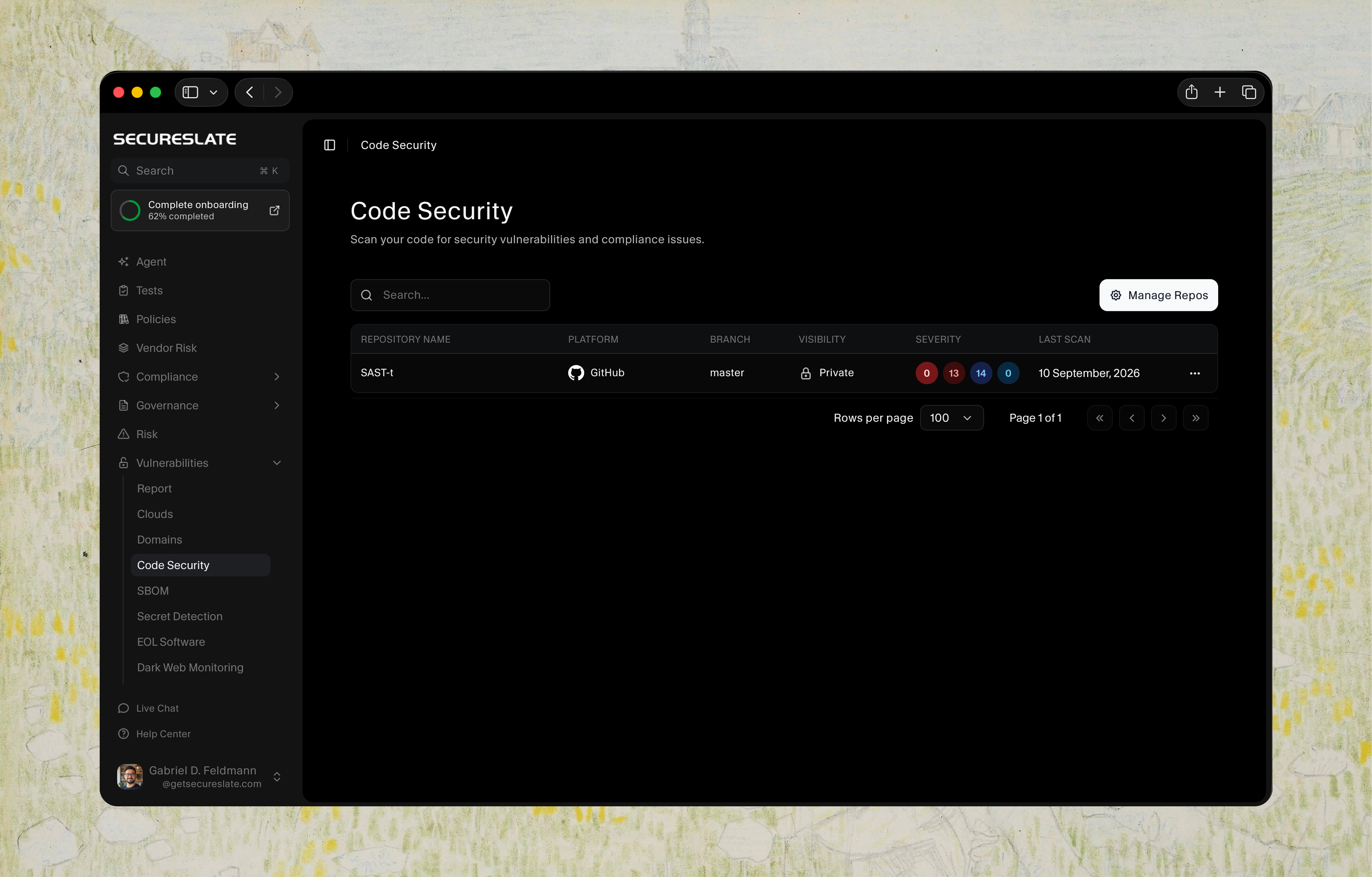
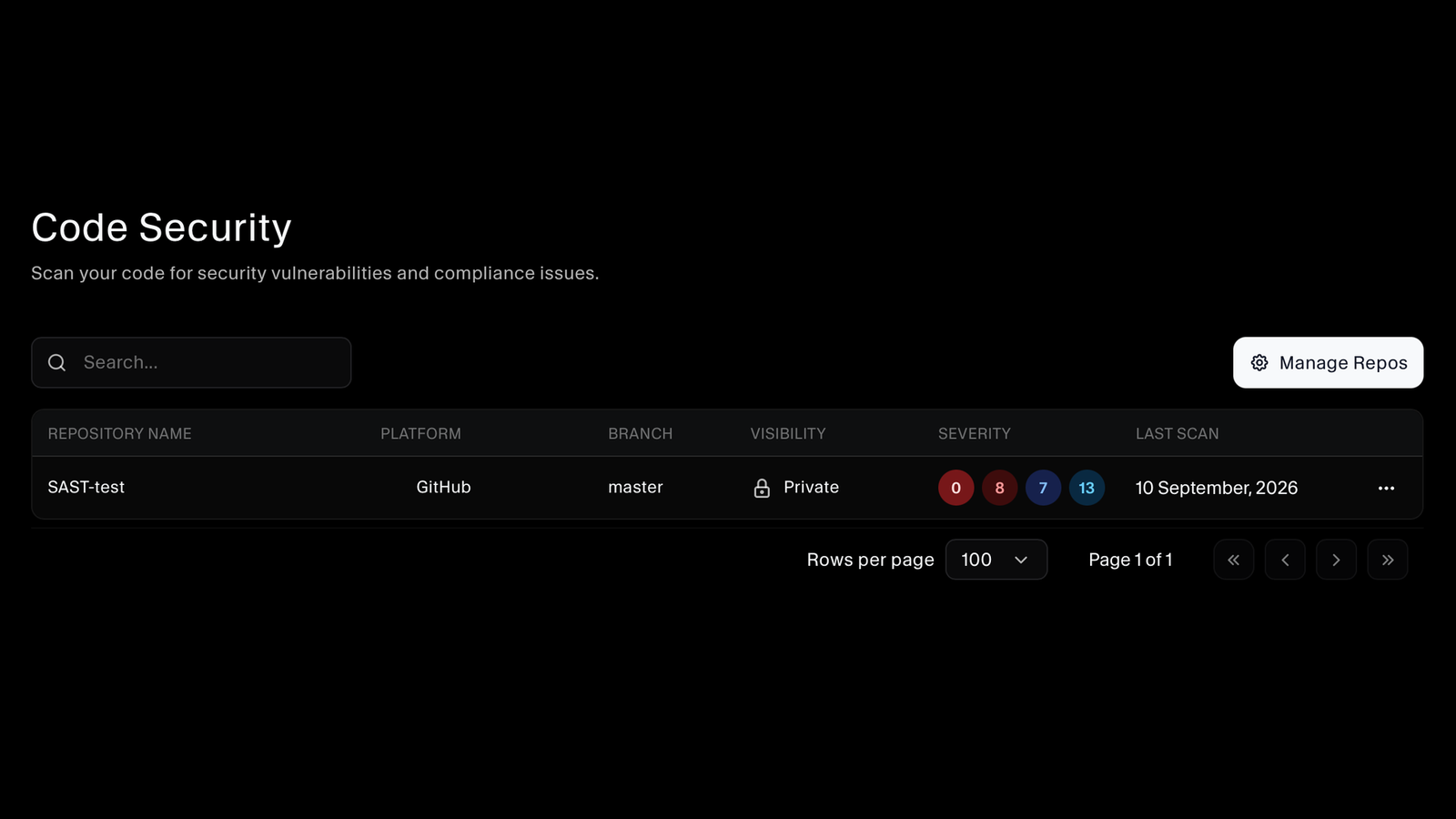
Manage which repositories are covered, and see them in one list with their platform, the branch being scanned, whether the repository is public or private, a severity breakdown at a glance, and when it was last scanned. Connected repositories are rescanned on a recurring interval, so the results keep pace with the code.
Know How Bad the Findings Are
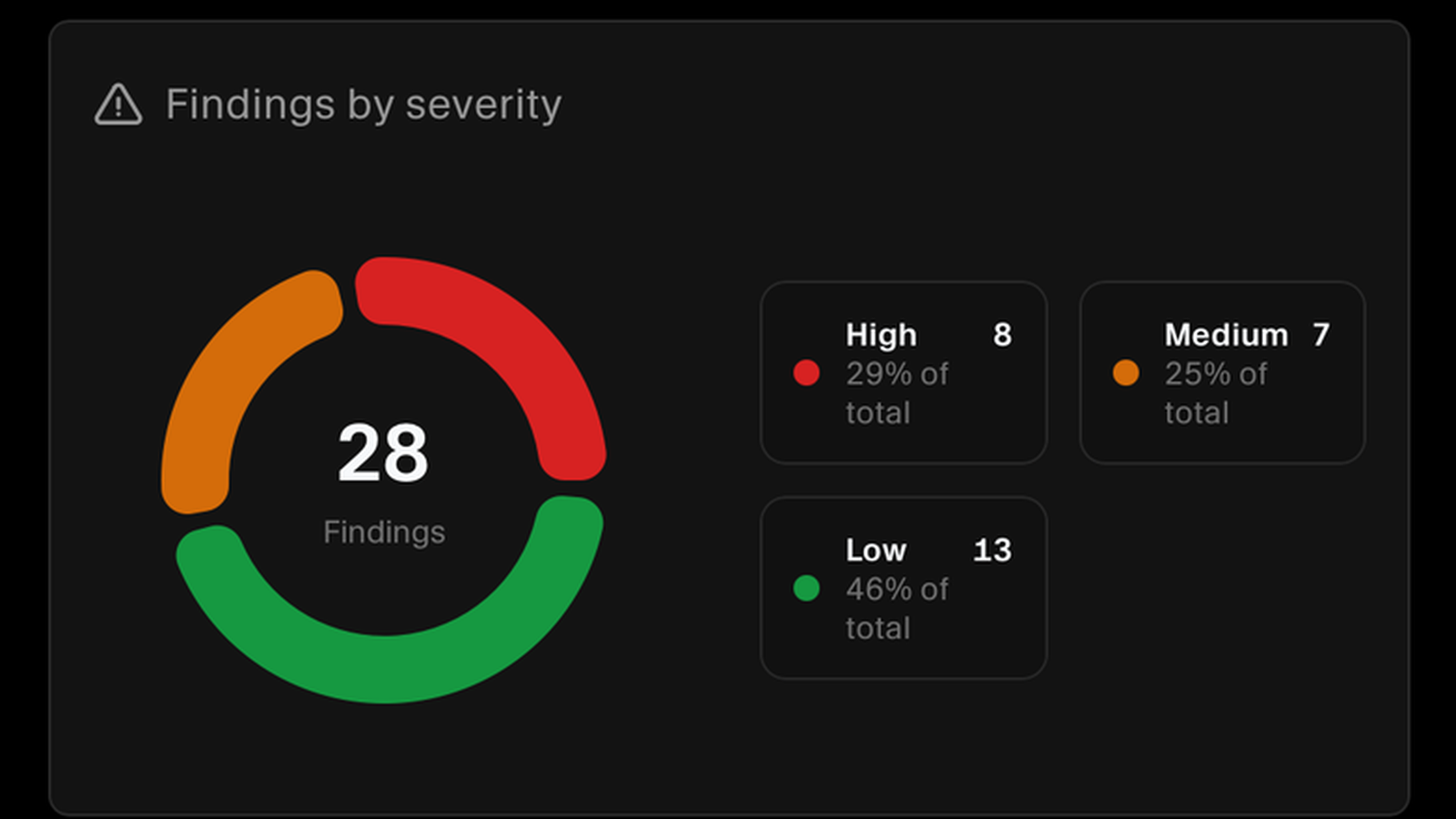
Each scan reports its findings broken down by severity, from critical through high, medium, and low, with the share of the total each band represents. You can see whether a repository has a handful of serious problems or a long tail of minor ones before anyone opens a single issue.
See Which Parts of the Stack Are Affected
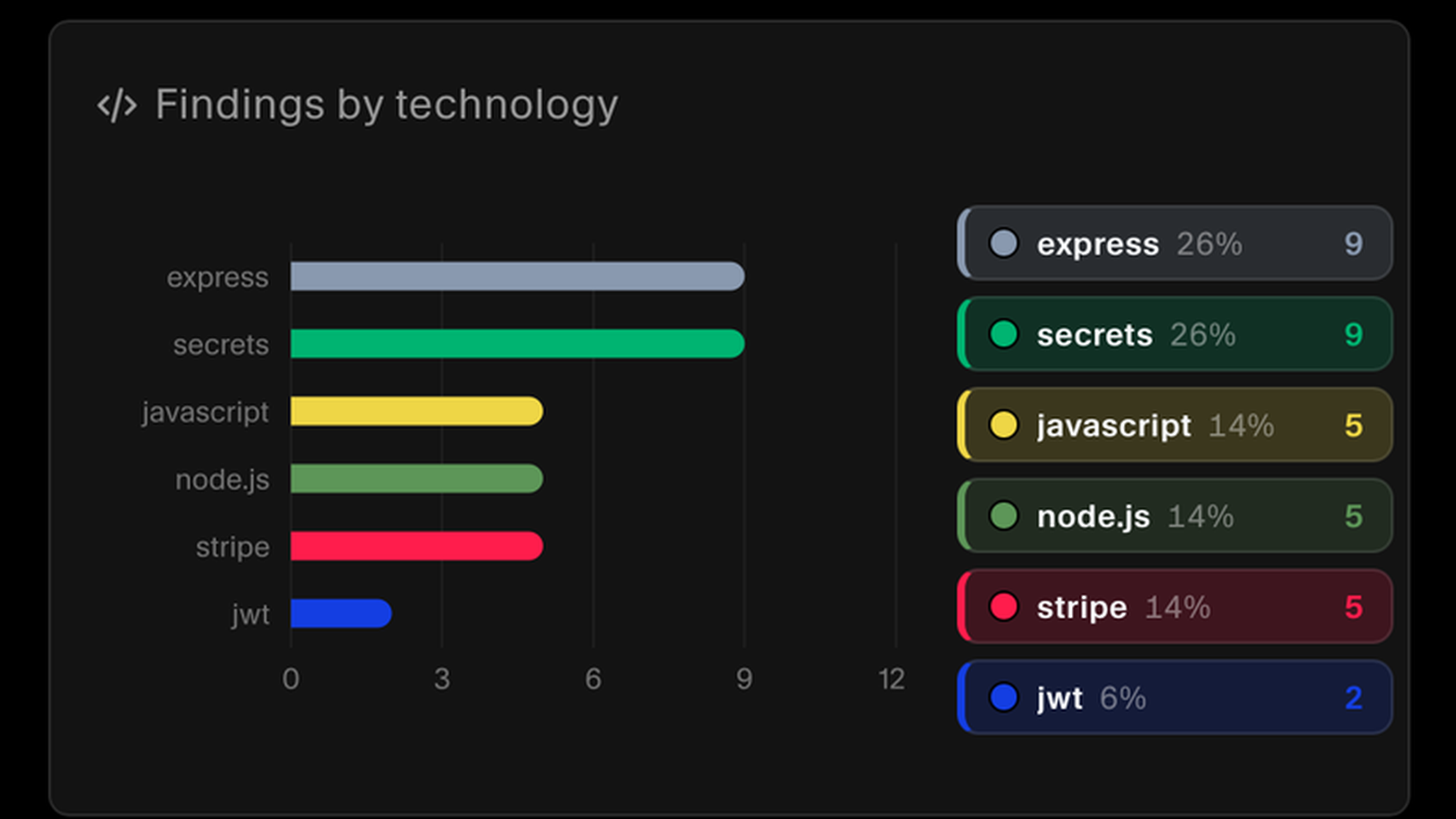
Findings are also grouped by the technology they belong to, such as express, javascript, node.js, jwt, stripe, and hardcoded secrets, with a count and a share for each. That tells you whether the work sits with one framework, one integration, or across the codebase.
Every Finding Classified by CWE
Each issue carries its CWE identifier and name, so a finding is a recognised weakness class rather than a vendor label. Alongside it you get severity, confidence, likelihood, and impact rated separately, the file it was found in, the technologies involved, and its category.
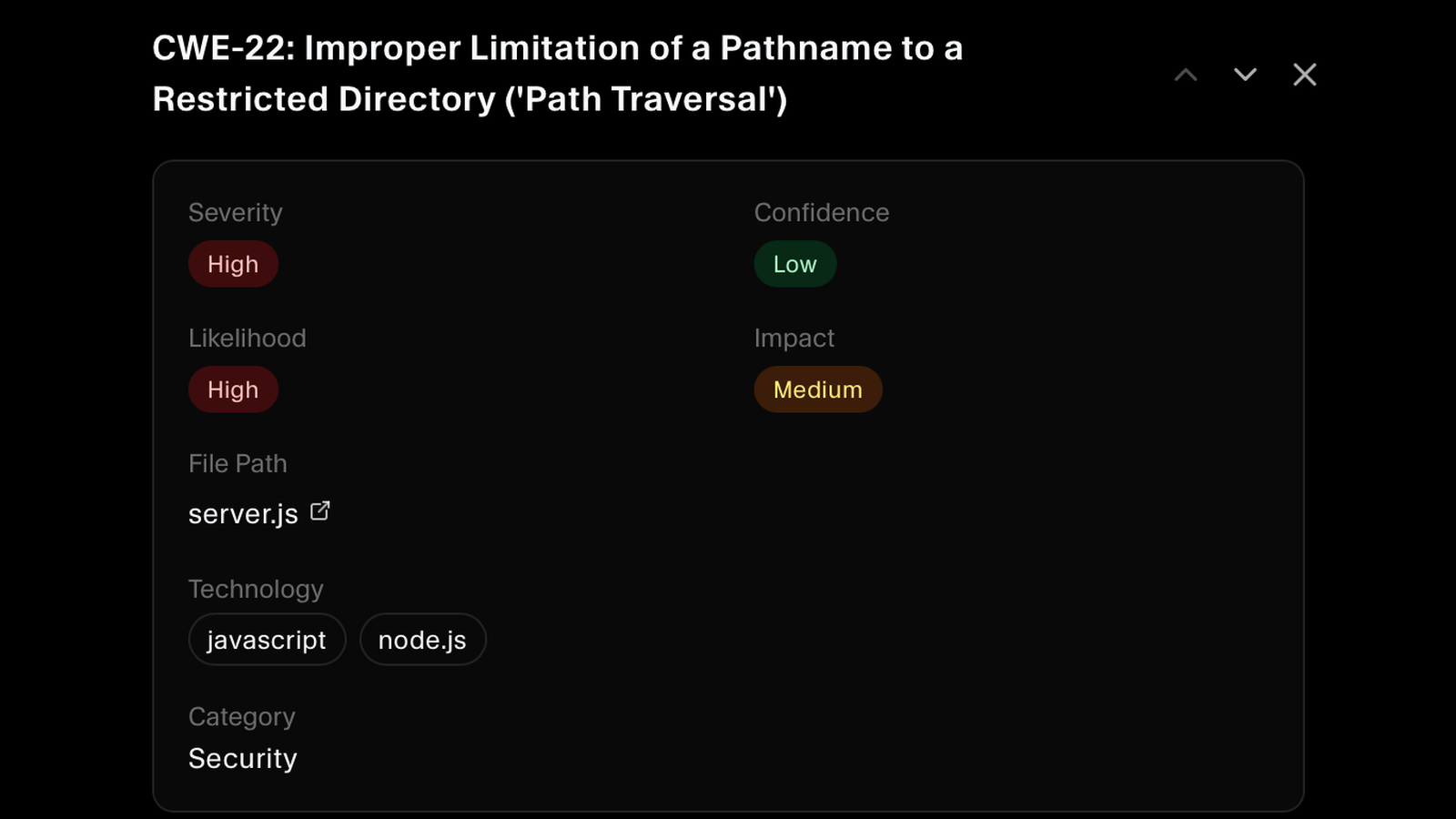
See the Vulnerable Line Itself
Every finding shows the offending line of code with its line number and severity, so your developers can judge in seconds whether it is real. The file is one click away in the repository, and a plain-language description explains what the pattern does and how to make it safe.
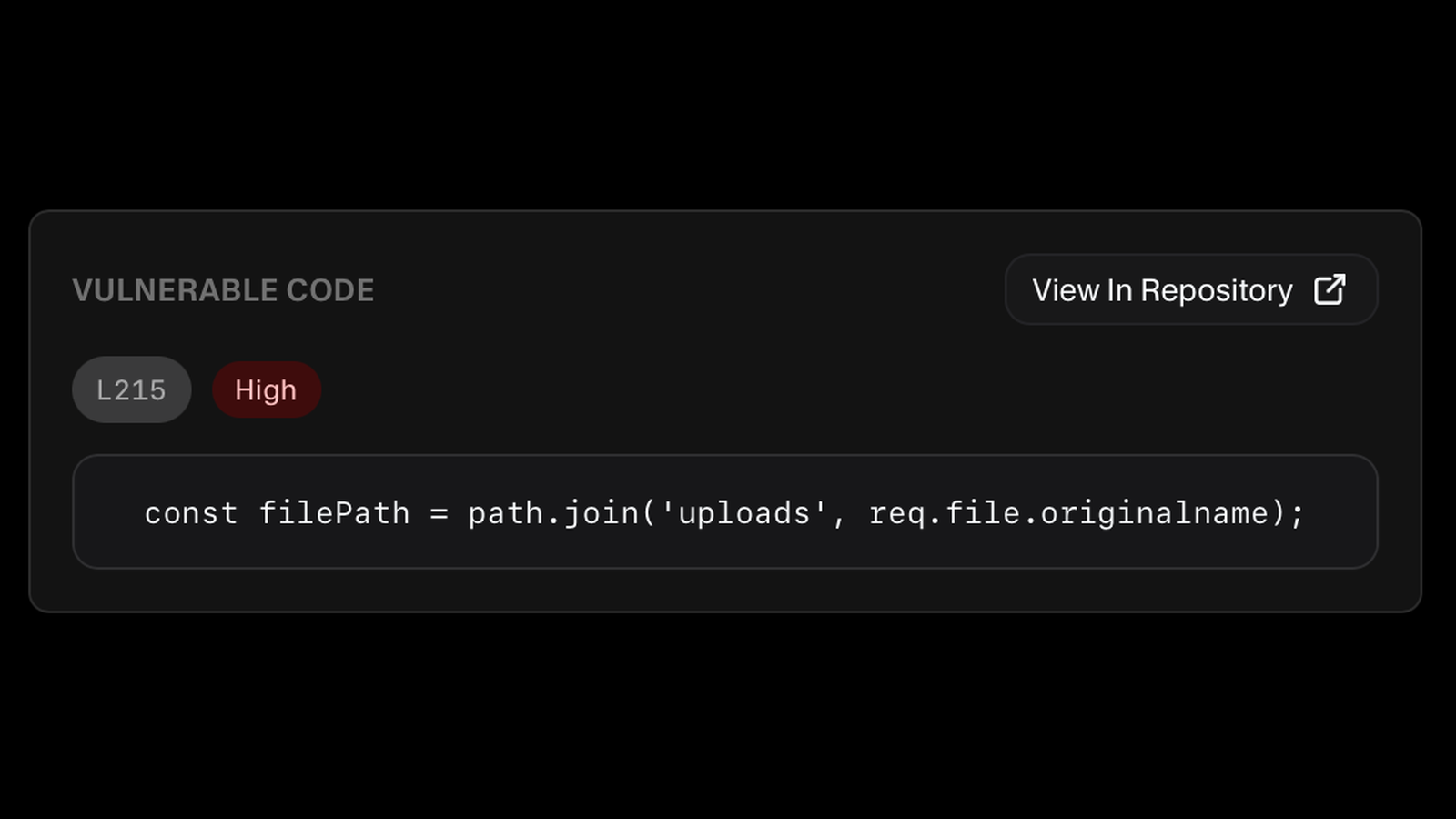
Hand the Fix to Your Coding Agent
One click copies a tailored prompt carrying the file context, the vulnerable code, and the remediation steps, ready for whichever coding agent your developers already use. The fix starts in the editor rather than as a ticket somebody has to translate first.
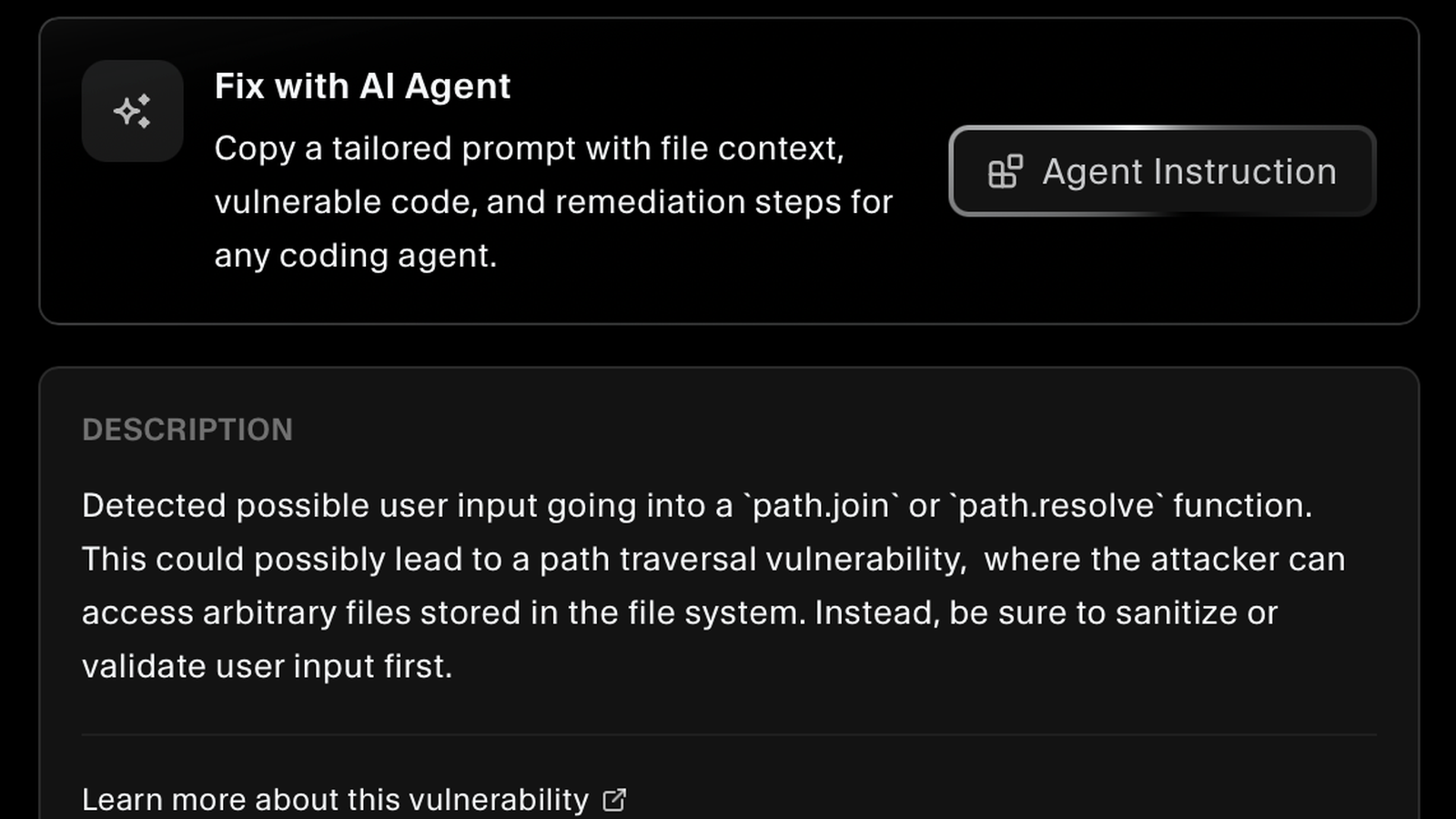
FAQs
Code security questions answered.
Security vulnerabilities and compliance issues in your source code, reported as recognised weakness classes with their CWE identifier. Findings cover patterns such as improper input handling, path traversal, and credentials committed into code, across the frameworks and languages your repository actually uses.
Choose the repositories you want covered with Manage Repos, and they are then monitored continuously, rescanned automatically on a recurring interval. You can also run a scan yourself with Start Scan whenever you want results now. The repository list shows the branch each scan ran against and when it last ran.
CWE is the Common Weakness Enumeration, a public catalogue of software weakness types maintained for the security community. Reporting a finding as a CWE means your developers and your auditors can look up exactly what the weakness is, rather than taking a vendor-specific label on trust.
Every finding is rated on four separate axes: severity, confidence, likelihood, and impact. A high-severity finding with low confidence is a different conversation from a high-severity one the scanner is sure about, and separating them means your team can triage rather than treating every alert as equally certain.
Create a task from it, snooze it until a date that suits your release schedule, ignore it when it does not apply, adjust its severity to match your own risk view, or copy a link to it for a colleague. Findings also carry notes and tasks, so the reasoning stays with the finding instead of in a chat thread.
Yes. Each finding includes the vulnerable line with its line number and a link straight to the file in your repository, plus a description of what the pattern does and what to do instead. There is no hunting through the codebase to work out what the alert refers to.
SecureSlate generates a tailored prompt containing the file context, the vulnerable code, and the remediation steps for that specific finding. You copy it into whichever coding agent your developers already use, so the agent starts with the full picture instead of a one-line alert.
Yes. Findings can be exported from the scan view, and you can search and filter the list first, which is what you want when a customer or an auditor asks for the results of your last code review rather than the whole backlog.
Both expect you to develop software securely and to find and fix vulnerabilities in your own code. A record of what was scanned, what was found, how it was rated, and what happened to each finding answers that with evidence rather than an assurance.
Find what is wrong in your code
Connect your repositories and get CWE-classified findings with the vulnerable line attached, ready for your developers to fix.
