
DAST & Attack Surface Monitoring
See your application the way an attacker does
SecureSlate scans your live domains from the outside, starting with your primary domain the moment you sign up, then keeps rescanning them on a recurring interval. It finds the subdomains you forgot, and reports each issue with its severity, its CWE, and a recommended solution.
Why dynamic testing matters
Attackers do not read your source code. They probe your endpoints.
Your front end is where attackers start
Nobody needs your source code to attack you. They need a browser and your public URL, which is exactly the vantage point dynamic testing takes.
Some flaws only exist when it runs
Misconfigured headers, permissive policies, verbose error pages, and files served that were never meant to be public do not appear in any single source file. They emerge once the system is deployed.
Your surface grows without anyone deciding
Every new subdomain, environment, and integration widens what is reachable from outside. Staging hosts and one-off services stay up long after the project that needed them finished.
Test what is deployed
Your live domains and the subdomains behind them, scanned continuously from the outside, with a fix for every finding.
Your Primary Domain Is Scanned From Day One
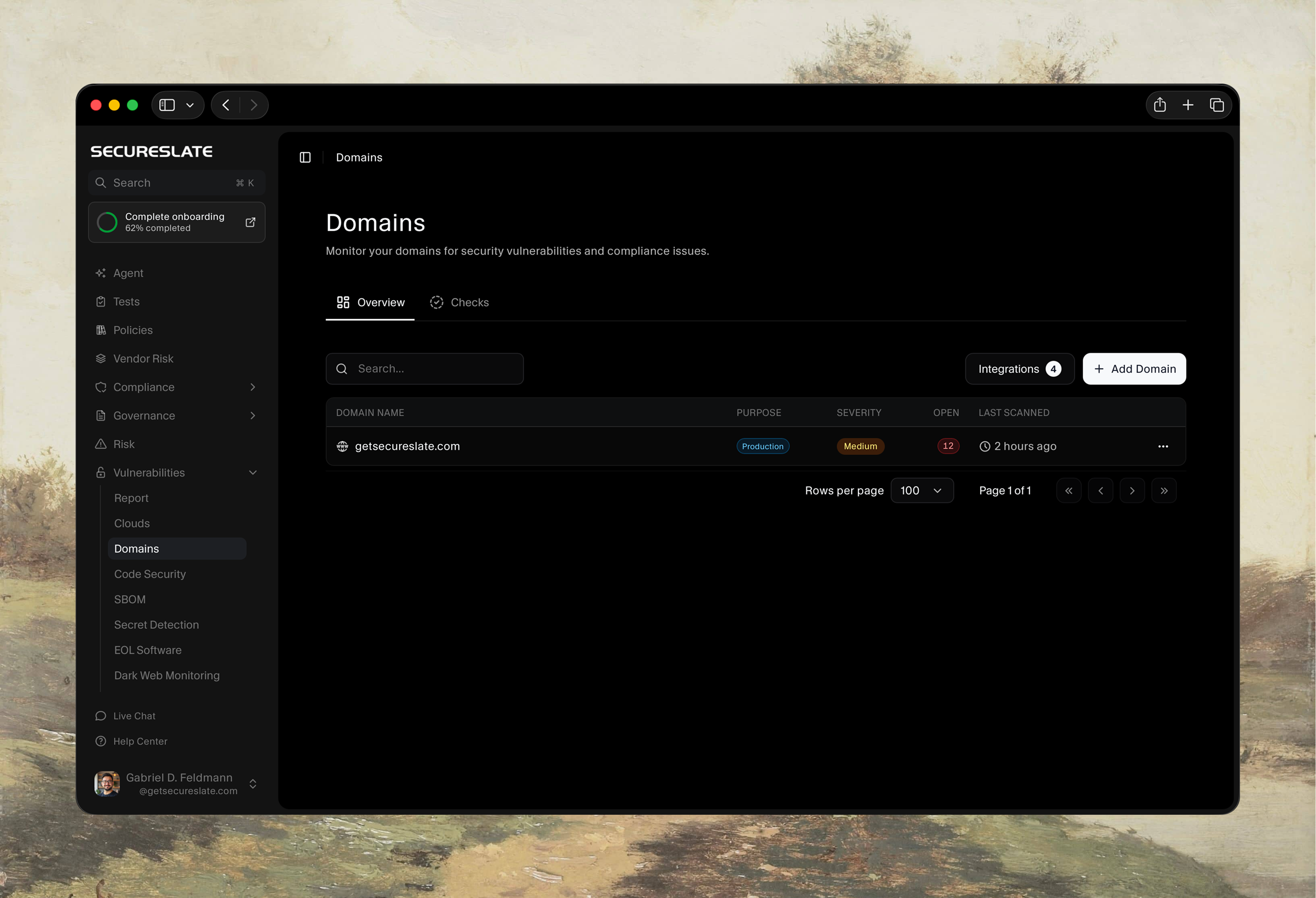
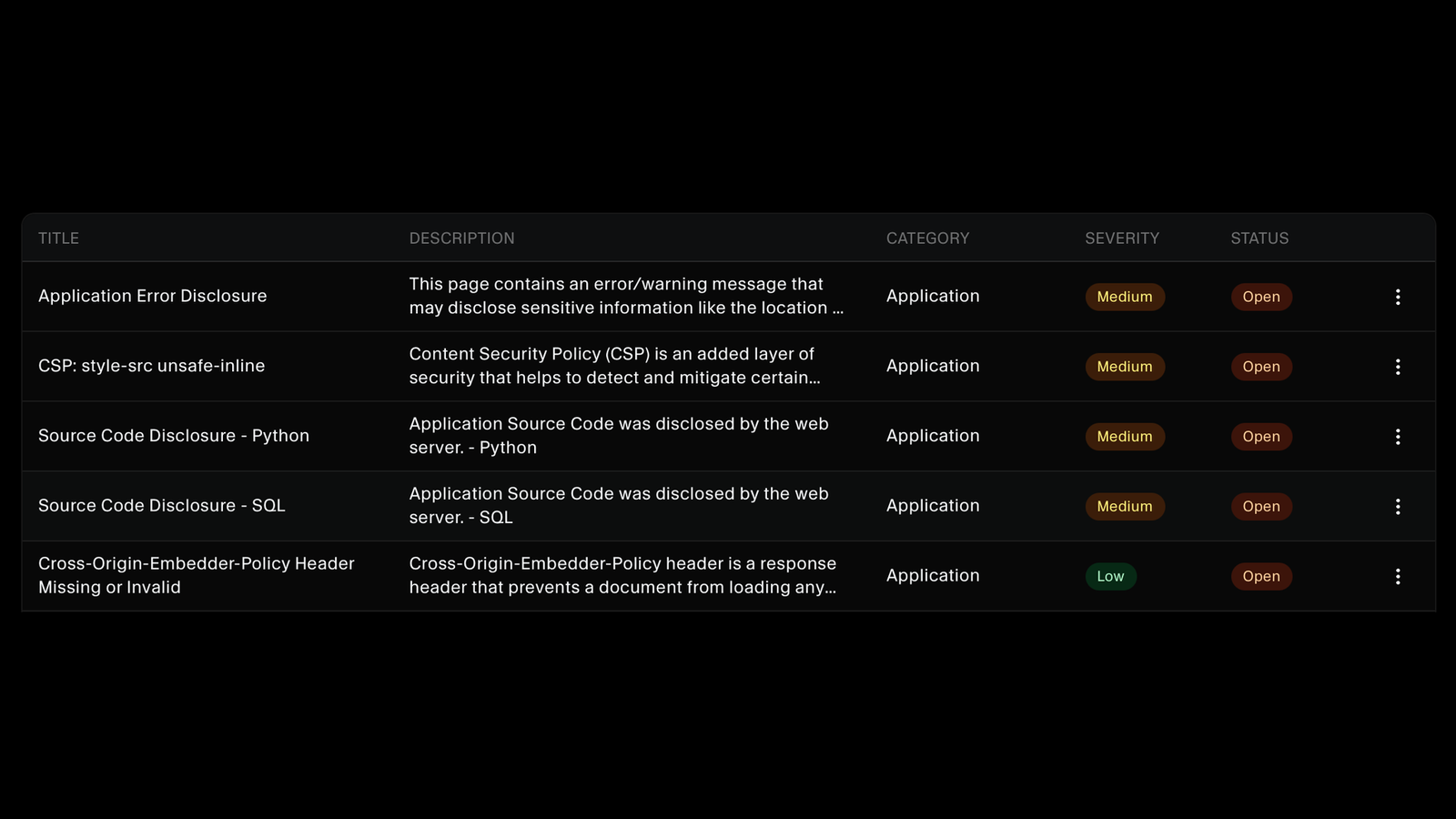
Sign up and SecureSlate scans your primary domain straight away, so you have real findings before you have finished setting anything up. Every monitored domain sits in one list with what it is used for, its highest severity, how many findings are still open, and when it was last scanned.
Find the Subdomains You Forgot About
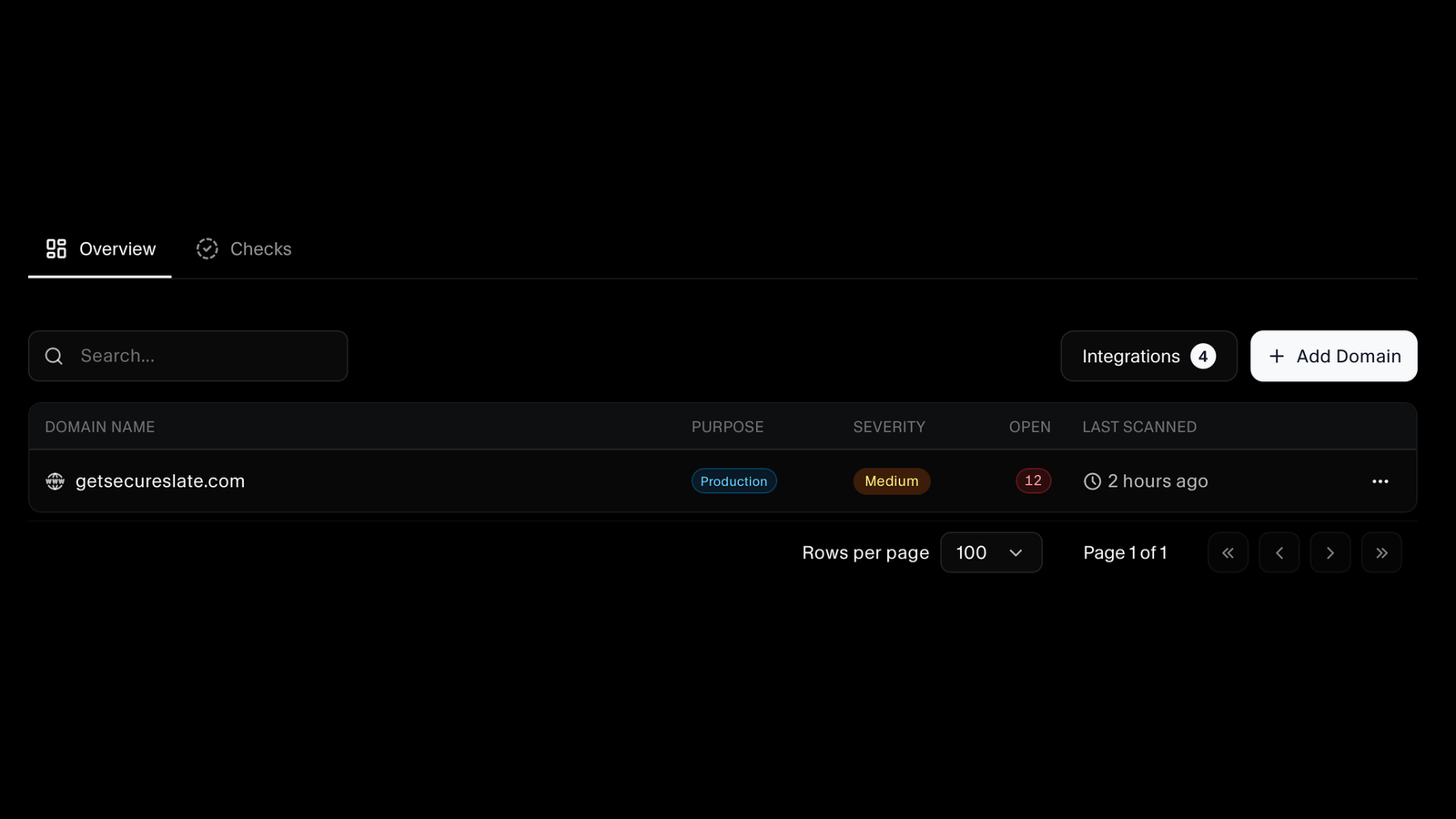
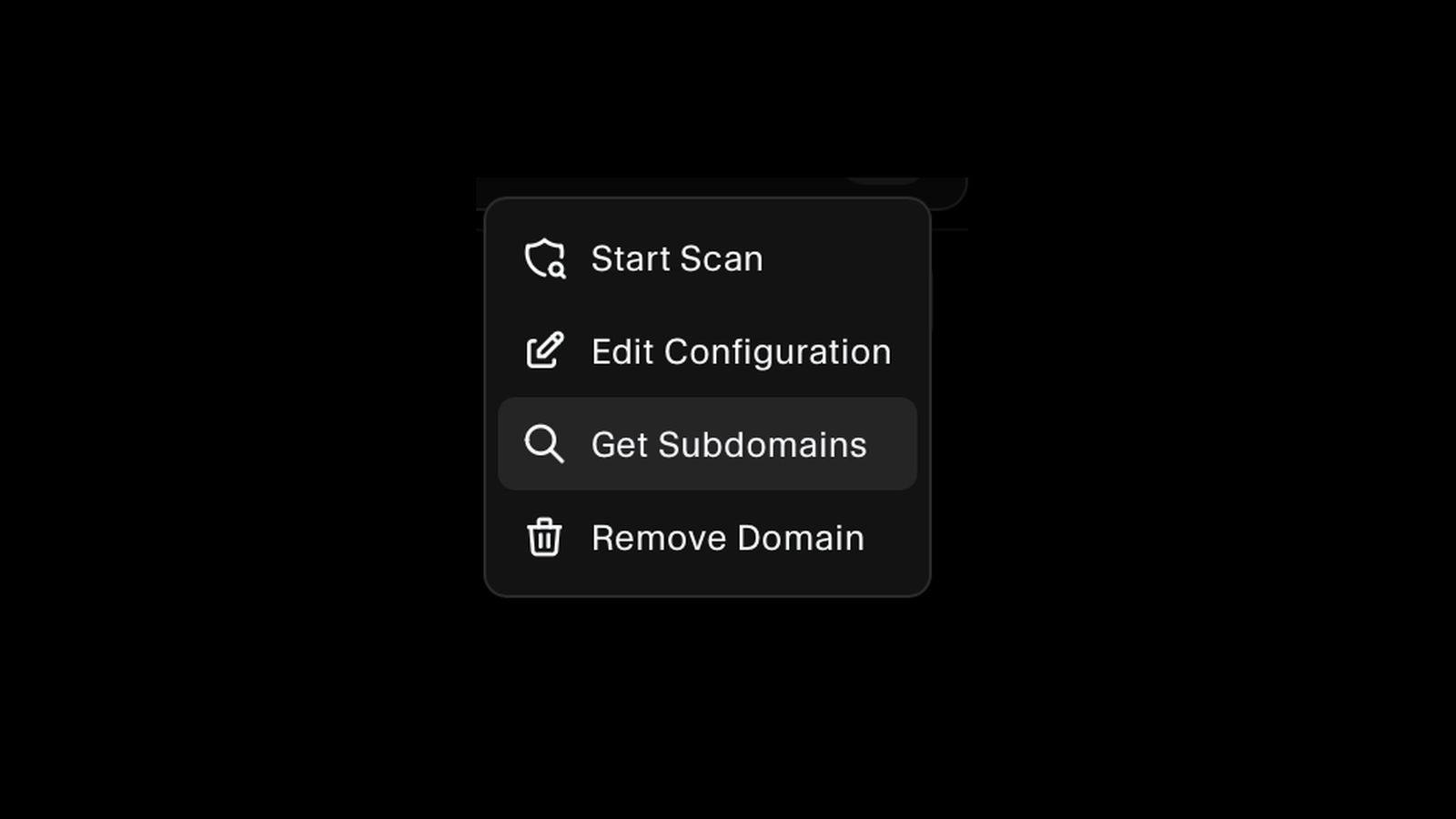
Your main site is rarely the whole story. SecureSlate discovers the subdomains sitting under a domain you already monitor, so you can add the ones that matter and scan them too. The staging host nobody remembered gets looked at like everything else.
Rescanned on a Schedule, and Whenever You Ship
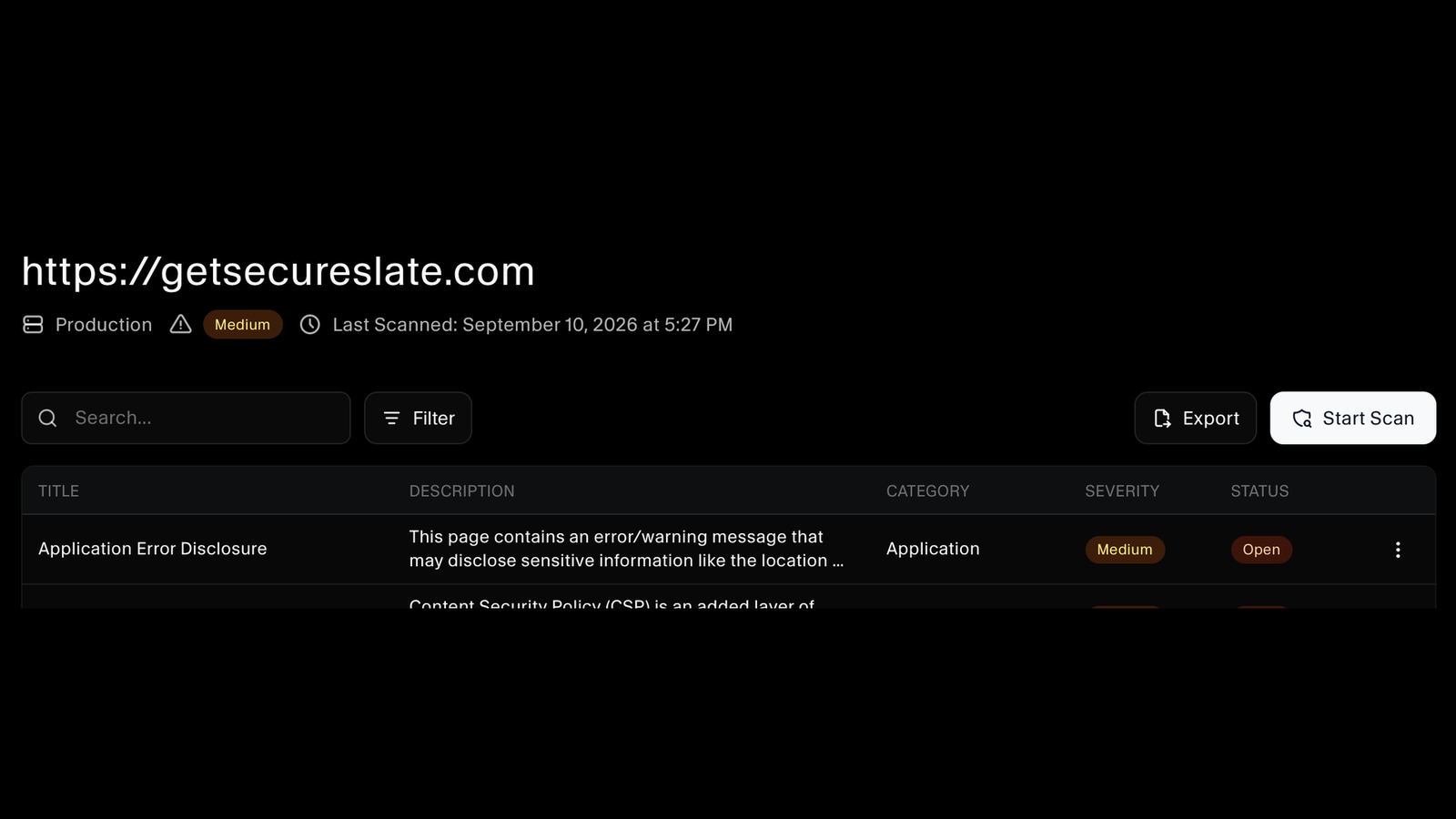
Monitored domains are rescanned automatically at a regular interval, so the picture stays current without anyone remembering to run anything. You can also start a scan yourself when you want results now, such as right after a release. Search and filter the findings, and export them when somebody asks for the results rather than a summary.
Findings Explained in Plain Language
Each finding is named for what it is, such as an application error disclosing internal paths, a permissive content security policy, or source code served by the web server, and comes with a description of what it means. Findings carry a category, a severity, and an open status, so your team can work the list rather than decode it.
Classified by CWE, Grouped by Instance
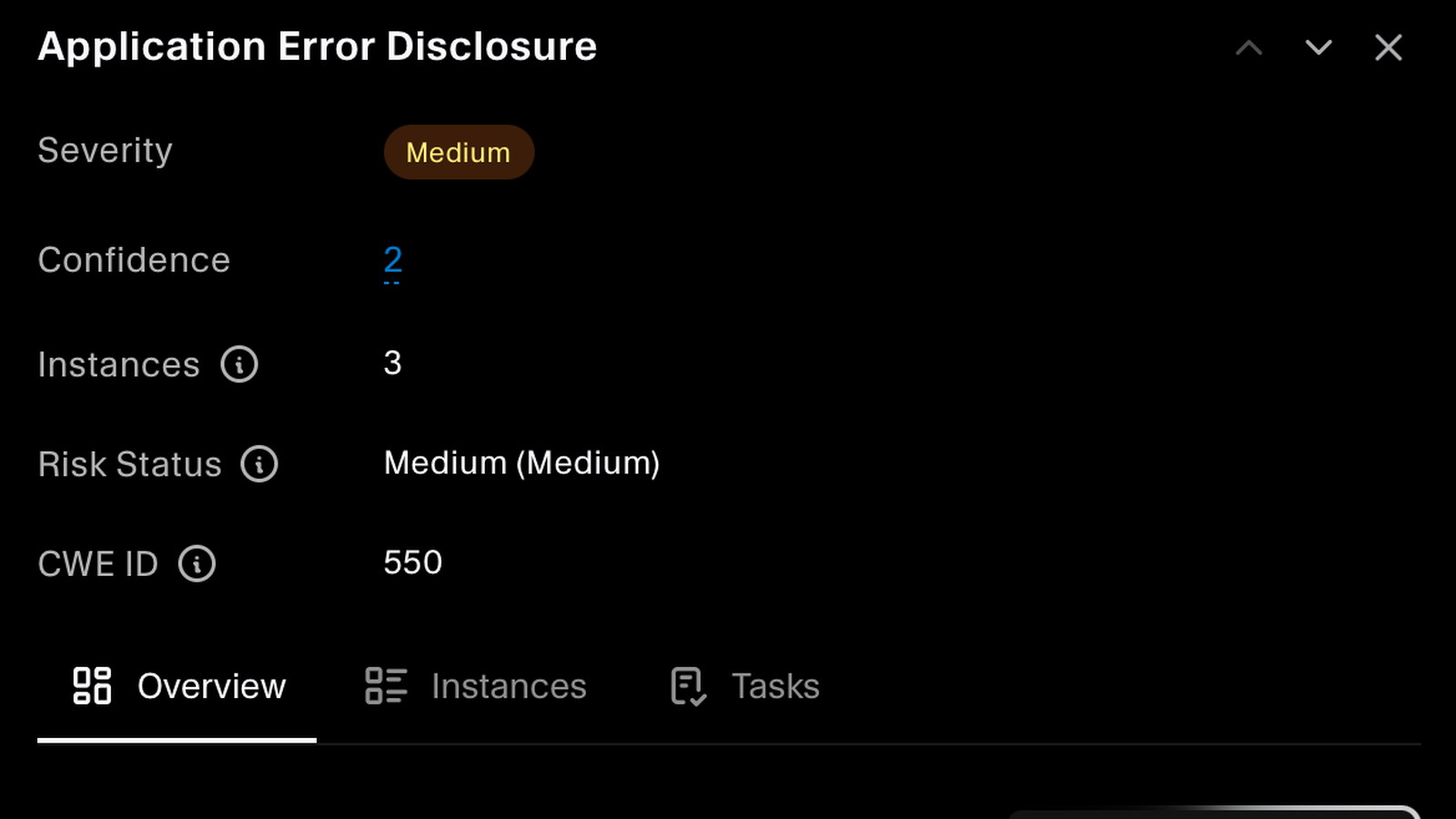
Every finding carries its CWE identifier, a severity, a confidence score, and a risk status, so you can tell a confident finding from a tentative one. The same issue appearing on several pages is grouped as one finding with its instances listed, instead of the same alert repeated until nobody reads them.
A Recommended Solution, Ready for Your Agent
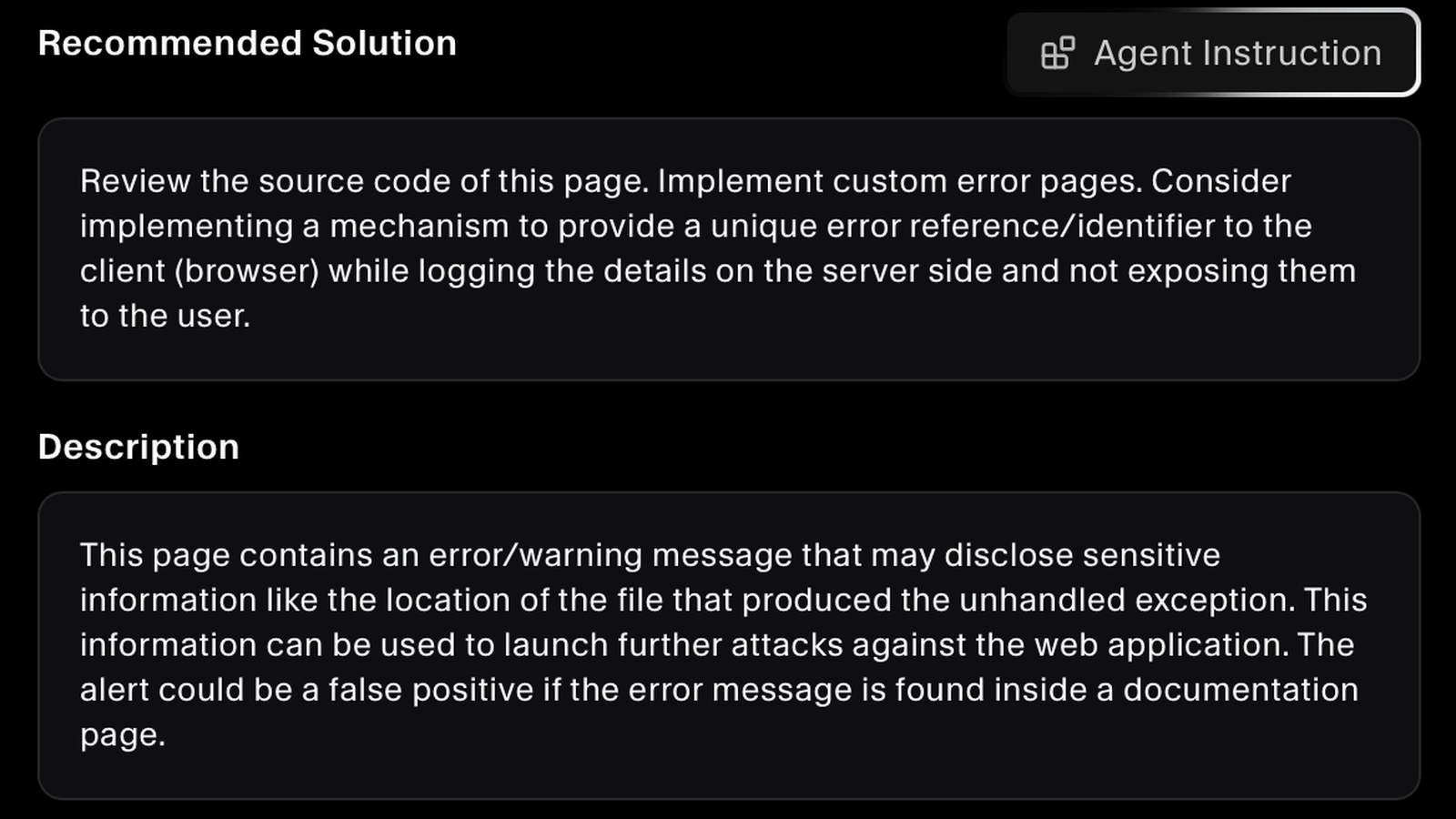
Each finding comes with a recommended solution written for that specific issue, covering what to change and why. One click generates a ready-made instruction for the AI coding agent your developers already use, and findings carry tasks so the work can be tracked where it was found.
FAQs
DAST and attack surface questions answered.
Dynamic application security testing probes your application from the outside while it is running, the same vantage point an attacker has. Code scanning reads source files and finds flaws in what you wrote. Dynamic testing finds what your deployed system actually exposes, such as headers, error pages, and files served that were never meant to be public.
As soon as you create your account. SecureSlate scans your primary domain automatically after signup, so there are real findings waiting the first time you open the dashboard rather than an empty state and a setup checklist.
Add any domain you want monitored, and for a domain you already have, use the subdomain discovery to find what is sitting underneath it. Add the subdomains that matter and they are scanned like any other domain, which is usually where forgotten staging and legacy hosts turn up.
Yes. Monitoring is continuous: every domain you add is rescanned automatically on a recurring interval, so new issues surface as your application changes rather than only when somebody thinks to check. You can also start a scan on demand, and each domain shows when it was last scanned.
Issues that only exist in a running application, such as error pages disclosing internal detail, missing or permissive security headers, content security policy weaknesses, and source code or configuration served by the web server. Each is reported with the weakness class it belongs to.
Each finding carries a severity, a confidence score, and a risk status. Confidence tells you how sure the scanner is, so a medium-severity finding it is confident about can be separated from one worth checking first. The description also says when an alert is commonly a false positive.
No. When an issue appears in several places it is reported as one finding with its instances counted and listed, so you see one item to fix rather than the same alert repeated for every affected page.
Each finding includes a recommended solution for that specific issue, and can generate a tailored instruction for whichever AI coding agent your developers use. Findings also carry tasks, so remediation is tracked against the finding instead of in a separate tracker.
Both expect you to identify and remediate vulnerabilities in the systems you expose. A record of which domains are monitored, when each was scanned, what was found, and what happened to it gives you that as evidence rather than an assurance.
See what is exposed
Point SecureSlate at your domains and get CWE-classified findings with a recommended solution for each one.
