
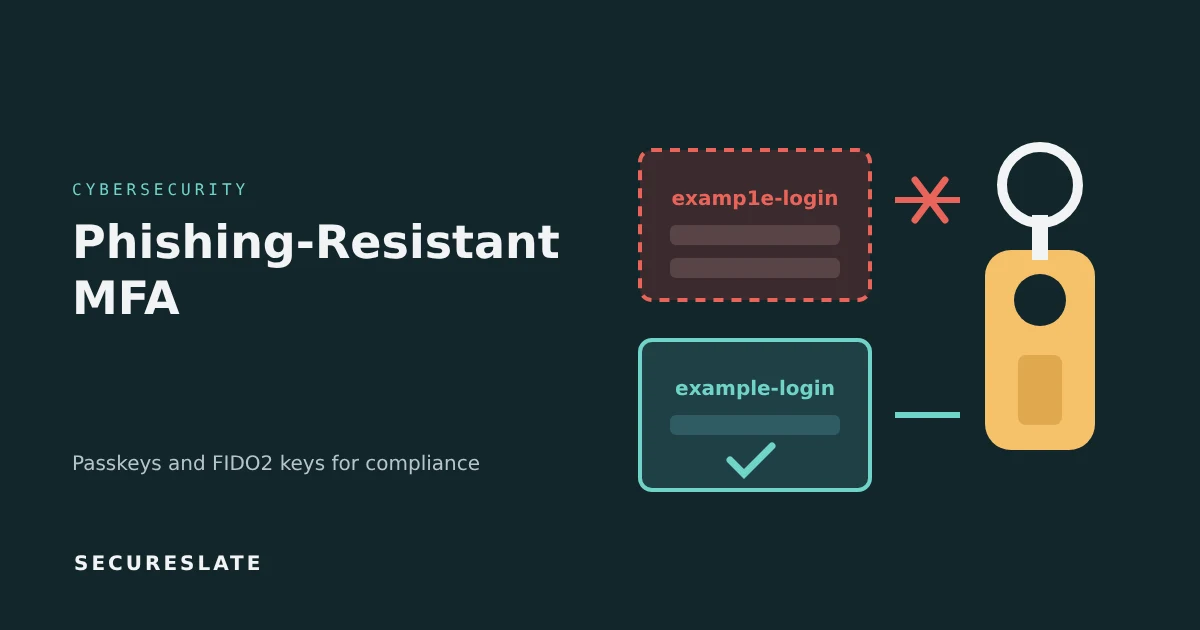
Short answer: Phishing-resistant MFA is authentication that a fake website cannot capture and replay, because the credential is cryptographically bound to the real site's domain. In practice that means FIDO2 and WebAuthn methods, such as passkeys and hardware security keys, or certificate-based smart cards. SMS codes, authenticator app codes and push approvals do not qualify.
Related guides:
- MFA fatigue attacks and session hijacking: ITDR detection guide
- Okta compliance integration for SOC 2 and ISO 27001
- How to perform quarterly access reviews
Key takeaways
- Any MFA beats passwords alone, but one-time codes and push prompts can still be phished through adversary-in-the-middle proxies.
- Phishing resistance comes from origin binding: the authenticator signs a challenge only for the domain it was registered with, so a look-alike domain gets nothing usable.
- Start with the accounts that would hurt most if taken over: identity provider admins, cloud consoles, email admins and anyone with access to production data or ePHI.
- Auditors care about coverage and enforcement. Keep exports that show which users are enrolled, which policies block weaker factors and how exceptions are approved.
- Plan account recovery before rollout. A strong login with a weak help-desk reset process just moves the attack.
What makes MFA phishing-resistant?
MFA is phishing-resistant when the secret it produces cannot be used by anyone other than the legitimate site, even if the user is tricked into visiting a fake one.
Traditional MFA asks the user to prove possession of something by typing a code or tapping "approve". The weakness is that a human decides where to send that proof. Some phishing kits sit between the user and the real login page, relay the password and code in real time and keep the session cookie that comes back.
FIDO2, the standard family behind passkeys, removes that decision from the human:
- When you register, your device creates a key pair for that specific website. The private key stays on the device or in a secure keychain.
- When you sign in, the website sends a random challenge.
- The browser tells the authenticator which domain is asking. The authenticator only signs the challenge if the domain matches the one used at registration.
- The site verifies the signature with the public key it stored.
A phishing domain fails at step 3. There is no code to type and nothing reusable to steal. WebAuthn is the browser API for this exchange, and CTAP is the protocol between the browser and an external key.
Which MFA methods are phishing-resistant?
Only methods that bind the credential to the real domain or use mutual cryptographic authentication are phishing-resistant.
| Method | Phishing-resistant? | Notes |
|---|---|---|
| SMS or voice one-time code | No | Also exposed to SIM swapping |
| Email one-time code or magic link | No | Depends on mailbox security |
| Authenticator app code (TOTP) | No | Codes can be relayed in real time |
| Push approval | No | Number matching reduces fatigue attacks but not proxy phishing |
| Passkey (synced) | Yes, with a caveat | FIDO2 credential backed up in a platform keychain. Resists phishing, but its security also depends on the sync account, so standards treat it more cautiously than device-bound keys at the highest assurance level |
| Passkey on a hardware security key | Yes | Device-bound and portable |
| Platform authenticator (device-bound) | Yes | Built into a laptop or phone, with a non-exportable key, such as Windows Hello backed by a TPM. Whether a platform passkey is device-bound or synced depends on the platform and its settings |
| Smart card or PIV with certificates | Yes | Common in government and large enterprises |
US government guidance points the same way. CISA's Implementing Phishing-Resistant MFA fact sheet identifies FIDO/WebAuthn and PKI-based methods as phishing-resistant, and NIST's SP 800-63B digital identity guidelines define phishing resistance, require it at the highest authenticator assurance level (AAL3), and, in the revised guidelines, expect verifiers to offer a phishing-resistant option at AAL2 as well. In our view, synced passkeys suit many workforce accounts (the revised guidelines allow syncable authenticators up to AAL2), but use device-bound keys where you need AAL3.
Synced passkeys or device-bound keys: which should you use?
Use synced passkeys for most employees and device-bound hardware keys for privileged accounts.
Synced passkeys are stored in a platform keychain and back up across a user's devices. They are easy to adopt because most staff already have a compatible phone or laptop, and losing one device does not lock the user out. The trade-off is that the security of the credential partly depends on the security of the keychain account it syncs through.
Device-bound keys never leave the hardware. Hardware security keys are the clearest example. They give you stronger assurance that the credential exists in one place and can be tracked as an asset. The trade-off is cost, logistics and the need for a backup key per person.
A sensible split for a 20 to 500 person company:
- Everyone: passkeys on managed devices, either synced or device-bound depending on your platforms.
- Admins and engineers with production access: two hardware keys each, one primary and one stored safely as backup.
- Break-glass accounts: hardware keys kept in a documented, access-controlled location.
Do SOC 2, ISO 27001, HIPAA or PCI DSS require it?
None of the four mandates phishing-resistant MFA by name for every user, but each expects strong authentication, and phishing-resistant methods are the most defensible way to meet it.
| Framework | What it expects | How phishing-resistant MFA helps |
|---|---|---|
| SOC 2 | Logical access controls under the Common Criteria (CC6) that restrict access to authorized users | Auditors routinely test MFA on critical systems. Enforcement reports make that testing quick |
| ISO 27001:2022 | Annex A 8.5 secure authentication, sized to the sensitivity of the information | Gives a clear, risk-based rationale for stronger factors on high-risk access |
| HIPAA Security Rule | Person or entity authentication and access controls for ePHI. HHS proposed in January 2025 to make MFA an explicit requirement. Check HHS for the rule's current status before relying on it | Strengthens authentication for ePHI systems today and is consistent with the direction of the proposal |
| PCI DSS v4.0.1 | MFA for all access into the cardholder data environment (Requirement 8.4.2), and MFA systems that are not susceptible to replay attacks (Requirement 8.5.1) | Phishing-resistant methods satisfy these requirements, although PCI DSS does not require phishing resistance specifically. Replay resistance alone is a lower bar |
Buyers can be stricter than frameworks. Some enterprise and health system security questionnaires ask which MFA methods you allow for administrators, and "phishing-resistant for all privileged access" is a clear answer to that question.
A five-phase rollout plan for SMBs
Roll out in phases, starting with the accounts that carry the most risk and finishing by blocking weaker factors.
Phase 1: Inventory (week 1 to 2)
- List every identity provider, cloud console and SaaS admin account.
- Record which apps sign in through single sign-on and which have their own logins.
- Identify privileged users and service accounts.
Phase 2: Privileged accounts first (week 2 to 4)
- Issue two hardware keys to each admin and enroll both.
- Require phishing-resistant MFA through a conditional access or authentication policy for admin roles.
- Remove SMS and voice as fallback options for these users.
Phase 3: Everyone on managed devices (week 4 to 10)
- Enable passkeys or platform authenticators in your identity provider.
- Run short enrollment sessions by team. Most people finish in a few minutes.
- Track enrollment percentage weekly and follow up with stragglers.
Phase 4: Enforce (week 10 to 12)
- Switch policies from "allowed" to "required" for in-scope apps.
- Disable SMS, voice and email codes where your tools allow it.
- Keep a time-limited exception list with an owner and an expiry date for each entry.
Phase 5: Prove it (ongoing)
- Export enrollment and policy reports each quarter.
- Review exceptions during quarterly access reviews.
- Watch sign-in logs for attempts to use disabled factors, which can indicate an attack.
What about recovery, shared accounts and legacy apps?
Each of these is where attackers go once the main login is strong, so handle them deliberately.
- Account recovery: Require identity verification for resets that is at least as strong as the login, such as a video call with a manager plus a check against HR records. Log every reset. Help-desk social engineering is a common way around strong MFA.
- Lost keys: The backup key or a second synced device should cover most cases. If both are gone, follow the recovery process above and revoke the old credentials.
- Shared and service accounts: Shared human accounts should be retired in favor of individual accounts. Service accounts should use workload identity or short-lived credentials, not a person's MFA.
- Legacy apps without SSO or FIDO2 support: Put them behind single sign-on or a secure access gateway if possible. Otherwise, document the exception, apply compensating controls such as IP restrictions and plan a replacement.
- Session theft: Phishing-resistant MFA protects the login, not the session that follows. Pair it with short session lifetimes and device trust checks, and see our MFA fatigue and session hijacking guide for detection ideas.
How SecureSlate helps
SecureSlate helps you collect MFA enforcement evidence from identity providers it integrates with, such as Okta, and keep it ready for SOC 2, ISO 27001 and HIPAA reviews. Access reviews and policy management help keep your authentication policy, exception approvals and recovery procedures documented in one place, so you can answer buyer questionnaires about MFA quickly. Which MFA methods each user has enrolled is still best confirmed in your identity provider's own reports.
FAQ
Are passkeys the same as phishing-resistant MFA?
Passkeys are one form of it. A passkey is a FIDO2 credential that can be unlocked with a device PIN or biometric, which gives two factors in one step: something you have and something you know or are. Hardware security keys and certificate-based smart cards are other phishing-resistant options.
Is push MFA with number matching phishing-resistant?
No. Number matching helps against MFA fatigue, where attackers spam approval requests. It does not stop an adversary-in-the-middle proxy that relays your login to the real site, because you are still approving a sign-in you started on the wrong page.
Do we need hardware security keys for every employee?
Usually not. Synced passkeys or platform authenticators on managed devices are a practical choice for most staff. Hardware keys are best reserved for administrators, engineers with production access and break-glass accounts.
What evidence do auditors want for MFA?
Auditors typically ask for the authentication policy, system settings that show MFA is enforced for in-scope systems, a list of users with their enrolled methods, and records of any approved exceptions. Exports from your identity provider, captured during the audit period, usually cover this.
Disclaimer (legal note)
This article is for general information only and is not legal, regulatory or professional advice. Requirements vary by framework, industry and jurisdiction. Consult qualified advisors for your specific obligations.
Need compliance without the complexity?
SecureSlate automates ISO 27001, SOC 2, GDPR, HIPAA, and more. Built for growing teams. See it in action.
Find compliance gaps in 30 seconds
