
Short answer: HIPAA compliant file sharing means using a service that has signed a business associate agreement (BAA) with you when it stores PHI, then configuring it to meet the Security Rule's technical safeguards: unique user accounts, strong authentication, audit logging, integrity protection and encrypted transmission. Add expiring, non-public links, least-privilege access and prompt offboarding.
Related guides:
- HIPAA compliance in cloud-based healthcare
- HIPAA compliant data storage: requirements and best practices
- HIPAA compliant email
Key takeaways
- A file sharing service that stores PHI for you is a business associate, even if the files are encrypted and it holds no key. You need a BAA before any PHI goes in.
- The conduit exception is narrow. HHS limits it to transmission-only services with transient access, so it does not cover a service that keeps your files.
- A BAA is not a configuration. The technical safeguards at 45 CFR 164.312 still have to be met through how you set up accounts, sharing, logging and encryption.
- Most problems we see come from settings and habits, such as public links, consumer accounts, forwarded links and access that outlives the relationship, rather than from the service itself.
- Patient requests for records follow different rules. The right of access lets individuals choose the electronic form and format when it is readily producible, and minimum necessary does not apply to disclosures to the individual.
Is your file sharing service a business associate?
If the service stores or keeps persistent access to PHI on your behalf, it is a business associate and you need a signed BAA with it.
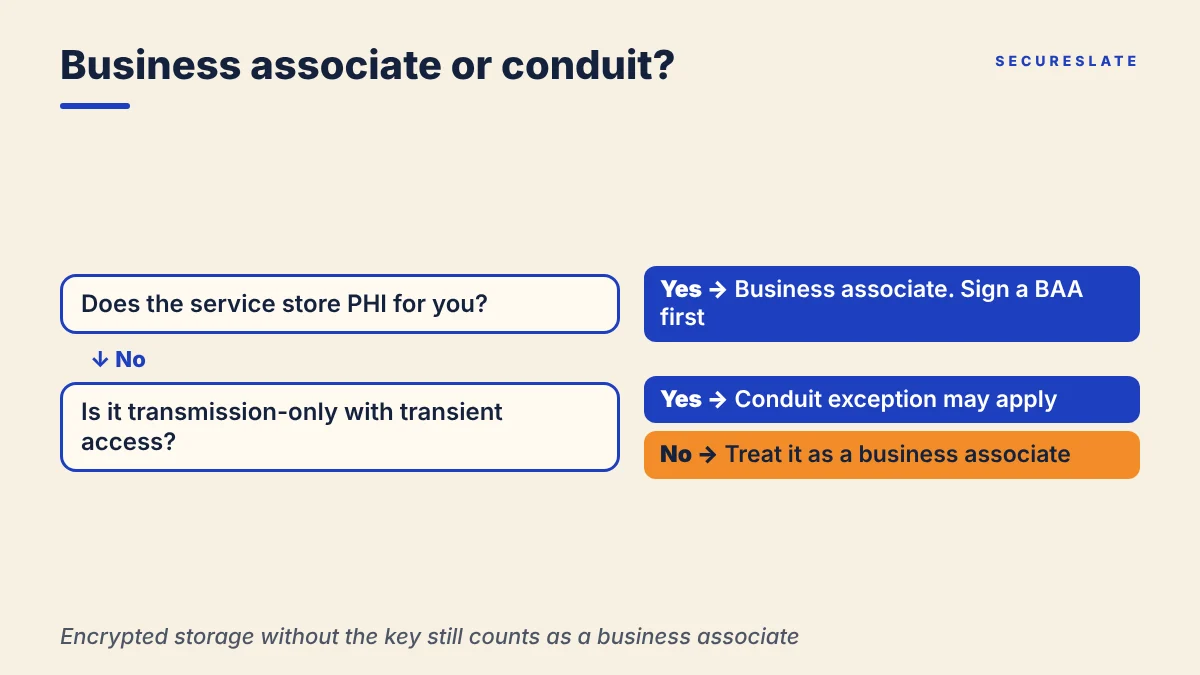
The Privacy Rule lets a covered entity allow a business associate to create, receive, maintain, or transmit PHI on its behalf only after obtaining satisfactory assurance that the business associate will appropriately safeguard it. The same section applies one level down: a business associate, such as a HealthTech SaaS company, must get those assurances from its own subcontractors. In practice that assurance is the BAA. If you are a vendor to providers or health plans, the file sharing tool you use for their data is your subcontractor, and you need a BAA with it too.
HHS has been direct about cloud services. Its guidance on HIPAA and cloud computing says a cloud service provider that maintains ePHI is a business associate even if it processes or stores only encrypted ePHI and lacks the decryption key, and that the parties must enter into a HIPAA-compliant BAA.
Where the conduit exception stops
Teams sometimes argue that a file sharing tool is just a pipe, like the postal service. HHS answers this in its FAQ on whether a CSP can be a conduit:
- The conduit exception is limited to transmission-only services.
- A conduit's access to PHI is only transient.
- A provider that maintains ePHI for the purpose of storing it is a business associate, not a conduit, even if it never views the content.
File sharing services hold files until someone downloads or deletes them, so in our view they will almost never fit. When you evaluate a BAA file sharing service, confirm the BAA covers the specific product and plan you will use, not just the vendor's name.
For a closer look at what the agreement should contain, see what a HIPAA business associate agreement is.
Which Security Rule safeguards apply to file sharing?
All five technical safeguard standards in 45 CFR 164.312 apply to any system that holds or transmits ePHI, and a file sharing service is one.
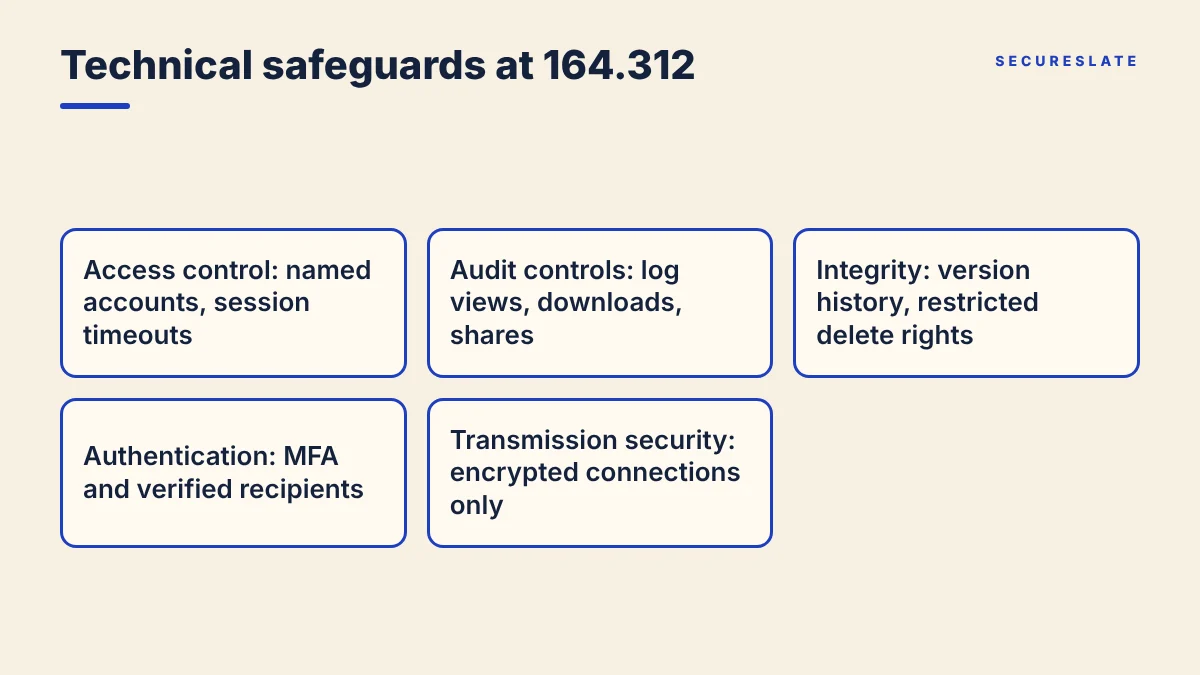
Here is how each standard in 45 CFR 164.312 translates into file sharing settings:
| Standard | What the rule asks | What it means for file sharing |
|---|---|---|
| Access control (a) | Allow access only to people or software granted access rights. Unique user identification and an emergency access procedure are required. Automatic logoff and encryption are addressable | Named accounts for every user, no shared logins, session timeouts, encryption at rest, a documented way to reach files in an emergency |
| Audit controls (b) | Mechanisms that record and examine activity in systems containing ePHI | Logs of uploads, views, downloads, shares and permission changes, kept and actually reviewed |
| Integrity (c) | Protect ePHI from improper alteration or destruction. Corroborating that data was not altered is addressable | Version history, restricted delete rights, checks that files arrived unchanged |
| Person or entity authentication (d) | Verify that a person or entity seeking access is the one claimed | MFA for staff, verified identity for external recipients rather than anyone holding a link |
| Transmission security (e) | Guard against unauthorized access to ePHI in transit. Integrity controls and encryption are addressable | Encrypted connections only, and no fallback to unencrypted transfer for secure file transfer HIPAA workflows |
"Addressable" does not mean optional. It means you assess whether the specification is reasonable and appropriate and document your decision, which is part of your HIPAA risk analysis.
Responsibilities are shared. HHS notes that some access controls, such as authentication and unique user identification, may be the customer's responsibility, and that encryption alone cannot adequately safeguard the confidentiality, integrity and availability of ePHI. The vendor secures its platform. You secure how your team uses it.
How should you configure a file sharing service for PHI?
Lock down defaults before the first PHI file is uploaded, then check the settings on a schedule.
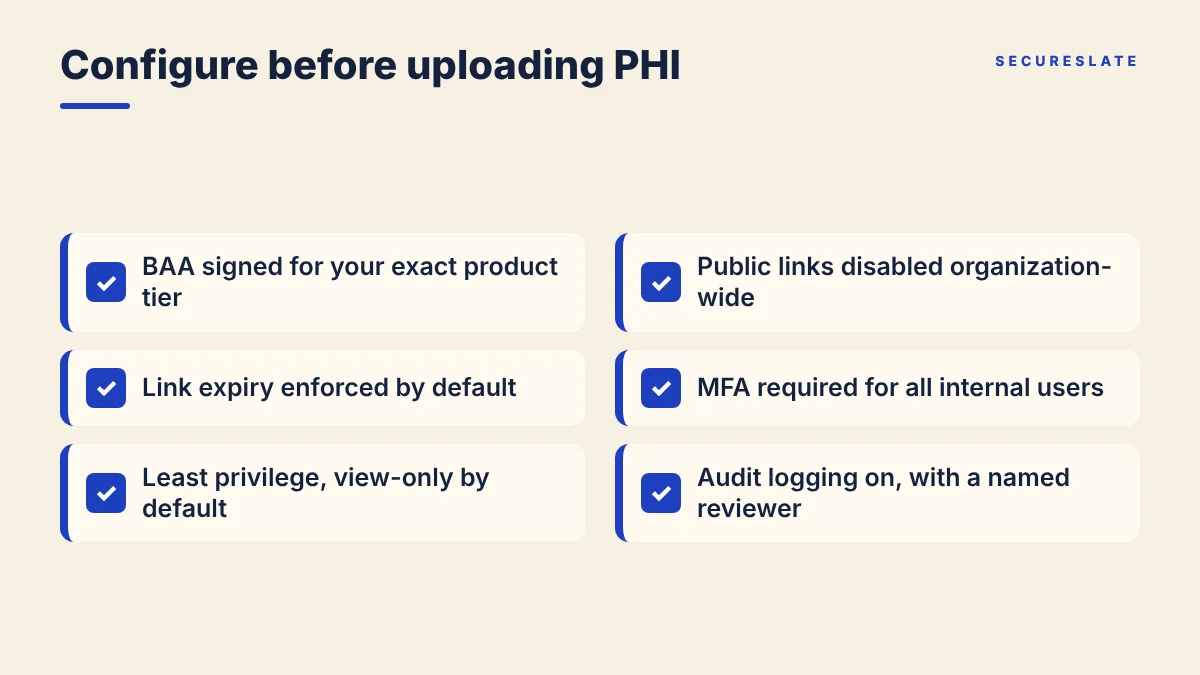
Use this checklist when you set up or review a workspace:
- BAA signed for the exact product tier you use, and filed with your vendor records.
- Public links disabled at the organization level, so "anyone with the link" sharing is not available for PHI folders.
- Link expiry enforced by default, with a short window set by policy (for example, 7 days for external shares).
- MFA required for all internal users, with sign-in through your identity provider where the service supports it.
- Least privilege: access granted by role or group, view-only by default, edit and share rights limited to file owners.
- Download controls applied where recipients only need to view, such as preview-only access for a partner reviewing a report.
- Encryption in transit and at rest confirmed in the vendor's documentation.
- Session timeouts configured, which maps to automatic logoff.
- Audit logging turned on and exported or retained long enough to support investigations, with someone named to review it.
- Retention and deletion rules set for PHI folders, so files are removed when the business purpose ends and in line with your retention policy.
- External sharing allowlist limited to approved partner domains where possible.
Apply minimum necessary to what you put in each folder, too. Section 164.502(b) requires reasonable efforts to limit PHI to the minimum necessary to accomplish the purpose. A vendor fixing a billing error needs the affected claims, not a full patient export. Our minimum necessary rule guide covers how to set those limits by role.
How do you share files with patients, partners and vendors?
The recipient changes the rules: partners and vendors are governed by BAAs and minimum necessary, while patients are exercising a right of access.
| Recipient | What governs the share | Practical approach |
|---|---|---|
| Patient or member | Right of access, 45 CFR 164.524 | Deliver in the format they ask for when readily producible, through an authenticated channel |
| Person the patient designates | Written, signed request under 164.524 | Send to the named recipient and destination only |
| Customer (covered entity) | Your BAA with that customer | Use their approved channel or your BAA-covered workspace |
| Vendor or subcontractor | BAA with that vendor, minimum necessary | Share only the files their task needs, with expiry |
| Partner without a BAA | Permitted disclosure rules | Confirm the disclosure is permitted before sharing anything |
Patient right of access
When an individual asks for PHI held electronically, 45 CFR 164.524 requires the covered entity to provide it in the electronic form and format requested, if it is readily producible, or otherwise in a readable electronic form and format agreed with the individual. The covered entity must act on the request within 30 days, with only one extension of up to 30 more days and a written explanation to the individual. If the individual directs a copy to another person in a signed, written request that clearly identifies the recipient and where to send it, the copy goes to that person.
Two practical points for file sharing:
- Do not let your tool's limits dictate the format. If a patient asks for a PDF download and you can produce one, a portal-only view may not satisfy the request.
- Minimum necessary does not apply to disclosures to the individual under 164.502(b)(2). Do not trim a patient's own records to fit a folder template.
If you are a business associate, your BAA with the customer sets how you support their right of access requests. Agree on that process before the first request arrives.
What happens when people or partners leave?
Offboarding is where file sharing access most often outlives the need, so tie it to the same process that removes every other account.
- Disable the user in your identity provider first, so single sign-on access to the file sharing service ends immediately.
- Transfer file ownership to a manager or team folder, so PHI is not orphaned in a disabled account.
- Revoke external shares the person created. Links they sent to partners keep working unless you remove them.
- Remove partner access when a contract or BAA ends, and follow the return or destruction terms in that agreement.
- Review the audit log for unusual downloads in the period before departure.
- Record the evidence: date disabled, shares revoked and who confirmed it.
Quarterly access reviews catch what offboarding misses, such as a contractor who moved teams but kept a PHI folder.
What are the most common file sharing mistakes?
In our experience, most file sharing gaps come from people working around approved tools, not from the approved tool failing.
| Mistake | Why it matters | Fix |
|---|---|---|
| Personal or consumer accounts | No BAA covers them, and you have no logs or control | Block personal cloud storage on managed devices and offer an approved option |
| Forwarded links | Anyone with an open link can reach the files, so authentication fails | Disable public links and require recipient sign-in |
| Shadow IT | Teams adopt a new tool and upload PHI before security reviews it | Route new tools through vendor review and a BAA check |
| Links that never expire | Old shares stay live long after the purpose ends | Enforce default expiry and review active external shares |
| Whole-folder sharing | Partners see far more than their task needs | Share specific files or a purpose-built folder |
| Logs nobody reads | Audit controls require examining activity, not just recording it | Assign an owner and a review cadence |
| Email attachments as a fallback | The file leaves your controls entirely | Use your BAA-covered workspace, and see our email guide above for when email is appropriate |
Shadow IT deserves special attention in fast-moving HealthTech teams. A sales engineer sharing a customer's sample data through a personal account is a business associate problem that no workspace setting can fix.
How SecureSlate helps
SecureSlate helps HealthTech and SMB teams turn this checklist into tracked controls. Vendor risk management keeps each file sharing provider on record with its BAA, review dates and risk rating. Access reviews let you confirm on a schedule who can reach PHI folders, and the device agent monitors the laptops your team uses to access PHI. Agentless read-only cloud integrations collect evidence from your cloud environment, and HIPAA is built in alongside SOC 2, ISO 27001 and HITRUST through multi-framework control mapping, so one control can satisfy several frameworks. Custom controls let you add your own file sharing configuration checks, risk management records decisions on addressable specifications, and audit management keeps the evidence ready for your assessor. The trust center and security questionnaire automation help you answer customers who ask how you share their PHI.
FAQ
Does encrypting files before upload remove the need for a BAA?
No. HHS says a cloud provider that stores encrypted ePHI is still a business associate even without the decryption key. Encryption reduces risk, but you still need a BAA with any service that maintains PHI for you.
Is a file transfer service that deletes files after delivery a conduit?
Possibly, but rarely. HHS limits the conduit exception to transmission-only services with transient access. If the service keeps files until a recipient downloads them, or offers storage alongside transfer, treat it as a business associate and get a BAA.
Can we share PHI with a patient through a link?
Yes, if the delivery honors the patient's requested form and format when readily producible and the link is protected, for example by recipient sign-in and expiry. Make sure the link goes to the right person before you send it.
Is a BAA enough to make file sharing HIPAA compliant?
No. A BAA documents the vendor's obligations. You still have to meet the technical safeguards through your own configuration, such as unique accounts, MFA, logging, link controls and offboarding, and document those decisions in your risk analysis.
Disclaimer (legal note)
This article is for general information only and is not legal, regulatory or professional advice. Requirements vary by framework, industry and jurisdiction. Consult qualified advisors for your specific obligations.
Need compliance without the complexity?
SecureSlate automates ISO 27001, SOC 2, GDPR, HIPAA, and more. Built for growing teams. See it in action.
Find compliance gaps in 30 seconds
