
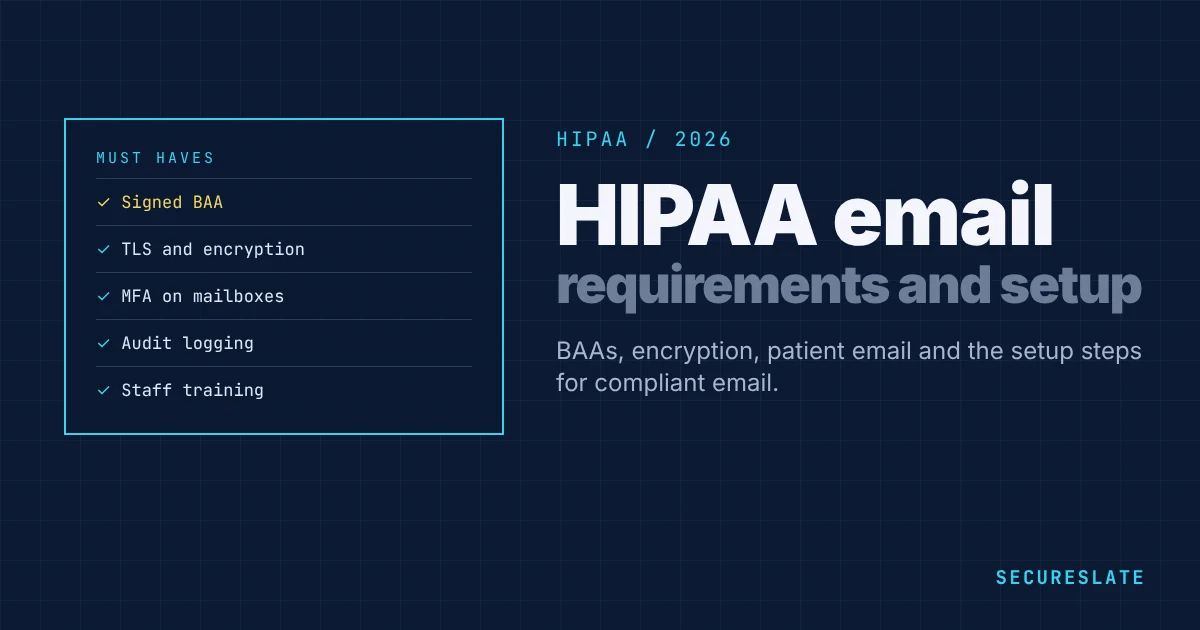
HIPAA-compliant email lets healthcare organizations and their vendors send protected health information (PHI) without breaking the HIPAA Security Rule. HIPAA does not ban email, and it does not certify email products. Instead, you must have a business associate agreement with your email provider, protect PHI in transit and at rest, control access, and follow the right process when emailing patients. This guide explains the requirements and how to set up a compliant email system.
Related guides: HIPAA Security Rule · HIPAA compliance for startups · HIPAA vs GDPR · HIPAA risk assessment
Key takeaways
- No email service is "HIPAA certified". Compliance depends on configuration, a business associate agreement (BAA) and how you use it.
- Encryption is an addressable specification under the Security Rule, which in practice means you should encrypt PHI in transit and at rest unless you document an equivalent alternative.
- Patients can choose to receive unencrypted email after being warned of the risk.
- Train staff to avoid the most common causes of email breaches: misdirected emails, phishing and forwarding PHI to personal accounts.
What HIPAA requires for email
The HIPAA Security Rule does not mention email by name, but several safeguards apply to any system that creates, receives, stores or sends electronic PHI (ePHI):
| Requirement | Rule reference | What it means for email |
|---|---|---|
| Business associate agreement | 164.308(b), 164.314(a) | Your email provider stores ePHI, so it must sign a BAA |
| Access control | 164.312(a)(1) | Unique user accounts, MFA, automatic logoff, encryption at rest |
| Audit controls | 164.312(b) | Logs of access to mailboxes and administrative actions |
| Integrity | 164.312(c)(1) | Protection against improper alteration of messages |
| Authentication | 164.312(d) | Verify the identity of users who access email |
| Transmission security | 164.312(e)(1) | Protect PHI in transit, typically with TLS or end-to-end encryption |
| Risk analysis | 164.308(a)(1) | Include email in your security risk analysis |
| Training | 164.308(a)(5) | Teach staff safe email practices |
Encryption: addressable does not mean optional
Encryption is an addressable implementation specification. You must implement it if it is reasonable and appropriate, or document why not and use an equivalent measure. For email in 2026, encryption is almost always reasonable:
- In transit: enforce TLS between mail servers, and use message-level encryption, such as a secure portal or end-to-end encrypted email, when sending PHI outside your organization to recipients whose servers may not support TLS.
- At rest: use a provider that encrypts stored mail and protect devices with full-disk encryption.
Encryption also matters for breach notification. Under the HIPAA Breach Notification Rule, PHI encrypted according to HHS guidance is not considered "unsecured", so losing an encrypted laptop may not be a reportable breach.
Emailing patients
Under the HIPAA right of access and HHS guidance, patients can ask to receive their information by unencrypted email. You may send it if you warn them of the risks first and they still prefer it, and you should document their choice. For your own outreach, such as appointment reminders, send only the minimum necessary information and avoid sensitive details in subject lines.
How to set up HIPAA-compliant email
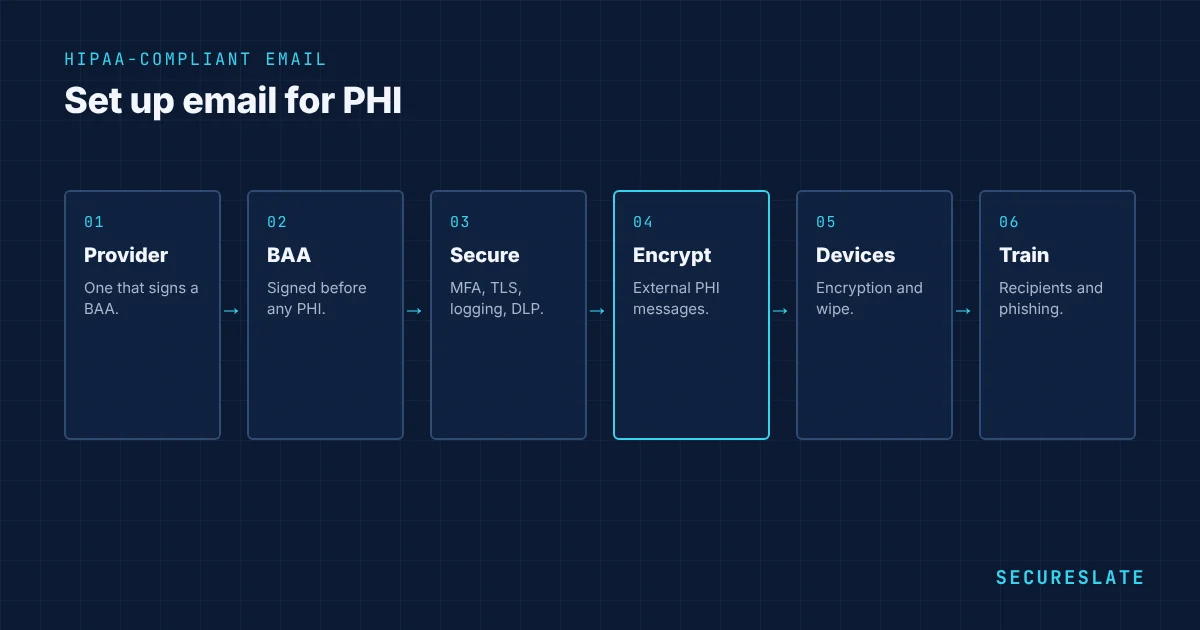
- Choose a provider that signs a BAA. Google Workspace and Microsoft 365 business plans both offer BAAs. Consumer email accounts do not.
- Sign the BAA before any PHI is sent or stored, and keep a copy.
- Configure security: enforce MFA, disable legacy authentication, require TLS, turn on audit logging, and set data loss prevention rules that flag PHI patterns.
- Add message encryption for external PHI, using the provider's built-in encryption or a dedicated secure email service.
- Protect devices with disk encryption, screen locks and the ability to wipe lost phones and laptops.
- Set retention rules in line with your record-keeping obligations.
- Train staff on sending PHI, verifying recipients, recognizing phishing and never forwarding PHI to personal accounts.
- Document it in your policies and risk analysis.
HIPAA-compliant websites and forms
The same principles apply to web forms that collect PHI, such as intake or contact forms. Use HTTPS, send submissions to a system covered by a BAA rather than plain email, and limit who can access them. HHS guidance also warns about tracking technologies, such as analytics pixels, on pages that handle PHI. Review any third-party scripts on those pages.
Common HIPAA email mistakes
- Sending PHI to the wrong recipient because of email autocomplete
- Using personal Gmail or Outlook accounts for work
- No BAA with the email or secure messaging provider
- PHI in email subject lines
- Phishing compromising a mailbox full of PHI
- Forwarding work email to a personal account
- No MFA on mailboxes
TLS vs end-to-end encryption
| TLS between servers | Message-level or end-to-end encryption | |
|---|---|---|
| What it protects | The connection between mail servers | The message itself, until the recipient opens it |
| Recipient experience | Normal email | Secure portal link or encrypted message |
| Risk if the recipient server lacks TLS | Message may be sent unencrypted unless TLS is enforced | Still protected |
| Best for | Internal email and trusted partners with enforced TLS | PHI sent to patients and outside organizations |
Many organizations use both: enforced TLS for all mail, plus automatic encryption when a data loss prevention rule detects PHI in an outgoing message.
Email policy checklist
- Which systems may be used to send PHI, and which never may
- When message-level encryption is required
- Rules for subject lines and the minimum necessary information
- How to verify recipients before sending PHI
- What to do after a misdirected email
- How patient requests for unencrypted email are handled and documented
- Retention and deletion of email containing PHI
- Use of personal devices and mobile mail apps
- Reporting suspected phishing
Keep the policy short, train on it at onboarding and yearly, and record acknowledgments as evidence for audits and customer reviews.
Business associates and email
If you are a SaaS vendor serving healthcare customers, your own email may carry PHI in support tickets, exports or alerts. Treat it the same way: sign a BAA with your email provider, avoid sending PHI by email where your product can share it securely instead, and redact PHI from automated notifications.
How SecureSlate helps
SecureSlate helps you document HIPAA safeguards for email and other systems, track BAAs in your vendor inventory, monitor MFA and device encryption, and keep policies and training records ready for audits and customer reviews.
FAQ
Is Gmail HIPAA compliant?
Consumer Gmail is not. Google Workspace can be used in a HIPAA-compliant way if you sign Google's BAA, configure security correctly and follow HIPAA practices.
Is Microsoft 365 email HIPAA compliant?
Microsoft offers a BAA for eligible Microsoft 365 business plans. Compliance still depends on configuration, such as MFA, encryption and audit logging, and on your policies.
Do we need to encrypt every email?
Not every email, but any email containing PHI should be protected in transit and stored securely. Use message-level encryption when sending PHI outside your organization.
Can we email PHI to patients?
Yes, securely, or unencrypted if the patient has been warned of the risks and still prefers unencrypted email. Document their choice.
Is a misdirected email a HIPAA breach?
It may be. Assess it under the Breach Notification Rule's risk assessment. If PHI was disclosed to someone not authorized and the risk is not low, notification may be required.
What is a business associate agreement?
A contract required by HIPAA between a covered entity or business associate and a vendor that handles PHI on its behalf, setting out how the vendor must protect it.
Can texting be HIPAA compliant?
Standard SMS is not encrypted, so it is risky for PHI. Use a secure messaging app covered by a BAA, or send only minimal, non-sensitive reminders with the patient's agreement.
Do we need a separate secure email service if we use Microsoft 365 or Google Workspace?
Not always. Both offer built-in message encryption on suitable plans. A separate service can help if you need an easier patient experience, detailed tracking of who opened a message, or encryption that triggers automatically on PHI.
How long should we keep emails that contain PHI?
HIPAA requires certain documentation to be kept for six years, and state medical record laws set their own periods. Set retention rules that meet both and delete email that is no longer needed.
Disclaimer (legal note)
This article is for general information only and is not legal, regulatory, or professional advice. Requirements vary by framework, industry, and jurisdiction. Consult qualified advisors for your specific obligations.
Need compliance without the complexity?
SecureSlate automates ISO 27001, SOC 2, GDPR, HIPAA, and more. Built for growing teams. See it in action.
Find compliance gaps in 30 seconds