
Related guides:
- hipaa risk assessment
- hipaa security rule
- hipaa security rule update
- hipaa compliance checklist
- information asset inventory template
Key takeaways
- A security risk assessment (risk analysis) is required for every covered entity and business associate under 45 CFR 164.308(a)(1)(ii)(A). It is also the most commonly cited gap in HHS enforcement.
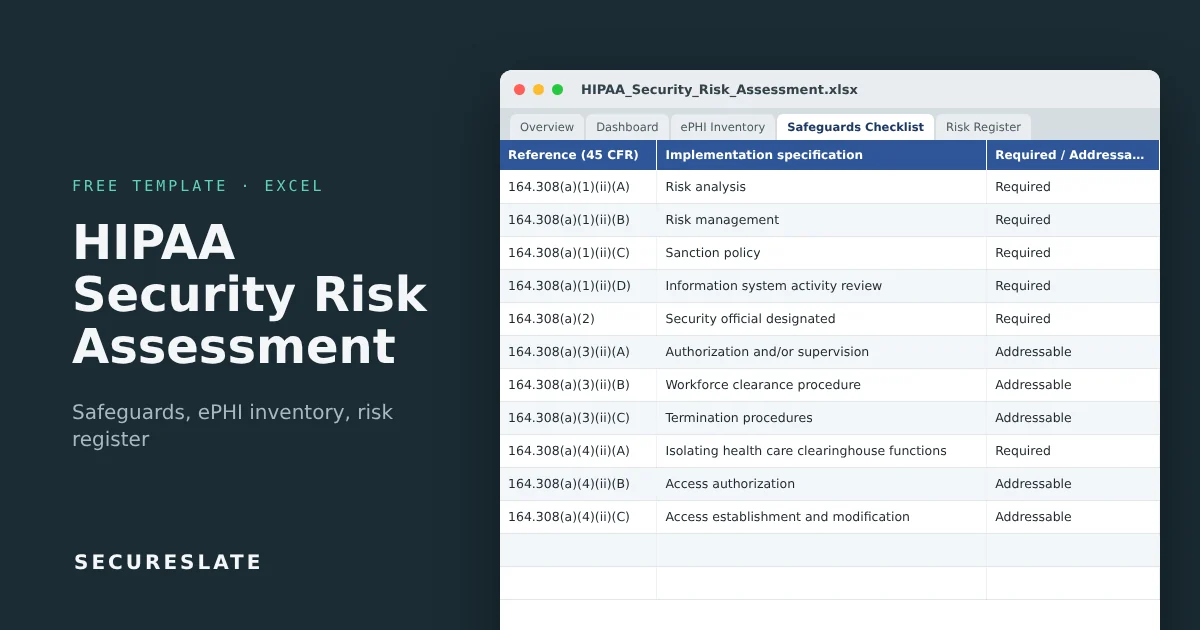
- This workbook combines an ePHI inventory, a checklist of all Security Rule implementation specifications, a scored risk register and an automatic dashboard.
- Scores, risk levels, overdue days, compliance results and every dashboard figure calculate on their own. You only enter facts and decisions.
- SecureSlate keeps the assessment current with continuous control monitoring and stores the evidence.
Overview
Most HIPAA risk assessments fail for the same two reasons: they do not cover every place ePHI lives, and they are a one-off document that nobody updates. This template is built around both problems. The inventory forces you to find the ePHI first, and the register and dashboard make it easy to update the assessment whenever something changes.
What a HIPAA security risk assessment is
The Security Rule requires you to conduct "an accurate and thorough assessment of the potential risks and vulnerabilities to the confidentiality, integrity, and availability" of the ePHI you hold. In practice that means four things:
- Know where ePHI is. Every system, vendor, device, backup and paper store that creates, receives, maintains or transmits it.
- Identify threats and vulnerabilities for each of those places.
- Assess current safeguards against the Security Rule standards.
- Rate the risk by likelihood and impact, decide what to do about it, and document the result.
The risk analysis is the foundation for the risk management specification that follows it (164.308(a)(1)(ii)(B)): you must then reduce risks to a reasonable and appropriate level. HHS has published guidance on risk analysis and a free SRA tool; this workbook follows the same logic in a format that is easier to share and keep current.
What makes it useful
- Complete safeguards list: 48 implementation specifications across administrative, physical, technical, organizational and documentation requirements, each with its 45 CFR reference and Required or Addressable label.
- Addressable logic built in: an Addressable item you do not implement only counts as compliant when you document the alternative or reason, exactly as HIPAA requires.
- ePHI gap check: the inventory flags any location without a BAA, encryption or access control, and shows
Incompleteuntil every check is answered. - Automatic scoring: likelihood x impact, with Low, Medium, High and Critical levels from thresholds you control on the
Settingstab. - Dashboard and heat maps: compliance by safeguard type, open high risks, overdue actions and inherent vs residual heat maps.
- Ready for real use: dropdowns, input checks (scores must be 1 to 5) and formulas for 300 rows on every register.
Download the template
Works in Excel, Google Sheets and LibreOffice. Example rows are included so you can see how it works; overwrite or delete them.
Tab-by-tab walkthrough
Overview and Version & Approval
Document control and sign-off. The assessment should be approved by your security official, which is itself a Required specification (164.308(a)(2)).
Settings
Risk thresholds (Critical from 17, High from 10, Medium from 5 by default) and plain-language likelihood and impact scales so different assessors score the same way.
ePHI Inventory
One row per place ePHI lives: system, type, what ePHI it holds, rough record count, vendor, whether a BAA is in place, encryption at rest and in transit, and access control. The Gap check column reports Gap: no BAA, Gap: encryption, Gap: access control, Incomplete, Partial or OK.
Safeguards Checklist
Every implementation specification from 164.308 to 164.316. Pick a status (Implemented, Partially implemented, Not implemented, Not applicable) and describe how it is met. The Compliance result column returns:
| Result | When |
|---|---|
| Met | Status is Implemented |
| Partial | Status is Partially implemented |
| Documented alternative | Addressable, not implemented, and you documented the alternative or reason |
| Not applicable | Status is Not applicable and you recorded why |
| Gap | Anything else, including Required specifications that are not implemented |
Risk Register
One row per risk: ePHI asset (dropdown from your inventory), threat source, threat, vulnerability, related safeguard, current controls, likelihood and impact. The inherent score and level calculate, then you record treatment, actions, owner, due date and status, and the residual likelihood and impact after treatment. Days overdue counts automatically for open actions past their due date.
Dashboard
Key figures, safeguard results including specifications not yet assessed, gaps by safeguard type, risks by inherent and residual level, and two 5x5 heat maps. It updates as you work and is the summary to bring to your annual evaluation (164.308(a)(8)).
Running the assessment step by step
- Scope. Decide which entities, locations and systems are in scope. Include business associates that hold your ePHI.
- Build the ePHI inventory. Walk each workflow, from intake to billing, and record every system and vendor it touches. Interview staff: shadow spreadsheets and email are where ePHI hides.
- Fix obvious gaps first. Any
Gap: no BAArow is a compliance problem before it is a risk. Get the agreement signed. - Assess safeguards. Work through the checklist with the people who run each control. Record evidence locations as you go.
- Identify risks. For each ePHI asset, ask what could expose, alter or make it unavailable. Use the safeguard gaps as a starting list.
- Score consistently. Use the scales on
Settings. Score the risk as it stands today (inherent), then as it will be after planned actions (residual). - Plan and assign. Every High and Critical risk needs an action, an owner and a due date.
- Approve and repeat. Have the security official sign off. Re-run the assessment at least annually and whenever you add a major system, vendor or location.
How to use it as evidence
| Requirement | Evidence in the template |
|---|---|
| Risk analysis, 164.308(a)(1)(ii)(A) | Completed ePHI Inventory, Safeguards Checklist and Risk Register with dates |
| Risk management, 164.308(a)(1)(ii)(B) | Treatment, actions, owners and residual scores in the register |
| Addressable decisions, 164.306(d)(3) | Documented alternative or reason column |
| Evaluation, 164.308(a)(8) | Dashboard snapshot and version history |
| Documentation retention, 164.316(b)(2)(i) | Keep each annual version for at least 6 years |
If OCR investigates a breach, the first document it asks for is usually the risk analysis. A dated, complete workbook with signed versions answers that request.
Common mistakes
- Assessing only the main application and missing email, laptops, backups and vendors
- Treating Addressable as optional, with no documented reason when it is not implemented
- Scoring risks once and never updating them after a new system or incident
- No owner or due date on High risks, so the "risk management" step never happens
- Confusing the risk assessment with a gap checklist: you need both the safeguards review and scored risks
How SecureSlate helps
SecureSlate maps your HIPAA safeguards to live checks across your cloud, identity and devices, flags new gaps as they appear, and keeps evidence ready for audits and customer security reviews.
FAQ
Is a HIPAA risk assessment required?
Yes. The risk analysis in 164.308(a)(1)(ii)(A) is a Required implementation specification for covered entities and business associates alike.
How often should we do it?
HIPAA does not set a fixed interval, but annual reviews are the norm, plus an update whenever you make a significant change such as a new EHR, cloud provider, vendor or office.
What is the difference between Required and Addressable?
Required specifications must be implemented. Addressable ones must be assessed: implement them if reasonable and appropriate, or document why not and what you do instead. HHS proposed changes in January 2025 that would make most specifications Required, so check whether a final rule is in effect before relying on the labels.
Is this the same as the HHS SRA tool?
It covers the same requirements. Some teams prefer a spreadsheet because it is easier to share with auditors, customers and consultants and to update during the year.
Do business associates need their own assessment?
Yes. Business associates are directly subject to the Security Rule and must perform their own risk analysis. Covered entities should also assess the risk each business associate poses.
Does this template make us HIPAA compliant?
No template can. It structures the analysis HIPAA requires; compliance depends on implementing the safeguards and managing the risks you identify.
Disclaimer (legal note)
This article is for general information only and is not legal, regulatory, or professional advice. Requirements vary by framework, industry, and jurisdiction. Consult qualified advisors for your specific obligations.
Need compliance without the complexity?
SecureSlate automates ISO 27001, SOC 2, GDPR, HIPAA, and more. Built for growing teams. See it in action.
Find compliance gaps in 30 seconds
