
Related guides:
- asset management policy for iso 27001
- data classification policy
- risk assessment template
- from spreadsheet inventory to mdm asset management
- hipaa security risk assessment template
Key takeaways
- An asset inventory is the starting point for ISO 27001 Annex A 5.9, SOC 2 CC6.1 and the HIPAA risk analysis: you cannot protect or assess what you have not listed.
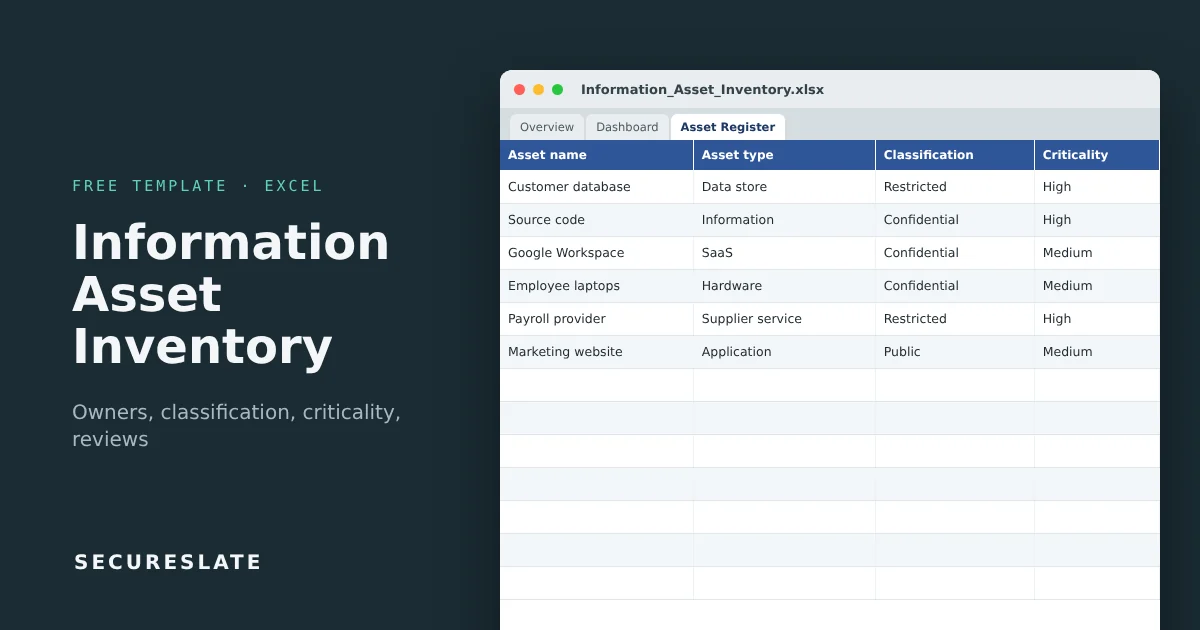
- This workbook records each asset's owner, classification, personal data and ePHI flags, and confidentiality, integrity and availability ratings.
- Criticality, next review date, review status and a protection check calculate automatically, and a dashboard summarizes the whole estate.
- SecureSlate discovers cloud resources, SaaS apps and devices automatically so the inventory does not go stale.
Overview
Ask an auditor where an ISO 27001 or SOC 2 program usually starts to wobble, and many will say the asset inventory. It is either missing, a list of laptops only, or a spreadsheet nobody has opened since the last audit. A good inventory covers information and the things that hold it, names an owner for each, and gets reviewed.
What an information asset inventory is
ISO 27001:2022 control 5.9 asks for "an inventory of information and other associated assets, including owners". That means more than hardware:
| Asset type | Examples |
|---|---|
| Information | Customer data, source code, contracts, employee records |
| Data stores and applications | Production database, data warehouse, your SaaS product |
| SaaS and cloud services | Google Workspace, Slack, AWS, GitHub, CRM |
| Hardware and network | Laptops, phones, firewalls, VPN |
| Supplier services | Payroll provider, payment processor, outsourced support |
| People | Key roles whose knowledge is critical |
Each asset needs an owner: the person accountable for its protection, who decides who gets access and how it is classified. The inventory then feeds your risk assessment, your access reviews and your data classification.
What makes it useful
- CIA ratings to criticality: rate confidentiality, integrity and availability 1 to 3; criticality is the highest rating (High, Medium or Low).
- Protection check: flags Restricted assets without encryption, Confidential or Restricted assets without MFA or SSO, and High criticality assets without backups. It shows
Incompleteuntil every answer is filled in. - Review cycle by criticality: High assets every 6 months, others every 12 by default, with
Overdue,Due soon,Current,Never reviewedandRetiredstatuses. - Personal data and ePHI flags to scope GDPR and HIPAA work.
- Dashboard: assets by type, classification, criticality and review status, plus owner and protection gaps.
- Ready for real use: dropdowns, input checks and formulas for 300 assets.
Download the template
Works in Excel, Google Sheets and LibreOffice. Six example assets show how a filled register looks; overwrite or delete them.
Tab-by-tab walkthrough
Overview and Version & Approval
Document control and sign-off for the register.
Settings
Months between reviews for each criticality level and the due soon window.
Asset Register
One row per asset. You enter the ID, name, type, description, business process, owner, custodian, location or hosting, vendor, classification, personal data and ePHI flags, CIA ratings, encryption, MFA and backup status, lifecycle status, last reviewed date and any disposal date. These columns calculate:
| Column | Logic |
|---|---|
| Criticality | Highest of the three CIA ratings: 3 is High, 2 is Medium, 1 is Low |
| Next review | Last reviewed + review months for that criticality |
| Review status | Never reviewed, Overdue, Due soon, Current or Retired |
| Protection check | First gap found (encrypt, enable MFA, back up), Incomplete if an answer is missing, or OK |
Dashboard
Totals for assets, active assets, personal data and ePHI assets, assets without an owner, protection gaps, incomplete protection checks and overdue reviews, with breakdowns by criticality, classification, review status and asset type.
Building the inventory step by step
- Pull lists from systems, not memory. Export cloud resources, your identity provider's app list, MDM devices and the finance team's vendor list.
- Group sensibly. One row per meaningful asset ("Production database"), not per server. Group laptops as one asset class if they are managed the same way.
- Name an owner for every row. The dashboard counts assets without one. An unowned asset is an unmanaged one.
- Classify and rate. Use your data classification policy levels and rate CIA honestly. Criticality follows automatically.
- Record protections. Fill in encryption, MFA and backup status, then fix whatever the protection check flags.
- Link to risk. Use High criticality assets as the starting point for your risk assessment.
- Review on schedule. Work the
OverdueandDue soonrows and update the last reviewed date. Mark retired assets instead of deleting them.
How to use it as audit evidence
| Requirement | Evidence in the template |
|---|---|
| ISO 27001 5.9: inventory with owners | Asset Register with owner column |
| ISO 27001 5.12: classification | Classification column |
| ISO 27001 5.11 and 7.14: return and disposal | Status and disposal date columns |
| SOC 2 CC6.1: identify and manage assets | Register, review dates and protection check |
| HIPAA 164.308(a)(1)(ii)(A): know where ePHI is | ePHI flag and filtered list |
Auditors typically pick a few assets from the register and ask to see them in the real world, then pick a few real systems and look for them in the register. Both directions need to work.
Common mistakes
- Listing only hardware and leaving out information, SaaS and suppliers
- Owners recorded as teams ("Engineering") instead of named people
- No classification, so nobody can tell which assets need the strongest controls
- Retired assets deleted instead of marked, losing the disposal trail
- An inventory built for the audit and never reviewed again
How SecureSlate helps
SecureSlate builds and maintains your asset inventory from your cloud accounts, identity provider and device management, assigns owners, and links each asset to its controls and evidence for ISO 27001, SOC 2 and HIPAA.
FAQ
Is an asset inventory required for ISO 27001?
Yes. Annex A control 5.9 requires an inventory of information and other associated assets, including owners, and auditors treat it as a core record.
What is the difference between an asset inventory and a CMDB?
A CMDB tracks technical configuration items and their relationships for IT operations. An information asset inventory focuses on what needs protecting, who owns it and how sensitive it is. Many small companies use a register like this one instead of a CMDB.
How detailed should it be?
Detailed enough to assign owners, classify and assess risk. Group similar items managed the same way, such as all employee laptops, rather than listing every serial number here; keep device detail in your MDM.
How often should we review the inventory?
At least annually, more often for high-criticality assets, and whenever you onboard or retire a significant system or vendor. The template defaults to 6 and 12 months.
Does SOC 2 require an asset inventory?
SOC 2 does not name a specific document, but CC6.1 expects you to identify and manage the assets in scope, and auditors almost always ask for an inventory.
Disclaimer (legal note)
This article is for general information only and is not legal, regulatory, or professional advice. Requirements vary by framework, industry, and jurisdiction. Consult qualified advisors for your specific obligations.
Need compliance without the complexity?
SecureSlate automates ISO 27001, SOC 2, GDPR, HIPAA, and more. Built for growing teams. See it in action.
Find compliance gaps in 30 seconds
