
Related guides:
- employee offboarding security checklist
- device offboarding with MDM
- how flawed offboarding escalates insider threats
- access review template
- SaaS inventory template
Leavers still showing up in your access review? SecureSlate access reviews find accounts that should have been removed and plan the revocation through your connected tools.
Key takeaways
- Joiners and leavers are where most access problems start. Too much access granted on day one, and accounts left active after the last day.
- This workbook tracks 11 onboarding steps and 11 offboarding steps per person, with completion and status calculated for you.
- Offboarding records when the account was actually disabled and checks it against your SLA: by the next day for voluntary leavers, the same day for involuntary ones.
- A role access baseline tab lists what each role gets by default, so onboarding grants the same access every time and offboarding knows what to remove.
- The dashboard shows SLA results and which steps are missed most often, which is where your process needs fixing.
Why access is the part that goes wrong
HR handles contracts and payroll well because those processes have a deadline and someone who cares about it. Access rarely does. Onboarding becomes "copy what the last engineer had", which grants more access than the role needs. Offboarding becomes "disable their Google account", which leaves every app that is not connected to Google still open.
The result is predictable: former employees and contractors with live accounts in the CRM, the cloud console or a shared password vault. It is one of the most common findings in an access review, and a frequent root cause in insider incidents.
A checklist fixes this by making every step visible, giving each one an owner and recording when it was done. The date the account was disabled is the single most important field, because it is the one a customer, auditor or investigator will ask for.
What is in the template
- Onboarding tab: one row per joiner, with 11 steps from background check to security training, plus completion, due date and status.
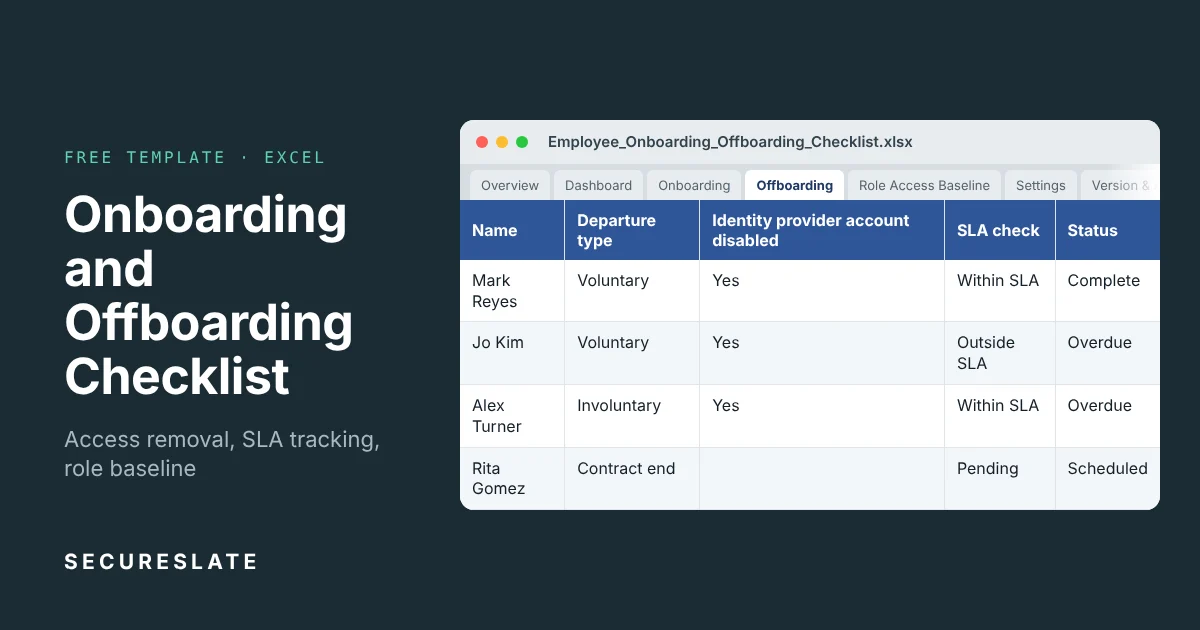
- Offboarding tab: one row per leaver, with 11 steps from disabling the identity provider account to returning the device, plus the date access was disabled, days to disable, SLA check, completion and status.
- Role Access Baseline tab: default apps per role, privileged access and who approves extra access.
- Dashboard: open and overdue onboardings and offboardings, SLA results, and a count of outstanding steps for each checklist item.
- Settings and sign-off: onboarding window, access removal SLAs and offboarding window, version history and approval.
Download the template
Works in Excel, Google Sheets and Numbers. Example joiners and leavers show how to fill in each row. Overwrite them with your own people.
Tab-by-tab walkthrough
Overview and Version & Approval
Document control, instructions, version history and sign-off.
Dashboard
Updates on its own. The step tables on the right count every step still marked No. If "Apps outside SSO removed" keeps showing up, that is the gap to fix, usually by moving those apps behind SSO with automatic deprovisioning.
Onboarding
Add a row when an offer is accepted. Mark each step Yes, No or N/A. Status shows Pre-start before the start date, In progress after it, Overdue once the onboarding window passes, and Complete when every applicable step is Yes.
Offboarding
Add a row as soon as a leaving date is known, not on the last day. Enter the date the identity provider account was disabled in Access disabled on. The SLA check compares it with the last working day and shows Within SLA, Outside SLA, Pending or Breached: still active if the deadline has passed with no date entered.
Role Access Baseline
One row per role. List the apps granted by default and any privileged access, which should be approved per request rather than granted by default.
Settings
Onboarding window (default 5 days), access removal SLA for voluntary leavers (default 1 day) and involuntary leavers (default same day), and offboarding window (default 7 days, to allow for device returns).
The onboarding steps and why each one is there
| Step | Why it matters |
|---|---|
| Background check done | Done before access is granted, in line with your hiring policy and local law |
| Contract and NDA signed | Confidentiality obligations in place before any data is shared |
| Security policies acknowledged | A signed record that the person read the acceptable use and security policies |
| Device issued and enrolled in MDM | Company data only on managed devices you can lock and wipe |
| Disk encryption and screen lock on | A lost laptop is an inconvenience, not a breach |
| SSO account created | One account to disable later instead of dozens |
| MFA enrolled | Stops most account takeover from stolen passwords |
| Role baseline access granted | Access matches the role, not the last person in it |
| Extra or admin access approved | Anything beyond the baseline has a named approver |
| Password manager set up | Shared credentials stay in a vault you can rotate |
| Security awareness training done | Phishing and data handling covered in the first week |
The offboarding steps and why each one is there
| Step | Why it matters |
|---|---|
| Identity provider account disabled | Cuts SSO access to every connected app at once |
| Sessions and MFA devices revoked | Logged-in sessions can outlive a disabled password |
| Apps outside SSO removed | Accounts in apps not connected to SSO stay live until removed by hand |
| Cloud console and production access removed | Highest-impact access, often granted directly rather than through SSO |
| VPN, SSH keys and API tokens revoked | Keys keep working after the person's account is gone |
| Shared passwords and secrets rotated | Anything the person knew should no longer work |
| Email forwarded or mailbox converted | Keeps customer emails flowing without keeping the account active |
| Files and app ownership transferred | Prevents data loss when the account is deleted |
| Device returned and wiped | Recovers company data held on the laptop |
| Badge and office access removed | Physical access follows the same rule as digital access |
| Exit security reminder signed | Confirms confidentiality obligations continue after leaving |
Our employee offboarding security checklist goes deeper on timing for each step, and the SaaS inventory template shows which apps need manual removal.
Common mistakes
- Starting offboarding on the last day instead of when notice is given
- Disabling SSO and assuming every app is covered
- Forgetting contractors, interns and agency staff, who leave without an HR exit process
- No record of when access was disabled, so nobody can prove it happened in time
- Granting new starters a copy of a colleague's access instead of the role baseline
How SecureSlate helps
SecureSlate access reviews sync accounts from your connected tools into one inventory, surface accounts that belong to leavers or have no owner, and plan the revocation through your integrations or a ticket, with the evidence captured afterwards. The device agent checks that new starters' laptops have encryption, screen lock and updates in place. See pricing.
FAQ
What should an employee offboarding checklist include?
Disabling the identity provider account, revoking sessions and MFA devices, removing accounts in apps outside SSO, removing cloud and production access, revoking keys and tokens, rotating shared secrets, handling the mailbox and files, recovering and wiping the device, removing physical access and a signed exit reminder. The template covers all eleven.
How quickly should access be removed when someone leaves?
A common standard is by the end of the next working day for voluntary leavers and during the exit meeting itself for involuntary leavers. Both are set on the Settings tab, and the SLA check flags anyone outside them.
What should an IT onboarding checklist include?
A signed contract and NDA, policy acknowledgement, a managed and encrypted device, an SSO account with MFA, access granted from a role baseline, approval for anything extra, a password manager and security awareness training.
Who owns onboarding and offboarding?
HR owns the trigger (start and leaving dates), IT or the security lead owns the access steps, and the manager confirms what the person needs and what files to hand over. The checklist works best when HR adds the row and IT completes the steps.
Does this template work for contractors?
Yes. Set Employment type to Contractor on the Onboarding tab and Departure type to Contract end on the Offboarding tab. Mark steps that do not apply, such as a company device, as N/A so they do not count against completion.
Can I use this template in Google Sheets?
Yes. Upload the file to Google Drive and open it with Google Sheets. Formulas, dropdowns and colour flags all carry over.
Disclaimer (legal note)
This article and template are for general information only and are not legal, HR or professional advice. Employment, background check and data protection rules vary by jurisdiction. Consult qualified advisors for your specific obligations.
Need compliance without the complexity?
SecureSlate automates ISO 27001, SOC 2, GDPR, HIPAA, and more. Built for growing teams. See it in action.
Find compliance gaps in 30 seconds