
Short answer: Keeping PHI in logs to a minimum means logging events and identifiers, not record contents. Use structured logging with an allowlist of safe fields, redact or tokenise everything else before it leaves the process, keep a separate, access-controlled audit trail of who touched which record, and treat any log store that still holds PHI as ePHI under a BAA.
Related guides:
Key takeaways
- A log line that contains a patient's name, diagnosis or lab result is ePHI. The log store, the pipeline and every vendor behind it are then in scope for the HIPAA Security Rule.
- HIPAA still expects audit controls, so the goal is not "log less" but "log the right things": who accessed which record and when, without what the record said.
- The most common leaks come from request bodies, query strings, exception traces, debug logging, LLM prompt logs and third-party SDKs.
- An allowlist of fields beats a blocklist of patterns. Redaction regexes are a safety net, not the design.
- If you find PHI in logs, treat it as a possible breach until a documented risk assessment says otherwise.
Why is PHI in logs a compliance problem?
Because every system that stores ePHI inherits the obligations of the Security Rule, and logs are copied, shipped and retained far more widely than your primary database.
A single stray console.log(req.body) can turn your log platform, your error tracker and your data warehouse into ePHI stores. Each of those then needs access control, retention limits and, if a vendor hosts it, a business associate agreement. HHS guidance on cloud computing says a cloud service provider that handles ePHI on a covered entity's behalf is a business associate, and that this is true even if it stores only encrypted ePHI and lacks the encryption key. Your logging and observability vendors are no exception. Our guide to business associate agreements covers what the contract needs.
Three rules frame the engineering decisions:
| Rule | What it says | What it means for logging |
|---|---|---|
| HIPAA audit controls, 45 CFR 164.312(b) | Implement mechanisms "that record and examine activity in information systems that contain or use electronic protected health information" | You must log access and activity on ePHI systems |
| HIPAA minimum necessary, 45 CFR 164.502(b) | Make reasonable efforts to limit PHI "to the minimum necessary to accomplish the intended purpose" | Debugging rarely needs the record contents, so do not copy them into logs |
| GDPR data minimisation and storage limitation, Article 5(1)(c) and (e) | Personal data must be "adequate, relevant and limited to what is necessary" and kept in identifiable form no longer than necessary | Log fields and retention periods need a purpose, including for PII in application logs |
The tension is real: one rule asks you to record activity, the others ask you to keep less data. The way through is to separate the two kinds of logging, covered below.
Where does PHI leak into logs?
Mostly through defaults and shortcuts that log whole objects instead of chosen fields.
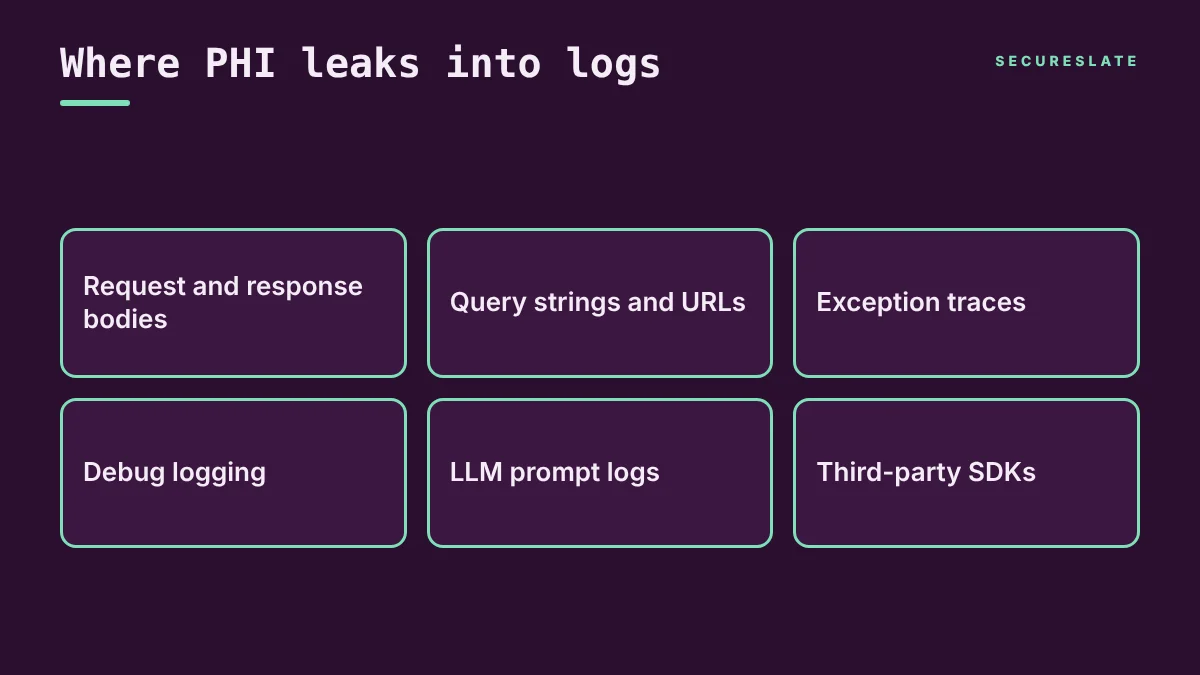
| Leak source | How it happens | Example |
|---|---|---|
| Request and response bodies | HTTP middleware or API gateways log full payloads | An intake form body with symptoms and date of birth |
| Query strings and URLs | Access logs, CDN logs and analytics record the full URL | An example URL such as /patients?name=...&dob=... |
| Exception traces | Error trackers capture local variables, request data and the failing record | A validation error that prints the record it rejected |
| Debug logging | Verbose levels left on in production, or "temporary" log lines | logger.debug(patient) shipped in a hotfix |
| LLM prompt logs | Prompts, completions and tool calls stored by your app or the model provider | A clinical note summarised by an AI feature |
| Third-party SDKs | Analytics, session replay and support widgets capture page content or form fields | A session replay recording a medication list |
| Support tooling | Tickets, chat transcripts and screenshots attached to bug reports | A customer pastes a patient record into a support chat |
If you are unsure whether a field counts, check it against the HIPAA identifiers in the PHI guide linked above. In our experience, the leaks teams find first are in error trackers and access logs, because both capture data automatically.
Audit logs vs content logs: what should you keep?
Keep security audit logs that record who did what to which record, and avoid content logs that record what the record said.
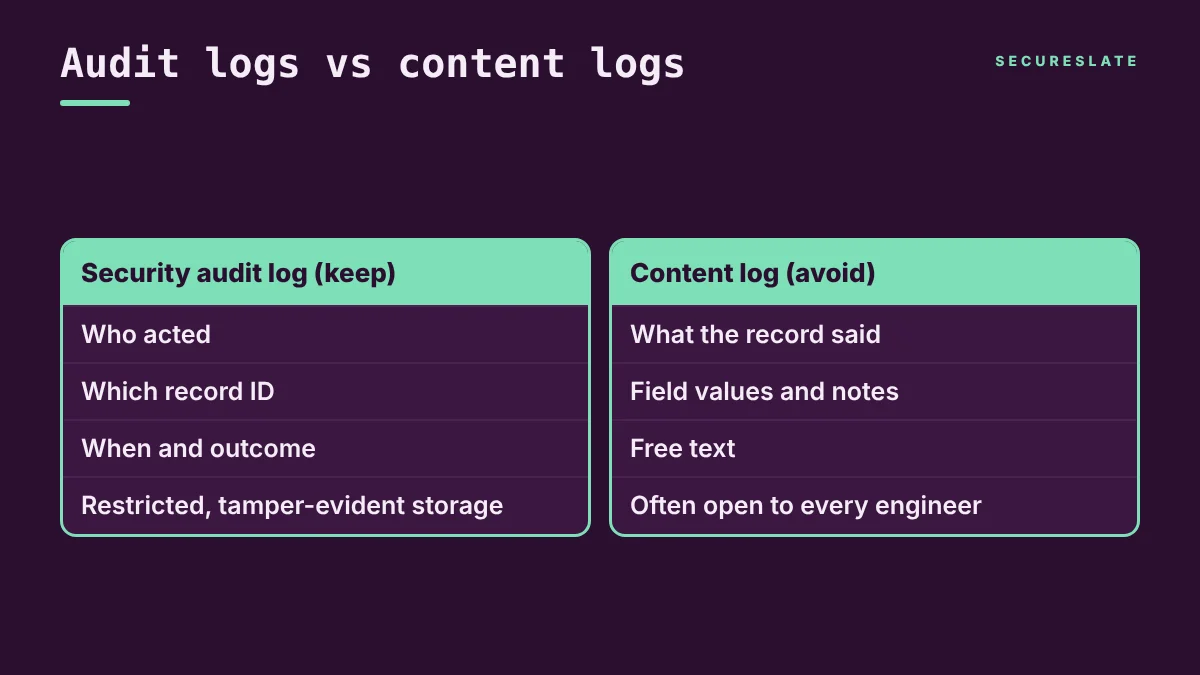
| Security audit log (keep) | Content log (avoid) | |
|---|---|---|
| Purpose | Accountability and investigation | Usually debugging convenience |
| Typical fields | Actor ID, action, record ID, timestamp, source IP, outcome | Field values, notes, results, free text |
| Example | user 812 viewed record 4471 at 10:02, allowed |
record 4471: diagnosis=..., notes=... |
| Access | Restricted to security and compliance roles | Often open to every engineer |
| Storage | Separate, tamper-evident stream with defined retention | Mixed into general application logs |
An audit log still contains identifiers, and a record ID tied to a user action can be PHI in context. That is acceptable when the audit stream is protected like any other ePHI store. The OWASP Logging Cheat Sheet recommends that the privileges to read log data "should be restricted and reviewed periodically" and that you "build in tamper detection so you know if a record has been modified or deleted". This post focuses on engineering. For audit readiness, see our audit logs guide, and for the policy document, the logging and monitoring policy template linked above.
Which techniques keep PHI out of logs?
Design logging so sensitive fields never reach a log call, then add redaction layers to catch mistakes.
The OWASP cheat sheet lists "sensitive personal data and some forms of personally identifiable information (PII)" among the data that should usually not be recorded directly, and says it should instead be "removed, masked, sanitized, hashed, or encrypted". In practice, for log redaction we recommend this order:
- Structured logging with an allowlist. Log JSON events with named fields, and have the logger drop any field not on an approved list. A new field then fails closed instead of leaking.
- Never log whole objects. Ban patterns like logging a full request, model or ORM entity. Log the record ID and the event name instead.
- Field-level redaction at the source. Mark sensitive fields in your schema or types so serializers mask them automatically, such as
dob: "[REDACTED]". - Pattern redaction in the pipeline. Add a redaction step in your log shipper or collector for things like email addresses, phone numbers and member IDs. Treat it as a backstop, because free text defeats regexes.
- Tokenise or hash identifiers, with caveats. A keyed hash or a lookup token lets you correlate events without storing the raw value. An unkeyed hash of a name or medical record number is not anonymous: HHS de-identification guidance treats a code derived from a secure hash function without a secret key as an identifying element under the Safe Harbor method. Keep keys out of the log system.
- Scrub error trackers and SDKs. Turn off capture of request bodies, local variables and form inputs, and mask session replay by default.
- Control LLM logging. Decide whether prompts are stored at all, by you and by the model provider, and redact them before storage if they must be kept.
- Sample and set retention. Sample high-volume debug logs, keep them for short periods, and keep the audit stream separately for its defined period. OWASP notes log data "must not be kept beyond" the required retention time.
- Restrict access. Limit who can query production logs, and review that access periodically.
How do you test for sensitive data in logs?
Test the code that writes logs and sample the logs themselves, because neither check catches everything alone.
OWASP says logging functionality "must be included in code review, application testing". A practical checklist:
- Code review rule: reviewers flag any log call that passes an object, request or free-text field.
- Static scanning in CI: run secrets and PII pattern scanners on every pull request to catch hardcoded keys and obvious log statements with sensitive fields.
- Synthetic test data: seed test environments with fake but realistic patient records using recognisable markers, then search logs for those markers after test runs.
- Unit tests for redaction: assert that serializers mask every field marked sensitive.
- Scheduled log sampling: have an engineer review a sample of production logs, error events and LLM traces on a regular cadence, and record the result.
- Vendor inventory: list every tool that receives logs, traces or telemetry, and confirm which ones have a BAA.
- Alerting: run detection rules in your log platform for patterns such as email addresses or member ID formats, and route hits to security.
What should you do when you find PHI in logs?
Contain it, assess it under the breach rules, purge it, and fix the code path, in that order.
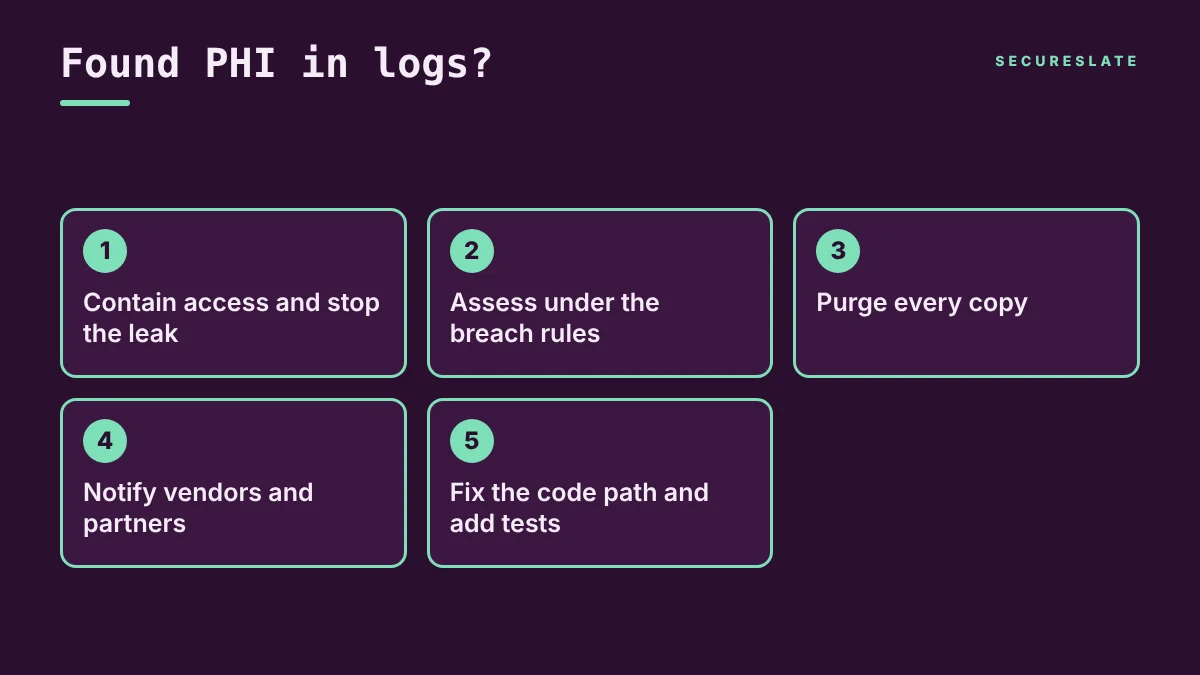
- Contain. Restrict access to the affected log indexes, and stop the leak with a hotfix or a pipeline drop rule.
- Assess under the breach rules. Under 45 CFR 164.402, an impermissible use or disclosure of PHI is presumed to be a breach unless a risk assessment shows a low probability of compromise. That assessment covers at least the nature and extent of the PHI, who received it, whether it was actually acquired or viewed, and how far the risk has been mitigated. Log platform access records help answer the third question.
- Purge every copy. Delete affected data from the log platform, error tracker, warehouse exports, backups where feasible and any developer downloads. Keep evidence of the deletion.
- Notify vendors and partners. Ask logging vendors to confirm deletion. If you are a business associate, HHS says you must notify the covered entity without unreasonable delay and no later than 60 days from discovery of a breach. Check your BAAs, which often set shorter deadlines.
- Fix and prevent. Add the field to your allowlist rules, add a regression test, and record the incident and root cause.
Our HIPAA breach notification rule guide covers notification content and timing in more detail. If EU personal data is involved, GDPR breach rules may also apply.
How SecureSlate helps
SecureSlate helps HealthTech and SaaS teams turn these practices into controls they can evidence. Code security and secrets detection scans your repositories so leaked keys and risky code are flagged before they ship. Agentless read-only cloud integrations check configuration such as logging and access settings across your cloud accounts. Vendor risk management tracks every logging, error tracking and observability vendor, along with its BAA and review dates. The built-in HIPAA framework maps audit control and access requirements to your controls, and multi-framework control mapping reuses that work for SOC 2, ISO 27001 and GDPR.
FAQ
Is it a HIPAA violation to have PHI in logs?
Not automatically. PHI in a log that is protected like other ePHI, with access control, retention and a BAA with any vendor, can be acceptable. It becomes a problem when it exceeds the minimum necessary or reaches people or vendors who should not have it.
Do I need a BAA with my logging or observability vendor?
If the vendor creates, receives, maintains or transmits PHI for you, HHS guidance treats it as a business associate, so yes. The simpler path is to keep PHI out of those tools so the question does not arise.
Is hashing patient identifiers enough to make logs safe?
No. An unkeyed hash can often be reversed by hashing likely values, and HHS treats such codes as identifying under Safe Harbor. Use keyed hashes or tokens, store keys separately, and still treat the logs as sensitive.
What should a HIPAA audit log record?
At minimum, who acted, what action they took, on which record, when, and whether it succeeded. It should not record the contents of the record.
Disclaimer (legal note)
This article is for general information only and is not legal, regulatory or professional advice. Requirements vary by framework, industry and jurisdiction. Consult qualified advisors for your specific obligations.
Need compliance without the complexity?
SecureSlate automates ISO 27001, SOC 2, GDPR, HIPAA, and more. Built for growing teams. See it in action.
Find compliance gaps in 30 seconds
