
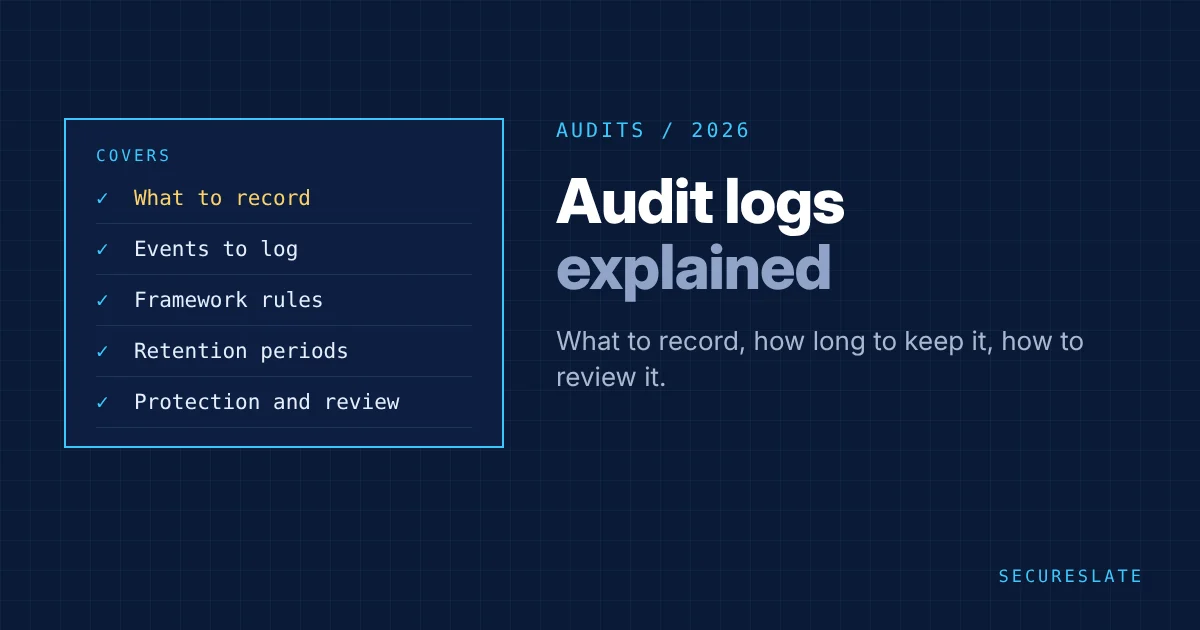
Short answer: An audit log is a time-ordered record of who did what, to which system or data, when, from where and with what result. Audit logs let you investigate incidents, hold users accountable and prove to auditors that controls operate. To be useful they must be complete, protected from tampering, retained long enough and actually reviewed.
Related guides: Logging and monitoring policy · PHI in logs · SIEM security best practices
Key takeaways
- An audit log answers six questions: who, what, when, where, on which resource and with what outcome.
- Log authentication, privilege changes, access to sensitive data, configuration changes and actions on the logs themselves first.
- Retention is set by the strictest rule that applies. PCI DSS requires at least 12 months, with the most recent three months immediately available.
- Logs that administrators can edit or delete prove little. Centralize them and restrict write access.
- Auditors test review, not just collection. Keep a record that someone looked and what they did about it.
What is an audit log?
An audit log is a chronological record of security-relevant events, written automatically by a system each time a user or process performs an action. The terms audit log and audit trail are used almost interchangeably. Strictly, the log is the set of records and the trail is the sequence you reconstruct from them to follow one person or one change from start to finish.
Audit logs are different from the other logs engineers work with every day:
| Log type | Purpose | Typical reader |
|---|---|---|
| Audit log | Accountability: who did what and when | Security, compliance, auditors |
| Application or debug log | Troubleshooting errors and behavior | Developers |
| System log | Operating system and service health | Operations |
| Access log | Requests to a web server or API | Operations, security |
| Metrics and traces | Performance and request flow | Site reliability teams |
The same event may appear in several of them. What makes a record an audit record is that it ties an action to an identity and is kept in a way that can be trusted later.
What should an audit log entry contain?
Every entry should carry enough detail to reconstruct the event without guessing. NIST SP 800-53 control AU-3 lists the minimum content: what type of event occurred, when, where, its source, its outcome and the identity of anyone involved. See NIST SP 800-53 Rev. 5.
| Field | Example | Why it matters |
|---|---|---|
| Timestamp | 2026-11-16T09:42:07Z | Ordering events across systems needs synchronized clocks and one time zone |
| Actor | User ID, service account or API key ID | Accountability requires unique identities, not shared accounts |
| Action | role.assign, record.view, login.failed | Tells you the type of event |
| Target | The record, file, account or setting affected | Shows what was touched |
| Source | IP address, device, session ID | Helps spot unusual locations and hijacked sessions |
| Outcome | Success or failure, with reason | Failed attempts are often the early warning |
| Change detail | Old and new value for configuration changes | Needed to reverse a change or assess impact |
Two things should stay out. Do not write passwords, tokens or full card numbers into logs. In healthcare, keep protected health information out of log messages wherever you can and reference a record ID instead.
Which events should you log?
Log the events that would let you answer "who had access, who changed what and who looked at sensitive data". Start with these, in priority order:
- Authentication: successful and failed logins, MFA challenges, password and MFA resets, session creation.
- Identity and privilege changes: accounts created, disabled or deleted, role and group changes, new API keys.
- Administrative actions: anything done with administrator or root privileges, including use of break-glass accounts.
- Access to sensitive data: viewing, exporting, changing or deleting customer records, health records, cardholder data or secrets.
- Configuration and security setting changes: firewall rules, storage permissions, encryption settings, logging settings.
- Changes to production: deployments, infrastructure changes and database schema changes.
- Actions on the logs themselves: stopping a log source, changing retention, deleting or exporting logs.
Then check coverage by layer. Gaps usually sit in the less obvious places.
| Layer | What to turn on |
|---|---|
| Identity provider | Sign-in events, admin changes, policy changes |
| Cloud platform | Management or control plane activity for all accounts and regions, plus data access logs for sensitive storage |
| Application | User and admin actions inside your product, especially record access and exports |
| Database | Privileged sessions, schema changes, access to sensitive tables |
| Code and deployment | Repository access, branch protection changes, pipeline runs |
| Endpoints and SaaS | Admin activity in email, file sharing and HR systems |
What do compliance frameworks require for audit logs?
Every major security framework requires logging and review, but they differ in how specific they are. PCI DSS is prescriptive, HIPAA sets the obligation and leaves the design to you, and SOC 2 and ISO 27001 ask you to define and follow your own rules.
| Framework | Requirement | What it asks for |
|---|---|---|
| HIPAA Security Rule | 45 CFR 164.312(b) audit controls | Mechanisms that record and examine activity in systems containing or using electronic protected health information |
| HIPAA Security Rule | 45 CFR 164.308(a)(1)(ii)(D) information system activity review | Regular review of records such as audit logs, access reports and security incident tracking reports |
| PCI DSS v4.0.1 | Requirement 10 | Log all access to system components and cardholder data, protect logs, review them, retain them and synchronize time. See the PCI SSC document library |
| SOC 2 | CC7.2 and CC7.3 in the Trust Services Criteria | Monitor system components for anomalies and evaluate security events |
| ISO 27001:2022 | Annex A 8.15 logging, 8.16 monitoring activities, 8.17 clock synchronization in ISO 27001 | Produce, store, protect and analyze logs, and keep clocks in sync |
| NIST SP 800-53 | AU control family | Event logging, record content, review and analysis, time stamps, protection of audit information and retention |
| GDPR | Article 5(2) and Article 32 | No explicit logging article, but accountability and security of processing are hard to demonstrate without logs |
For a deeper technical reference, NIST SP 800-92 is the long-standing guide to log management.
How long should you retain audit logs?
Keep audit logs for as long as the strictest applicable rule, contract or investigation need requires, and no longer than you can justify. Only some frameworks give a number.
| Source | Retention rule |
|---|---|
| PCI DSS v4.0.1, Requirement 10.5.1 | At least 12 months of audit log history, with at least the most recent three months immediately available for analysis |
| HIPAA Security Rule | No retention period is stated for audit logs themselves. 45 CFR 164.316(b)(2)(i) requires required documentation to be kept for six years. Many organizations apply six years to log review records, and some to the logs, as a conservative reading |
| SOC 2 | No fixed period. Logs should cover at least the full audit period so the auditor can sample from it |
| ISO 27001:2022 | Defined by your organization, based on risk, legal and contractual needs |
| GDPR | Logs containing personal data fall under storage limitation in Article 5(1)(e), so keep them only as long as necessary for the purpose |
A workable pattern for a small team: keep recent logs searchable in your central log platform for fast investigation, then move older logs to cheaper, write-protected archive storage until the retention period ends. Write the periods into your data retention policy, check customer contracts for longer commitments, and suspend deletion when an incident or legal hold applies.
How do you protect audit logs from tampering?
Protect logs by moving them off the system that produced them and limiting who can change or delete them. A log that an attacker, or an administrator covering a mistake, can quietly edit is weak evidence.
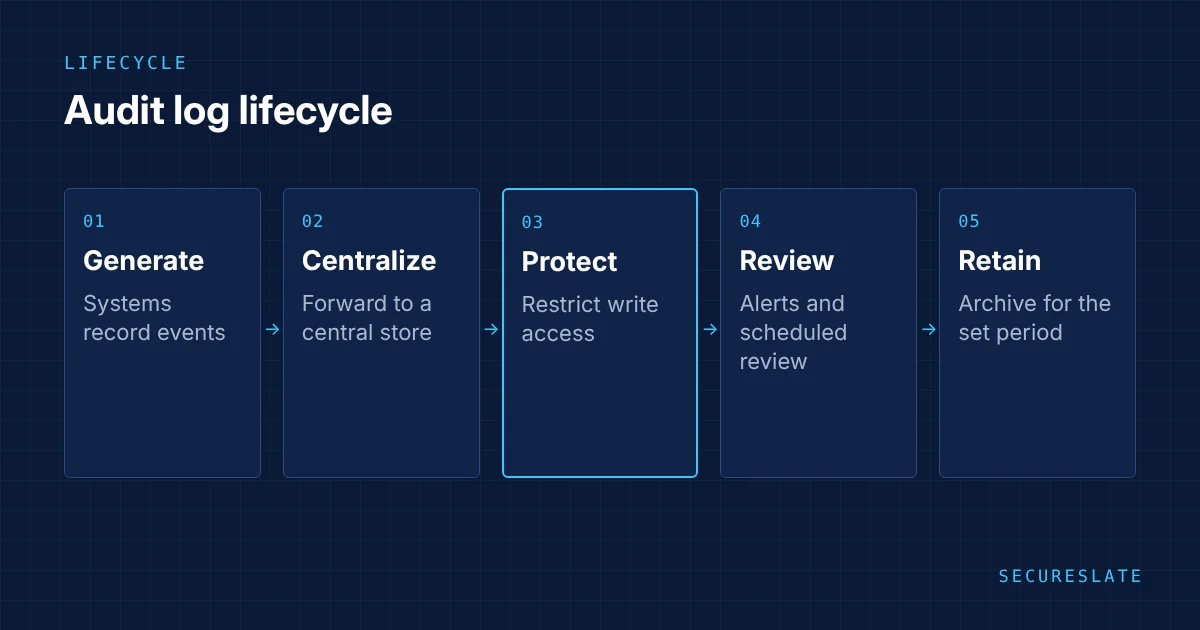
- Centralize quickly. Forward logs to a central store in near real time so that compromising one server does not destroy its history.
- Separate duties. The people who administer production systems should not be able to delete or alter the central logs.
- Make storage write-once where possible. Use object lock, immutability settings or append-only storage for archives.
- Detect changes. Use integrity checks such as hashing or log file validation, and alert when a log source stops reporting.
- Encrypt and control access. Logs often contain personal data and details useful to an attacker. Apply the same access control rules as for other sensitive data.
- Synchronize time. Point all systems at a consistent time source so events line up.
- Log access to the logs. Record who searched, exported or changed log settings.
How should audit logs be reviewed?
Review should combine automated alerting for urgent events with scheduled human review, and both should leave a record. Collecting logs without reviewing them is the most common finding in this area.
- Define alert rules for high-risk events: repeated failed logins, new administrator accounts, MFA disabled, logging disabled, large exports, access from unexpected countries.
- Route alerts to an owner with an expected response time, and track each alert in a ticket.
- Schedule periodic reviews of things alerts do not catch well, such as privileged activity and access to sensitive records. PCI DSS expects daily review of security events for in-scope systems, usually through automated mechanisms.
- Record the review: who reviewed, what period, what was found and what action followed.
- Tune. Remove noisy rules and add new ones after incidents and system changes.
- Test the pipeline. Periodically confirm that every expected source is still sending logs.
When an auditor tests this area, typical evidence requests include the logging configuration for sampled systems, proof of retention settings, a list of who can access or delete logs, sample alerts with their tickets, and review records for sampled dates.
How SecureSlate helps
SecureSlate is not a log management or SIEM product. It helps you show that logging controls exist, operate and are owned.
- Multi-framework control mapping: map one set of logging and monitoring controls to SOC 2, ISO 27001, HIPAA, PCI DSS, NIST CSF and other built-in frameworks.
- Agentless, read-only cloud integrations: check that cloud audit logging and related settings are enabled, and flag when configuration drifts.
- Access reviews: review who holds privileged access, including access to logging systems.
- Audit management: collect logging evidence against each control and share it with your auditor in one place.
- Risk management and custom controls: track logging gaps as risks, and add custom controls for requirements specific to your customers.
Start a free trial to map your logging controls across frameworks.
FAQ
What is the difference between an audit log and an audit trail?
An audit log is the collection of recorded events, while an audit trail is the sequence you follow through those records; our audit trail guide explains the difference in detail.
How long do HIPAA audit logs need to be kept?
The HIPAA Security Rule does not set a retention period for audit logs themselves. It requires documentation of required policies, actions and assessments to be kept for six years. Many organizations apply six years to log review records, and some to logs too, as a cautious approach. State law and contracts may require more.
Can administrators be allowed to delete audit logs?
They should not be able to delete or alter logs for the systems they administer. Send logs to a central store with separate access control and, where possible, immutable storage. Any change to log settings should itself be logged and alerted on.
Do we need a SIEM to meet audit log requirements?
No framework names a specific tool. You need central collection, protection, alerting and review. A small team can meet that with cloud-native logging and alerting. A SIEM becomes useful as the number of sources and the review workload grow.
Are audit logs personal data under GDPR?
Usually yes, because they contain user identifiers, IP addresses and records of behavior. That means you need a purpose and lawful basis, access limits and a defined retention period for them.
Disclaimer (legal note)
This article is for general information only and is not legal, regulatory, or professional advice. Requirements vary by framework, industry, and jurisdiction. Consult qualified advisors for your specific obligations.
Need compliance without the complexity?
SecureSlate automates ISO 27001, SOC 2, GDPR, HIPAA, and more. Built for growing teams. See it in action.
Find compliance gaps in 30 seconds