
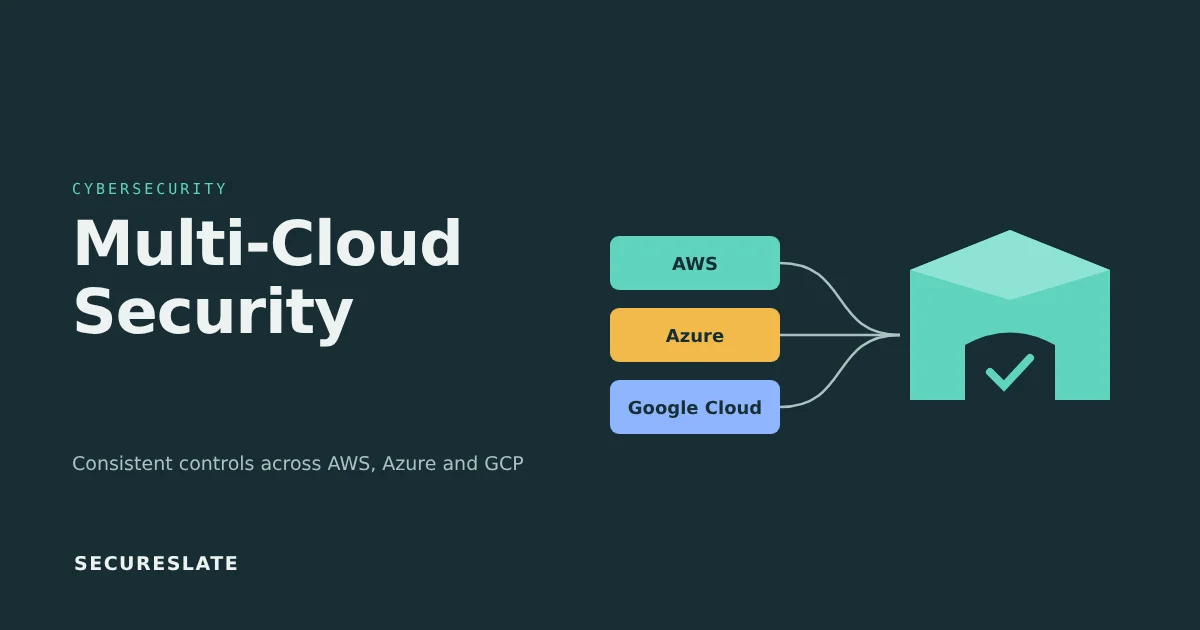
Short answer: Multi-cloud security means applying one consistent set of identity, configuration, logging, encryption and response controls across every cloud you run on. For a small team, the practical approach is to centralize identity and logs, define one baseline per provider using CIS Benchmarks, and collect evidence from all clouds in one place.
Related guides:
Key takeaways
- Most multi-cloud risk is not exotic. It comes from the same controls being configured differently, or not at all, in each provider.
- The shared responsibility model applies to every provider, but the boundaries and default settings differ. Do not assume a default that is safe in one cloud is safe in another.
- Identity is the highest-leverage control. One identity provider with SSO and MFA in front of every cloud console removes a large class of problems.
- Centralized, tamper-resistant audit logs are what make detection, incident response and audit evidence possible across clouds.
- Auditors for SOC 2, ISO 27001 and HIPAA usually expect your controls to cover every in-scope environment, so a second cloud expands your evidence population, not just your attack surface.
Why do SMB and SaaS teams end up multi-cloud?
Smaller companies often become multi-cloud by accident rather than by strategy, through acquisitions, customer requirements or one team adopting a service the main platform does not offer.
Common paths include:
- Customer or partner requirements. An enterprise customer asks you to deploy in their preferred cloud or region.
- A specific managed service. A data or machine learning team picks a service on a second provider because it fits the workload.
- Acquisitions. You inherit a product running on a different platform.
- Credits and startup programs. Free credits on one provider lead to new workloads there while production stays elsewhere.
- Microsoft 365 or Google Workspace. Your identity and productivity suite already ties you to one vendor's tenant, even if your product runs on another.
None of these is wrong. The risk is that the second cloud grows without the guardrails, reviews and logging the first one has.
What are the biggest multi-cloud security challenges?
The biggest multi-cloud security challenges are inconsistency and lack of visibility: each provider has its own identity model, logging defaults and policy language, so gaps appear between them.
| Challenge | What it looks like in practice |
|---|---|
| Inconsistent IAM | Long-lived access keys in one cloud, SSO in another; admin roles granted broadly in the environment nobody reviews |
| Misconfiguration drift | A storage bucket or database made public during testing and never reverted; baselines enforced in one cloud only |
| Fragmented logging | Audit logs retained for different periods, stored in different accounts, some data access logs never enabled |
| Visibility gaps | No single inventory of accounts, subscriptions and projects; shadow environments created on a company card |
| Data residency | Customer data replicated to a region your contracts or privacy commitments do not allow |
| Skills | A small team that knows one provider deeply and the other only from tutorials |
The skills gap deserves attention. A team is less likely to spot a misconfiguration in a cloud it uses less often, so consider focusing reviews and training on that environment first.
How does shared responsibility work across AWS, Azure and Google Cloud?
All three providers use a shared responsibility model: the provider secures the underlying infrastructure, and you secure how you configure and use the services, including identity, data and access.
The exact split depends on the service type, not just the provider:
- Infrastructure as a service (virtual machines): you own the operating system, patching, network rules, identity and data.
- Platform services (managed databases, serverless): the provider handles more of the stack, but access policies, network exposure, encryption settings and data remain yours.
- SaaS (email, productivity): you still own user accounts, MFA, sharing settings and data governance.
In every case, identity configuration, access policies and the data you store are your responsibility. Each provider publishes its own shared responsibility documentation, and the wording differs, so read the version for each cloud you use and note the differences in your risk assessment. For HealthTech teams, remember that a provider's willingness to sign a Business Associate Agreement does not make every service on that provider covered. Each provider lists which services are in scope for its BAA.
Which native services do the same job in each cloud?
The three major providers offer broadly equivalent native services for identity, audit logging, key management, guardrails and posture, but the names and default behaviors differ.
This table maps the most common equivalents. Treat it as orientation, not a feature comparison, and confirm settings in each provider's current documentation.
| Control area | AWS | Microsoft Azure | Google Cloud |
|---|---|---|---|
| Identity and access | AWS IAM, IAM Identity Center | Microsoft Entra ID (formerly Azure AD) with Azure RBAC | Google Cloud IAM, with identities from Cloud Identity or Google Workspace |
| Organization guardrails | AWS Organizations service control policies | Azure Policy with management groups | Organization Policy Service |
| Control plane audit logs | AWS CloudTrail | Azure Activity Log, routed through Azure Monitor diagnostic settings | Cloud Audit Logs |
| Key management | AWS KMS | Azure Key Vault | Cloud KMS |
| Network filtering | Security groups and network ACLs | Network security groups | VPC firewall rules |
| Native posture findings | AWS Security Hub | Microsoft Defender for Cloud | Security Command Center |
Two default differences catch teams out at the time of writing, so confirm them against each provider's current documentation. In Google Cloud, Admin Activity audit logs are always on, but most Data Access audit logs must be enabled explicitly (see Google's Cloud Audit Logs overview). In Azure, Entra ID sign-in and audit logs are separate from the Activity Log and need their own export to your central store.
What are the multi-cloud security best practices that matter most?
The multi-cloud security best practices that matter most are the ones you can apply the same way everywhere: one identity source, one baseline, one log pipeline and one incident process.
Use this eight-part framework as a checklist:
- Central identity, SSO and least privilege. Federate every cloud console and CLI to a single identity provider with enforced MFA. Remove long-lived user access keys where you can, use short-lived role credentials, and review privileged roles at least quarterly.
- Policy-as-code and consistent baselines. Use the CIS Benchmarks for AWS, Azure and Google Cloud as a starting baseline, then express your rules as code in your infrastructure pipeline. Our policy as code guide covers the approach.
- Centralized logging and detection. Send control plane audit logs, identity provider logs and key security findings from every cloud to one store with restricted write access and a defined retention period. Alert on a short list of high-value events, such as root or global admin use, logging being disabled and new public exposure.
- Encryption and key management. Encrypt data at rest and in transit by default. Decide where customer-managed keys are justified, restrict who can administer keys, and log key usage.
- Network controls. Deny inbound access by default, avoid management ports open to the internet, and use private connectivity for databases and internal services.
- Posture management. Turn on each provider's native posture service or a cross-cloud CSPM, route findings to a ticket queue and track time to fix for critical issues.
- Inventory and tagging. Keep a list of every account, subscription and project with an owner, environment and data classification tag. Untagged resources should trigger a review.
- Incident response across clouds. Write playbooks that name the specific console steps for each provider, such as disabling a key, isolating an instance or revoking sessions, and pre-provision break-glass access. Start from an incident response plan template and add a cloud-specific section.
How does multi-cloud security map to SOC 2, ISO 27001 and HIPAA evidence?
Each framework expects the same controls to operate across every in-scope environment, so a multi-cloud setup multiplies the evidence you collect rather than changing what auditors ask for.
| Control area | SOC 2 (Trust Services Criteria) | ISO 27001:2022 Annex A | HIPAA Security Rule |
|---|---|---|---|
| Access and least privilege | CC6.1, CC6.2, CC6.3 | 5.15, 5.18, 8.2 | 45 CFR 164.312(a)(1) |
| Configuration baselines | CC7.1, CC8.1 | 8.9 | Supports risk management, 164.308(a)(1)(ii)(B) |
| Logging and monitoring | CC7.2 | 8.15, 8.16 | 164.312(b) |
| Encryption | CC6.1, CC6.7 | 8.24 | 164.312(a)(2)(iv), 164.312(e)(2)(ii) (addressable) |
| Asset inventory | CC6.1 | 5.9 | Supports risk analysis, 164.308(a)(1)(ii)(A) |
| Cloud supplier security | CC9.2 | 5.23 | Business associate agreements, 164.308(b) |
| Incident response | CC7.3 to CC7.5 | 5.24 to 5.26 | 164.308(a)(6) |
In practice, expect the auditor to ask for the same evidence from each cloud: access review records, a configuration or posture report, proof that logging is enabled and retained, and encryption settings for in-scope data stores. If one cloud is out of scope for your report, document why, and make sure no in-scope data flows into it. For HealthTech teams, ePHI in any cloud means that provider needs a BAA and the workloads should use services covered by it. HHS has also proposed changes to the HIPAA Security Rule, which as proposed would make some addressable specifications, including encryption, effectively required. When this article was published those changes were still proposed, so check the current status before relying on today's wording. Our HIPAA Security Rule update post tracks the proposal.
What does a 30/60/90 day multi-cloud security plan look like?
A realistic plan spends the first 30 days on visibility and identity, the next 30 on baselines and logging, and the final 30 on detection, response and evidence.
Days 1 to 30: see everything and lock the front door
- Inventory every account, subscription and project, and assign an owner to each.
- Federate all cloud consoles to your identity provider and enforce MFA.
- Lock down root and global administrator accounts and set up break-glass access.
- Turn on control plane audit logging in every environment.
Days 31 to 60: set the baseline
- Pick CIS Benchmark levels per provider and record any exceptions.
- Apply organization guardrails, such as blocking public storage and restricting regions.
- Route audit logs and identity logs to one central, access-restricted store.
- Enable native posture findings and triage the critical ones.
Days 61 to 90: detect, respond and prove it
- Write cloud-specific incident playbooks and run one tabletop exercise.
- Complete a privileged access review across all clouds.
- Map your controls to SOC 2, ISO 27001 or HIPAA and collect the first round of evidence.
- Schedule recurring reviews so the work does not decay.
For a deeper look at what to examine once this foundation is in place, see our cloud security audit guide.
How SecureSlate helps
SecureSlate helps you map your multi-cloud controls to a single control library that spans SOC 2, ISO 27001, HIPAA, GDPR, PCI DSS and more. Cloud integrations help you collect configuration evidence for the providers you connect. Vendor risk management helps you keep each provider's agreements, BAAs and assurance reports in one place, and policy management keeps a single set of cloud security policies across providers.
FAQ
Is multi-cloud more secure than a single cloud?
Not by default. Multi-cloud can reduce dependence on one provider, but it adds identity models, logging systems and policy languages to manage. For a small team, a well-run single cloud is usually easier to secure than two clouds run inconsistently.
Do we need a CSPM tool to secure multiple clouds?
Not always. Each provider's native posture service gives useful findings at low cost. A cross-cloud CSPM becomes more attractive when you want one view, one policy set and consolidated reporting across providers. Our CSPM tools comparison covers the options.
Which CIS Benchmark level should a small SaaS company start with?
Many teams start with Level 1 recommendations, which are designed to be practical with limited impact on operations, then adopt selected Level 2 items for production and sensitive data environments. Document any recommendation you choose not to follow and why.
Does our second cloud have to be in scope for SOC 2?
It depends on what it supports. If the environment processes, stores or protects data and systems covered by your report, it generally belongs in scope. If it is truly separate, document the boundary and the reasoning with your auditor before the audit period starts.
Disclaimer (legal note)
This article is for general information only and is not legal, regulatory or professional advice. Requirements vary by framework, industry and jurisdiction. Consult qualified advisors for your specific obligations.
Need compliance without the complexity?
SecureSlate automates ISO 27001, SOC 2, GDPR, HIPAA, and more. Built for growing teams. See it in action.
Find compliance gaps in 30 seconds
