
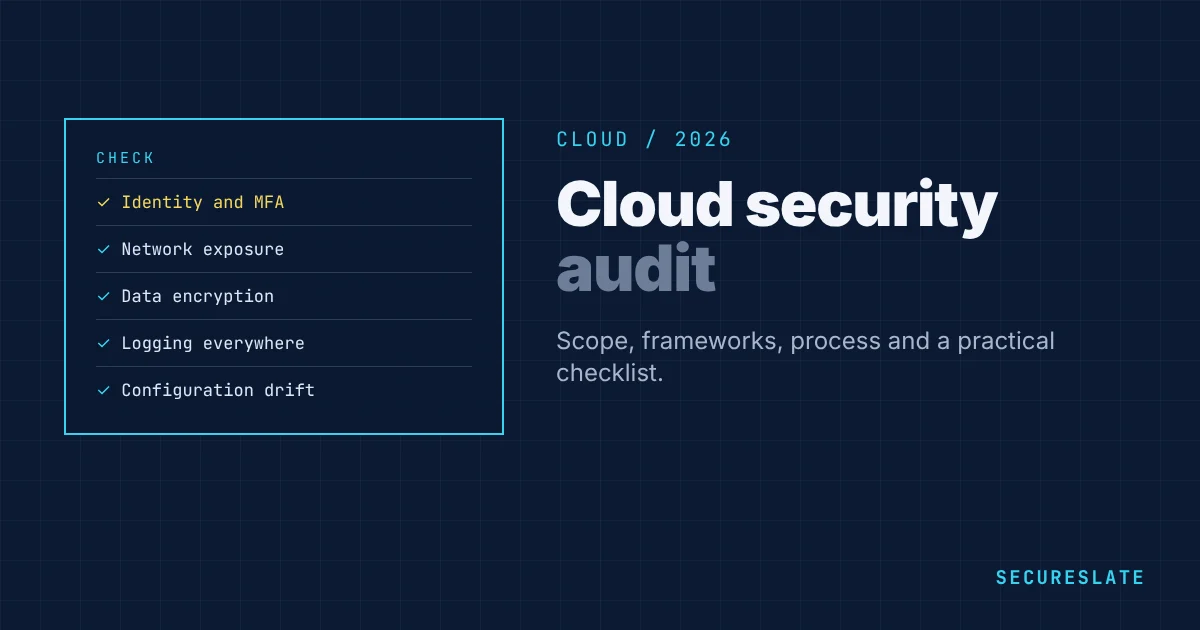
A cloud security audit is a structured review of how well your cloud environment is protected and whether it meets your policies and the frameworks you follow. It checks identity and access, network exposure, data protection, logging, configuration and incident response across services such as AWS, Microsoft Azure and Google Cloud. Audits can be internal, performed by your own team or a consultant, or external, such as a SOC 2 or ISO 27001 audit that includes cloud controls. This guide covers the shared responsibility model, the frameworks auditors use, a step-by-step process and a practical checklist.
Related guides: Best cloud compliance tools · ISO 27017 guide · Internal audit process · Audit risk model
Key takeaways
- Cloud audits start with the shared responsibility model: providers secure the cloud, you secure what you put in it.
- Most real cloud breaches come from misconfiguration and weak identity controls, so audits focus there.
- Use established benchmarks such as CIS Benchmarks, the CSA Cloud Controls Matrix and provider well-architected guidance.
- Automated scanning finds configuration issues fast; manual review covers architecture, processes and context.
- Turn audit findings into owned, dated remediation tasks and monitor continuously so issues do not return.
The shared responsibility model
Every cloud provider divides security duties with customers. The provider secures physical data centers, hardware, the hypervisor and the core services. The customer secures identities, data, application code, network configuration and how services are set up. The split shifts depending on the service model:
| Service model | Provider handles | Customer handles |
|---|---|---|
| IaaS (virtual machines) | Physical, network and virtualization layers | Operating system, patches, applications, data, identity, network rules |
| PaaS (managed databases, app platforms) | Above plus operating system and runtime | Application, data, identity, configuration |
| SaaS (email, CRM) | Almost all infrastructure and application | Data, user access, configuration, integrations |
A cloud audit focuses on the customer side, while relying on provider assurance reports such as SOC 2 and ISO 27001 for the provider side.
Frameworks and benchmarks used in cloud audits
| Framework | What it offers |
|---|---|
| CIS Benchmarks | Detailed, prescriptive configuration guidance for AWS, Azure, Google Cloud and Kubernetes |
| CSA Cloud Controls Matrix (CCM) | Cloud-specific control framework mapped to ISO, NIST and others; basis for CSA STAR |
| ISO/IEC 27017 | Cloud security controls that extend ISO 27002 |
| ISO/IEC 27018 | Protection of personal data in public clouds |
| SOC 2 | Trust Services Criteria applied to your cloud-hosted system |
| NIST SP 800-53 and FedRAMP | Federal baselines for cloud services |
| Provider frameworks | AWS Well-Architected, Azure Security Benchmark, Google Cloud security foundations |
Cloud security audit process
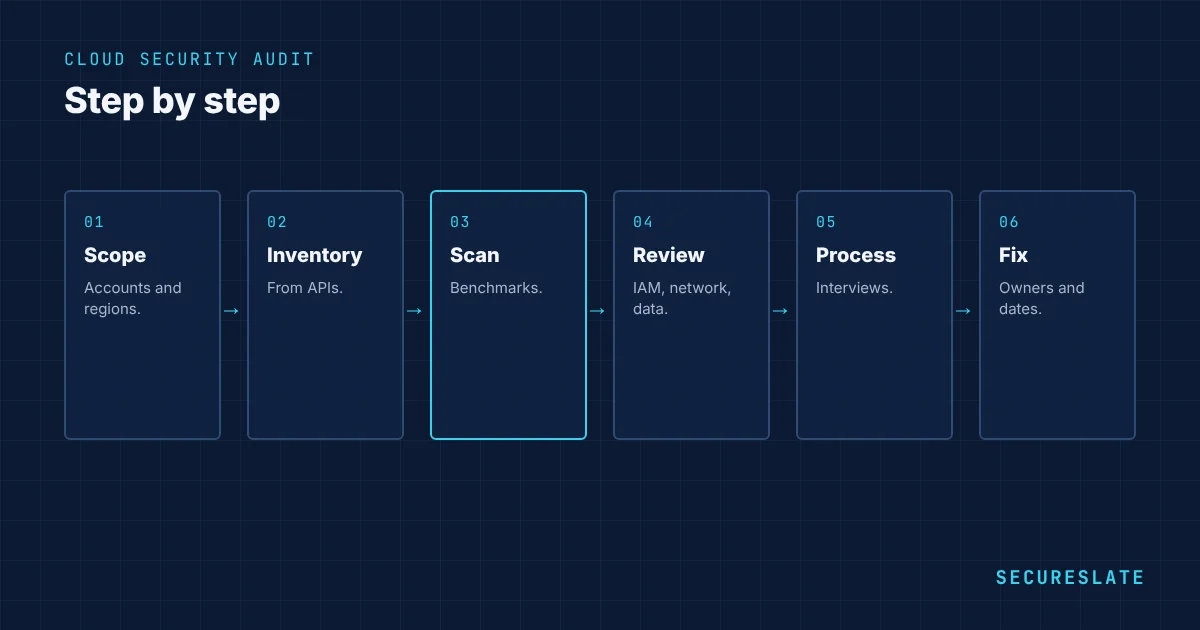
- Define scope and objectives. List accounts, subscriptions, projects, regions and services in scope, and the standard you audit against.
- Build an inventory. Use provider APIs to list resources, identities, data stores and network paths. Shadow accounts and forgotten resources are common findings.
- Gather provider assurance. Download the provider's SOC 2 or ISO certificates and review the complementary user entity controls you are responsible for.
- Run automated scans. Use a CSPM tool, provider security hub or open-source scanner to check configurations against benchmarks.
- Review identity and access. Examine users, roles, policies, service accounts and keys for least privilege and MFA.
- Review network exposure. Check security groups, firewalls, public endpoints and internet-facing storage.
- Review data protection. Confirm encryption at rest and in transit, key management, backup and retention.
- Review logging and monitoring. Verify audit logs are enabled in every account and region, retained and monitored.
- Review processes. Interview teams about change management, incident response, onboarding and offboarding.
- Report and remediate. Rate findings by risk, assign owners and dates, and verify fixes.
Cloud security audit checklist
Identity and access
- MFA enforced for all human users, especially administrators
- Root or global admin accounts locked down and unused day to day
- No long-lived access keys for humans; service credentials rotated
- Roles follow least privilege; wildcard permissions reviewed
- Access reviewed at least quarterly; leavers removed promptly
Network
- No management ports (SSH, RDP) open to the internet
- Public endpoints intentional and documented
- Network segmentation between environments
- Web application firewall on public applications where appropriate
Data
- Storage buckets and blobs not publicly readable unless intended
- Encryption at rest enabled with managed or customer-managed keys
- TLS enforced in transit
- Backups enabled, tested and protected from deletion
Logging and monitoring
- Audit logging (for example CloudTrail, Azure Activity Log, Cloud Audit Logs) on in all accounts and regions
- Logs centralized and retained per policy
- Alerts for critical events such as root login, policy changes and disabled logging
- Threat detection services enabled
Configuration and workloads
- Infrastructure defined as code and reviewed before deployment
- Images and containers scanned for vulnerabilities
- Operating systems patched on schedule
- Unused resources removed
Governance
- Account structure with guardrails such as service control policies
- Tagging for ownership and data classification
- Documented incident response plan for cloud events
- Vendor and third-party integrations reviewed
Common cloud audit findings
| Finding | Why it matters |
|---|---|
| Public storage bucket with sensitive data | Direct data exposure |
| Admin users without MFA | Account takeover risk |
| Logging disabled in some regions | Attacks go unseen |
| Overly broad IAM roles | Large blast radius if compromised |
| Security groups open to 0.0.0.0/0 on admin ports | Easy target for attackers |
| Unencrypted snapshots or backups | Data exposure if shared or leaked |
| Stale access keys | Leaked keys remain valid |
Manual versus automated cloud audits
Automated tools check thousands of settings in minutes and run continuously, which is ideal for configuration drift. They cannot judge whether an architecture makes sense, whether a public endpoint is intended, or whether processes are followed. Combine both: continuous automated checks for configuration, and periodic manual reviews for architecture, process and risk.
How often to audit the cloud
Run automated configuration checks continuously. Perform a full internal cloud security audit at least once a year and after major changes such as a migration, new region or acquisition. External audits such as SOC 2 Type 2 typically cover a 3 to 12 month period each year.
Cloud audit roles and evidence
| Role | What they provide during the audit |
|---|---|
| Cloud or platform engineer | Account structure, network design, infrastructure as code, configuration exports |
| Security lead | Threat detection setup, alert handling, incident records |
| Identity administrator | User and role lists, MFA enforcement, access review records |
| Engineering manager | Change approval and deployment process |
| Compliance owner | Policies, prior audit results, remediation tracker |
Ask each owner for system-generated exports instead of screenshots where possible. Exports show the full population and the date, which makes findings and fixes easier to verify.
Multi-cloud audit tips
Organizations using more than one provider should audit against a common control set, such as the CSA Cloud Controls Matrix or their SOC 2 controls, then map each control to provider-specific settings. Names differ (IAM roles, Azure RBAC, Google Cloud IAM), but the questions are the same: who can do what, is it logged, is data encrypted and is anything exposed that should not be.
How SecureSlate helps
SecureSlate continuously audits AWS and Google Cloud configurations against controls mapped to SOC 2, ISO 27001, ISO 27017, HIPAA and more. It flags public storage, missing MFA, disabled logging and risky network rules, assigns remediation tasks and keeps timestamped evidence for auditors. Surface monitoring, secrets detection and access reviews round out cloud coverage at a price built for SMBs.
FAQ
What is a cloud security audit?
A review of a cloud environment's security controls, configurations and processes against policies and frameworks, to find risks and confirm compliance.
Who is responsible for cloud security, the provider or the customer?
Both. Under the shared responsibility model, the provider secures the underlying infrastructure and the customer secures identities, data, configurations and applications.
What tools are used for cloud security audits?
Cloud security posture management tools, provider-native services such as AWS Security Hub, Microsoft Defender for Cloud and Google Security Command Center, open-source scanners and compliance platforms.
How long does a cloud security audit take?
Automated scans take minutes to hours. A full manual audit of a small environment might take one to three weeks depending on scope.
Is a SOC 2 audit a cloud security audit?
A SOC 2 audit of a cloud-hosted service includes many cloud security controls, but it covers the whole system and organization, not only cloud configuration.
Disclaimer (legal note)
This article is for general information only and is not legal, regulatory, or professional advice. Requirements vary by framework, industry, and jurisdiction. Consult qualified advisors for your specific obligations.
Need compliance without the complexity?
SecureSlate automates ISO 27001, SOC 2, GDPR, HIPAA, and more. Built for growing teams. See it in action.
Find compliance gaps in 30 seconds