
Related guides:
- Free SOC 2 evidence tracker template
- Audit evidence requests: how to answer them faster
- SOC 2 evidence for change management
- Automated SOC 2 compliance
Key takeaways
- SOC 2 evidence is the proof that your controls are designed properly and, for Type 2, that they operated throughout the audit period.
- Auditors ask for policies, system configurations, population lists, samples, tickets and logs, not just screenshots.
- Good evidence is complete, dated, traceable to a source system and covers the whole period.
- Automating collection from your cloud, identity, code and HR tools removes most of the last-minute scramble.
What auditors mean by evidence
For each control in your SOC 2 scope, the auditor needs something they can inspect to confirm the control exists and works. For a Type 1 report, that means evidence the control is designed and in place on a specific date. For a Type 2 report, it means evidence the control operated consistently across the observation period, usually 3 to 12 months.
Types of SOC 2 evidence
| Evidence type | Examples | What auditors check |
|---|---|---|
| Policies and procedures | Information security policy, access control policy, incident response plan | Approved, current, communicated to staff |
| System configuration | MFA settings, encryption settings, logging configuration, branch protection rules | The setting is on and covers all in-scope systems |
| Populations | Lists of all employees, new hires, leavers, changes, incidents during the period | The list is complete, so samples are fair |
| Samples | Specific tickets, approvals or reviews picked by the auditor from a population | Each sample followed the control |
| Logs and reports | Access review sign-offs, vulnerability scan results, backup reports | Performed on schedule, with follow-up |
| Interviews and walkthroughs | Conversations with control owners, live demonstrations | Staff understand and perform the control |
Evidence by control area
| SOC 2 area | Typical evidence |
|---|---|
| Governance and risk (CC1 to CC5) | Org chart, board or leadership meeting minutes, risk assessment, code of conduct acknowledgments |
| Logical access (CC6) | User lists, MFA reports, onboarding and offboarding tickets, quarterly access reviews |
| System operations (CC7) | Monitoring and alerting setup, vulnerability scans, incident tickets and postmortems |
| Change management (CC8) | Pull requests with approvals, deployment logs, emergency change records |
| Vendor and risk mitigation (CC9) | Vendor list, risk ratings, vendor SOC 2 reports, insurance |
| Availability (if in scope) | Backup reports, restore tests, disaster recovery test results |
How sampling works
For recurring controls, auditors do not check every instance. They ask for the full population, for example every employee who left during the period, then select a sample and ask for evidence for each one. The sample size depends on how often the control runs: a daily control gets a larger sample than a quarterly one. If the population is incomplete, the whole test can fail, so make sure lists come straight from the source system.
What makes evidence acceptable
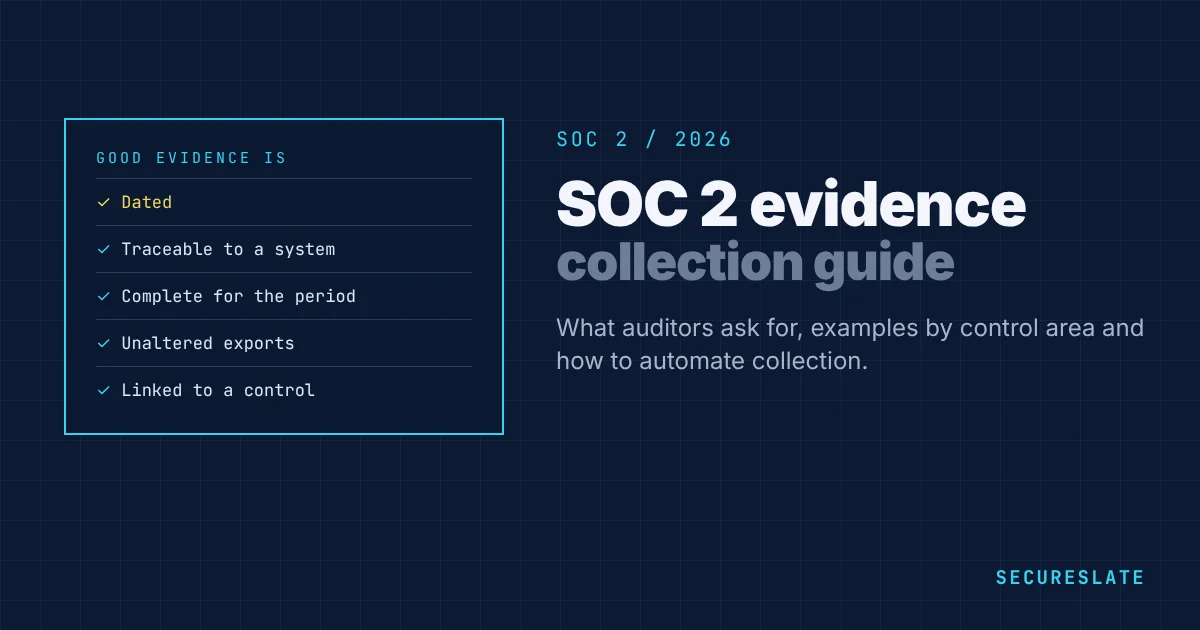
- Dated: shows when it was captured or when the activity happened
- Traceable: shows the system it came from, such as the URL, account or export name
- Complete: covers all in-scope systems and the full period
- Unaltered: exports and system reports are stronger than edited documents
- Linked to a control: stored against the control it supports, so it can be found quickly
How to collect evidence efficiently
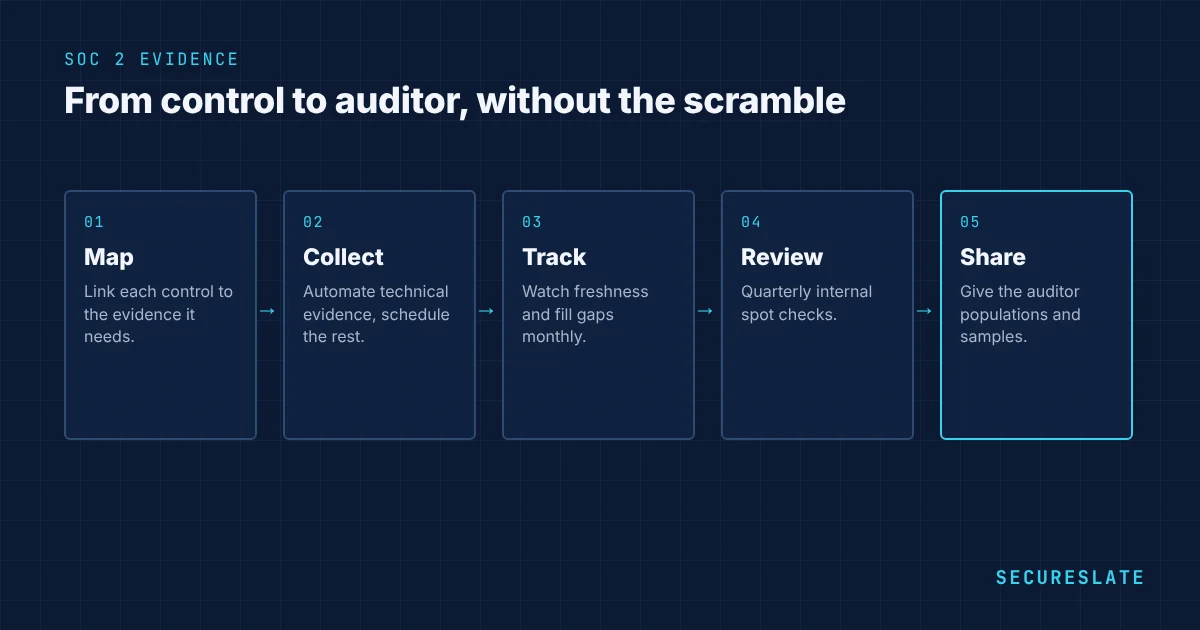
- Map evidence to controls before the audit period starts, so everyone knows what is needed.
- Assign an owner for each piece of evidence.
- Automate what you can by connecting cloud, identity, code, HR and ticketing tools.
- Collect on a schedule, monthly or quarterly, rather than at the end of the period.
- Track freshness so you know what is due or out of date. Our evidence tracker template helps if you start with a spreadsheet.
- Review before the auditor does, with a short internal check each quarter.
Evidence collection timeline for a Type 2 audit
| When | What to collect |
|---|---|
| Before the period starts | Approved policies, system description, network and data flow diagrams, control matrix |
| Every month | Vulnerability scan results, new hire and leaver records, change samples, monitoring alerts |
| Every quarter | Access reviews with sign-off, vendor review updates, internal evidence spot check |
| Once in the period | Risk assessment, security training completion, penetration test, disaster recovery or backup restore test, management review |
| End of period | Full populations for the auditor's samples, incident list, updated system description |
Spreading collection across the period means the auditor's request list can be answered from your library in days instead of weeks.
Manual versus automated evidence
| Manual collection | Automated collection | |
|---|---|---|
| How | Screenshots and exports gathered by people | Integrations pull data from cloud, identity, code and HR tools |
| Freshness | Out of date soon after capture | Updated continuously or on a schedule |
| Effort at audit time | High, often weeks | Low, mostly review and samples |
| Gaps | Found by the auditor | Flagged as soon as a control fails |
| Best for | Policies, meeting minutes, one-off tests | Access, configuration, vulnerability and change evidence |
Most teams use both. Automate the recurring technical evidence and keep a simple process for the documents only people can produce.
Common mistakes
- Screenshots with no date, URL or account visible
- Populations that miss contractors or service accounts
- Evidence gaps in the middle of a Type 2 period
- Access reviews done but not signed off
- Policies approved after the audit period started
How SecureSlate helps
SecureSlate collects SOC 2 evidence automatically from your systems, stores it against each control with dates and sources, alerts owners when evidence is due and gives auditors organized access, so Type 2 periods do not end in a scramble.
FAQ
How much evidence does a SOC 2 audit need?
It depends on your scope and controls, but a first Type 2 audit for a small SaaS company commonly involves a few hundred evidence items, including samples.
Are screenshots acceptable SOC 2 evidence?
Yes, if they show the date, the system and enough context. System exports and reports are often stronger because they are harder to alter and show complete data.
What is the difference between Type 1 and Type 2 evidence?
Type 1 evidence shows controls are in place on one date. Type 2 evidence shows controls operated throughout the observation period, so you need records from across the whole period.
Can we use the same evidence for ISO 27001?
Often, yes. Many controls overlap, such as access reviews, change management and incident response, so one well-organized evidence library can serve both audits.
Who should collect SOC 2 evidence?
Each control owner should provide evidence for their own controls, with a program owner coordinating the list, deadlines and quality checks. Automation can collect much of the technical evidence directly from systems.
How long should we keep SOC 2 evidence?
Keep it at least until the report for that period is issued and the next audit has started. Many companies keep evidence for several years to support customer questions and future audits.
What is a PBC list?
A "provided by client" list is the auditor's request list of all the evidence they need. Map it to your controls and evidence library as soon as you receive it.
Disclaimer (legal note)
This article is for general information only and is not legal, regulatory, or professional advice. Requirements vary by framework, industry, and jurisdiction. Consult qualified advisors for your specific obligations.
Need compliance without the complexity?
SecureSlate automates ISO 27001, SOC 2, GDPR, HIPAA, and more. Built for growing teams. See it in action.
Find compliance gaps in 30 seconds