
Short answer: GDPR data mapping is the work of tracing every flow of personal data through your company: where it enters, which systems store it, who receives it, where it travels and when it is deleted. The GDPR never uses the phrase, but a current map is the most practical way to produce your Article 30 record, run DPIAs and answer data subject requests.
Related guides:
- GDPR Article 30: records of processing activities
- Data controller vs data processor: differences explained
- Data protection impact assessment
Key takeaways
- A data map follows personal data through systems and vendors, from collection to deletion. It is a working tool, not a legal document.
- The GDPR requires a written record of processing activities and requires controllers to demonstrate compliance. Both are very hard to do without a map underneath.
- Map by business process first (signup, billing, support), then list the systems each process touches. Starting from a system inventory alone misses purposes and recipients.
- Health data is a special category under the GDPR, so HealthTech teams should flag it on every flow where it appears.
- A map is only useful while it is current. Tie updates to vendor onboarding, new features and your access and risk reviews.
What is GDPR data mapping?
GDPR data mapping is a documented picture of how personal data moves through your organization, including the purpose for each flow, the systems and vendors involved, and how long the data is kept.
Think of it as three layers stacked together:
- Processes. The business activities that use personal data, such as account signup, payment, product analytics, customer support and recruiting.
- Systems. The applications, databases, SaaS tools and cloud services where that data is collected, stored or transformed.
- Flows. The movements between systems and to third parties, including sub-processors and any transfers outside the European Economic Area.
A spreadsheet can hold the first two layers. The third is easier to understand as a diagram, which is why many teams keep both: a table for the details and a flow diagram for reviews and audits.
Is data mapping required under the GDPR?
Not by name, but several obligations assume you already know where personal data lives, so in practice most organizations need one.
The clearest link is Article 30 of the GDPR, which requires controllers to maintain a record of processing activities covering, among other things, "the purposes of the processing", "a description of the categories of data subjects and of the categories of personal data", the categories of recipients, any transfers to third countries and, where possible, "the envisaged time limits for erasure". The record must be in writing, including in electronic form, and must be made available to the supervisory authority on request.
Other articles lean on the same knowledge:
| GDPR obligation | Why you need a data map to meet it |
|---|---|
| Article 5(1)(c), data minimisation | You cannot show data is "limited to what is necessary" without knowing what you collect and why |
| Article 5(2), accountability | Controllers must "be able to demonstrate compliance", which needs documentation, not memory |
| Article 15, right of access | Finding every copy of one person's data depends on knowing every system that stores it |
| Article 33, breach notification | The 72-hour window to notify the supervisory authority leaves little time to work out what data a compromised system held |
| Article 35, DPIA | Assessing high-risk processing starts with describing the processing operations |
Article 30(5) gives a partial exemption from the record for organizations with fewer than 250 employees, but it does not apply when the processing is likely to result in a risk to people's rights, is not occasional, or includes special category data. Most SaaS products process customer data continuously, so in our experience few software companies can rely on the exemption.
What should a GDPR data map capture?
Capture enough to answer the Article 30 questions for each flow, plus the operational details your team needs to act on it.
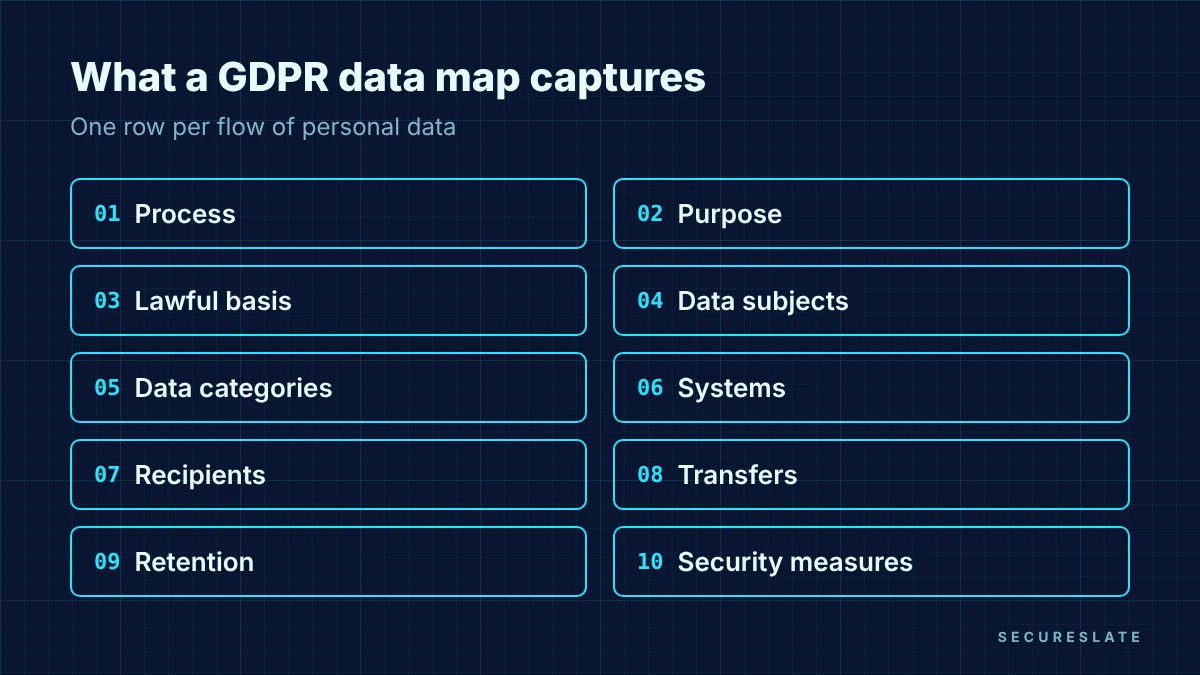
A practical column set:
| Field | Example value (illustrative) |
|---|---|
| Business process | Customer support ticketing |
| Purpose | Resolve customer issues |
| Lawful basis | Contract |
| Data subjects | Customers' end users |
| Data categories | Name, email, ticket content, attachments |
| Systems | Help desk tool, product database (read-only lookup) |
| Recipients | Help desk vendor (processor) |
| Transfers outside the EEA | Yes, vendor support team, safeguard documented |
| Retention | Example: 24 months after ticket closure |
| Security measures | SSO, role-based access, encryption at rest |
| Owner | Head of Support |
Two fields are worth adding even though Article 30 does not list them. Owner gives every flow a named person who confirms changes. Source records how the data arrives (user input, API, import, vendor), which helps when you scope a breach or a deletion request.
How do you build a data map in six steps?
Start from business processes, confirm each one with the people who run it, then verify against your actual systems.
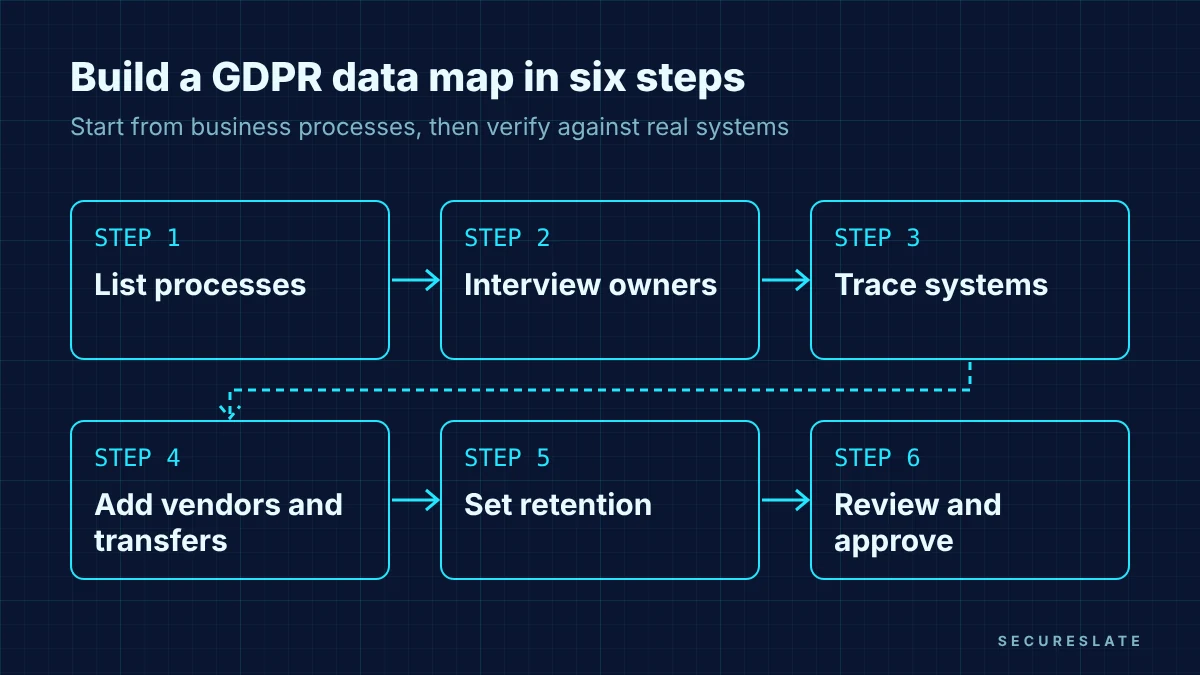
- List your processes. Walk each department (product, engineering, sales, marketing, support, HR, finance) and list every activity that touches personal data. Aim for completeness over detail at this stage.
- Interview process owners. For each process ask: what data do you collect, from whom, why, and where does it go next? Short, structured interviews work better than long questionnaires.
- Trace the systems. Match each process to the applications and data stores involved. Check this against your cloud accounts and SaaS inventory, because shadow tools and forgotten exports are where maps usually go wrong.
- Add vendors and transfers. Record every third party that receives the data, whether it acts as a processor or an independent controller, and whether data leaves the EEA. Cross-check with your data processing agreements.
- Set retention and deletion. Write down how long each category is kept and what actually deletes it. A retention period with no deletion mechanism is a finding waiting to happen.
- Review and approve. Have each owner confirm their rows, then have your privacy lead sign off. Record the review date so you can show the map is maintained.
Most teams finish a first version in a few weeks. Treat it as version one: the second pass, after you test it against a real access request, is usually where the gaps show up.
Data map, data inventory and ROPA: what is the difference?
They overlap, but each answers a different question, and confusing them is a common reason teams think they are done when they are not.
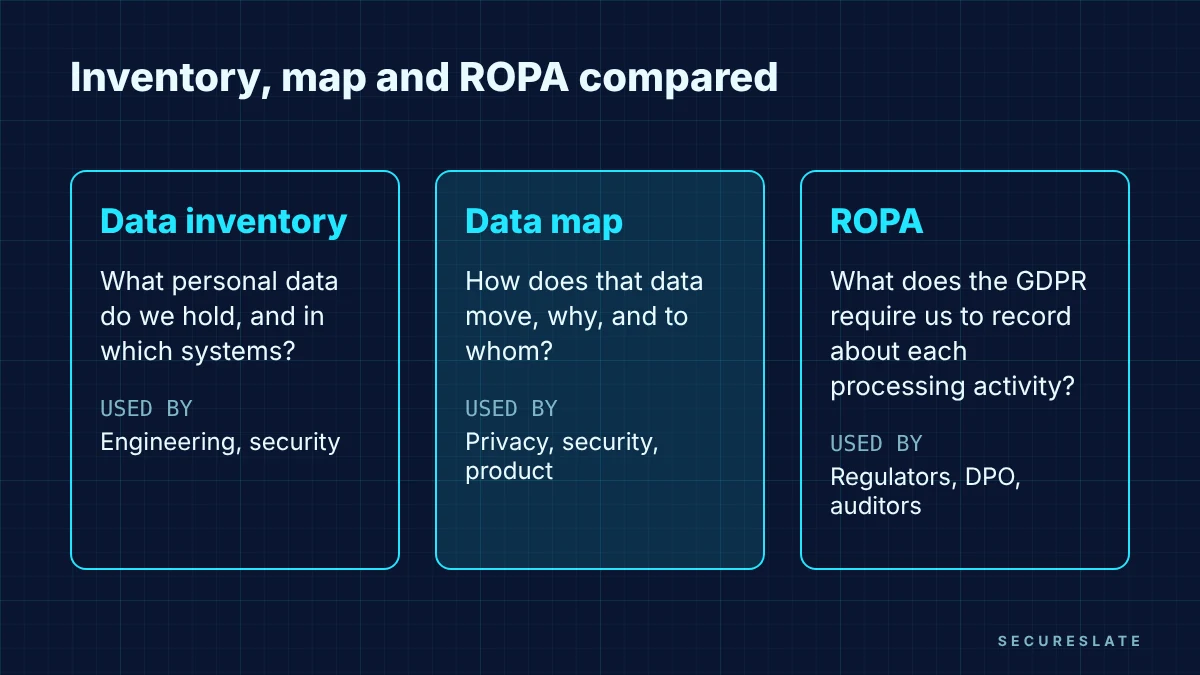
| Artifact | Question it answers | Typical audience |
|---|---|---|
| Data inventory | What personal data do we hold, and in which systems? | Engineering, security |
| Data map | How does that data move, why, and to whom? | Privacy, security, product |
| Record of processing activities (ROPA) | What does the GDPR require us to record about each processing activity? | Regulators, DPO, auditors |
The inventory is the raw list. The map adds purpose and movement. The ROPA is the formal record the regulation asks for, and it is far easier to produce and keep accurate when you can generate it from a maintained map. Our Article 30 guide covers the record itself in detail; this guide covers the mapping work that feeds it.
How should HealthTech teams map health data?
Flag health data on every flow where it appears, because it is special category data and changes what the GDPR expects of you.
Article 9(1) lists data concerning health among the special categories of personal data, alongside genetic and biometric data. For a HealthTech company that means:
- Tag the category explicitly. Add a "special category" column so health, genetic and biometric data stand out in reviews.
- Record the Article 9 condition. Processing special category data needs a condition under Article 9(2) in addition to an Article 6 lawful basis. Note both in the map.
- Watch the side channels. Health data often leaks into places nobody planned for: support tickets, error logs, analytics events and AI prompts. Map those flows too.
- Link to your DPIA. Large-scale processing of health data is a common trigger for a DPIA under Article 35, and the map gives the DPIA its description of processing.
If you also handle US patient data, the same map can show where protected health information flows for HIPAA purposes, but keep the two legal labels separate. Personal data under the GDPR and PHI under HIPAA are defined differently.
How do you keep a data map current?
Attach map updates to events that already happen in your company instead of relying on an annual refresh.
- New vendor onboarding. No new tool that receives personal data goes live until its row is added.
- Product changes. Add a privacy check to your feature launch or design review so new data fields and integrations are caught early.
- Access reviews. When you review who can access a system, confirm the map still describes what that system holds.
- Incidents and requests. After every breach investigation or data subject request, fix any gaps the exercise revealed.
- Scheduled review. Pick a cadence that fits your rate of change and record the date and reviewer each time.
How SecureSlate helps
SecureSlate gives privacy and security teams one place to run GDPR alongside SOC 2, ISO 27001 and HIPAA:
- Built-in GDPR framework with controls mapped across your other frameworks, so data mapping evidence counts once and supports several audits.
- Vendor risk management to track the processors and sub-processors that appear in your map, with their assessments and agreements.
- Agentless, read-only cloud integrations that help you see the cloud systems your map should cover.
- Access reviews and risk management workflows that give you natural checkpoints to confirm the map is still accurate.
FAQ
Is a data map the same as an Article 30 record?
No. The Article 30 record is the formal document the GDPR requires, with specific contents. A data map is the working view of how personal data flows through your systems and vendors. Most teams build the map first and produce the record from it.
Do small companies need a GDPR data map?
Article 30(5) exempts organizations with fewer than 250 employees from the record only when processing is occasional, unlikely to result in a risk and does not include special category data. Many small SaaS companies do not meet those conditions, and the map is still useful for access requests and breach response.
How detailed should a data map be?
Detailed enough to answer the Article 30 questions for each processing activity and to find every system holding one person's data. Field-level mapping is helpful for high-risk systems, but category-level mapping is usually enough elsewhere.
What tools can we use for GDPR data mapping?
A shared spreadsheet plus a flow diagram works for a first version. As the number of systems and vendors grows, teams usually move the map into a compliance or privacy platform so ownership, reviews and evidence are tracked in one place.
Disclaimer (legal note)
This article is for general information only and is not legal, regulatory or professional advice. Requirements vary by framework, industry and jurisdiction. Consult qualified advisors for your specific obligations.
Need compliance without the complexity?
SecureSlate automates ISO 27001, SOC 2, GDPR, HIPAA, and more. Built for growing teams. See it in action.
Find compliance gaps in 30 seconds
