
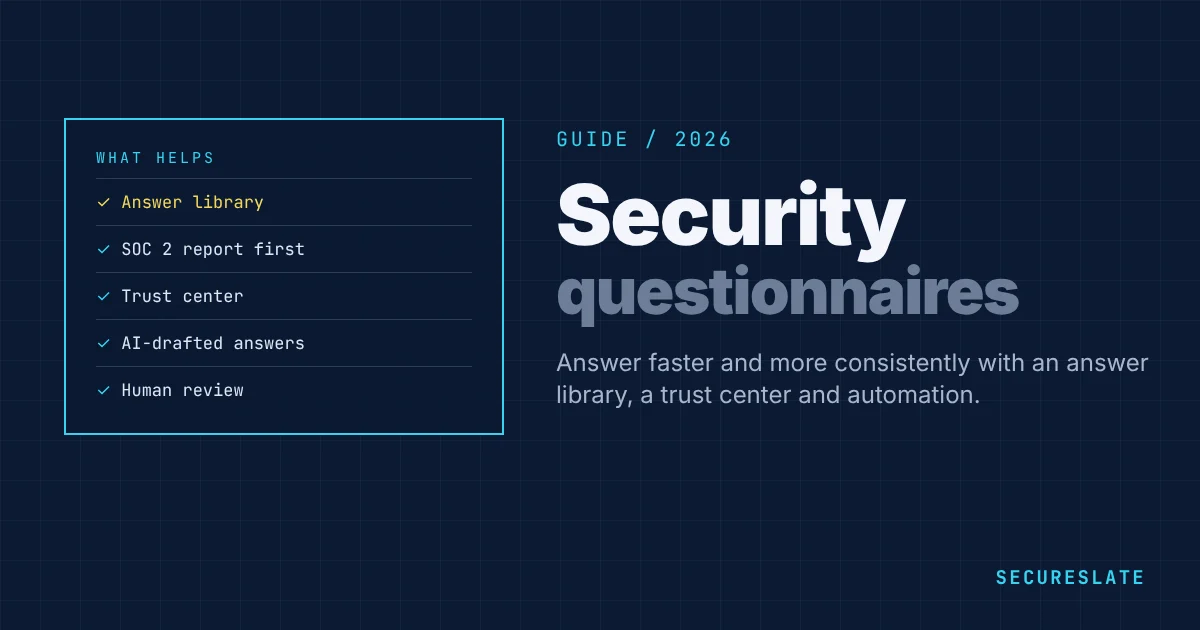
Security questionnaires are how enterprise customers check your security before they buy. A single deal can bring a 300-question spreadsheet, and a growing SaaS company can receive dozens a quarter. Learning how to answer security questionnaires well, and then automate them, shortens sales cycles and frees your engineers. This guide covers both.
Related guides: Best security questionnaire automation software · 10 important security questionnaire questions with examples · CAIQ vs SIG · Vendor security questionnaire template
Key takeaways
- Most questionnaires ask the same 150 to 200 questions in different words. An answer library removes most of the work.
- Lead with your evidence: a SOC 2 report, ISO 27001 certificate or trust center often replaces large parts of a questionnaire.
- AI and automation can draft answers from your library and policies, but a person must review every answer before it is sent.
- Accurate answers matter more than fast ones. Inaccurate answers can become contractual commitments.
What is a security questionnaire?
A security questionnaire is a list of questions a customer sends to assess your security, privacy and compliance practices. Formats include custom spreadsheets, online portals, and standard questionnaires such as the SIG (Standardized Information Gathering) from Shared Assessments and the CAIQ (Consensus Assessments Initiative Questionnaire) from the Cloud Security Alliance. See CAIQ vs SIG for the standard formats.
What security questionnaires ask about
| Domain | Typical questions |
|---|---|
| Governance | Do you have a security program, policies and a named security owner? |
| Certifications | Do you have SOC 2 or ISO 27001? Can you share the report? |
| Access control | Do you enforce SSO and MFA? How do you review and remove access? |
| Data protection | How is data encrypted at rest and in transit? Where is it stored? |
| Application security | Do you run code review, dependency scanning and penetration tests? |
| Infrastructure | How do you monitor, log and patch your systems? |
| Incident response | Do you have an incident response plan? How fast do you notify customers? |
| Business continuity | What are your RTO and RPO? When did you last test recovery? |
| Vendors | Which sub-processors handle our data? How do you assess them? |
| Privacy | Do you have a DPA? How do you handle data subject requests? |
| AI | Do you use customer data to train AI models? |
How to answer security questionnaires: 7 rules
- Answer the question asked. Start with "Yes", "No" or "Partially", then one or two sentences of detail.
- Be accurate, not aspirational. Never describe a control you plan to build as if it exists. Say "planned for Q2" where true.
- Point to evidence. Reference the policy, SOC 2 control or trust center page that supports the answer.
- Keep answers consistent. The same question must get the same answer across customers, which is why a library matters.
- Explain compensating controls. If the answer is "No", explain what you do instead and why the risk is low.
- Avoid over-sharing. You do not need to disclose internal network diagrams or detailed vulnerability data in a questionnaire.
- Get a second reviewer for anything legal, contractual or unusual.
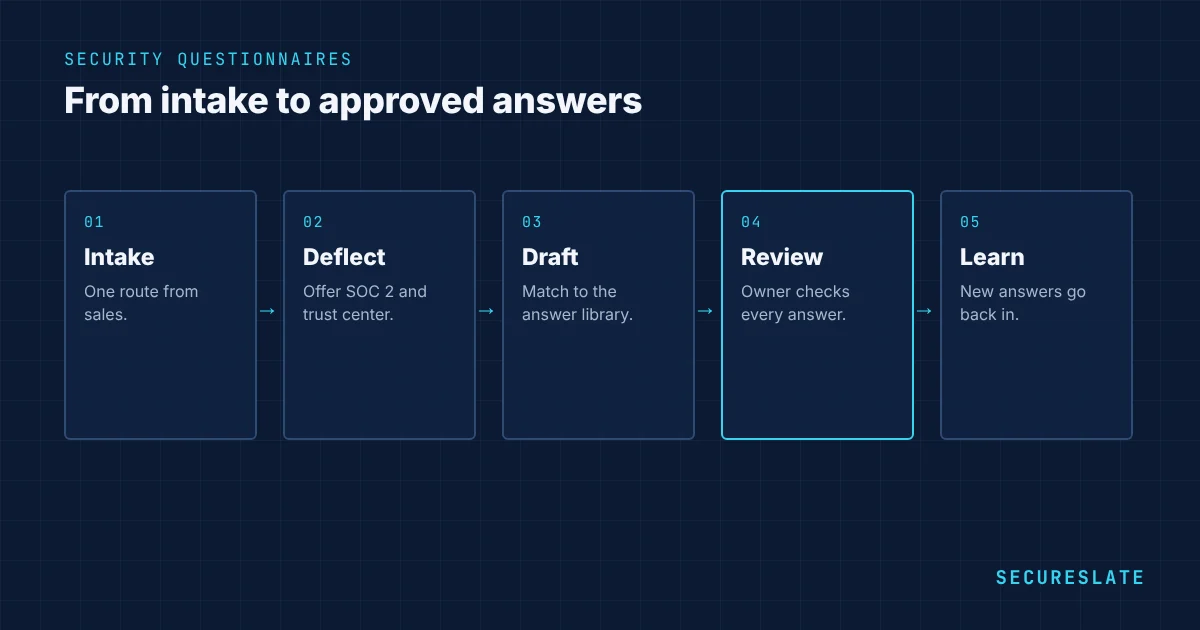
How to automate security questionnaires
Step 1: build an answer library
Collect your best answers to the most common questions, each with an owner, a source document and a review date. Start from your last five completed questionnaires.
Step 2: publish a trust center
A trust center page with your certifications, policies, sub-processors and security overview, plus gated access to your SOC 2 report, answers many questions before they are asked. Many buyers accept it instead of a full questionnaire.
Step 3: offer a standard questionnaire
Keep a completed SIG Lite or CAIQ ready to send. Some customers accept it in place of their own.
Step 4: use automation to draft answers
Questionnaire automation tools, increasingly AI-based, match incoming questions to your library and policies and draft answers. They save most of the time on long questionnaires. Make sure the tool shows its sources, does not invent answers, and keeps your data private.
Step 5: review and approve
A security owner reviews every drafted answer, edits where the context differs, and approves. New good answers go back into the library.
Step 6: set up intake with sales
Agree one route for questionnaires, a realistic turnaround such as five business days, and which deals justify a call with your security lead instead.
Example answers from a good library
| Question | Strong answer |
|---|---|
| Do you enforce MFA? | Yes. All employees access company systems through single sign-on with MFA enforced. Administrators use phishing-resistant MFA. See control AC-02 in our SOC 2 report. |
| Is customer data encrypted at rest? | Yes. Customer data is encrypted at rest with AES-256 using our cloud provider's key management service, and in transit with TLS 1.2 or higher. |
| Do you perform penetration tests? | Yes. An independent firm tests the application and infrastructure at least annually. A summary letter is available in our trust center under NDA. |
| How quickly do you notify customers of a breach? | We notify affected customers without undue delay and within 72 hours of confirming a breach affecting their data, as set out in our DPA. |
| Do you use customer data to train AI models? | No. Customer data is not used to train AI models. AI features use providers contractually barred from training on customer data. |
Each answer is specific, true, and points to evidence. Store the owner and last review date with every answer.
Handling questions you cannot answer "yes" to
Answer honestly, explain compensating controls and give a date if a fix is planned. For example: "We do not yet hold ISO 27001. We hold a SOC 2 Type 2 report covering equivalent controls, and plan ISO 27001 certification in Q3." Reviewers respect clear, honest answers far more than vague ones.
Measuring the impact
Track the number of questionnaires per quarter, average turnaround time, hours spent by engineering, and the share answered mainly from the library or trust center. Most teams aim to cut turnaround from weeks to a few days.
Common mistakes
- Letting each salesperson answer questionnaires alone
- Copying old answers that are no longer true
- Answering "Yes" to controls that only exist in a policy draft
- Sending your full SOC 2 report without an NDA
- Treating automation output as final without review
How SecureSlate helps
SecureSlate questionnaire automation drafts answers from your controls, policies and evidence, so answers stay consistent with your actual program. A trust center shares your certifications and documents under NDA, cutting the number of questionnaires you need to answer.
FAQ
How long should it take to answer a security questionnaire?
With an answer library and automation, most questionnaires take a few hours to a few days. Without them, large questionnaires can take weeks.
Can AI answer security questionnaires?
AI can draft answers from your existing documents and past answers, which saves a lot of time. A knowledgeable person must review each answer for accuracy before sending.
Can we send our SOC 2 report instead of answering a questionnaire?
Often, for many questions. Ask the customer whether they accept the report plus a short supplemental questionnaire.
Who should own security questionnaires?
A security or compliance owner should own the answer library and approve answers, with sales managing deadlines and customer communication.
What is the difference between a SIG and a CAIQ?
Both are standard questionnaires. The SIG from Shared Assessments covers broad third-party risk. The CAIQ from the Cloud Security Alliance focuses on cloud security and maps to its Cloud Controls Matrix.
How do we keep the answer library accurate?
Give every answer an owner and a review date, update answers whenever a control or policy changes, and re-check the whole library at least once a year.
Should questionnaire answers match our SOC 2 report?
Yes. Customers compare them. Any difference between your answers and your report raises questions and slows the review.
What is a trust center?
A public or gated web page showing your security program, certifications, policies and sub-processors, with controlled access to reports such as SOC 2. It answers many questionnaire questions upfront.
Are AI questionnaire tools safe to use with confidential answers?
Choose tools that keep your data private, do not train shared models on it, and support SSO and access controls.
Disclaimer (legal note)
This article is for general information only and is not legal, regulatory, or professional advice. Requirements vary by framework, industry, and jurisdiction. Consult qualified advisors for your specific obligations.
Need compliance without the complexity?
SecureSlate automates ISO 27001, SOC 2, GDPR, HIPAA, and more. Built for growing teams. See it in action.
Find compliance gaps in 30 seconds
