
HIPAA encryption requirements are often misunderstood. Under the current HIPAA Security Rule, encryption of electronic protected health information (ePHI) is an addressable implementation specification, both for data at rest (45 CFR 164.312(a)(2)(iv)) and in transit (164.312(e)(2)(ii)). Addressable does not mean optional: you must implement encryption if it is reasonable and appropriate, or document why not and use an equivalent alternative. In practice, encryption is expected almost everywhere, and properly encrypted data can qualify for the breach notification safe harbor. HHS has also proposed making encryption required. This guide explains the rules, standards, common scenarios and how to document compliance.
Related guides: HIPAA Security Rule update · PII vs PHI vs PCI · Data classification policy · HIPAA compliance guide
Key takeaways
- Encryption is addressable, not optional. Implement it or document a reasonable alternative.
- Encryption that meets HHS guidance makes PHI "secured," so a lost encrypted device may not require breach notification.
- HHS guidance points to NIST SP 800-111 for data at rest and NIST guidance on TLS, IPsec and SSL VPNs for data in transit, with FIPS 140 validated modules.
- Encrypt laptops, mobile devices, databases, backups, email and file transfers that contain ePHI.
- The proposed Security Rule update would make encryption required with limited exceptions.
Required vs addressable
| Type | Meaning |
|---|---|
| Required | Must be implemented as written |
| Addressable | Assess whether it is reasonable and appropriate. If yes, implement it. If not, document why and implement an equivalent alternative measure if reasonable and appropriate |
Very few organizations can justify not encrypting ePHI today, given low cost and built-in encryption in modern devices and cloud services.
The breach notification safe harbor
Under the HIPAA Breach Notification Rule, notification is required for breaches of unsecured PHI. HHS guidance says PHI is secured if it is rendered unusable, unreadable or indecipherable to unauthorized individuals through encryption or destruction meeting specified standards. If a laptop with properly encrypted ePHI is stolen and the key was not compromised, the incident generally does not require breach notification. That alone makes encryption one of the most valuable HIPAA safeguards.
Encryption standards to follow
| Data state | HHS-referenced guidance | Practical choice |
|---|---|---|
| At rest (devices, storage) | NIST SP 800-111, Guide to Storage Encryption Technologies for End User Devices | Full-disk encryption such as BitLocker or FileVault, encrypted databases and storage using AES-256 |
| In transit | NIST SP 800-52 (TLS), SP 800-77 (IPsec VPNs), SP 800-113 (SSL VPNs), or other FIPS 140 validated methods | TLS 1.2 or 1.3 for web, APIs and email transport; VPN or private connectivity for networks |
| Cryptographic modules | FIPS 140-2 or FIPS 140-3 validated | Use validated modules where available |
| Key management | Keep keys separate from encrypted data | Cloud key management services, hardware security modules |
Where to encrypt ePHI
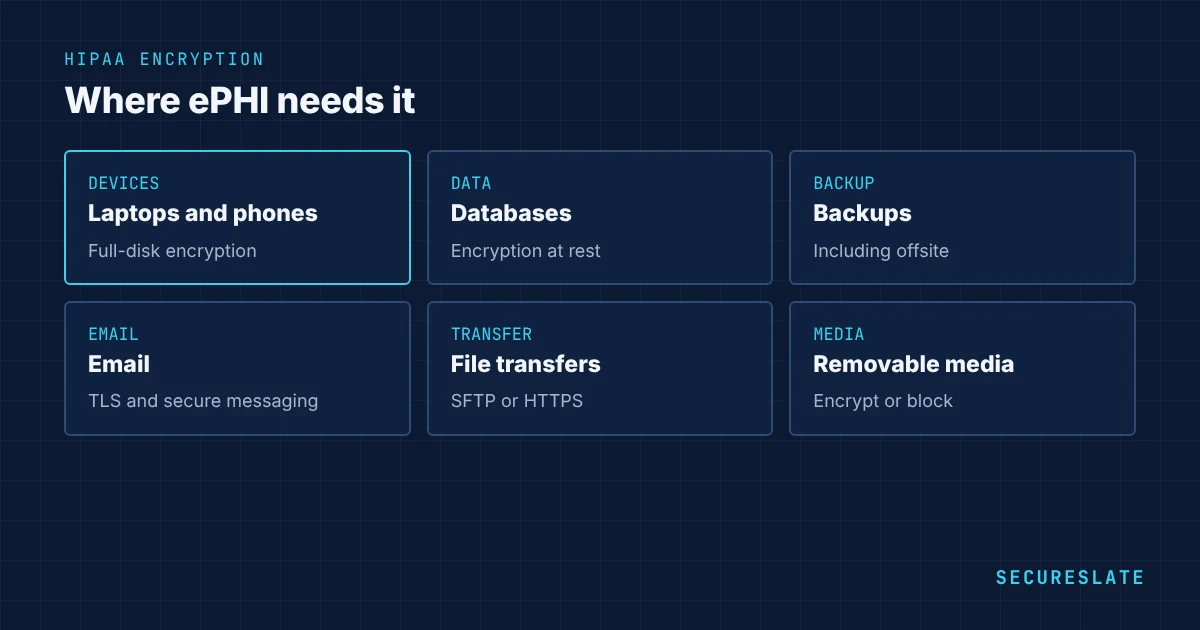
| Location | What to do |
|---|---|
| Laptops and desktops | Full-disk encryption enforced by device management |
| Mobile phones and tablets | Device encryption with passcodes, managed through MDM |
| Servers and databases | Encryption at rest for databases, volumes and backups |
| Cloud storage | Encryption enabled by default with managed keys; restrict public access |
| Backups | Encrypted, including offsite and cloud backups |
| TLS for transport; secure messaging or message encryption for sensitive content outside the organization | |
| File transfers | SFTP or HTTPS; avoid unencrypted FTP |
| Removable media | Encrypted USB drives, or block removable media |
| Medical devices | Work with manufacturers; segment networks where encryption is not possible |
| Text messages | Use secure messaging apps instead of standard SMS for PHI |
Email and patient communication
HIPAA allows covered entities to email patients if reasonable safeguards are used. If a patient requests unencrypted email after being informed of the risks, providers may honor that preference and document it. Between providers and business associates, use encrypted email or secure portals. Make sure your email provider signs a business associate agreement if it stores or transmits ePHI.
Documenting encryption decisions
Your documentation should show:
- The risk analysis showing where ePHI resides and the risk of exposure
- The encryption decision for each system or data flow
- Standards and algorithms used
- Key management procedures
- Any alternative measures where encryption is not implemented, with justification
- Evidence such as device encryption reports and storage configuration
Proposed changes
HHS's proposed Security Rule update, published January 6, 2025, would make encryption of ePHI at rest and in transit required, with limited exceptions, and would remove the addressable category. As of November 2026 the rule is not final, but encrypting now aligns with OCR expectations and the proposal.
Common gaps
- Laptops without enforced disk encryption
- Unencrypted backups stored offsite or in cloud buckets
- Old systems using outdated TLS versions
- PHI sent through regular email or text messages to outside parties
- Encryption keys stored with the data they protect
- No evidence of encryption status for each device
Encryption decision examples
| System | Decision | Rationale |
|---|---|---|
| Clinician laptops | Encrypt with full-disk encryption, enforced by MDM | High theft risk; supports safe harbor |
| EHR database in the cloud | Encrypt at rest with managed keys; TLS for all connections | Core ePHI store |
| Backup tapes or offsite media | Encrypt before transport | Physical loss risk |
| Legacy imaging device | Cannot encrypt; network segmented and access restricted; replacement planned | Documented alternative measure |
| Patient email | Secure messaging by default; unencrypted only at patient request with documented consent | Patient preference allowed with safeguards |
Key management basics
Encryption is only as strong as key management. Store keys separately from encrypted data, use cloud key management services or hardware security modules, restrict who can use or export keys, rotate keys according to policy, log key usage and plan for key recovery so that encrypted backups remain usable. If an encryption key is lost or stolen along with the data, the breach notification safe harbor may not apply.
Evidence checklist
- Device inventory showing encryption status for every laptop and mobile device
- Cloud configuration showing encryption at rest for databases, storage and backups
- TLS configuration showing supported versions and ciphers
- Email and file transfer settings for external communication
- Key management procedures and access lists
- Risk analysis entries documenting encryption decisions and alternatives
How SecureSlate helps
SecureSlate helps healthcare organizations and business associates prove encryption across their environment. The device agent reports disk encryption on every laptop, continuous cloud checks flag unencrypted storage, databases and backups, and policies, the risk register and evidence map to HIPAA, SOC 2 and ISO 27001 at a price built for smaller teams.
FAQ
Is encryption required by HIPAA?
Under the current rule, encryption is addressable: you must implement it if reasonable and appropriate, or document why not and use an equivalent alternative. HHS has proposed making it required.
What encryption standard does HIPAA require?
HIPAA does not name an algorithm, but HHS guidance references NIST standards, and AES-256 at rest and TLS 1.2 or higher in transit are common choices.
Does encrypted data need breach notification if lost?
Generally no, if the encryption meets HHS guidance and the key was not compromised, because the PHI is considered secured.
Can we email patients without encryption?
Yes, if the patient is informed of the risks and requests it. Otherwise, use secure email or a patient portal.
Do cloud providers handle HIPAA encryption for us?
They provide encryption features, but you are responsible for configuring them correctly and signing a BAA with the provider.
Does HIPAA require encryption for internal networks?
It is addressable today. Many organizations encrypt internal traffic for systems with ePHI, especially in cloud environments, to reduce risk and align with the proposed rule.
Is texting PHI allowed?
Standard SMS is not encrypted end to end and is risky for PHI. Use a secure messaging app that supports encryption, access controls and a BAA.
Do backups need to be encrypted?
Backups containing ePHI should be encrypted, especially when stored offsite or in the cloud, since they hold complete copies of sensitive data.
Does encryption alone make us HIPAA compliant?
No. Encryption is one safeguard. HIPAA also requires risk analysis, access controls, audit controls, training, contingency planning and more.
Disclaimer (legal note)
This article is for general information only and is not legal, regulatory, or professional advice. Requirements vary by framework, industry, and jurisdiction. Consult qualified advisors for your specific obligations.
Need compliance without the complexity?
SecureSlate automates ISO 27001, SOC 2, GDPR, HIPAA, and more. Built for growing teams. See it in action.
Find compliance gaps in 30 seconds