
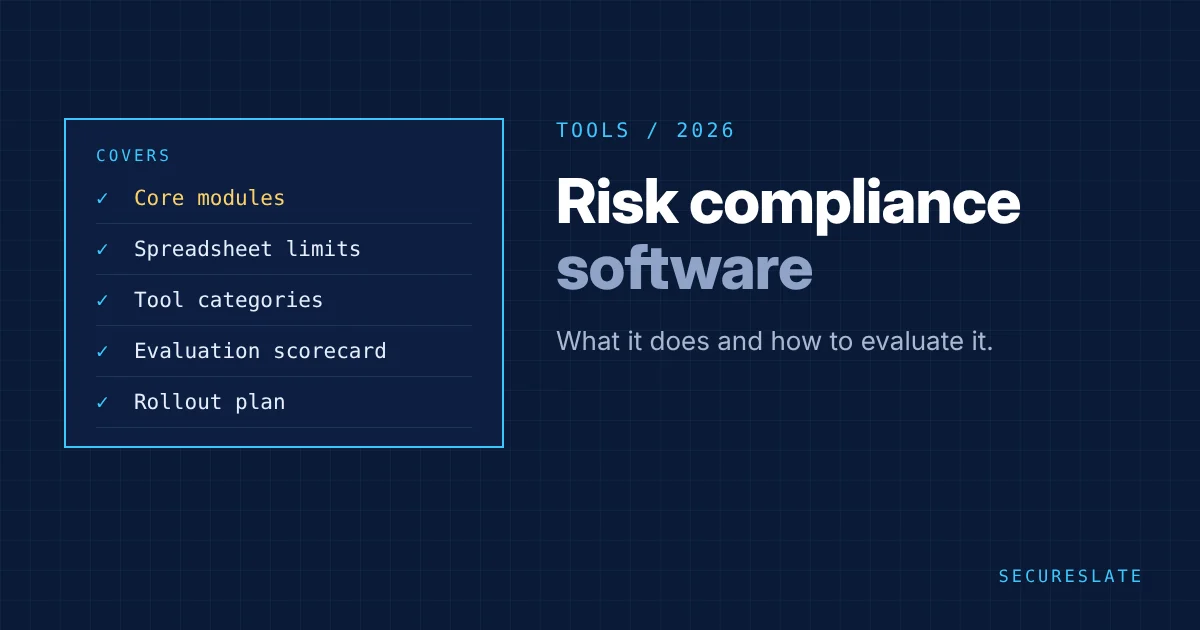
Short answer: Risk and compliance software is a platform that keeps your risks, controls, policies, evidence and audits in one connected system. Instead of separate spreadsheets for the risk register, framework checklists and vendor reviews, it links each risk to the controls that treat it and the evidence that proves those controls work, so you can report on both at any time.
Related guides: Best risk management software · Best GRC software solutions · Compliance management system
Key takeaways
- Risk and compliance software connects risks, controls, evidence and audits that most teams track in separate spreadsheets.
- The core modules are a risk register, a control library mapped to frameworks, evidence collection, policy management, vendor risk and audit support.
- Tools fall into broad groups: enterprise GRC suites, compliance automation platforms, single-purpose risk tools and spreadsheets.
- Evaluate tools on framework coverage, integrations, the quality of the links between risks and controls, and what you can export.
- Software organizes and automates the work. It does not make you compliant on its own and does not replace your auditor.
What is risk and compliance software?
Risk and compliance software is a system of record for the two halves of a GRC program: managing the risks to your organization and proving that you meet your obligations.
The two halves depend on each other. A risk assessment tells you which controls matter most. Frameworks such as ISO 27001 require you to choose controls based on risk, and the SOC 2 Trust Services Criteria include a full risk assessment section (CC3). The HIPAA Security Rule requires a risk analysis and risk management as the first administrative safeguard (45 CFR 164.308). When risk and compliance live in separate tools, someone has to keep them in sync by hand.
Software that joins them lets you answer questions such as: which controls treat our top five risks, which of those controls failed a test last quarter, and which frameworks would be affected. That is the practical value. The label varies between vendors, with names like GRC platform, integrated risk management or compliance management software, so look at what a product actually does rather than what it is called.
What modules should it include?
A complete risk and compliance platform includes about eight modules, though smaller teams can start with four or five.
| Module | What it does | Who uses it most |
|---|---|---|
| Risk register | Records risks with likelihood, impact, owner, treatment and review date | Risk or security lead, risk owners |
| Control library | One set of controls mapped to many frameworks | Compliance lead, control owners |
| Evidence collection | Pulls evidence from cloud, identity, HR and code systems, plus manual uploads | Control owners, engineers |
| Policy management | Drafting, approval, publication and acknowledgement of policies | Compliance lead, all staff |
| Vendor risk | Vendor inventory, tiering, questionnaires and reviews | Procurement, security |
| Access reviews | Periodic review of who has access to which system | IT, system owners |
| Audit management | Request lists, evidence sharing and finding tracking with auditors | Compliance lead, auditors |
| Reporting | Dashboards for leadership, boards and customers | Leadership, sales |
The link between modules matters more than the length of the feature list. A risk register that cannot reference controls, or a control library that cannot reference evidence, is just a set of separate spreadsheets in one login. If you need a deeper look at the register itself, see our risk register guide.
When do spreadsheets stop being enough?
Spreadsheets stop being enough when you run more than one framework, when evidence has to be collected repeatedly through the year, or when several people own controls.
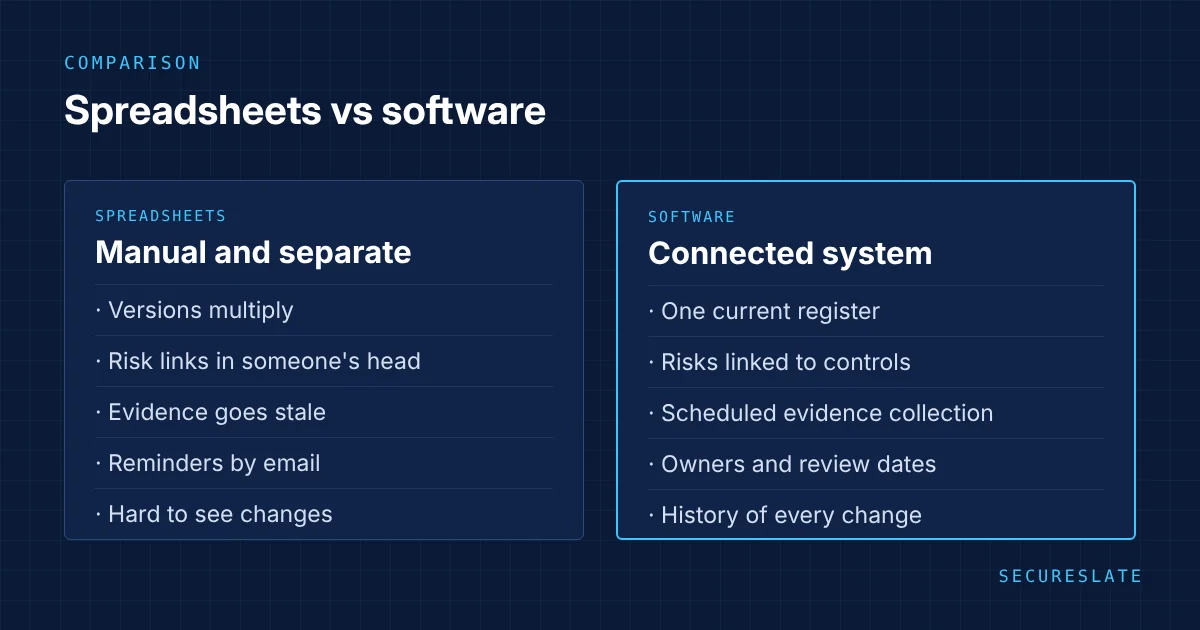
A spreadsheet is a sensible start. It is free, flexible and familiar. In our experience it begins to break in predictable places: versions multiply, the link between a risk and its controls lives in someone's head, evidence goes stale between audits, and nobody can see what changed since last quarter.
| Signal | What it looks like |
|---|---|
| Second framework | You answer the same control question twice for SOC 2 and ISO 27001 |
| Continuous audit period | A SOC 2 Type II period means evidence must exist across months, not on one day |
| Many control owners | Reminders, ownership and status updates go through chat and email |
| Customer questionnaires | Sales waits on security to dig out answers from several files |
| Vendor growth | The vendor list outgrows a single sheet and reviews are missed |
If two or more of these apply, the time spent maintaining the spreadsheets usually exceeds the effort of moving to a tool.
What kinds of risk and compliance tools are there?
There are four broad kinds of tool, and the right one depends on your size, your frameworks and how much configuration you can support.
- Enterprise GRC suites. Highly configurable platforms that cover operational, financial, IT and regulatory risk across a large organization. They suit companies with dedicated GRC teams and complex structures, and often need significant implementation work.
- Compliance automation platforms. Built around security and privacy frameworks such as SOC 2, ISO 27001, HIPAA and GDPR, with integrations that collect technical evidence automatically and a risk module alongside. They suit technology and HealthTech companies that need audits and customer trust.
- Single-purpose tools. Dedicated risk registers, vendor risk tools, policy tools or questionnaire tools. Strong in one area, but you will need to connect them yourself.
- Spreadsheets and documents. Fine for a first assessment or a very small scope, as covered above.
For side-by-side comparisons of named products, see our roundups of risk management software and GRC software. This guide focuses on how to judge any of them.
How do you evaluate risk and compliance software?
Evaluate shortlisted tools with a weighted scorecard and a hands-on trial using your own risks, controls and systems.
- Write down your scope. List the frameworks you need now and in the next two years, the systems that hold evidence, and the teams that will use the tool.
- Set weights. Decide what matters most. A HealthTech startup preparing for its first SOC 2 and HIPAA review will weight framework coverage and integrations highly. A larger company may weight configurability and reporting.
- Score against the criteria below. Use the same scale for each vendor.
- Run a trial with real data. Load ten real risks and twenty controls, connect one cloud account and one identity provider, and see how much evidence arrives without manual work.
- Check the exit path. Export the risk register, control mappings and evidence, and confirm the format is usable without the vendor.
- Review the vendor's own security. Ask for its audit reports and data hosting details, as you would for any vendor handling sensitive data.
| Criterion | Questions to ask |
|---|---|
| Framework coverage | Are your frameworks built in? Can you add custom frameworks and controls? |
| Risk and control links | Can a risk point to controls, and a control to evidence and to several frameworks? |
| Integrations | Does it connect to your cloud, identity, HR, device and code systems, and are the connections read-only? |
| Evidence freshness | Is evidence collected on a schedule, and are failures flagged? |
| Workflow | Are owners, reminders, approvals and review dates built in? |
| Audit support | Can an auditor review evidence in the tool or in a clean export? |
| Usability | Can a control owner outside the security team use it without training? |
| Data and exit | Can you export everything in a standard format? |
What does a realistic rollout look like?
A realistic rollout starts with one framework and the risk register, then adds modules once the basics run on their own.
Begin by importing your existing risks and agreeing on a scoring method, so the register reflects the business before you build on it. Next, choose your primary framework, connect the systems that hold most of your evidence and assign control owners. Once the first framework is stable, map the second one onto the same control library rather than starting again. Vendor risk, access reviews and questionnaire automation usually follow.
Expect the first weeks to surface gaps you did not know about. That is the tool doing its job. Treat each new gap as a risk or a control failure in the register, not as a reason to delay.
How SecureSlate helps
SecureSlate is a compliance automation platform with risk management built in. Multi-framework control mapping covers built-in frameworks including SOC 2, ISO 27001, HIPAA, HITRUST, GDPR, PCI DSS, NIST CSF and ISO 42001, and you can add custom frameworks and controls. Agentless read-only cloud integrations and a device agent collect evidence continuously, while access reviews, vendor risk management, security questionnaire automation, a trust center and audit management sit in the same platform as the risk register.
SecureSlate is one option among the categories above. It does not perform audits or issue certifications, and it cannot guarantee an audit result. You can start a free trial and run the evaluation steps above with your own data.
FAQ
Is risk and compliance software the same as GRC software?
Mostly, yes. GRC stands for governance, risk and compliance, and most GRC software covers both risk and compliance. Some products lean toward enterprise risk, others toward security and privacy frameworks, so check the modules rather than the label.
Do small companies need risk and compliance software?
Not always. A company with one framework and a handful of control owners can manage with spreadsheets for a while. Software becomes worthwhile when you add a second framework, enter a continuous audit period or face frequent customer questionnaires.
Does the software make us compliant?
No. It organizes the work, collects evidence and highlights gaps, but your people still have to operate the controls. An independent auditor or assessor still evaluates the result.
How long does implementation take?
It depends on your scope and the tool. A single framework with good integrations can be running in weeks, while an enterprise GRC suite configured for many business units can take months.
Can one tool handle risk and vendor risk?
Many platforms include both, and linking them helps, because vendor risks belong in the same register as internal ones. Check that vendor reviews can create or update risks directly.
Disclaimer (legal note)
This article is for general information only and is not legal, regulatory, or professional advice. Requirements vary by framework, industry, and jurisdiction. Consult qualified advisors for your specific obligations.
Need compliance without the complexity?
SecureSlate automates ISO 27001, SOC 2, GDPR, HIPAA, and more. Built for growing teams. See it in action.
Find compliance gaps in 30 seconds