
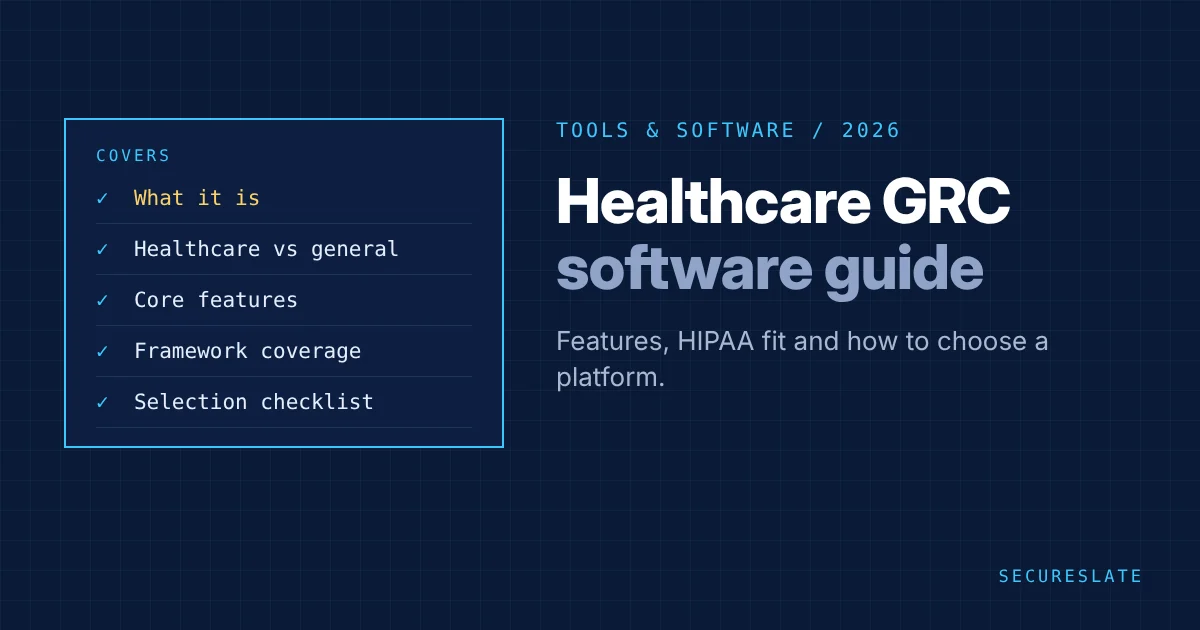
Short answer: Healthcare GRC software is a platform that manages governance, risk and compliance for organizations handling protected health information. It keeps one control library mapped to HIPAA, HITRUST, SOC 2 and ISO 27001, runs the HIPAA risk analysis, tracks business associates, collects evidence from your systems and keeps the documentation auditors and customers ask for.
Related guides: Best GRC software solutions · How to choose a GRC platform · HIPAA security risk assessment template
Key takeaways
- Healthcare GRC software centralizes controls, risks, policies, vendors and evidence for programs that handle ePHI.
- The HIPAA Security Rule requires an accurate and thorough risk analysis and ongoing risk management, so the risk module matters as much as the control library.
- Healthtech vendors usually need HIPAA plus SOC 2 or HITRUST, so cross-framework mapping saves the most time.
- Business associate tracking and vendor reviews are a healthcare-specific must, not an add-on.
- Choose on fit: your frameworks, your cloud stack, the size of your team and how auditors will receive the evidence.
What is healthcare GRC software?
It is a system of record for your security and compliance program, built around the rules that apply to health data. Instead of tracking HIPAA safeguards in spreadsheets, policies in shared drives and vendor reviews in email, a GRC platform holds them in one place and links them together. A control such as "MFA is enforced for all workforce accounts" is linked to the HIPAA safeguard it supports, the risks it reduces, the policy that requires it, the person who owns it and the evidence that shows it works.
For a hospital, clinic or payer, the platform supports an internal compliance office. For a healthtech company that sells to providers and payers, it also supports sales: security questionnaires, business associate agreements and audit reports are part of every deal.
How is healthcare GRC different from general GRC?
The core idea is the same, but healthcare adds specific legal duties and a different buyer. The table below shows where the differences show up in practice.
| Area | General GRC | Healthcare GRC |
|---|---|---|
| Main data at risk | Customer and business data | Electronic protected health information (ePHI) |
| Core legal driver | Contracts, SOC 2, ISO 27001 | HIPAA Privacy, Security and Breach Notification Rules |
| Risk assessment | Good practice, required by ISO 27001 | Required risk analysis under 45 CFR 164.308(a)(1) |
| Vendors | Standard vendor reviews | Business associates who need a signed BAA before handling PHI |
| Documentation | Retained per policy | HIPAA policies and records retained six years under 45 CFR 164.316 |
| Incidents | Contractual notice terms | Breach notification duties to individuals, HHS and sometimes the media |
Healthcare buyers also ask more often for HITRUST, and some ask for a HIPAA attestation or third-party assessment. That makes framework mapping and clean evidence even more important.
Which features matter most?
Six capabilities carry most of the value in a healthcare GRC platform. Others are useful, but these determine whether the tool actually reduces work.
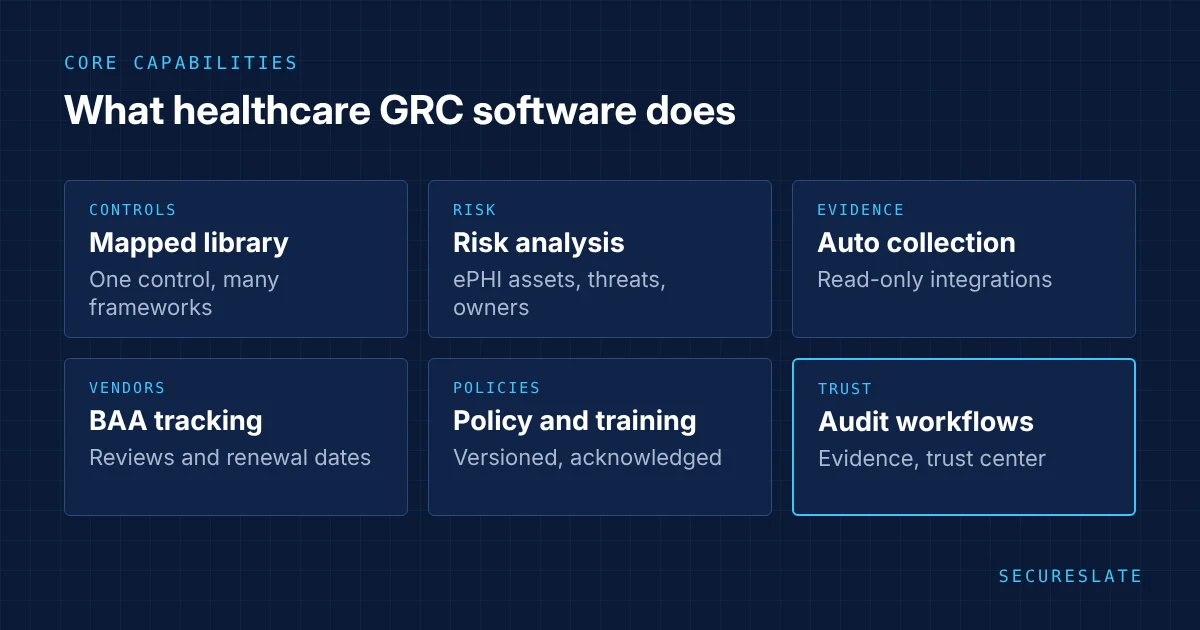
- Mapped control library. One set of controls mapped to HIPAA safeguards and to the other frameworks you need, so one piece of evidence counts everywhere it applies.
- Risk register and risk analysis. A structured way to list assets that hold ePHI, threats, vulnerabilities, likelihood and impact, then record treatment decisions. This is the backbone of HIPAA compliance.
- Automated evidence collection. Read-only integrations with your cloud accounts, identity provider, code repositories and endpoints so evidence such as MFA settings, encryption status and access lists is collected continuously instead of by screenshot.
- Vendor and business associate management. An inventory of vendors that touch PHI, BAA status, security reviews and renewal dates.
- Policy management and training. Version-controlled policies, workforce acknowledgment and records that training happened, all kept for the retention period.
- Audit and customer trust workflows. Organized evidence for auditors and assessors, plus a trust center and questionnaire support for sales teams.
Which frameworks should it cover?
At minimum it should cover HIPAA, and it should cover the next framework your customers will ask for. The right set depends on what you sell and to whom.
| Framework | Who usually needs it | What the platform should support |
|---|---|---|
| HIPAA Security Rule | Covered entities and business associates | Administrative, physical and technical safeguards, risk analysis, documentation |
| SOC 2 | SaaS vendors selling to US enterprises and health systems | Trust Services Criteria controls and Type II evidence over a period |
| HITRUST CSF | Vendors selling to larger health systems and payers | Control mapping and evidence organized for a HITRUST assessment |
| ISO 27001 | Vendors selling internationally | ISMS clauses, risk treatment and Annex A controls |
| GDPR | Organizations processing data of people in the EU | Records of processing, DPIAs, processor and transfer tracking |
| NIST CSF | Teams that want a common risk language | Mapping of controls to CSF functions |
If you are deciding between HITRUST and HIPAA-only programs, our HITRUST vs HIPAA comparison walks through the trade-offs.
How do you choose healthcare GRC software?
Start from your obligations and your stack, then test the tool against real work. In our experience, most poor purchases happen when teams compare feature lists instead of running their own controls through the product.
Use this checklist during evaluation:
- Framework fit: HIPAA is built in, and the other frameworks you need are built in or can be added as custom frameworks.
- Risk analysis depth: you can record ePHI assets, threats, likelihood, impact and treatment, and produce a report you could show OCR or an assessor.
- Integrations: it connects to your actual cloud provider, identity provider, HR system and code host without broad write permissions.
- Vendor workflow: BAA status, review dates and questionnaires live with the vendor record.
- Evidence quality: evidence is timestamped, tied to a control and exportable in a format your auditor accepts.
- Ownership: each control and risk has a named owner, with reminders and overdue tracking.
- Team size fit: the setup effort matches your team. A five-person security team needs defaults and templates, not a blank canvas.
- Data handling: the vendor will sign a BAA if any PHI could reach the platform, and you understand where data is stored.
Ask each vendor to walk through one real control end to end: the policy, the risk it addresses, the automated test, the evidence and the auditor export. That single walkthrough tells you more than a long demo.
What does a realistic rollout look like?
A rollout works best in short phases that each produce something usable. A typical sequence for a small healthtech team:
- Define scope. List the systems, data flows and teams that create, receive, maintain or transmit ePHI.
- Connect integrations. Link cloud, identity, HR and code systems so automated tests start running.
- Run the risk analysis. Record assets, threats and current safeguards, then agree on treatment for the top risks.
- Adopt and adapt policies. Start from templates, edit them to match how you actually work, then collect acknowledgments.
- Load vendors. Inventory vendors that touch PHI, confirm BAAs and schedule reviews.
- Fix failing controls. Work through the failing tests by risk, not by count.
- Prepare for the audit or assessment. Once controls are stable, engage your auditor or assessor and share organized evidence.
A HIPAA security risk assessment template is a useful companion for step 3, and our SOC 2 for healthcare guide covers how the two programs fit together.
How SecureSlate helps
SecureSlate is a compliance automation platform for small and mid-size teams, with a focus on healthtech. It includes built-in HIPAA, HITRUST, SOC 2, ISO 27001, GDPR and NIST CSF frameworks with cross-framework control mapping, and lets you add custom frameworks and controls. Agentless, read-only cloud integrations and a device agent collect evidence continuously. Risk management, vendor risk management, access reviews, audit management, a trust center and security questionnaire automation sit in the same platform. SecureSlate does not perform audits or issue certifications; it helps you prepare and keep evidence organized for the firm that does.
FAQ
What does GRC stand for in healthcare?
Governance, risk and compliance. In healthcare it covers how leadership oversees security and privacy, how risks to patient data are assessed and treated, and how the organization meets HIPAA and other obligations.
Is GRC software required for HIPAA compliance?
No. HIPAA does not require any specific tool. It requires safeguards, a risk analysis, risk management and documentation. GRC software is one way to do and prove that work with less manual effort.
Can healthcare GRC software make us HIPAA certified?
There is no official HIPAA certification issued by HHS. Software helps you implement and document safeguards, and a third party can assess your program, but no tool can certify compliance.
Do we need a BAA with our GRC vendor?
Only if the platform will create, receive, maintain or transmit PHI on your behalf. Most programs keep PHI out of the GRC tool, but confirm this with your vendor and your counsel.
Is healthcare GRC software only for hospitals?
No. Healthtech startups, digital health apps, billing companies and other business associates use it too, often to support HIPAA together with SOC 2 or HITRUST for their customers.
Disclaimer (legal note)
This article is for general information only and is not legal, regulatory, or professional advice. Requirements vary by framework, industry, and jurisdiction. Consult qualified advisors for your specific obligations.
Need compliance without the complexity?
SecureSlate automates ISO 27001, SOC 2, GDPR, HIPAA, and more. Built for growing teams. See it in action.
Find compliance gaps in 30 seconds