
Internal control software helps organizations document, test, monitor and report on the controls that protect financial reporting, security and compliance. Instead of tracking controls in spreadsheets and chasing evidence by email, teams manage a central control library, assign owners, schedule testing, collect evidence and track deficiencies to resolution. Tools range from enterprise SOX and GRC suites to compliance automation platforms that test IT controls continuously. This guide explains core features, gives examples by category and shows how to choose.
Related guides: Internal control audit · Internal audit methodology · Best compliance management tools · SOX controls guide
Product details change often. Confirm features with each vendor.
Key takeaways
- Internal control software centralizes control libraries, risk and control matrices, testing, evidence and deficiency tracking.
- SOX and audit suites suit public companies and large finance teams.
- Compliance automation platforms suit companies focused on SOC 2, ISO 27001 and IT general controls, with continuous automated testing.
- Key selection factors: framework coverage, automation, integrations, auditor access and total cost.
- The best tool reduces manual evidence collection, which is where most control effort goes.
Core features
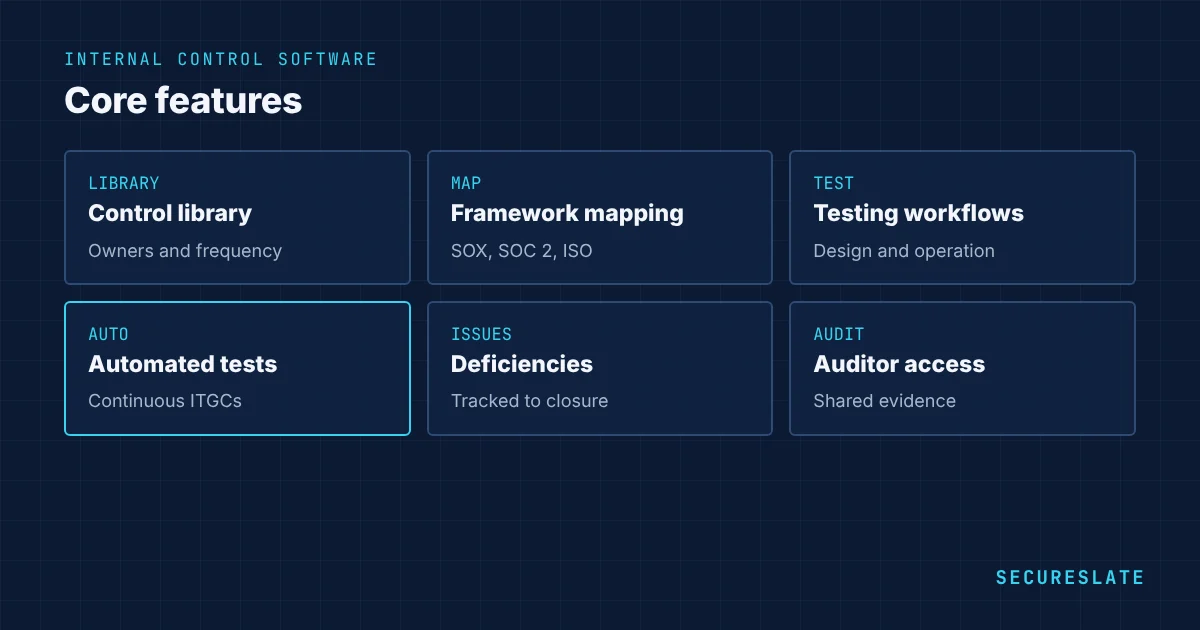
| Feature | What it does |
|---|---|
| Control library | Stores controls with descriptions, owners, frequency and type |
| Risk and control matrix | Links risks to controls and framework requirements |
| Framework mapping | Maps controls to SOX, COSO, SOC 2, ISO 27001 and others |
| Testing workflows | Schedules tests of design and operating effectiveness, records samples and results |
| Evidence management | Requests, stores and versions evidence |
| Automated testing | Connects to systems to test controls continuously |
| Deficiency and issue tracking | Records findings, severity, remediation plans and status |
| Certifications and attestations | Collects sign-offs from control owners |
| Reporting and dashboards | Shows control health for management and audit committees |
| Auditor collaboration | Gives external auditors access to evidence and testing |
Categories and examples
| Category | Examples | Typical users |
|---|---|---|
| Audit, risk and SOX platforms | AuditBoard, Workiva, Diligent HighBond | Public companies, internal audit and SOX teams |
| Enterprise GRC suites | ServiceNow Integrated Risk Management, MetricStream, SAP GRC Process Control, Archer | Large enterprises with many risk programs |
| Compliance operations platforms | Hyperproof, LogicGate | Compliance teams managing multiple frameworks |
| Compliance automation platforms | Vanta, Drata, Secureframe, SecureSlate | Startups and SMBs focused on SOC 2, ISO 27001, HIPAA and ITGCs |
Manual vs automated control testing
| Aspect | Manual testing | Automated testing |
|---|---|---|
| Coverage | Samples | Full populations, continuously |
| Timing | Periodic | Real time or daily |
| Evidence | Screenshots and exports | System-generated, timestamped |
| Effort | High per test | Setup effort, then low |
| Best for | Judgment controls, business process approvals | IT general controls, configurations, access |
Most programs use both. Business process controls such as journal entry review often stay manual, while IT controls such as MFA enforcement, access removal and encryption can be tested automatically.
How to choose internal control software
- Define your frameworks. SOX, SOC 2, ISO 27001, HIPAA, internal policies or all of them.
- Map your control volume. Dozens of IT controls need different tools than thousands of financial controls across many entities.
- Check integrations. Cloud, identity, HR, ERP, ticketing and code systems.
- Evaluate automation. How many of your controls can be tested automatically?
- Consider users. Control owners need simple tasks; auditors need read access; leaders need dashboards.
- Assess total cost. Licenses, implementation, consultants and internal admin time.
- Ask auditors. Confirm your auditor can work with the tool's evidence and access model.
- Run a pilot. Test with a handful of real controls before full rollout.
Selection by company profile
| Company | Good fit |
|---|---|
| Pre-IPO or public company with SOX | Audit and SOX platform, plus automation for ITGCs |
| SaaS startup preparing for SOC 2 | Compliance automation platform |
| Mid-size company with SOC 2, ISO 27001 and HIPAA | Compliance automation with multi-framework mapping |
| Large enterprise with many risk programs | Enterprise GRC suite |
Implementation tips
- Clean up your control list before importing; remove duplicates and unclear controls.
- Assign one owner per control and give them training.
- Set evidence requirements per control so owners know what to provide.
- Start with automated IT controls for quick wins.
- Schedule recurring tasks and reminders.
- Review dashboards monthly with control owners.
Common pitfalls
- Buying an enterprise suite that requires heavy configuration a small team cannot maintain
- Importing a messy spreadsheet without rationalizing controls
- Not involving auditors early
- Leaving manual evidence collection unchanged, so the tool becomes just a storage folder
Benefits
- Less time spent collecting evidence and preparing for audits
- Fewer missed control activities thanks to reminders
- Better visibility for leadership and audit committees
- Consistent testing and documentation
- Faster response to deficiencies
Example control library entry
| Field | Example |
|---|---|
| Control ID | AC-04 |
| Title | Quarterly user access review |
| Description | System owners review user access to production systems each quarter and remove access that is no longer needed |
| Risk addressed | Unauthorized access to customer data |
| Frameworks | SOC 2 CC6.2 and CC6.3; ISO 27001 Annex A 5.18 |
| Owner | Head of Infrastructure |
| Frequency | Quarterly |
| Type | Manual, IT-dependent |
| Evidence | Review export with reviewer decisions, tickets for removals |
| Automated test | Daily check for users with production access not in an approved group |
Questions to ask in a demo
- Show how a control owner receives, completes and evidences a task.
- Show how one control maps to SOC 2, ISO 27001 and our internal policy at once.
- Which of our systems connect natively, and what does each test check?
- How does an auditor access evidence and testing results?
- How are deficiencies tracked from finding to closure?
- What reports can we give to leadership and the audit committee?
- How long does a typical implementation take for a company our size?
Building the business case
Estimate the hours your team spends each year collecting evidence, chasing control owners, preparing for audits and answering auditor requests. Multiply by a loaded hourly rate, then add consultant fees and the cost of audit findings caused by missed controls. Compare this with the software's subscription and implementation cost. For most growing companies, automating IT control testing and evidence collection pays for the software within the first audit cycle, and it also reduces the risk of control failures going unnoticed between audits.
How SecureSlate helps
SecureSlate is internal control software built for startups and SMBs. It provides a control library mapped to SOC 2, ISO 27001, HIPAA, GDPR and more through multi-framework mapping, continuous automated testing of IT general controls across cloud, identity, HR and code systems, access reviews, evidence management and audit management for auditors, at a fraction of enterprise GRC pricing.
FAQ
What is internal control software?
Software that helps organizations document, test, monitor and report on internal controls and their evidence.
What is the difference between GRC software and internal control software?
GRC software covers governance, risk and compliance broadly. Internal control software focuses on control documentation, testing and evidence, often as part of a GRC suite.
Can internal control software automate SOX testing?
It can automate parts of it, especially IT general controls and evidence collection. Many business process controls still need manual review.
What is the best internal control software for small companies?
Small companies focused on SOC 2 and ISO 27001 usually get the most value from compliance automation platforms such as SecureSlate.
Do auditors accept evidence from internal control software?
Yes, when evidence is complete, accurate and its source is clear. Discuss your tool and evidence approach with your auditor early.
How long does implementation take?
Compliance automation platforms often go live in a few weeks for small companies. Enterprise GRC suites can take months, depending on configuration and data migration.
Can we migrate controls from spreadsheets?
Yes. Most tools import control lists, but clean up duplicates and unclear controls first.
Disclaimer (legal note)
This article is for general information only and is not legal, regulatory, or professional advice. Requirements vary by framework, industry, and jurisdiction. Consult qualified advisors for your specific obligations.
Need compliance without the complexity?
SecureSlate automates ISO 27001, SOC 2, GDPR, HIPAA, and more. Built for growing teams. See it in action.
Find compliance gaps in 30 seconds