
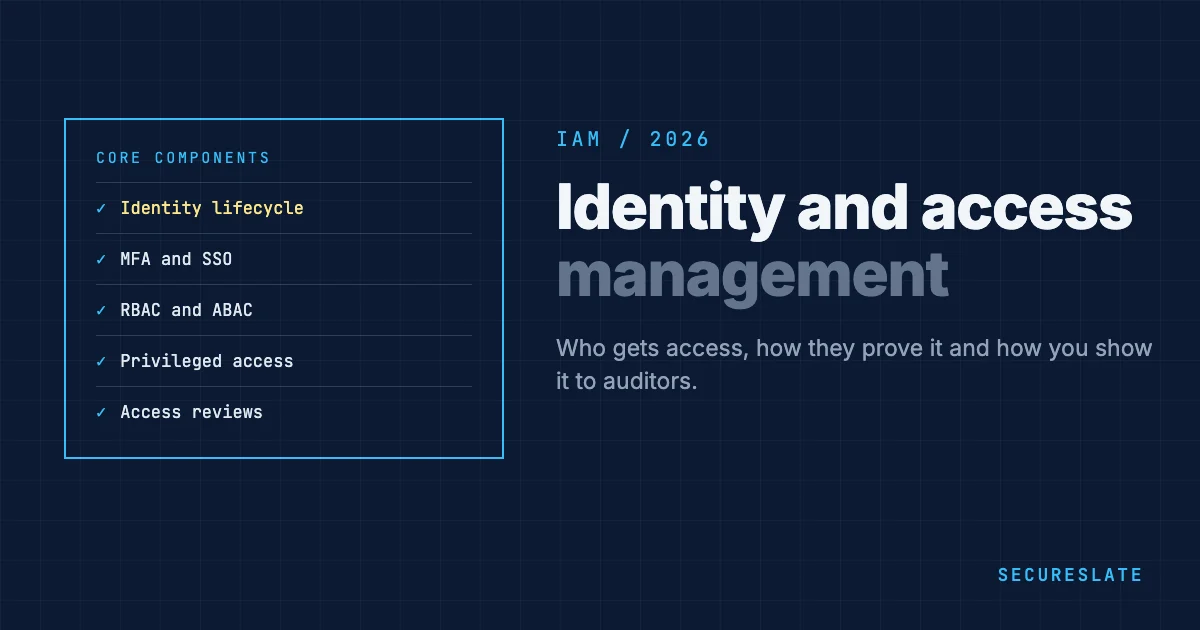
Identity and access management (IAM) is the set of policies, processes and tools that decide who or what can sign in to your systems and what each identity is allowed to do once inside. It covers the full life of an account, from creation on day one to removal on the last day, and everything in between: authentication, permissions, privileged access, single sign-on and periodic reviews. For companies pursuing SOC 2, ISO 27001 or HIPAA, IAM is also the area auditors test most closely, because almost every other control depends on access being right.
Related guides: Identity risk · Access control policy · Phishing-resistant MFA · Quarterly access reviews
Key takeaways
- IAM answers three questions: who are you, how do you prove it, and what may you do.
- The core building blocks are identity lifecycle, authentication, authorization, privileged access, SSO and access reviews.
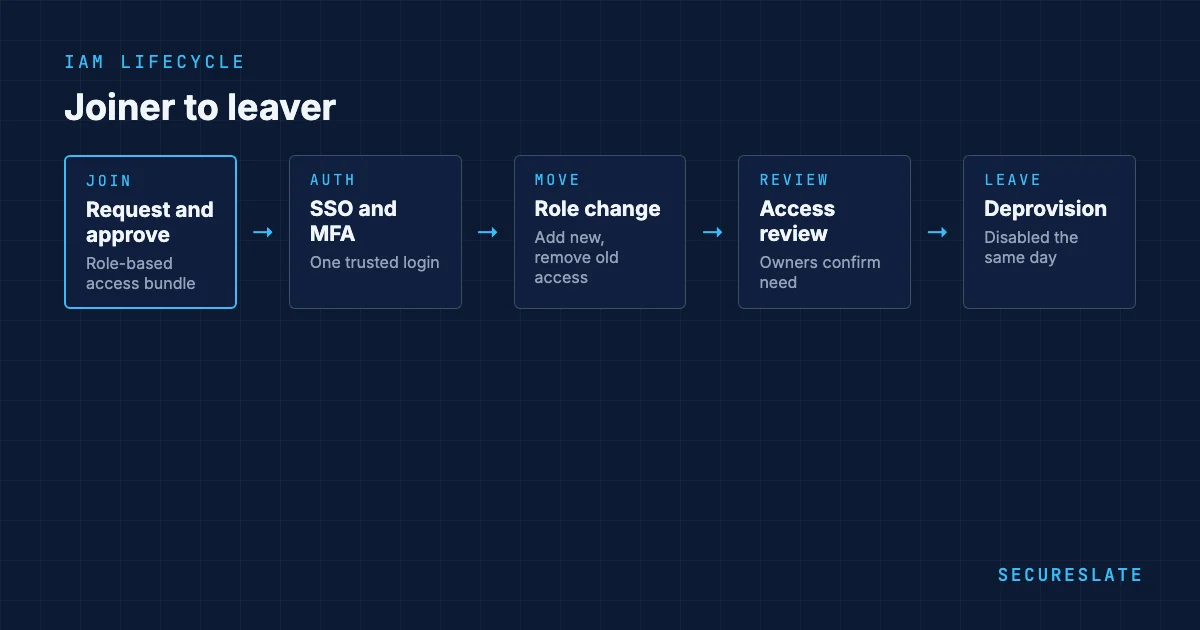
- Joiner, mover and leaver processes driven by HR data prevent most access drift.
- SOC 2 (CC6), ISO 27001:2022 (Annex A 5.15 to 5.18, 8.2, 8.5) and the HIPAA Security Rule (164.312) all expect unique accounts, least privilege, timely removal and evidence.
- Roll out IAM in stages: inventory, SSO and MFA, lifecycle automation, privileged access, then reviews.
What is identity and access management?
Identity and access management is the discipline of giving the right identities the right access, for the right reason, for the right length of time, and being able to prove it. An identity can be a person, such as an employee, contractor or partner, or a non-human identity, such as a service account, CI/CD pipeline, API key or AI agent.
IAM is different from identity risk. Identity risk is the exposure created when identities are weak, over-privileged or forgotten. IAM is the program you run to manage that exposure day to day. If you want the threat view, read our guide to identity risk. This guide focuses on building and operating the IAM program itself.
In practice, IAM usually centres on an identity provider (IdP) that holds the authoritative list of users and groups, connected to an HR system on one side and to your SaaS apps, cloud accounts and internal tools on the other.
What are the core components of IAM?
A complete IAM program has six components, and each one produces evidence an auditor will ask for.
| Component | What it does | Typical evidence |
|---|---|---|
| Identity lifecycle (joiner, mover, leaver) | Creates, changes and removes accounts as people join, change roles and leave | Provisioning tickets, HR to IdP sync logs, offboarding records |
| Authentication and MFA | Verifies that the person signing in is who they claim to be | MFA enforcement settings, sign-in policy screenshots |
| Authorization | Decides what each identity can access, usually through roles or attributes | Role definitions, group membership exports |
| Privileged access | Controls admin and production access more tightly than normal access | Admin lists, elevation logs, break-glass procedure |
| SSO and federation | Lets one trusted login reach many apps through SAML or OpenID Connect | App inventory showing SSO coverage |
| Access reviews | Periodically confirms that existing access is still needed | Signed review records and removal tickets |
Identity lifecycle
The joiner, mover, leaver model is the backbone of IAM. Joiners get a standard bundle of access based on their role, approved before it is granted. Movers gain new access and, critically, lose access from their old role. Leavers are disabled across every system, ideally the same day. Connecting the HR system to the IdP turns these events into automatic triggers instead of manual tickets. Weak offboarding is a well-known source of insider incidents, as covered in our article on how flawed offboarding escalates insider threats.
Authentication and MFA
Authentication proves identity. NIST SP 800-63B, revised as Revision 4 and finalized in July 2025, is the most widely used reference. It requires at AAL2 that verifiers offer at least one phishing-resistant option, requires a phishing-resistant authenticator at AAL3, and says passwords should not have forced periodic changes or composition rules such as mandatory mixed character types. For admins and high-risk users, move toward passkeys or FIDO2 security keys, as explained in our phishing-resistant MFA guide.
Privileged access
Privileged accounts can change configurations, read sensitive data or disable logging, so they need extra controls: separate admin accounts, phishing-resistant MFA, just-in-time elevation instead of standing rights, a documented break-glass process and logging of every privileged session. Our guide to privileged access threat detection covers the monitoring side.
SSO and federation
Single sign-on means users authenticate once at the IdP, which then vouches for them to each connected app using SAML 2.0 or OpenID Connect. SSO makes central MFA enforcement and fast offboarding possible.
Access reviews
Access reviews are periodic checks where managers or system owners confirm that each person still needs each permission. The review only counts if removals actually happen and are recorded. Our step-by-step guide to quarterly access reviews walks through the process.
How do RBAC and ABAC differ?
Role-based access control (RBAC) grants permissions to roles and assigns people to roles, while attribute-based access control (ABAC) decides access at request time using attributes of the user, resource and context. Most growing companies start with RBAC and add ABAC rules where roles alone become unwieldy.
| RBAC | ABAC | |
|---|---|---|
| Decision based on | Role or group membership | Attributes such as department, data classification, location, device posture |
| Example | "Support engineers can read tickets" | "Users in the EU support team on a managed device can read EU customer tickets" |
| Strengths | Simple to understand, easy to review | Fine-grained, adapts to context |
| Weaknesses | Role explosion as exceptions pile up | Harder to audit, depends on accurate attributes |
| Best fit | Most SaaS apps and internal tools | Multi-tenant data, regulated data, large organizations |
Whichever model you choose, apply least privilege (only what the job needs) and segregation of duties (no single person can both make and approve a sensitive change). Write the model down in your access control policy so auditors can compare practice against policy.
What do SOC 2, ISO 27001 and HIPAA expect from IAM?
All three frameworks expect unique user accounts, access based on need, prompt removal when access is no longer needed, strong authentication and records that prove these controls operated. The wording differs, but a single well-run IAM program can satisfy all of them.
| Framework | Relevant requirements | What auditors typically look for |
|---|---|---|
| SOC 2 | Trust Services Criteria CC6.1 (logical access security), CC6.2 (registering, authorizing and removing users), CC6.3 (role-based access, least privilege, segregation of duties) | Samples of new hires and leavers, access review records, MFA settings |
| ISO 27001:2022 | Annex A 5.15 Access control, 5.16 Identity management, 5.17 Authentication information, 5.18 Access rights, 8.2 Privileged access rights, 8.5 Secure authentication | Access control policy, Statement of Applicability, review and provisioning records |
| HIPAA Security Rule | 45 CFR 164.312 access control, including unique user identification and emergency access procedure, plus audit controls and person or entity authentication; 164.308 information access management | Risk analysis, access procedures for systems holding ePHI, audit logs |
A note on HIPAA: the January 2025 proposed rule would make multi-factor authentication an explicit requirement for systems with ePHI. As of November 2026 it remains a proposal, not a final rule, so the current Security Rule still applies. Enforcing MFA now is still a sensible way to meet the existing person or entity authentication standard and to prepare in case a final rule adopts it.
How do you roll out IAM?
The fastest path is to roll out IAM in stages, starting with visibility and strong authentication and ending with automated reviews.
- Inventory identities and apps. List every user, service account and application, including who owns each app and whether it supports SSO.
- Pick one source of truth. Make the HR system authoritative for people and the IdP authoritative for accounts and groups. Assign an owner to every non-human identity.
- Turn on SSO and MFA. Connect your highest-risk apps first: email, code repositories, cloud consoles and the production database. Enforce MFA at the IdP and block legacy protocols that bypass it.
- Define roles. Start with a small set of department-level roles and add exceptions only through approved requests. Document them in the access control policy.
- Automate joiner, mover and leaver. Trigger provisioning and deprovisioning from HR events. Set expiry dates for contractor and vendor accounts.
- Lock down privileged access. Separate admin accounts, require phishing-resistant MFA, and replace standing admin rights with time-limited elevation where your tools support it.
- Run access reviews and keep evidence. Schedule reviews, track removals to completion and store the records where your auditor can see them.
How do you know IAM is working?
You know IAM is working when a few simple measures stay healthy month after month and audit samples come back clean.
| Metric | Healthy target |
|---|---|
| Apps behind SSO | All apps that support it |
| MFA enforced for all users | 100% |
| Phishing-resistant MFA for admins | 100% |
| Leavers disabled within one business day | 100% |
| Access reviews completed on schedule | 100% |
| Accounts without an owner (including service accounts) | Zero |
What are common IAM mistakes?
The most common IAM mistakes are gaps between what the policy says and what systems actually do.
- Apps outside SSO that keep local passwords and are missed during offboarding
- Movers who keep old access, because only joiner and leaver steps are automated
- Rubber-stamp access reviews where managers approve everything without checking
- Shared admin accounts that make individual accountability impossible
- Ignoring non-human identities, such as API keys and service accounts with broad, long-lived permissions
- No evidence trail, so access decisions that did happen cannot be shown to an auditor
How SecureSlate helps
SecureSlate gives your team one place to run the compliance side of IAM. It centralises your controls, policies and evidence, including your access control policy, mapped across frameworks such as SOC 2, ISO 27001 and HIPAA through multi-framework support. Access reviews keep review decisions and removal evidence together, vendor risk tracks third parties that hold access to your systems, and audit management produces audit-ready exports. Cloud scanning is available for AWS and Google Cloud.
FAQ
What is the difference between IAM and identity risk?
IAM is the program of policies, processes and tools that manages access. Identity risk is the exposure that remains when identities are weak, over-privileged or forgotten. Good IAM is the main way to reduce identity risk.
What are the four pillars of IAM?
A common breakdown is identity management (lifecycle), authentication, authorization and auditing or review. Privileged access and SSO are usually treated as parts of authentication and authorization.
Does SOC 2 require MFA?
The SOC 2 criteria do not name a specific technology, but CC6.1 expects logical access security measures, and auditors widely expect MFA for remote access, cloud consoles and other sensitive systems.
How often should access reviews happen?
Common practice is quarterly for production systems and sensitive data and at least annually for lower-risk apps. Pick a cadence, write it in your policy and follow it consistently.
Disclaimer (legal note)
This article is for general information only and is not legal, regulatory, or professional advice. Requirements vary by framework, industry, and jurisdiction. Consult qualified advisors for your specific obligations.
Need compliance without the complexity?
SecureSlate automates ISO 27001, SOC 2, GDPR, HIPAA, and more. Built for growing teams. See it in action.
Find compliance gaps in 30 seconds