Integrations
AWS IAM Role Setup (SecureSlate)
To connect SecureSlate to AWS using role-based access, create an IAM role that SecureSlate can assume for read-only security auditing.
This page documents exactly how the role should look in AWS, including the three required permission policies that must be attached.
Role requirements
Create an IAM role with:
- Role name:
secureslate-auditor
Create the required IAM policy (SecureSlateAdditionalPermissions)
In AWS, create a customer-managed policy to grant SecureSlate limited read-only permissions.
- In the AWS Management Console, go to IAM → Policies → Create policy.
- On the Create policy page, select the JSON tab. (Inline policies are not supported.)
- Delete any prefilled text and paste the JSON below.
- Click Next, and on the Review and Create page set the policy name to SecureSlateAdditionalPermissions.
- Click Create policy.
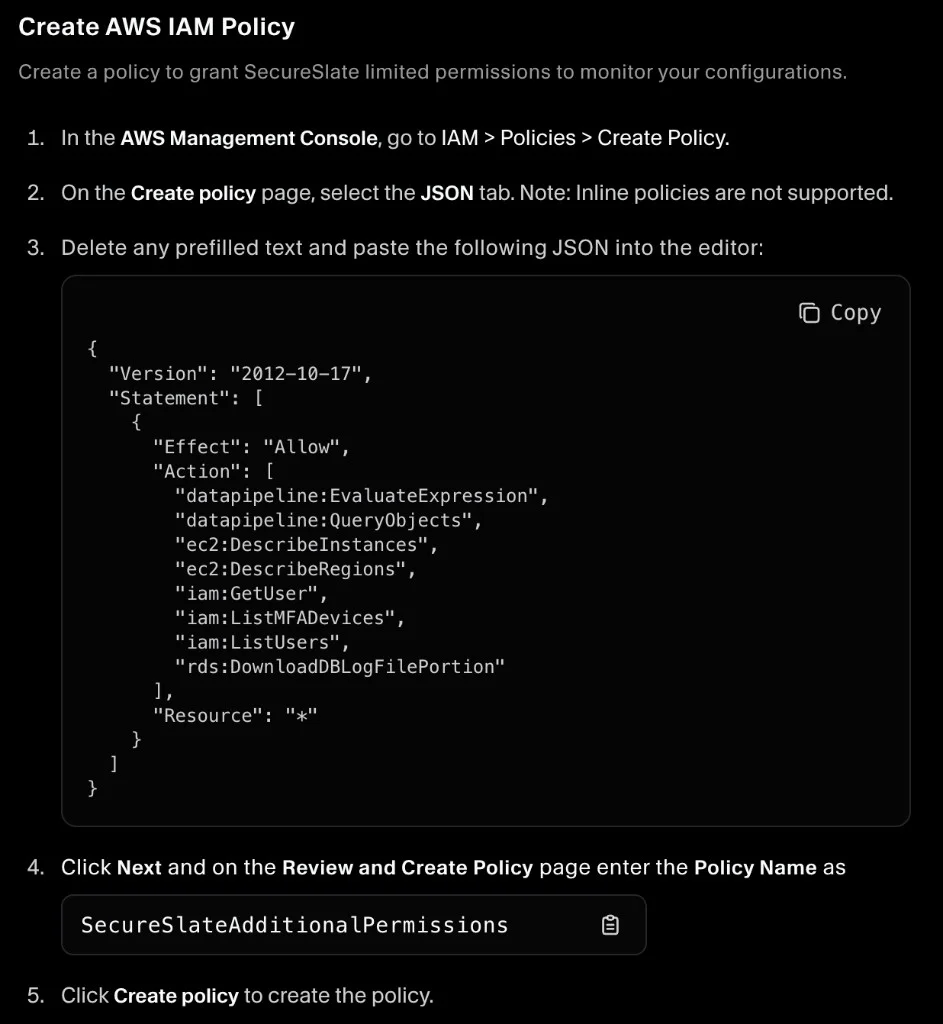
Here is the JSON shown in the setup screen (as displayed in the screenshot):
{
  "Version": "2012-10-17",
  "Statement": [
    {
      "Effect": "Allow",
      "Action": [
        "datapipeline:EvaluateExpression",
        "datapipeline:QueryObjects",
        "ec2:DescribeInstances",
        "ec2:DescribeRegions",
        "iam:GetUser",
        "iam:ListMFADevices",
        "iam:ListUsers",
        "rds:DownloadDBLogFilePortion"
      ],
      "Resource": "*"
    }
  ]
}
Create the IAM role (trust policy)
Now create the IAM role that SecureSlate can assume.
- In the AWS Management Console, go to IAM → Roles → Create role.
- Select Custom trust policy.
- In the JSON editor, delete any prefilled text and paste your trust policy (example below).
- Click Next to continue to permissions.
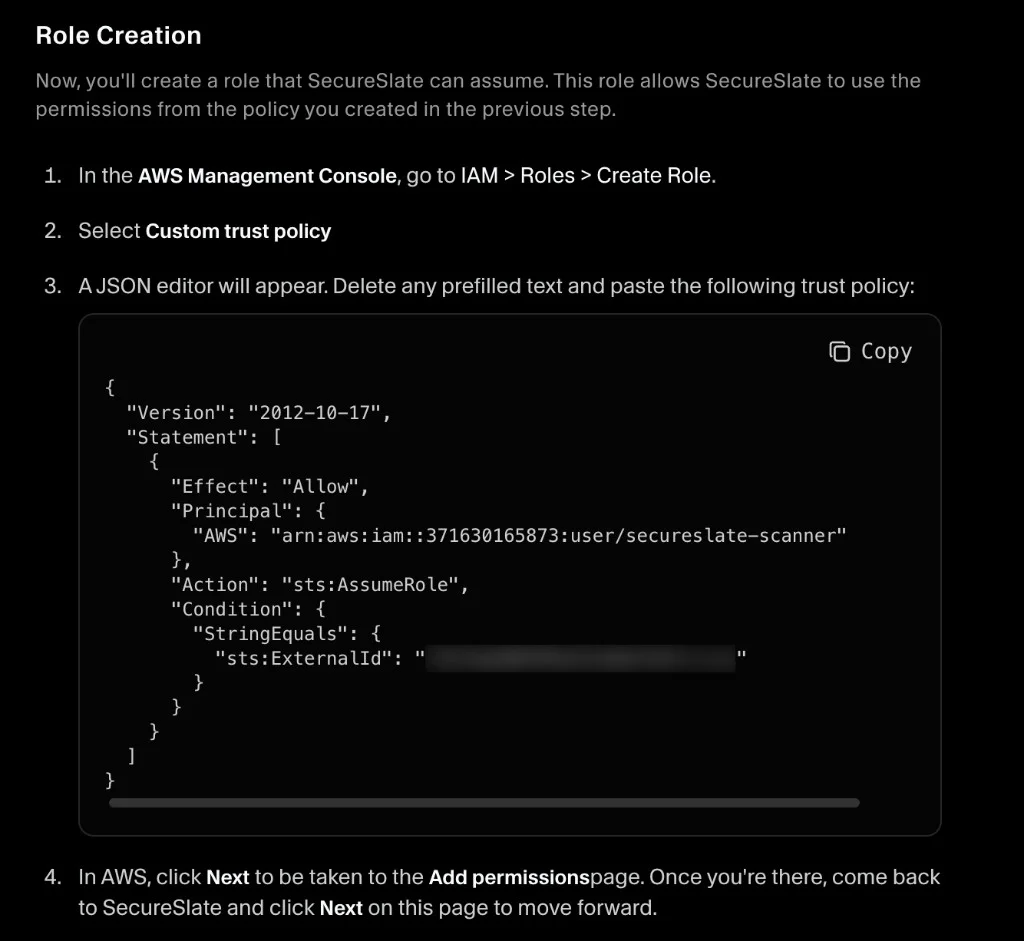
Trust policy format shown in the screenshot:
{
  "Version": "2012-10-17",
  "Statement": [
    {
      "Effect": "Allow",
      "Principal": {
        "AWS": "arn:aws:iam::<YOUR_ACCOUNT_ID>:user/secureslate-scanner"
      },
      "Action": "sts:AssumeRole",
      "Condition": {
        "StringEquals": {
          "sts:ExternalId": "<YOUR_EXTERNAL_ID>"
        }
      }
    }
  ]
}
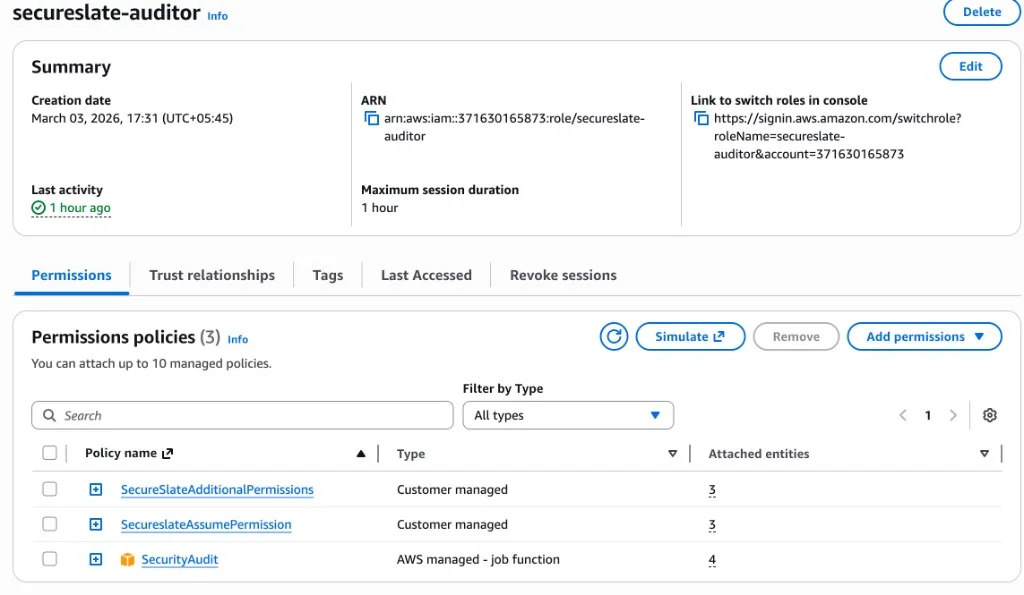
Permissions policies (must be 3)
Attach these three permission policies to the role:
- SecureSlateAdditionalPermissions (customer managed)
- SecureslateAssumePermission (customer managed)
- SecurityAudit (AWS managed – job function)
SecureSlate uses these permissions for read-only discovery and auditing (list/describe-style access). It should not be able to modify resources.
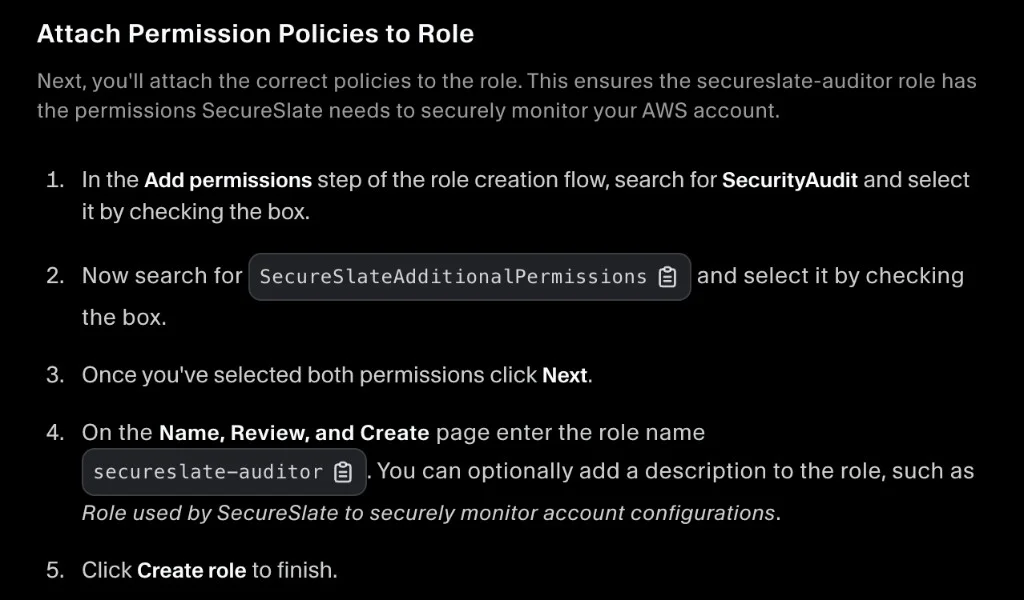
When you reach the Add permissions step in AWS role creation, attach:
- AWS managed SecurityAudit
- Customer-managed SecureSlateAdditionalPermissions
- Customer-managed SecureslateAssumePermission
Then continue and finish role creation with the name secureslate-auditor.
Screenshot reference (how it should look)
Use this screenshot as the source of truth for the role configuration and attached policies: