
Policies
Policy Versions
Use the Versions tab in the policy drawer to store and review older copies of a policy. This is especially helpful:
- After an audit is complete (to preserve what was reviewed)
- When you’re updating a policy and want to retain the prior version for renewals or internal reference
How to add a policy to the Versions tab
- Navigate to the Policies page (Policy Library)
- Click the policy you want to version
- In the policy drawer, open the Policy tab
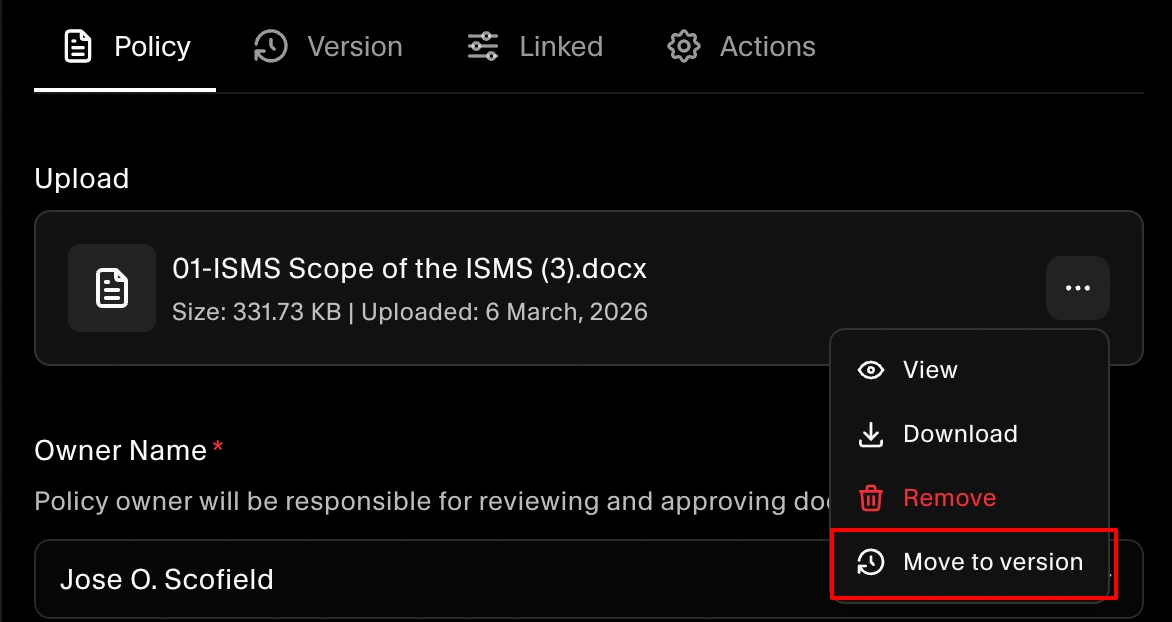
- In Uploaded evidence, click the three dots (⋯) menu on the file
- Click Move to version
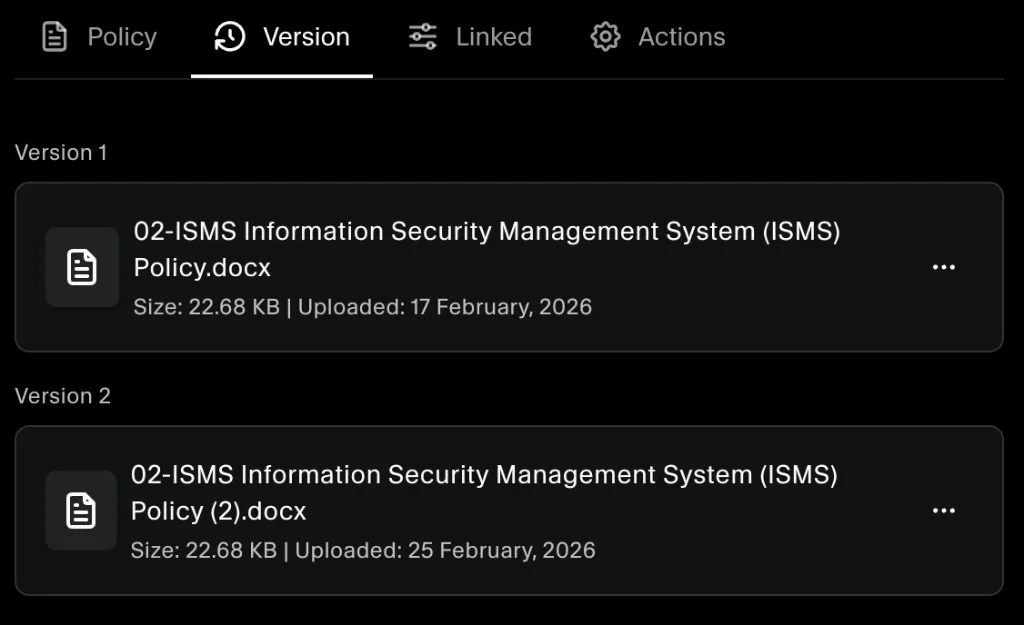
- Open the Versions tab to confirm the file is stored as an older version
The Move to version option is available only for approved policies.
This is especially useful after an audit is completed, so you can retain prior versions for future audits, renewals, or internal reference.
Review prior versions anytime
Once moved, older versions remain available under Versions so you can quickly reference what was in place at a point in time.
