
Settings
Transfer Ownership
Each organization has one Owner. The Owner can hand this role to an Admin, for example when the account holder leaves the company.
Before you start
- Only the Owner can transfer ownership.
- The new Owner must be an Admin who has accepted their invite and is still active. If they hold another role, make them an Admin first.
Transfer ownership
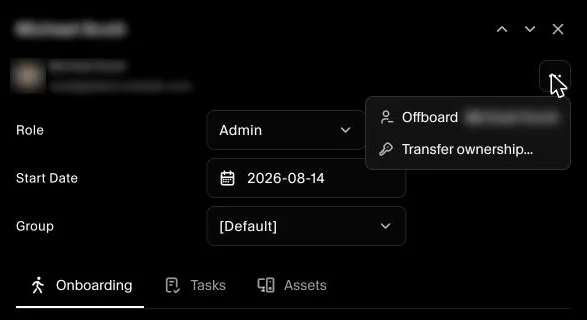
- Go to Governance → Employees and open the Admin you want to make the Owner.
- Click the ⋯ button at the top of their profile and select Transfer ownership….
- Read the message and click Transfer Ownership.
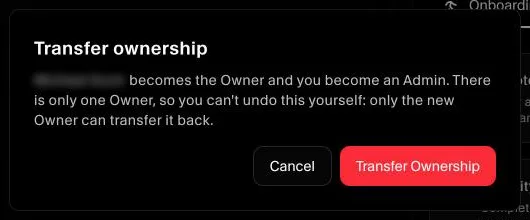
The Admin becomes the Owner and you become an Admin.
You can't undo this yourself. Only the new Owner can transfer ownership back to you.
