
Trust Management
Getting Started with Questionnaires
Security questionnaires from prospects and customers take hours to fill out manually. SecureSlate cuts that down by generating answers from your own Knowledge Hub documents and policies, so your team can review and send back a completed response in a fraction of the time.
What you can do
- Import any Excel or CSV questionnaire you receive from a prospect or customer.
- Generate answers automatically using your policies, certifications, and compliance evidence.
- Review and approve each answer before it goes out, with the option to edit or flag for a colleague.
- Export the completed questionnaire in the original file format.
Before you start
Make sure your Knowledge Hub has your latest policies and compliance documents added. The AI generates answers from whatever is in the Knowledge Hub, so the more complete it is, the better the results.
See Knowledge Hub for how to add documents.
Plan limits
Your plan includes a set number of questionnaires per plan period. The usage banner at the top of the Questionnaires page shows how many you have used and how many remain.
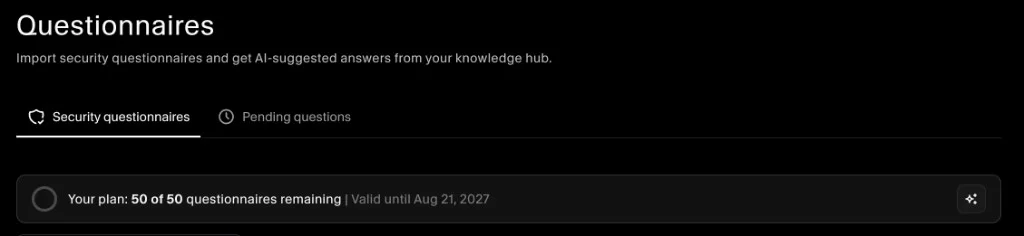
When the limit is reached, importing is paused until your plan renews. Contact sales via the sparkle icon in the banner to upgrade.
Next steps
- How to import a questionnaire - step-by-step walkthrough of importing, reviewing, and exporting.
- Knowledge Hub - add documents so AI has the right sources to draw from.
