
Integrations
Connecting SecureSlate & Deel
SecureSlate connects to Deel through the Deel SCIM API (currently in beta), using read-only access. We retrieve a person’s name, email, and employment details to keep HR accounts and access reviews in sync. SecureSlate does not create, update, or delete workers in Deel.
To use this integration, you need a Deel organization token with the Users:read scope under People. The SCIM API must be enabled in your Deel workspace.
Prerequisites
Before you connect SecureSlate, confirm you have:
- Administrator access (or equivalent) in your Deel organization to create API tokens.
- SCIM API enabled in your Deel workspace (required for this integration).
- Permission to create an Organization token (not a personal token).
Obtain your Deel organization API token
Open Developer Center
- In your Deel dashboard, open the top navigation menu (All products & services or Developer).
- Select Developer to open the Developer Center.
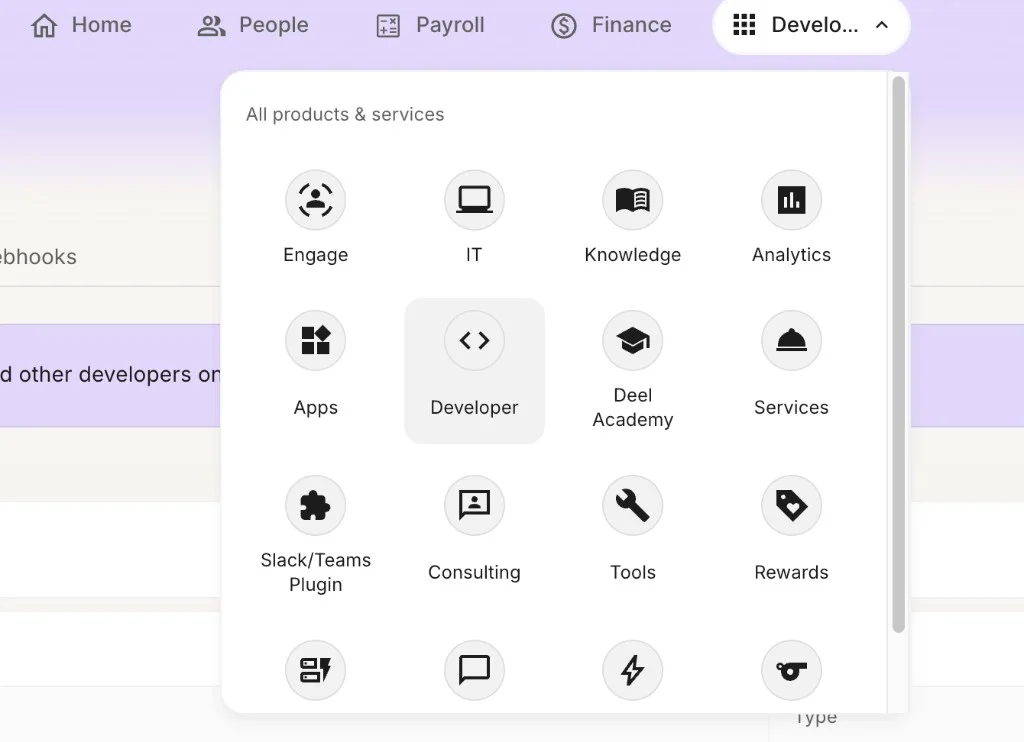
Alternate path: Some Deel accounts use Hub → Services → API. If you do not see Developer Center, use that path to reach API token settings.
Generate a new token
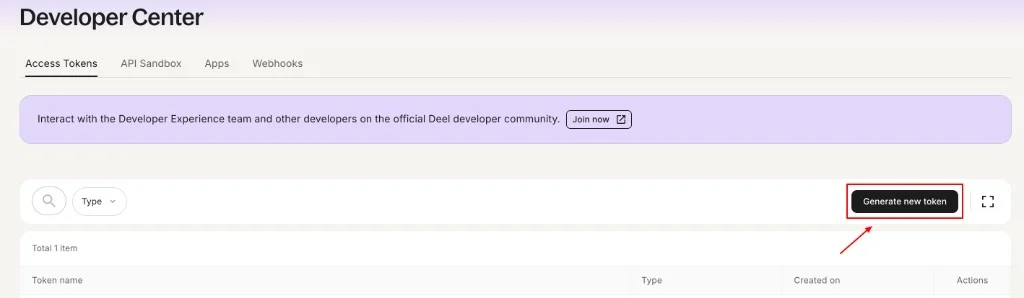
- In Developer Center, open the Access Tokens tab.
- Click Generate new token.
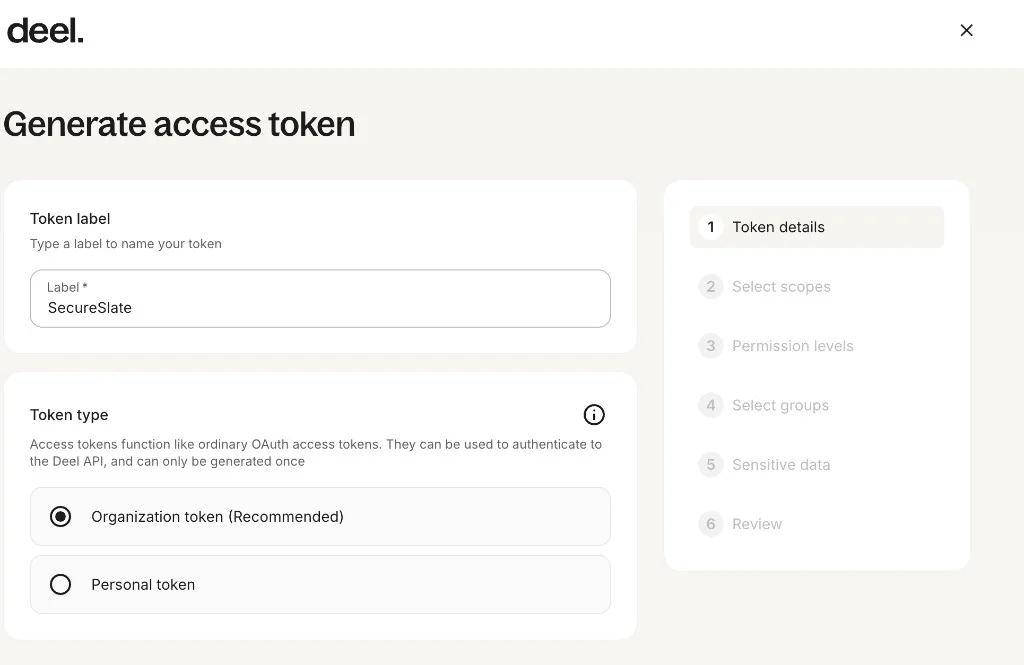
Step 1: Token details
- Token label: Enter a name you will recognize later, for example
SecureSlate. - Token type: Select Organization token (Recommended).
- Continue to Select scopes.
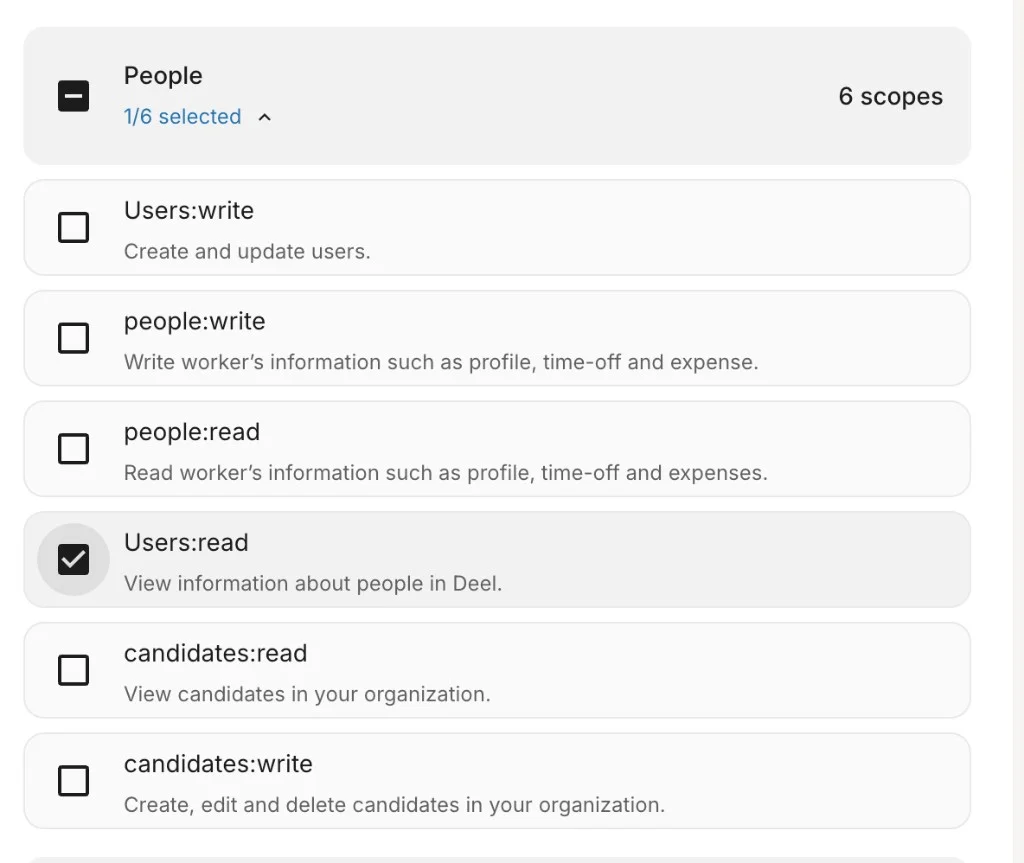
Step 2: Select scopes
- Expand the People category.
- Select only
Users:read: View information about people in Deel. - Do not enable write scopes (for example
Users:write,people:write) unless your security policy explicitly requires them; SecureSlate only needs read access. - Continue through the wizard.
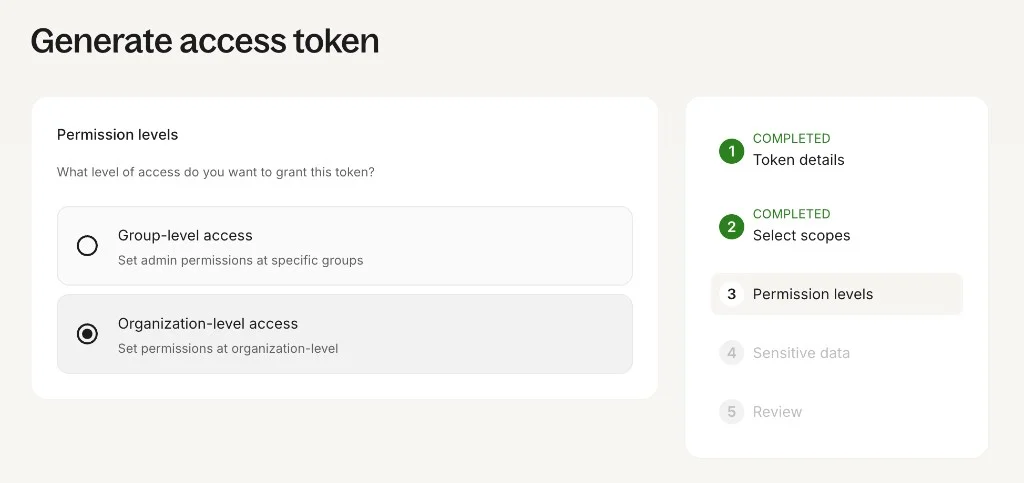
Step 3: Permission levels
- Select Organization-level access (Set permissions at organization-level).
- Complete the remaining steps (Select groups, Sensitive data, Review) as prompted for your organization.
- Generate the token and copy it immediately. You will not be able to view the full token again after you leave the page.
Store the token securely (for example, in your password manager). You will paste it into SecureSlate in the next section.
Connect Deel to SecureSlate
Open the integration
- In SecureSlate, open Integrations from the left sidebar.
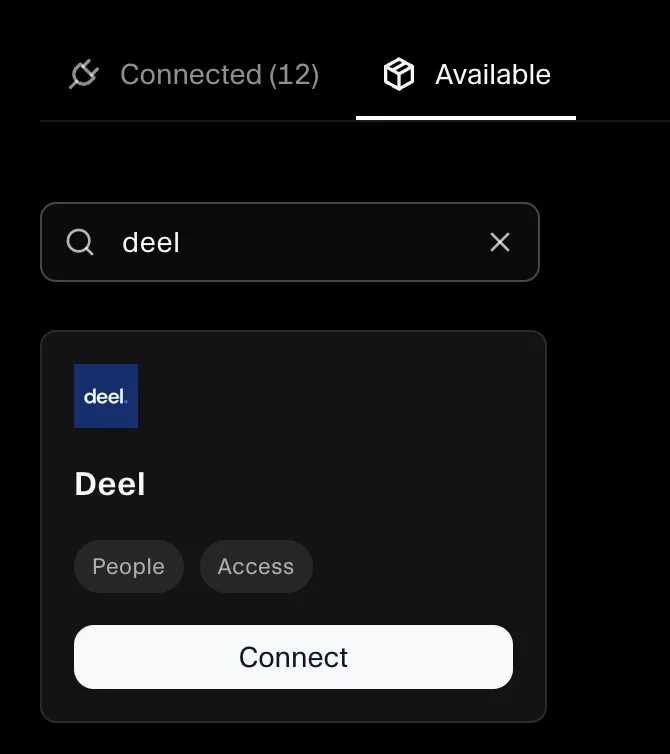
- Go to the Available tab.
- Search for Deel.
- Click Connect on the Deel card.
Review the integration details:
- Category: Human resource information systems (HRIS)
- Permissions: Read-only access to name, email, and employment details via the Deel SCIM API
- Access type: Organization token with
Users:readunder People
Enter your API token
- Continue through the setup flow to Connect Deel to SecureSlate.
- Paste your Deel organization API token (the token you generated with
Users:read). - Click Connect.
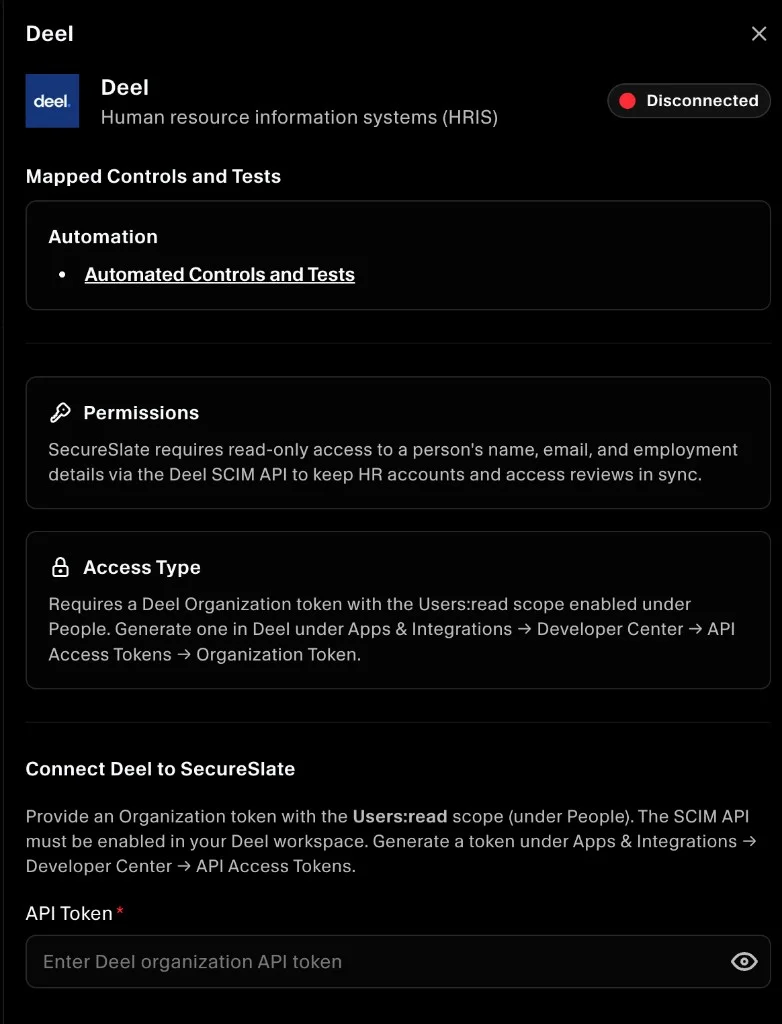
Note: In Deel, tokens are created under Apps & Integrations → Developer Center → Access Tokens (Organization token). The SecureSlate form may label this field API Token. Use the same organization token value.
Verify the integration
After a successful connection:
- The Deel integration appears under Connected on the Integrations page.
- People data from Deel begins syncing for HRIS and access-review workflows. Initial sync time depends on how many workers are in your organization.
Troubleshooting
If the connection fails or data does not appear:
- Confirm the SCIM API is enabled in your Deel workspace.
- Confirm you created an Organization token, not a Personal token.
- Confirm
Users:readis the only People scope you need, and that it is enabled on the token. - Confirm you chose Organization-level access when generating the token.
- If the token was lost or rotated, generate a new token in Deel and update the integration in SecureSlate.
- Confirm your Deel account has workers you expect to see in SecureSlate (contractors, employees, etc.).
