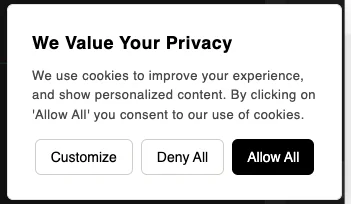
Settings
Cookie Widget
Use Settings → Cookie Widget to customize the cookie consent widget and install it on your website.
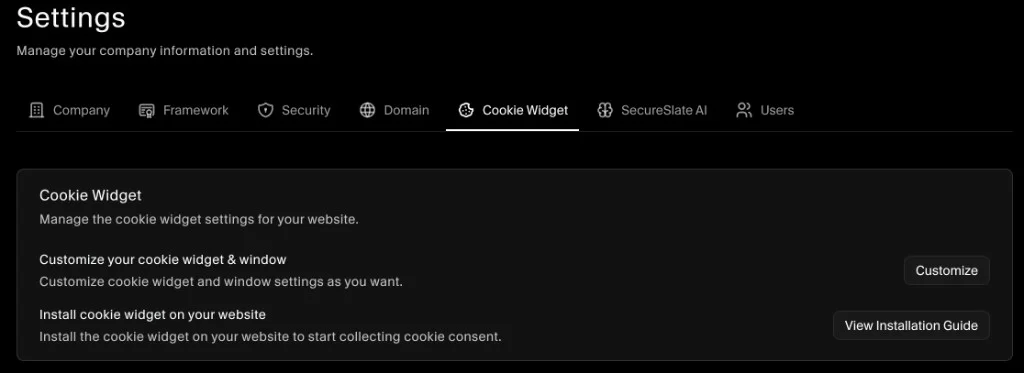
Customize the widget
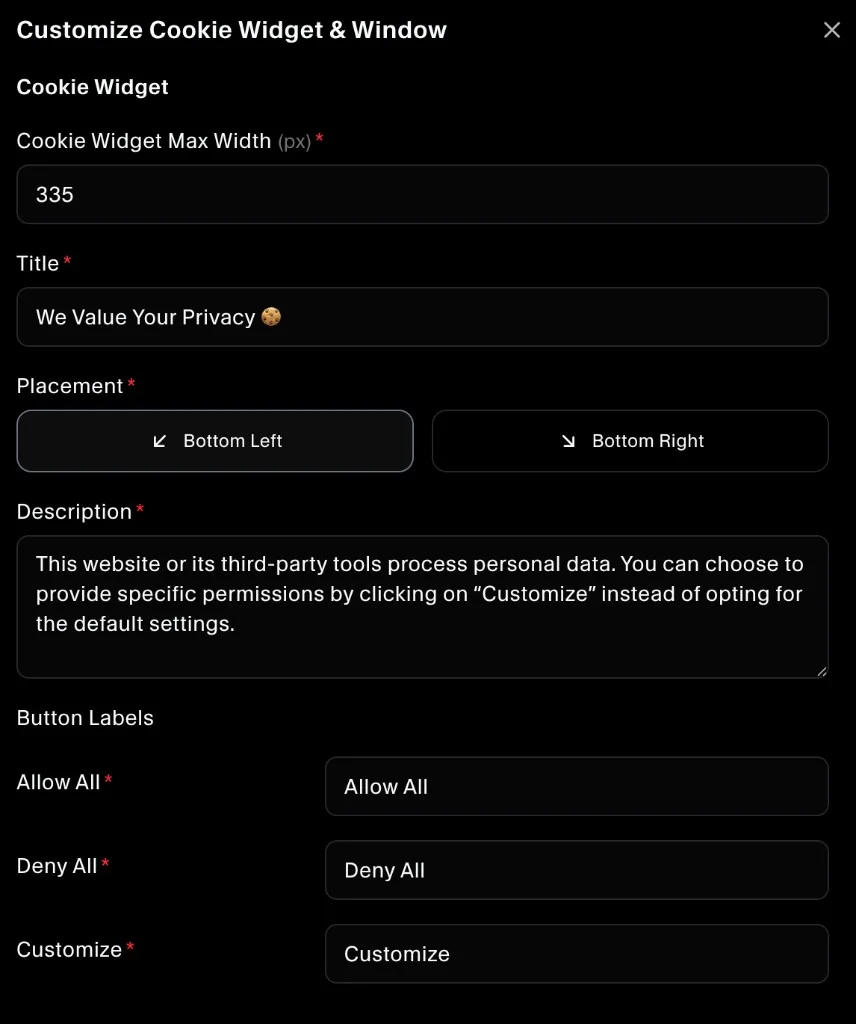
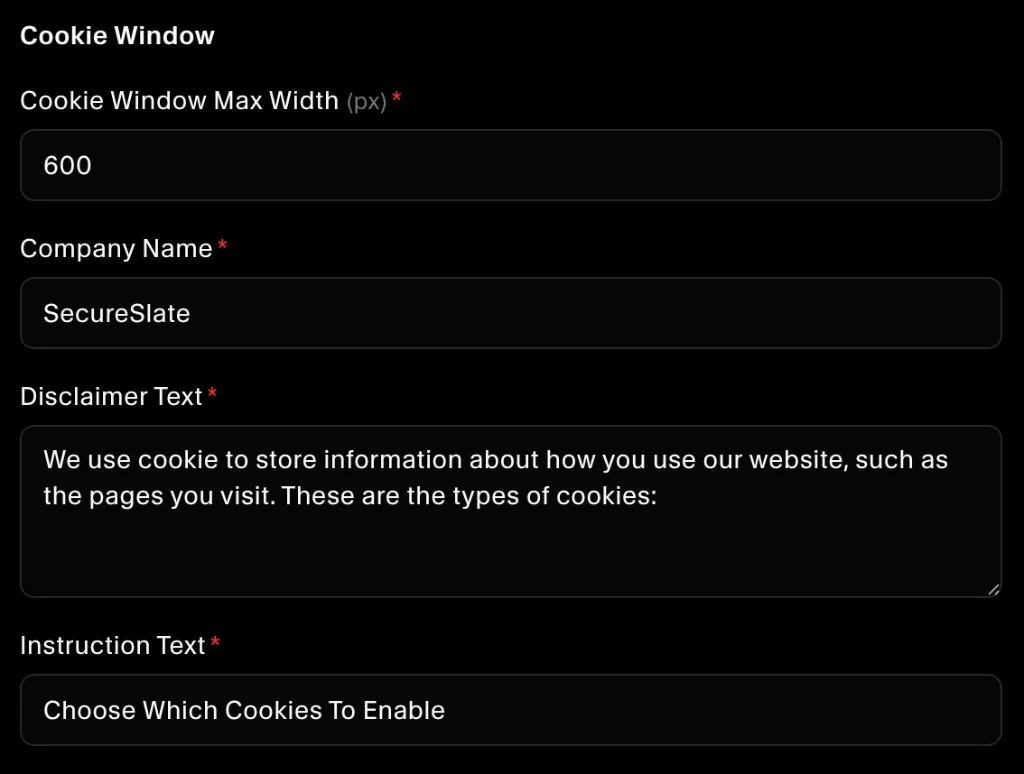
Clicking Customize lets you edit all cookie widget and cookie window details (text, placement, sizing, and button labels).
- In Settings, open the Cookie Widget tab.
- Under Customize your cookie widget & window, click Customize.
- Update the widget configuration and save.
Install the widget on your website
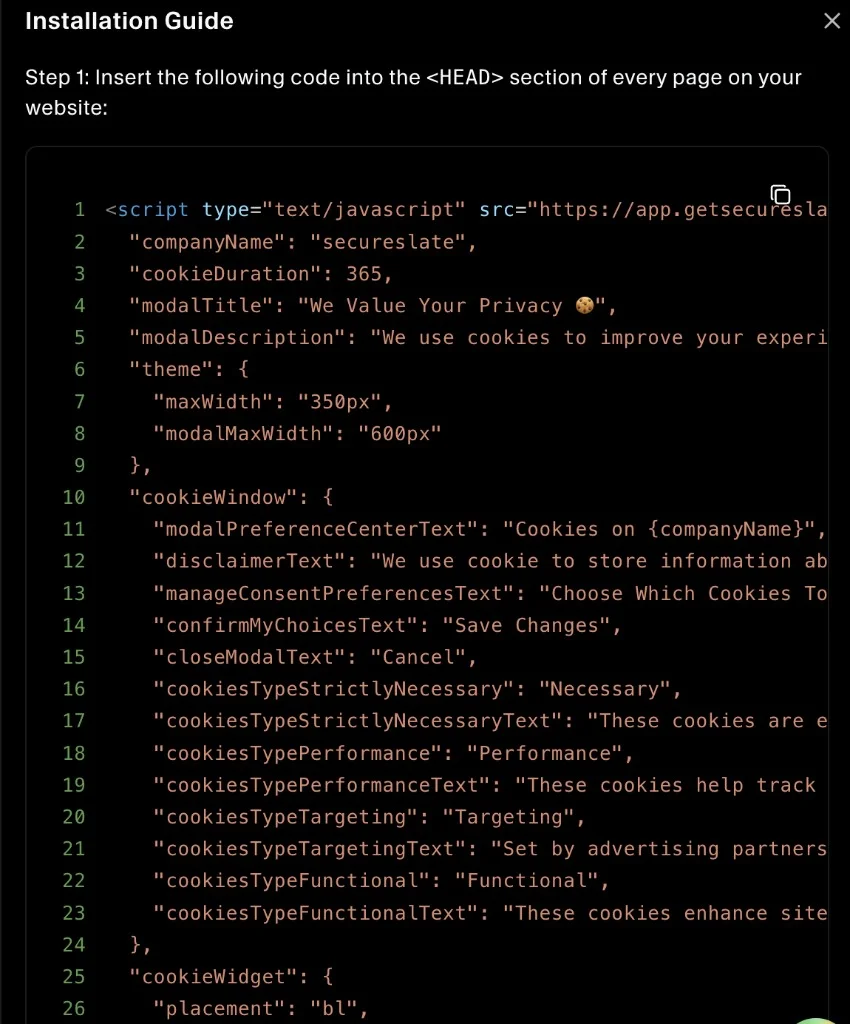
From the Installation Guide, you can copy the script and paste it into your website. Once installed, the cookie widget will be ready to display.
- In Settings, open the Cookie Widget tab.
- Under Install cookie widget on your website, click View Installation Guide.
- Copy the script and paste it into the
<head>section of every page on your website (or into your global site layout).
After it’s installed, the cookie widget appears on your website (based on the placement you selected).