
Optimize your workflow
Mark resources out of scope
Not everything connected to your stack belongs in your audit scope. For example, you might have:
- Sandbox or demo environments
- Archived or personal repositories
- Test accounts and contractors who should not be included in audits
- Business units, projects, or workspaces that are not part of the in-scope boundary
In SecureSlate, you can use configure scope settings (where available) to include or exclude resources pulled in by an integration.
How to mark integration resources out of scope
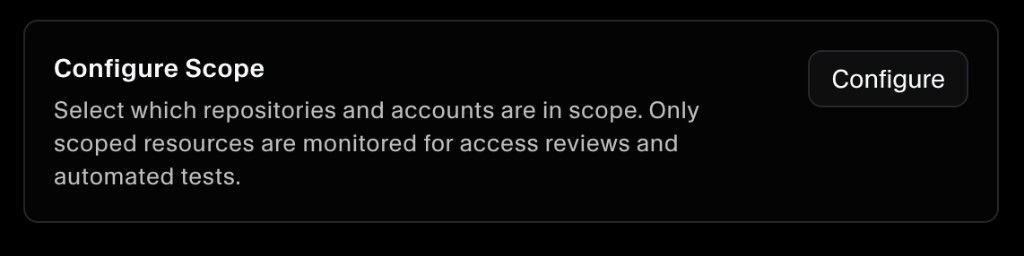
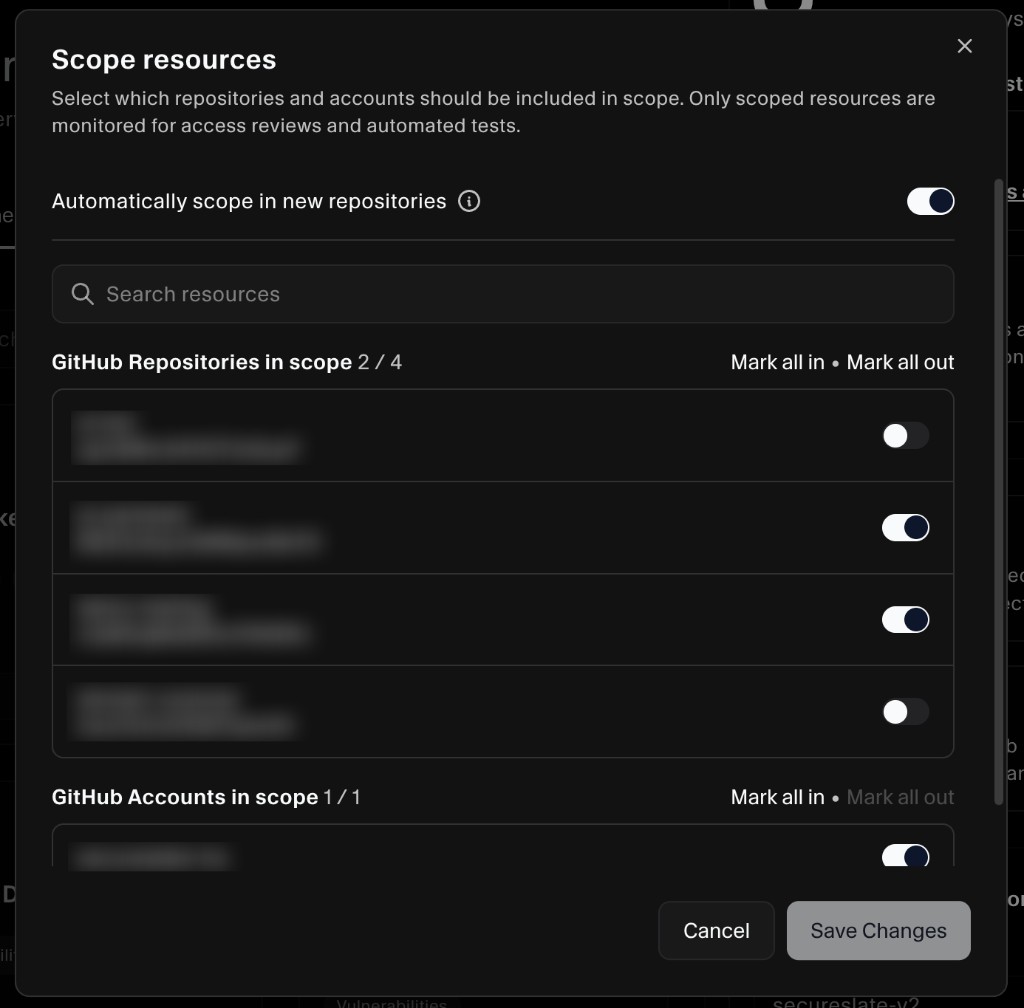
Select which repositories and accounts should be included in scope. Only scoped resources are monitored for access reviews and automated tests.
- In SecureSlate, open Integrations.
- In Connected connections, find the integration you want to adjust.
- Click on view details and select Configure in configure scope section.
- Toggle the resources you want to include or exclude (for example: accounts, repositories on the integration).
- Finally click on Save changes and those resources scope will be updated.
If you do not see Configure scope for an integration, that integration may not support scoping yet.
Update scope from Asset Management (repositories)
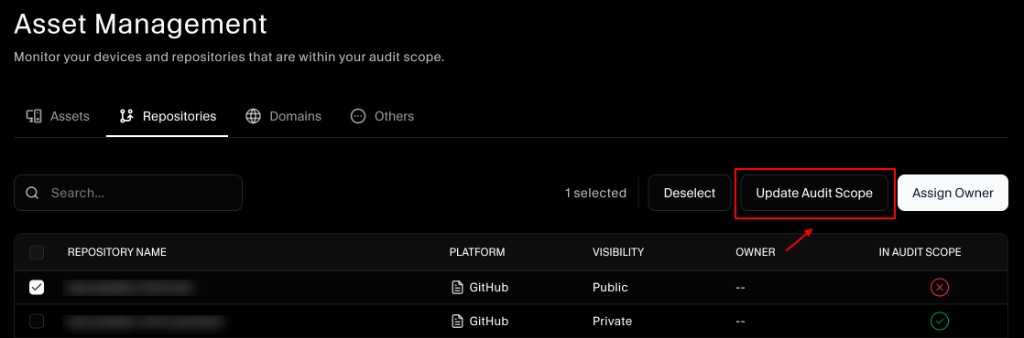
If you’re scoping repositories, you can also update audit scope directly from Asset Management:
- Open Asset Management.
- Click the Repositories tab.
- Select the checkbox next to the repository you want to update.
- Click Update Audit Scope, then toggle whether it’s in or out of scope.
- (Optional) Click Assign Owner to set who owns the repository from the same toolbar.
What should be in scope vs out of scope
Use these guidelines to keep your scope aligned with what auditors typically expect:
- In scope: Production systems, anything that stores or processes sensitive data, and the people/systems that support those workflows.
- Out of scope: Non-production resources that don’t touch sensitive data (like isolated sandboxes), unused/archived resources, or tools that are clearly outside the audit boundary.
When in doubt, scope in first, then narrow scope once you’ve confirmed what belongs in the audit boundary.
Tips for keeping scope accurate over time
- Review scope after org changes: Mergers, new teams, or replatforming often adds “extra” resources that shouldn’t be audited.
- Use clear naming: Names like “Prod”, “Staging”, “Sandbox”, and “Archive” make scoping faster.
- Re-check scope periodically: New repositories, projects, and accounts can appear over time depending on the integration.
