
Integrations
Connecting SecureSlate & Railway
SecureSlate connects to Railway with an API token and only reads data. We sync your projects, services, domains and workspace members so you can keep an asset inventory, review who has access, and check HTTPS and two-factor authentication. SecureSlate does not change anything in Railway.
Prerequisites
- SecureSlate permissions: access to manage integrations (typically Admin).
- Railway permissions: a Railway account that is a member of the workspace you want to connect.
SecureSlate accepts two kinds of token:
- Account token (created with No workspace selected): reaches every workspace you belong to. No Workspace ID is needed.
- Workspace token: reaches one workspace. You also enter its Workspace ID in SecureSlate.
Project tokens are not supported. If you belong to more than one workspace, use a workspace token: with an account token, SecureSlate reads members from the first workspace only, and removed members aren't tracked.
What SecureSlate syncs
| Data | Where it appears | Purpose |
|---|---|---|
| Services (or projects that have no services) | Assets → Others | Inventory each service, with an owner and description |
| Service and custom domains | Assets → Domains | Track the domains your services serve |
| Workspace members (name, email, role) | User Access → Railway | Review each account, link it to an employee, and track removed accounts |
| Two-factor status, certificate status, linked repositories | Automated tests | Check MFA, HTTPS and deploy log exposure |
New services are owned by the person who connected Railway, and their description is set to the project and service name. You can change both in Assets → Others.
SecureSlate also adds a Railway vendor under Vendor Risk when you connect, unless you already have a vendor named Railway.
When the token reaches a single workspace, members later removed in Railway stay in User Access as inactive, so your access history is kept for audits.
Create a token
- Sign in to Railway and open railway.com/account/tokens.
- Enter a name you will recognize, for example
SecureSlate. - In the Workspace dropdown, choose one:
- your workspace, for a workspace token (recommended if you belong to several workspaces), or
- No workspace, for an account token.
- Create the token and copy it. Store it somewhere safe.
- If you created a workspace token, copy your Workspace ID: open the command palette with Cmd+K (Mac) or Ctrl+K (Windows), search for workspace ID and choose the copy action.
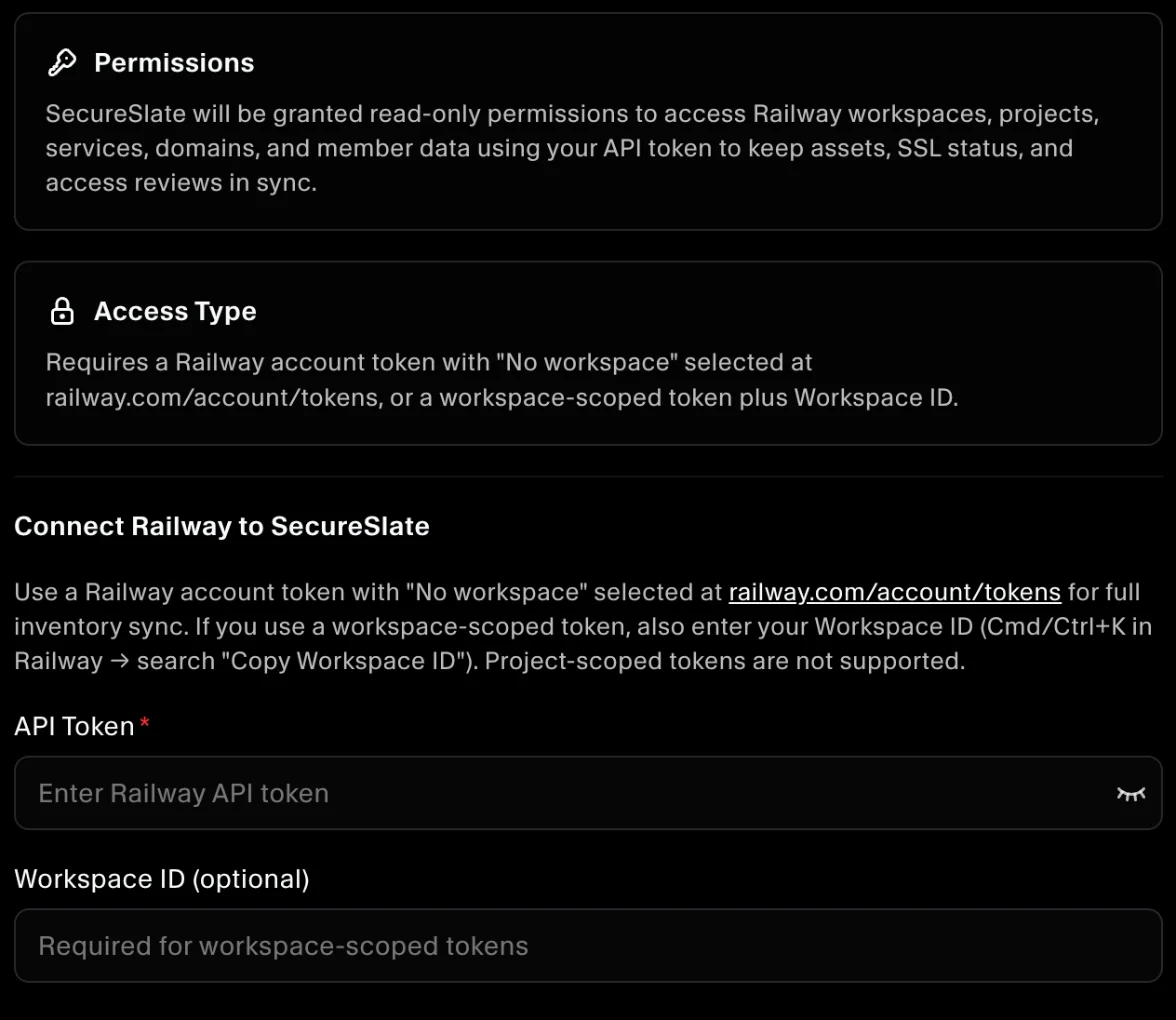
Connect Railway to SecureSlate
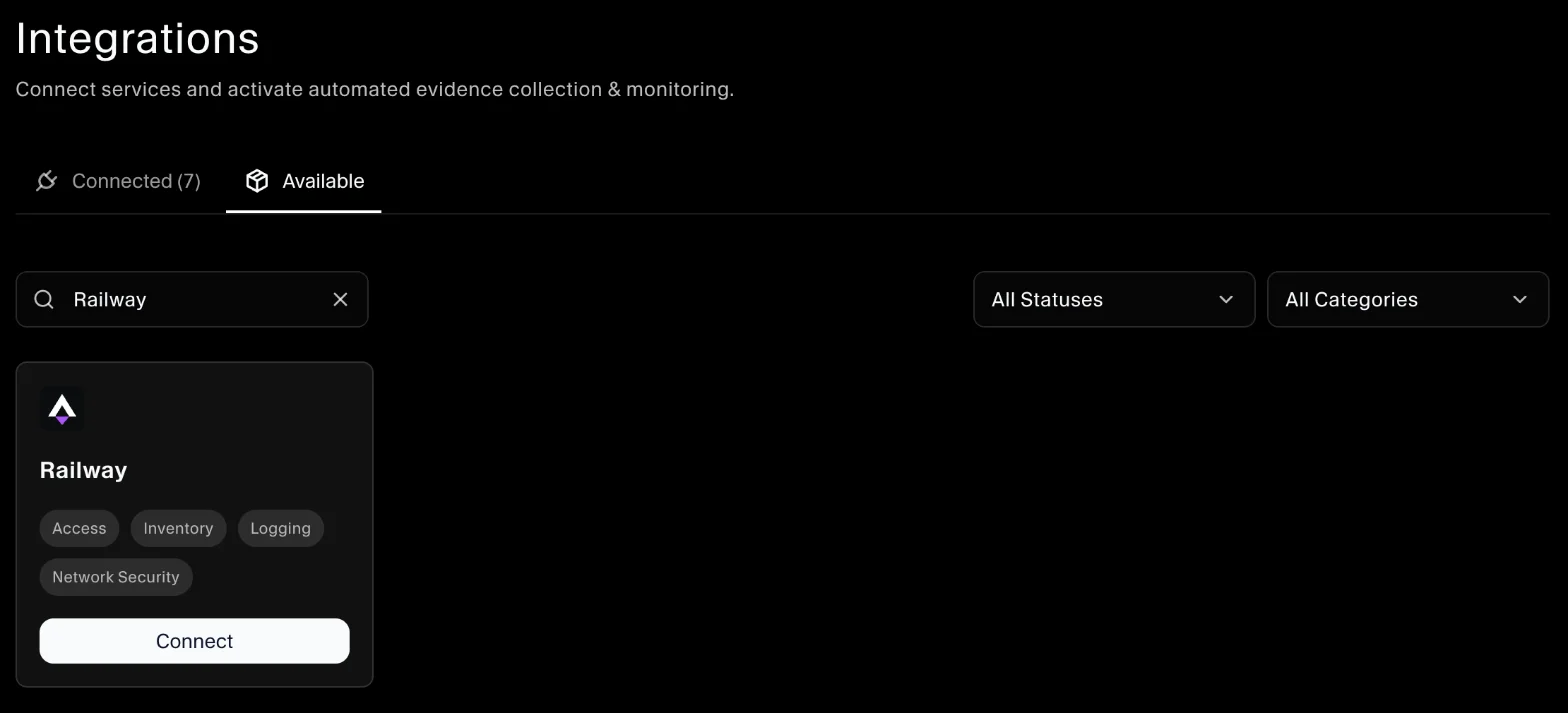
- In SecureSlate, open Integrations.
- Find Railway and click Connect.
- Paste the token into API Token.
- For a workspace token, paste the ID into Workspace ID (optional). Leave it empty for an account token.
- Click Connect.
SecureSlate checks the token, syncs your services, domains and members, and runs the automated tests. Later syncs use the same workspace.
To change the token or workspace, disconnect Railway and connect it again. Disconnecting removes the synced services and domains, the Railway accounts in User Access (including the owners you assigned) and the Railway vendor.
Automated tests
Once connected, SecureSlate runs automated tests on your Railway data. They cover HTTPS, two-factor authentication, logging and account access, and collect the evidence your auditors need.
To see which tests run and their results, open the Railway integration and click Automated Controls and Tests, or go to Tests.
Troubleshooting
- "This token cannot list account workspaces...": you used a workspace token without a Workspace ID. Enter the Workspace ID, or create an account token with No workspace selected.
- "Workspace not found or token lacks access to the specified workspace. Check the Workspace ID and token scope.": the Workspace ID is wrong, or the token belongs to another workspace.
- "Invalid Railway API token. Use an account or team token from railway.com/account/tokens.": the token was deleted or copied incorrectly. Create a new one.
- "No Railway workspaces found for this token...": the token's account isn't in any workspace. Use an account that is.
- "No services found on this Railway account...": the token can't see any projects or services in the workspace.
- "Railway workspace ... could not be read, so members were not updated.": check the token's access to that workspace.
- "Railway API rate limit exceeded. Please try again later.": wait a few minutes and try again.
Get started today at getsecureslate.com to connect Railway and keep your services and workspace access audit-ready.